
Quick Summary:
Finding good Bluetooth headphones for your iPhone is easy with this guide. We cover essential features like sound quality, battery life, comfort, and compatibility to help you choose the perfect pair. Discover top picks and tips to ensure a great listening experience for music, calls, and everything in between.
Hey there, fellow music lovers and tech explorers! Edward Cavitt here from headphonehorizon, your friendly guide to all things audio. If you’ve just snagged a shiny new iPhone or are simply looking to upgrade your listening experience, you’re in the right place. Bluetooth headphones offer that sweet freedom from tangled wires, and pairing them with your iPhone is simpler than ever. But with so many options on the market, how do you pick the ones that are truly “good”? Don’t worry, we’ll break down what really matters, from crystal-clear calls to bass-thumping tunes, without getting lost in confusing tech specs. Let’s dive in and find you the perfect wireless companions for your iPhone!
Why Bluetooth Headphones Are a Game-Changer for Your iPhone

The iPhone, a device synonymous with convenience and innovation, truly shines when paired with the right accessories. Bluetooth headphones represent one of the most significant leaps in personal audio convenience. Gone are the days of fumbling with cords, getting them caught on door handles, or limiting your movement. Bluetooth technology allows for a seamless, wireless connection, transforming your iPhone into a portable sound system or a communication hub without being tethered.
For iPhone users, this wireless freedom means you can:
- Enjoy your music, podcasts, and audiobooks from a comfortable distance.
- Take calls without holding your phone, perfect for multitasking.
- Exercise or move around freely without the annoyance of wires.
- Stream audio from your iPhone to your headphones with minimal delay.
Apple’s ecosystem, in particular, has embraced Bluetooth. Features like automatic pairing with Apple devices (thanks to the W1 and H1 chips found in some AirPods models) and seamless switching between your iPhone, iPad, and Mac make the experience incredibly smooth. However, you don’t need to stick to Apple’s own brand to achieve a great wireless experience with your iPhone. Many other manufacturers offer excellent Bluetooth headphones that work flawlessly with iOS devices.
Key Features to Look For in Good Bluetooth Headphones for iPhone

When you’re on the hunt for “good Bluetooth headphones for iPhone,” it’s easy to get overwhelmed by jargon. But fear not! We’re going to break down the essentials into straightforward terms. Think of these as your checklist to ensure you’re getting a pair that will make you happy every time you use them.
1. Sound Quality: The Heart of the Experience
This is probably the most crucial aspect for any audio gear. For your iPhone, good sound quality means:
- Clear Mids and Highs: Vocals and instruments should sound crisp and distinct, not muffled or tinny.
- Satisfying Bass: You want a bass that’s present and adds depth to music without being muddy or overpowering.
- Balanced Soundstage: This refers to how “wide” or spacious the audio sounds, allowing you to distinguish different instruments and their placement.
While audiophiles might obsess over specific frequency responses, for most of us, it comes down to a sound that’s enjoyable across a variety of music genres. Many headphones offer different sound profiles, so if possible, try to listen before you buy or read reviews that specifically mention sound characteristics.
2. Comfort and Fit: Wear Them for Hours
If your headphones aren’t comfortable, you won’t want to wear them, no matter how good they sound. Consider:
- Earbud Fit: Do they come with multiple ear tip sizes (silicone or foam)? A secure, sealed fit improves sound isolation and bass response.
- Over-Ear/On-Ear Padding: Are the earcups plush and breathable? Does the headband have adequate padding and adjustable size?
- Weight: Lighter headphones are generally more comfortable for long listening sessions.
For active users, a snug fit that stays put during exercise is paramount. Water and sweat resistance (IPX rating) is also a key factor here.
3. Battery Life: Power Through Your Day
Nothing kills the listening mood like a dead battery. For Bluetooth headphones, battery life is crucial:
- Headphone Battery: How many hours can you expect from a single charge? Aim for at least 5-6 hours for earbuds and 15-20+ hours for over-ear models.
- Charging Case Battery (for earbuds): Many wireless earbuds come with a charging case that provides multiple recharges on the go. This can extend your listening time significantly.
- Fast Charging: Some models offer quick top-ups, giving you an hour or two of playback with just a few minutes of charging.
Most iPhones support Bluetooth 5.0 and later, which is more power-efficient, aiding in better battery performance for compatible headphones.
4. Bluetooth Version and Codecs: The Technical Bits Explained
Bluetooth technology has come a long way. Newer versions generally offer:
- Improved Stability: Fewer dropouts and a more reliable connection.
- Better Range: You can move further away from your iPhone before the connection falters.
- Lower Power Consumption: This translates to longer battery life.
Codecs are like languages that Bluetooth devices use to transfer audio data. Your iPhone supports several:
The most common and highly compatible codec is SBC (Subband Coding). It’s the baseline and works with virtually all Bluetooth audio devices. For better sound quality, look for headphones that support:
- AAC (Advanced Audio Coding): This is Apple’s preferred codec. iPhones offer excellent support for AAC, so headphones supporting it often provide a slightly better wireless audio experience with an iPhone compared to just SBC.
- aptX (and its variants like aptX HD, aptX Adaptive): Developed by Qualcomm, these codecs can offer higher fidelity audio, often with lower latency. While iPhones don’t natively support some aptX variants as strongly as AAC, many Android devices do, and they still function perfectly fine with an iPhone, typically falling back to SBC or AAC.
- LDAC: Developed by Sony, this is a high-resolution audio codec. iPhones do not natively support LDAC.
For iPhone users, prioritizing headphones that support AAC is generally a good strategy for optimal wireless audio. Bluetooth 5.0 or later is also a good indicator of modern, efficient technology.
5. Noise Cancellation (ANC) and Transparency Mode: Control Your Sound Environment
This feature is a game-changer, especially for commuters, frequent flyers, or anyone in a noisy environment:
- Active Noise Cancellation (ANC): Microphones on the headphones listen to ambient noise and generate opposing sound waves to cancel it out. This is fantastic for blocking out engine hums, office chatter, or street noise.
- Transparency Mode (or Ambient Sound Mode): This uses the external microphones to let in surrounding sounds. It’s useful for hearing announcements, traffic, or having a quick conversation without removing your headphones.
Not all ANC is created equal, but good ANC can dramatically improve your listening experience in loud places. Many top-tier headphones offer highly effective ANC.
6. Microphone Quality: For Clear Calls
If you plan on using your headphones for phone calls or video conferences, microphone quality is vital. Look for reviews that specifically test call quality. Good mics will:
- Pick up your voice clearly without sounding distant or tinny.
- Do a decent job of isolating your voice from background noise.
Some headphones even feature multiple microphones or special beamforming technology to enhance vocal pickup.
7. Durability and Build Quality: Built to Last
Your headphones will likely see a lot of use. Consider:
- Materials: Are they made of sturdy plastics, metal, or premium materials?
- Hinge Strength (for over-ear): Do they feel like they can withstand frequent folding and unfolding?
- Water/Sweat Resistance (IP Rating): Essential for workouts or use in light rain. An IPX4 rating is generally sufficient for sweat and splash resistance. You can learn more about IP ratings at the Trusted Reviews IP Rating Guide.
8. Ease of Use and Connectivity
While all Bluetooth headphones connect to an iPhone, some offer a more streamlined experience:
- Quick Pairing: Does it connect easily and quickly?
- Multipoint Connectivity: Can the headphones connect to two devices simultaneously (e.g., your iPhone and your laptop)? This is incredibly useful for switching between music and calls or meetings.
- Companion App: Does the manufacturer offer an app for custom EQ settings, ANC adjustments, or firmware updates?
Top Categories of Good Bluetooth Headphones for iPhone

To help narrow down your search, let’s look at popular types of Bluetooth headphones that work brilliantly with iPhones.
True Wireless Earbuds: The Ultimate Portability
These are small, completely wireless earbuds that fit entirely in your ear canal. They’re incredibly popular for their convenience and portability. Your iPhone benefits from their compact charging cases, which easily slip into a pocket.
Pros:
- Extremely portable.
- No wires at all.
- Often come with charging cases for extended battery life.
- Many sport active noise cancellation and transparency modes.
Cons:
- Can be easier to lose due to their small size.
- Battery life per charge is typically shorter than over-ear headphones.
- Fit can be tricky for some ear shapes.
Wireless Neckband Earbuds: Secure and Always Ready
These feature two earbuds connected by a flexible band that rests around your neck. The earbuds themselves are wireless, but the neckband houses the battery and controls, offering a different kind of convenience.
Pros:
- Harder to lose than true wireless earbuds.
- Often offer longer battery life than true wireless models.
- Neckband can house larger drivers for potentially better sound and ANC.
- Easy to take out and let hang around your neck.
Cons:
- The neckband can be noticeable or sometimes uncomfortable for certain users or activities.
- Less sleek than true wireless.
Over-Ear Bluetooth Headphones: Immersive Sound and Comfort
These headphones completely enclose your ears. They are known for delivering powerful sound, excellent comfort for long listening sessions, and often the best active noise cancellation.
Pros:
- Typically offer the best sound quality and noise cancellation.
- Very comfortable for extended wear.
- Longest battery life on a single charge.
- Often feature premium build quality and materials.
Cons:
- Bulky and not as portable as earbuds.
- Can get warm on the ears during long wear or in hot weather.
- Usually the most expensive option.
On-Ear Bluetooth Headphones: A Balanced Option
These rest directly on your ears, rather than enclosing them. They offer a compromise between the portability of earbuds and the immersive sound of over-ear headphones.
Pros:
- More compact than over-ear headphones.
- Can offer a good balance of sound quality and comfort.
- Allow some awareness of ambient sound (though less so than earbuds without isolation).
Cons:
- Can cause ear fatigue for some users over long periods.
- Sound isolation is generally not as good as over-ear models.
- Bass might not be as impactful as with over-ear headphones.
Choosing the Right Bluetooth Headphones: A Step-by-Step Approach

Let’s walk through the process of selecting your ideal Bluetooth headphones for your iPhone. This structured approach will help you make an informed decision.
Step 1: Define Your Primary Use Case
Before looking at specific models, ask yourself: “What will I use these headphones for the most?”
- Commuting/Travel: Prioritize noise cancellation, comfort for long wear, and perhaps a compact design.
- Workouts/Fitness: Look for a secure, sweat-resistant fit (IPX rating), good battery life, and easy controls.
- Work/Study: Excellent microphone quality for calls, strong ANC to block distractions, and reliable connectivity are key.
- Casual Listening/Music Enjoyment: Focus on sound quality, comfort, and battery life.
- Gaming/Video: Low latency is crucial here to ensure audio syncs with visuals.
Step 2: Set Your Budget
Bluetooth headphones range from very affordable to quite expensive. Determine how much you’re willing to spend. Generally:
- Entry-level ($30-$70): Basic functionality, decent sound, and build.
- Mid-range ($70-$150): Good balance of features, sound quality, ANC, and comfort.
- Premium ($150+): Top-tier noise cancellation, superior sound, advanced features, and premium materials.
Remember that investing a bit more can often lead to a significantly better and more durable product.
Step 3: Consider the Form Factor
Based on your use case and comfort preferences, decide between true wireless earbuds, neckband earbuds, on-ear, or over-ear headphones.
Step 4: Research Key Features
Now, dive into the specifics. Refer back to our “Key Features to Look For” section. Prioritize features that are most important for your defined use case and budget.
Step 5: Read Reviews and Watch Comparisons
Once you have a few models in mind, it’s time for research. Look for reviews from reputable tech sites and YouTube channels. Pay attention to:
- Sound quality assessments
- Comfort and fit feedback
- Active Noise Cancellation (ANC) performance
- Microphone quality tests
- Battery life real-world tests
- Connectivity and reliability
For specific advice on iPhone compatibility, search for reviews that mention using the headphones with an iPhone.
Step 6: Check for iPhone-Specific Benefits (Optional but Recommended)
While most Bluetooth headphones work fine with an iPhone, some offer enhanced integration:
- AAC Codec Support: As mentioned, this is ideal for iOS devices.
- W1/H1 Chip: Found in Apple’s AirPods and some Beats products, these offer instant pairing, “Hey Siri” functionality, and seamless device switching within the Apple ecosystem.
- MagSafe Compatibility: For AirPods Pro 2 and some other earbuds, MagSafe charging offers a convenient charging solution.
Step 7: Make Your Purchase and Test Them Out
After your research, make your choice! When you receive your new headphones, take the time to:
- Pair them with your iPhone: Ensure the connection is stable.
- Try different ear tips (for earbuds): Find the most comfortable and secure fit.
- Test them in various environments: See how they perform during your commute, at home, or during a workout.
- Check battery life: See if it matches the manufacturer’s claims.
Most retailers offer a return policy, so if they don’t meet your expectations, you have options.
Recommended Features Snapshot Table
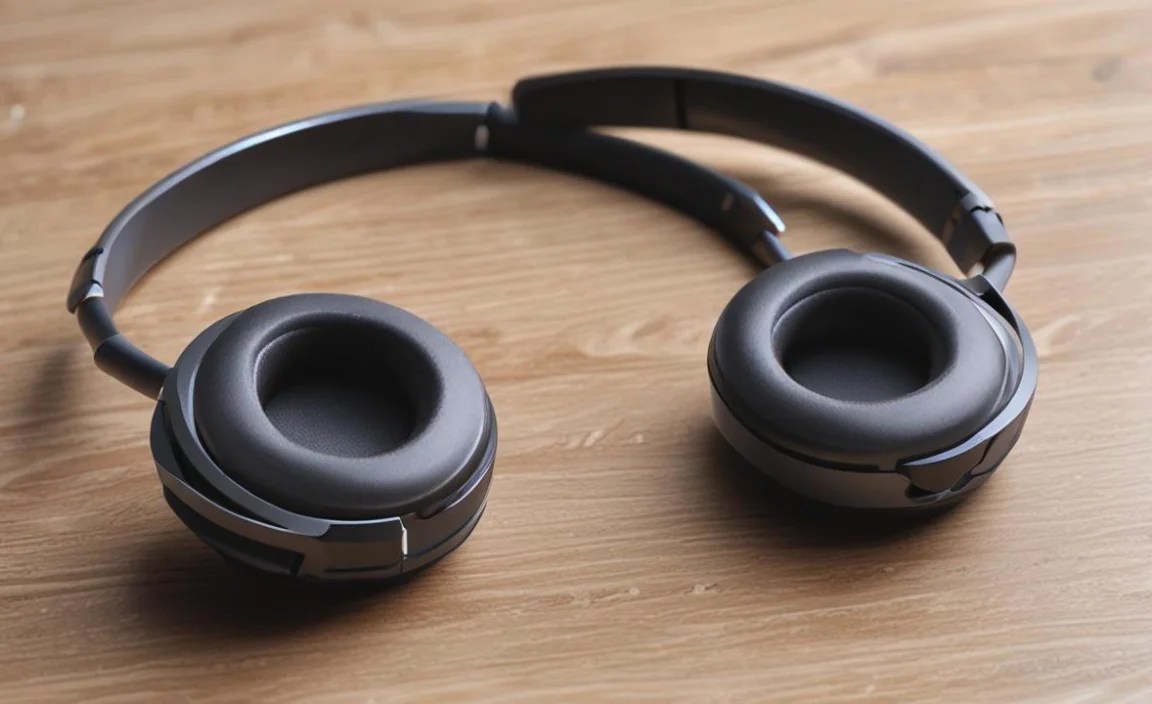
To give you a quick visual of what to look for, here’s a table summarizing feature importance by use case.
| Feature | Commuting/Travel | Workouts/Fitness | Work/Study | Casual Listening | Gaming/Video |
|---|---|---|---|---|---|
| Sound Quality | High | Good | Good | Very High | High (Low Latency!) |
| Comfort | Very High | High (Secure Fit!) | High | Very High | High |
| Battery Life | High | High | Medium-High | High | Medium |
| Noise Cancellation (ANC) | Very High | Medium (Awareness sometimes useful |
