
Quick Summary: Finding the right headphones for your computer enhances everything from work calls to entertainment. This guide simplifies choosing based on your needs, focusing on comfort, sound quality, and features like microphones and connectivity, ensuring you make a smart, satisfying purchase.
Good Headphones for Computer: Your Essential Guide
Hello there! Edward Cavitt here, your guide to the wonderful world of sound. If you’re spending a lot of time with your computer – whether for crucial work calls, immersive gaming, enjoying your favorite tunes, or diving into online learning – your headphones play a starring role. But with so many options out there, picking the “good ones” can feel a bit overwhelming. Don’t worry! This guide is designed to cut through the jargon and help you find a pair that’s not just good, but perfect for you. We’ll cover what to look for, common types, and how to make a choice that will make your ears – and your wallet – very happy.
Why Good Headphones Matter for Your Computer

Think about it: your computer is a hub for communication, entertainment, and productivity. Great headphones aren’t just about hearing; they’re about experiencing. They can:
- Boost Concentration: Block out distractions during focus-intensive tasks.
- Improve Communication: Ensure your voice is clear on calls and you can hear others perfectly.
- Enhance Entertainment: Immerse yourself in music, movies, and games with richer sound.
- Protect Your Hearing: Many headphones offer features to prevent damage from excessively loud volumes.
- Increase Comfort: Padded earcups and lightweight designs make long listening sessions enjoyable.
Understanding the Basics: Types of Computer Headphones

Before we dive into features, let’s look at the main categories of headphones you’ll encounter for computer use. Each has its strengths:
1. Over-Ear Headphones
These are the classic “cans” that completely cup your ears. They generally offer superior comfort and sound isolation due to their size.
- Pros: Excellent comfort for long wears, great sound quality, good passive noise isolation.
- Cons: Can be bulky, may cause ears to get warm.
2. On-Ear Headphones
These rest directly on your ears. They are often more compact than over-ear models but might offer less noise isolation and can sometimes cause ear fatigue for some users.
- Pros: More portable than over-ear, often lighter.
- Cons: Can cause discomfort on ears after extended use, less effective at blocking external noise.
3. In-Ear Headphones (Earbuds)
These small buds sit inside your ear canal. They are the most portable and discreet option, and many modern earbuds offer impressive sound and features.
- Pros: Extremely portable, good for active use, many offer excellent noise isolation (especially with silicone tips).
- Cons: Can be less comfortable for some, sound quality can vary greatly, might get lost easily.
Key Features to Consider When Buying
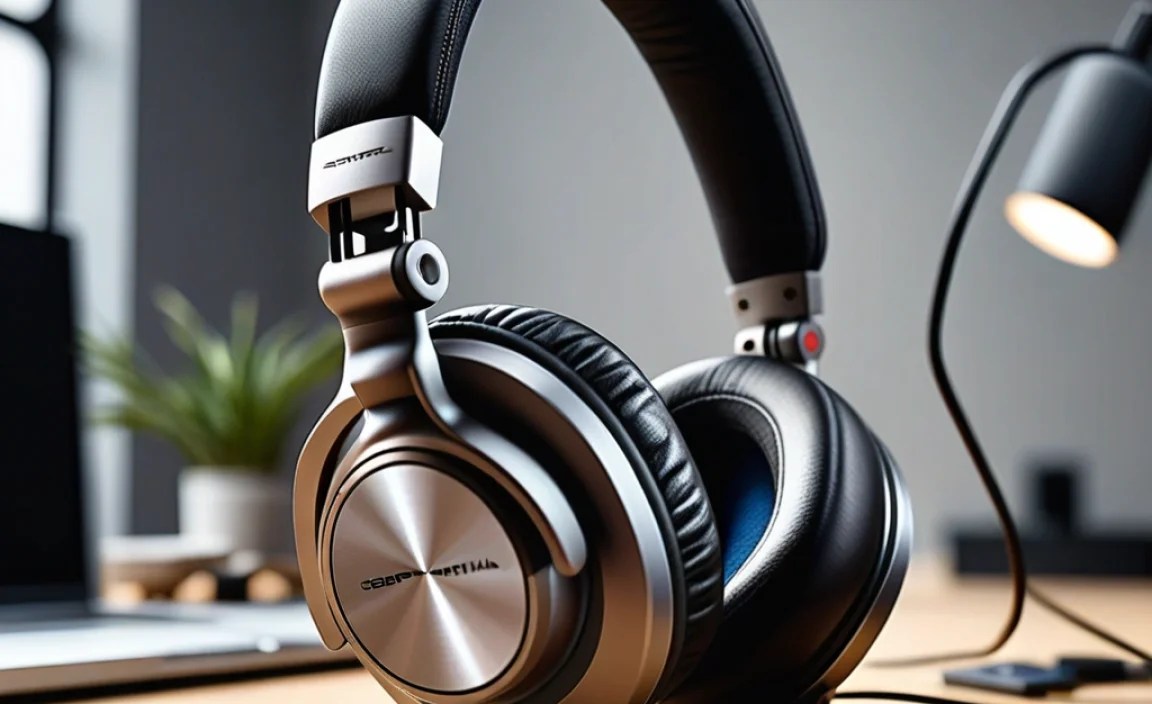
Now, let’s break down the essential features that will define your headphone experience:
1. Sound Quality
This is paramount. For general use, look for balanced sound. If you’re a gamer, you might want emphasis on positional audio. For music, clarity and range are key. Don’t get too caught up in technical specs unless you’re an audiophile; read reviews focusing on how natural or exciting the sound is.
2. Comfort and Fit
You’ll likely be wearing these for hours. Ensure the headband is adjustable, the earcups are soft (memory foam is a good sign!), and the weight is manageable. For over-ear and on-ear, check if they clamp too tightly.
3. Microphone Quality
If you make frequent calls, video conferences, or stream, a good microphone is non-negotiable. Look for headphones with clear, noise-cancelling microphones. Reviews often test mic quality – check those out!
4. Connectivity
How will you connect them to your computer? This is a crucial decision.
- Wired (3.5mm Jack): The most universal and reliable. No batteries needed, no latency issues. Great for most desktops and many laptops.
- Wired (USB): Offers digital audio, bypassing your computer’s sound card, which can sometimes result in cleaner sound. Also great for mics as it’s a dedicated channel.
- Wireless (Bluetooth): Offers freedom of movement. Newer Bluetooth versions (like Bluetooth 5.0 and higher) offer better stability, range, and battery life. Be aware of potential latency for gaming or professional audio work.
- Wireless (RF Dongle): Often used for gaming headsets. These provide a dedicated, low-latency connection directly to a USB dongle, offering the best of wireless and wired.
5. Noise Cancellation
This can be a game-changer for busy environments or travel.
- Passive Noise Isolation: Achieved through the physical design of the headphones (e.g., snug earcups). All headphones offer some level of this.
- Active Noise Cancellation (ANC): Uses microphones to detect ambient noise and cancel it out with opposing sound waves. Great for offices, public transport, or noisy homes.
6. Durability
Consider the build materials. Metal components often indicate better durability than all-plastic construction. Check reviews for common failure points.
7. Brand Reputation and Reviews
Stick to reputable brands. When reading reviews, look for common themes across multiple sources. Sites like RTINGS.com offer in-depth, objective testing, which is fantastic for making informed decisions.
Matching Headphones to Your Computer Use Case

Let’s tailor your choice to how you use your computer:
For the Remote Worker / Student
Your priority is clear communication and comfortable, long-term wear.
- Must-haves: Excellent microphone quality, comfortable earcups (over-ear or well-designed earbuds with comfort tips), reliable connection (wired USB or stable Bluetooth).
- Nice-to-haves: ANC for focus, simple controls for calls.
For the Gamer
Immersion and precise audio cues are key. Low latency is critical.
- Must-haves: Good sound stage (ability to distinguish directions of sound), clear microphone, low latency connection (wired, RF dongle, or very recent Bluetooth with low-latency codecs like aptX Low Latency if supported by your PC).
- Nice-to-haves: Surround sound (virtual or true), durable build, comfortable for marathon sessions.
For the Music Lover / Audiophile
Sound reproduction accuracy and detail are paramount.
- Must-haves: Balanced sound profile, wide frequency response, comfortable fit for enjoyment.
- Nice-to-haves: Open-back designs for airier sound (though they offer no isolation), high-resolution audio support if your PC and music files support it.
For the General User (Browsing, Casual Videos)
You want a good all-rounder that’s comfortable and sounds decent without breaking the bank.
- Must-haves: Comfort, decent sound, reliable connectivity.
- Nice-to-haves: Built-in mic, portability.
Popular Types of Connections and Their Benefits

Understanding how your headphones connect can significantly impact your experience. Here’s a quick rundown:
| Connection Type | Pros | Cons | Best For |
|---|---|---|---|
| 3.5mm Jack (Wired) | Universal compatibility, no latency, no battery needed. | Can be restrictive, requires a dedicated port. | General use, calls, older PCs/laptops. |
| USB (Wired) | Digital audio (potentially cleaner sound), dedicated mic channel, no latency. | Requires a USB port, not universal on all devices. | Gaming, calls, those wanting to bypass PC sound card. |
| Bluetooth (Wireless) | Freedom of movement, cleaner desk setup. | Potential latency, requires charging, can be less stable. | Casual use, portability, modern laptops without 3.5mm jack. |
| RF Dongle (Wireless) | Low latency, often better range and stability than Bluetooth. | Requires a USB port for dongle, often proprietary to the headset. | Serious gaming, demanding wireless audio. |
Headphones with Great Microphones: Recommended Features
For anyone who talks on their computer, a good mic is as important as good sound. Look for:
- Noise-Cancelling Microphones: These are designed to pick up your voice clearly while filtering out background noise. This is crucial for conference calls in a not-so-quiet environment.
- Bidirectional or Cardioid Pickup Patterns: These patterns help focus on sound coming from the front (where your mouth is) and reject sound from the sides and rear.
- Microphone Boom Arm: A flexible arm that positions the mic closer to your mouth generally offers better voice pickup and isolation.
- Dedicated Mute Button: A physical button on the headset or cable for quick muting is incredibly convenient.
- Clear Voice Technology: Some brands use proprietary tech to enhance voice clarity. Reviews are your best friend here.
To learn more about what makes a microphone sound good, you can delve into resources like those from the International Telecommunication Union (ITU), which sets global standards for audio quality.
Budget-Friendly vs. High-End: What’s the Difference?
It’s natural to wonder if you need to spend a lot of money. Here’s a general idea:
Entry-Level (< $50)
Often basic wired earbuds or simple on-ear headphones. Sound quality can be passable, but comfort and microphone performance can be hit-or-miss. Great for occasional use or when on a tight budget.
Mid-Range ($50 – $150)
This is the sweet spot for everyday users and many professionals. You’ll find comfortable over-ear and in-ear options with much-improved sound, better build quality, and decent microphones. Many wireless options are available here too.
High-End ($150+)
Expect premium materials, superior comfort, advanced features like excellent ANC, finely tuned sound profiles, and top-tier microphones. This is where audiophiles, serious gamers, and professionals prioritizing the absolute best will look.
Taking Care of Your Computer Headphones
A little care goes a long way in ensuring your headphones last and sound their best.
- Cleaning: Regularly wipe down earcups and headbands with a slightly damp, soft cloth. Avoid harsh chemicals. For detachable earpads, check if they can be washed gently.
- Storage: When not in use, store them in a case or on a stand to protect them from dust and potential damage. Avoid yanking on the cable; coil it loosely.
- Cable Management: If you have wired headphones, wind the cable gently to avoid kinks or breaks. Never pull on the cable to unplug them; grip the connector instead.
- Volume Control: Be mindful of your volume levels. Prolonged exposure to high volumes can damage your hearing. Many organizations, like the National Institute on Deafness and Other Communication Disorders (NIDCD), detail the risks of noise-induced hearing loss.
Troubleshooting Common Headphone Issues
Even the best headphones can sometimes have minor hiccups. Here are a few common problems and simple fixes:
- No Sound:
- Check volume levels on your computer and headphones.
- Ensure headphones are selected as the default audio output device in your computer’s sound settings.
- Try a different port or a different device to test the headphones.
- For wired headphones, check if the jack is fully inserted and clean.
- For wireless, ensure they are paired and connected, and the battery is charged.
- One Earbud/Side Not Working:
- For wired, check the cable connection for any visible damage. Try gently wiggling the plug.
- For wireless, try unpairing and re-pairing the device.
- Restart your computer.
- Background Noise/Static:
- For wired, try a different cable if possible, or ensure the jack is clean.
- For wireless, move closer to your computer, or try disconnecting other Bluetooth devices that might be causing interference.
- Check for driver updates for your sound card or Bluetooth adapter.
- Microphone Issues:
- Ensure the microphone isn’t muted (check physical mute button or software settings).
- Verify the microphone is selected as the input device in your computer’s sound settings.
- Restart your computer or the application you are using.
Frequently Asked Questions (FAQ)
Q1: Do I need special software for computer headphones?
A1: Generally, no. Most headphones are plug-and-play. Some high-end gaming headsets or studio headphones might come with optional software for customization (like EQ settings or virtual surround sound), but they will function perfectly without it.
Q2: What’s the difference between gaming headsets and regular headphones?
A2: Gaming headsets are specifically designed for gaming, often featuring enhanced microphone quality, virtual surround sound for better positional audio, and controls for game/chat balance. Regular headphones prioritize music reproduction or general audio quality.
Q3: How important is the impedance (Ohms) of headphones for a computer?
A3: For most standard computer audio outputs (3.5mm jack or typical USB sound cards), headphones with impedance up to around 80 Ohms will work fine without needing an amplifier. If you’re looking at audiophile-grade headphones with very high impedance (250 Ohms+), you might need a separate headphone amplifier to get sufficient volume and sound quality.
Q4: Can I use my smartphone earbuds with my computer?
A4: Yes, most smartphone earbuds (especially those with a 3.5mm jack) are compatible with computers that have a similar audio port. Some might have microphones that use a TRRS connector, which is standard. Bluetooth earbuds also pair easily with most modern computers.
Q5: What is “latency,” and why does it matter for computer headphones?
A5: Latency is the delay between when audio is sent and when it’s heard. For tasks like gaming or professional audio editing, a noticeable delay can ruin the experience or make it impossible. Wireless headphones, especially older Bluetooth models, can introduce latency. Wired connections and specialized wireless RF dongles typically offer the lowest latency.
Q6: Should I get wired or wireless headphones for my laptop?
A6: It depends on your priorities. Wired offers no latency and no charging worries, ideal for critical tasks. Wireless provides freedom and a cleaner setup, great for general use and if your laptop lacks a headphone jack. If latency is a concern for wireless, look for Bluetooth 5.0+ with support for low-latency codecs or consider a model with a low-latency RF dongle.
Making Your Final Choice
Choosing good headphones for your computer doesn’t have to be a gamble. By understanding the different types, considering your primary use, and paying attention to key features like comfort, sound quality, and connectivity, you’re well on your way to a fantastic audio experience. Don’t be afraid to read reviews and compare options. The goal is to find a pair that seamlessly integrates into your daily workflow and entertainment, making every sound you hear a pleasure.
Whether you’re collaborating with colleagues, conquering virtual worlds, or simply unwinding with your favorite podcast, the right headphones will truly elevate your time spent at the computer. Happy listening!
