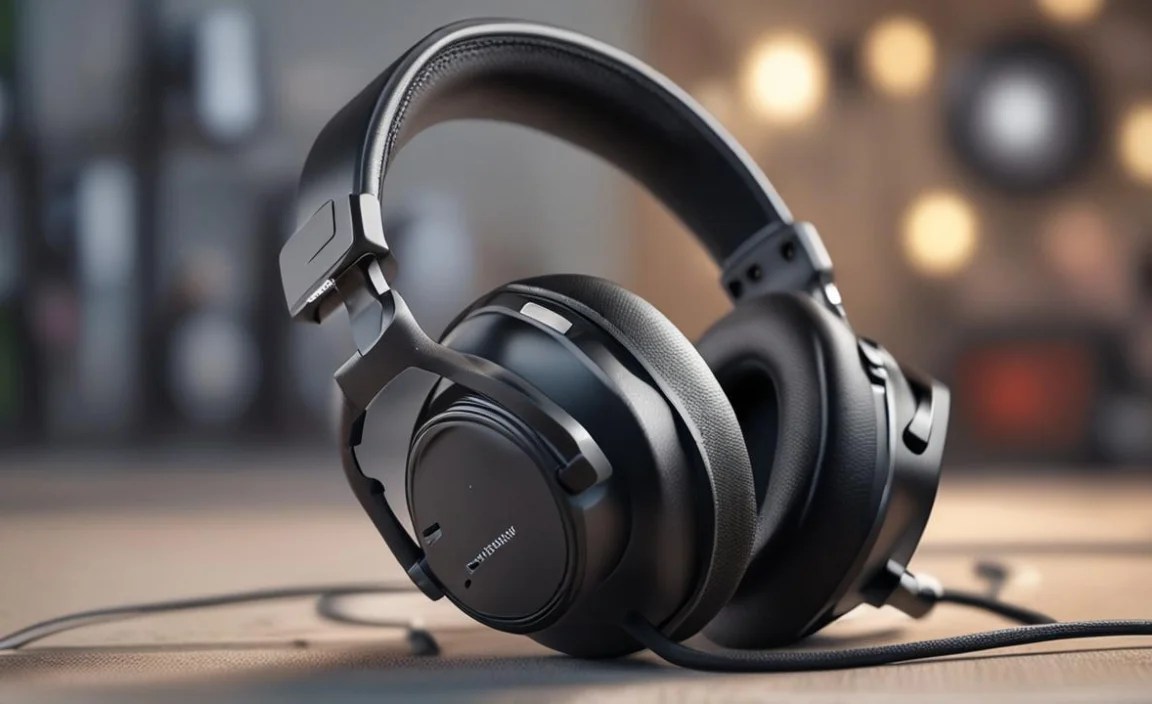
Quick Summary: Choosing good headphones for your Xbox gaming experience is essential for immersive audio and clear communication. This guide breaks down the key features to look for, essential choices for different budgets and needs, and how to connect them seamlessly, helping you find the perfect headset to elevate your gameplay without the tech overwhelm.
Good Headphones for Gaming Xbox: Essential Choices for Every Player
Hey gamers! Edward Cavitt here from Headphone Horizon, your friendly guide to all things audio. If you’re diving into the thrilling worlds of Xbox gaming and want to truly feel every explosion, pinpoint every enemy footstep, and chat clearly with your squad, then the right headphones are your secret weapon. Forget confusing jargon and overwhelming tech specs; my goal is to make finding your perfect Xbox gaming headset as easy and enjoyable as a winning streak. We’ll explore what makes a headset great for gaming, look at some fantastic options for various budgets, and ensure you get hooked up and ready to play with confidence. Let’s get your game audio sounding incredible!
Why Your Xbox Needs Dedicated Gaming Headphones

You might be thinking, “Can’t I just use any old headphones?” While a basic pair might produce sound, dedicated gaming headsets offer a significant upgrade for several crucial reasons:
- Immersive Soundscapes: Gaming headphones are engineered to create a 3D audio experience. This means you can hear sounds coming from all directions – above, below, and all around you. This not only makes games more immersive but also gives you a competitive edge by helping you locate enemies based on sound alone.
- Clear Communication: Most gaming headsets come with a built-in microphone. This is vital for coordinating with teammates in multiplayer games. A good microphone ensures your calls are crisp and clear, free from distracting background noise, so your strategies get across without a hitch.
- Comfort for Long Sessions: Gaming can sometimes involve marathon sessions. Gaming headphones are designed with plush earcups, adjustable headbands, and lightweight materials to ensure comfort, even after hours of wear. This prevents fatigue and keeps you focused on the game.
- Durability: Gaming headsets are often built to withstand the rigors of passionate gameplay. They tend to be more robust than standard headphones.
- Plug-and-Play Simplicity: Many Xbox-compatible headsets are designed for straightforward connectivity, often requiring just a simple plug into your controller or console’s USB port.
For a deeper understanding of how spatial audio works in gaming, you can check out resources exploring the principles of virtual surround sound. These technologies are what gaming headsets leverage to provide that crucial directional awareness.
Key Features to Look For in Xbox Gaming Headphones

When shopping for good headphones for gaming on Xbox, keep these essential features in mind:
1. Connection Type: Wired vs. Wireless
This is often the first big decision. Each has its pros and cons:
Wired Headphones
Pros:
- Generally more affordable.
- No battery worries – they’re always ready to go.
- Often offer excellent audio quality for the price.
- Less prone to interference.
Cons:
- Cable can get tangled or restrict movement.
- Requires a direct connection to the controller or console.
Connectivity Options for Xbox: Many wired headsets connect directly to the 3.5mm audio jack on your Xbox Wireless Controller or to the front/back USB ports on the Xbox console. Some premium wired headsets might use USB connections that bypass the controller’s audio.
Wireless Headphones
Pros:
- Freedom of movement without the hassle of cables.
- Sleeker setup with less clutter.
- Often come with premium features like advanced controls and customizable EQ.
Cons:
- Typically more expensive.
- Require regular charging.
- Potential for audio lag (though modern technology has minimized this significantly).
- Can be susceptible to wireless interference.
Connectivity Options for Xbox: Wireless Xbox headsets primarily connect in two ways:
- Xbox Wireless: These headsets connect directly to your Xbox console using Microsoft’s proprietary Xbox Wireless protocol, similar to how an Xbox controller connects. This usually offers the most stable connection and lowest latency.
- USB Dongle: Some wireless headsets come with a USB dongle (often 2.4GHz) that you plug into your Xbox console for a wireless audio connection.
- Bluetooth: While some headsets offer Bluetooth, native Bluetooth support for gaming audio on Xbox is less common and can sometimes introduce lag. Many Bluetooth-enabled headsets also have an option to connect via a 3.5mm cable or a dedicated USB dongle for better gaming performance.
It’s crucial to check if a wireless headset is explicitly listed as “Xbox Wireless” compatible for the most seamless experience.
2. Comfort and Build Quality
You’ll be wearing these for extended periods, so comfort is paramount. Look for:
- Padded Earcups: Soft, memory foam or plush fabric earcups that fully enclose your ears (over-ear design) are generally the most comfortable.
- Adjustable Headband: Ensure the headband can be adjusted to fit your head size perfectly.
- Lightweight Design: Heavy headsets can cause fatigue.
- Durable Materials: A sturdy build will ensure your headset lasts.
3. Microphone Quality
If you play multiplayer games, a clear microphone is non-negotiable.
- Detachable or Retractable Mic: This is convenient for when you’re playing solo or want to use the headset for other purposes like listening to music.
- Noise Cancellation: A mic with noise-canceling features filters out background sounds, ensuring your voice comes through loud and clear.
- Mic Monitoring (Sidetone): This feature allows you to hear your own voice through the headset, which helps prevent you from shouting and ensures you’re speaking at a normal volume.
4. Sound Quality (Audio Drivers and Tuning)
Gaming headphones should excel at reproducing a wide range of sounds: deep bass for explosions, clear mids for dialogue, and crisp highs for subtle environmental cues and footsteps.
- Driver Size: Larger drivers (e.g., 40mm, 50mm) generally produce more powerful and nuanced sound.
- Tuning: Look for headsets tuned for gaming, which often emphasize detail and positional accuracy. Some headsets allow for EQ adjustments through companion apps to customize the sound to your preference.
5. Surround Sound Capabilities
While stereo sound is standard, virtual surround sound can significantly enhance your gaming experience.
- Windows Sonic for Headphones: This is a free, built-in spatial sound technology on Xbox. Most stereo headsets will work with it.
- Dolby Atmos for Headphones: A premium paid option available through the Microsoft Store. It offers more advanced positional audio. Ensure your headset supports Dolby Atmos if you plan to use this.
- DTS Headphone:X: Another premium spatial audio format, similar to Dolby Atmos.
Some headsets have their own proprietary surround sound technologies, often activated via software. When checking for surround sound, consider if it’s hardware-based within the headset or software-based that the headset simply passes through.
6. Compatibility with Xbox
This might seem obvious, but always double-check that the headset is explicitly compatible with your Xbox model (Xbox One, Xbox Series X/S). Wireless headsets, especially, need to be “Xbox Wireless” certified to connect directly without a dongle.
Essential Xbox Gaming Headset Choices for Every Budget

Finding the “best” is personal, but here are some excellent choices broken down by budget, offering great value and performance:
Entry-Level Heroes (Under $60)
For gamers on a tighter budget, these options deliver solid performance without breaking the bank. You’ll get clear audio and a functional microphone, perfect for casual to moderate gaming.
1. Turtle Beach Recon 50X / Recon 70X
Turtle Beach is a go-to for affordable gaming peripherals. These wired headsets offer comfortable earcups, decent sound, and a reliable flip-to-mute microphone. They connect directly to your Xbox controller via a 3.5mm jack.
Pros:
- Very affordable.
- Lightweight and comfortable for the price.
- Easy plug-and-play with Xbox controllers.
- Flip-to-mute microphone is convenient.
Cons:
- Build quality is adequate but not premium.
- Sound quality is good for the price, but audiophiles might notice limitations.
2. Logitech G335 Wired Gaming Headset
Logitech offers a lightweight and stylish option that’s surprisingly comfortable. The G335 uses a 3.5mm connection and has a decent mic. It supports Windows Sonic for spatial audio on Xbox.
Pros:
- Very lightweight and comfortable for extended wear.
- Comes in several fun color options.
- Detachable microphone.
- Excellent value for money.
Cons:
- Plastic build might feel less premium than some competitors.
- Bass can be a bit lacking for some users.
Mid-Range Marvels ($60 – $150)
This category offers a significant step up in audio quality, comfort, and features. You’ll find more robust build quality and potentially better microphones.
1. SteelSeries Arctis Nova 1
SteelSeries is renowned for its comfort and audio. The Arctis Nova 1 is a wired headset with a focus on a clear, balanced sound profile and a fantastic retractable ClearCast microphone. It’s incredibly comfortable thanks to its ski-goggle headband design.
Pros:
- Exceptional comfort for long gaming sessions.
- Clear, well-balanced sound ideal for gaming.
- Excellent retractable microphone for clear communication.
- Durable construction.
- Supports Windows Sonic and Dolby Atmos.
Cons:
- Wired connection might not be preferred by all.
- Can be on the higher end of the “entry-level” budget range depending on sales.
2. HyperX Cloud II (Wired & Wireless versions available, check Xbox compatibility for wireless!)
The HyperX Cloud series is legendary for its comfort and audio fidelity, often praised for mimicking the sound of much more expensive headsets. The wired version connects via 3.5mm or USB, and the wireless version (when compatible with Xbox) offers a great wireless experience.
Pros:
- Superb comfort with plush memory foam earcups.
- Excellent audio quality with rich bass and detailed highs.
- Durable metal construction.
- Detachable microphone.
Cons:
- The wireless version might be pricier and requires careful checking for Xbox compatibility.
- The inline audio controls on the wired version can be a bit chunky.
3. Turtle Beach Stealth 600 Gen 2 MAX (Wireless)
This is a fantastic wireless option specifically designed for Xbox, utilizing the Xbox Wireless protocol for a lag-free connection. It offers a comfortable fit, good sound, and a hinged flip-to-mute microphone.
Pros:
- Seamless Xbox Wireless connection (no dongle needed).
- Good battery life.
- Comfortable design with gel-infused earcups.
- Surround sound support (Windows Sonic/Dolby Atmos).
- Flip-to-mute mic is convenient.
Cons:
- Audio quality is good but may not satisfy audiophiles seeking absolute perfection.
- Build quality is decent but leans more towards plastic than premium materials.
Premium Picks ($150+)
If you’re looking for the absolute best in sound, comfort, and features, this is where you’ll find them. These headsets often boast advanced technologies and superior materials.
1. Astro A50 Wireless + Base Station
Astro is a name synonymous with high-end gaming audio. The A50 offers exceptional wireless performance with a dedicated base station for charging and easy EQ control. It delivers outstanding sound, premium comfort, and a very clear microphone. It’s a significant investment but offers a top-tier experience.
Pros:
- Superb audio fidelity with customizable EQ presets.
- Extremely comfortable for long gaming sessions.
- Seamless wireless connection via the base station.
- Premium build quality.
- Great microphone clarity.
Cons:
- Very expensive.
- Takes up a bit more space with the base station.
2. Bang & Olufsen Beoplay Portal (Xbox)
For those who want a headset that excels at both gaming and everyday listening, the Beoplay Portal is a luxurious choice. It uses Bluetooth and a 2.4GHz dongle for low-latency gaming on Xbox and can also connect via Bluetooth to other devices. The sound quality is exceptional, and the design is sleek and premium.
Pros:
- Outstanding audio quality for both gaming and music.
- Luxurious, comfortable design with premium materials.
- Versatile connectivity options (Xbox Wireless, Bluetooth).
- Sleek and discreet aesthetic.
Cons:
- Very high price point.
- Microphone quality, while good for calls, might not be as specialized for intense team chat as some dedicated gaming mics.
3. SteelSeries Arctis Nova Pro Wireless (Designed for Xbox)
This is often considered one of the best all-around wireless gaming headsets. It features a dual-wireless system (2.4GHz and Bluetooth), a swappable battery system for infinite playtime, active noise cancellation, and the brilliant Sonar software for advanced audio control. It connects directly to Xbox via the included USB-C transmitter.
Pros:
- Best-in-class wireless audio with low latency.
- Swappable battery system for virtually unlimited playtime.
- Excellent comfort and premium build.
- Active Noise Cancellation (ANC) for immersive solo play.
- Powerful Sonar software for deep audio customization.
Cons:
- Extremely expensive.
- The sheer number of features might be overwhelming for some beginners.
Connecting Your Headphones to Xbox

Connecting your new headset to your Xbox is usually straightforward. Here’s a quick guide based on connection type:
For Wired Headphones (3.5mm Jack):
- Locate the 3.5mm audio port on your Xbox Wireless Controller (it’s usually at the bottom).
- Simply plug the headset’s 3.5mm cable directly into the controller port.
- Your Xbox should automatically detect the headset. You may see a notification appear on screen.
- To adjust volume or chat mix, use the dedicated buttons on your controller (if available) or navigate to the Xbox settings.
For Wired Headphones (USB):
- Plug the headset’s USB cable into one of the available USB ports on your Xbox console (front or back).
- Your Xbox will detect the headset, usually displaying a notification.
- Audio and microphone input/output will be routed through the USB connection.
For Wireless Xbox Wireless Headphones:
- Turn on your Xbox Sconsole.
- Turn on your headset.
- Press and hold the pairing button on your headset until its indicator light starts flashing.
- On your Xbox console, press and hold the pairing button (usually a small, circular button on the front or side of the console) for a few seconds.
- The indicator lights on both the headset and console should turn solid once paired, indicating a successful connection.
For Wireless Headphones with a USB Dongle:
- Plug the headset’s USB dongle into an available USB port on your Xbox console.
- Turn on your headset.
- The dongle and headset should automatically pair. If not, follow the headset manufacturer’s instructions for pairing the dongle.
- Your Xbox should recognize the audio device via the dongle.
Important Tip: Always refer to your headset’s manual for specific pairing instructions, as procedures can vary slightly between manufacturers.
Troubleshooting