
Quick Summary: Discover the best headphones for both music enjoyment and immersive gaming. This guide breaks down what to look for, offering beginner-friendly picks that balance incredible sound quality, comfort, and essential features for dual-use without overwhelming you with technical jargon.
Good Headphones For Music And Gaming: Essential Picks for Every Listener
Hey audio explorers! Edward Cavitt here from Headphone Horizon. Choosing the right headphones can feel like navigating a maze, especially when you want them to excel at two very different, yet equally important, pastimes: enjoying your favorite tunes and getting lost in the virtual worlds of gaming. That’s why I’ve put together this guide. We’ll cut through the noise and help you find those perfect, versatile cans that deliver rich sound for your playlists and pinpoint audio cues for your games, all while keeping things simple and budget-friendly. Let’s find your next sonic companion!
Why Different Needs Require Smart Choices
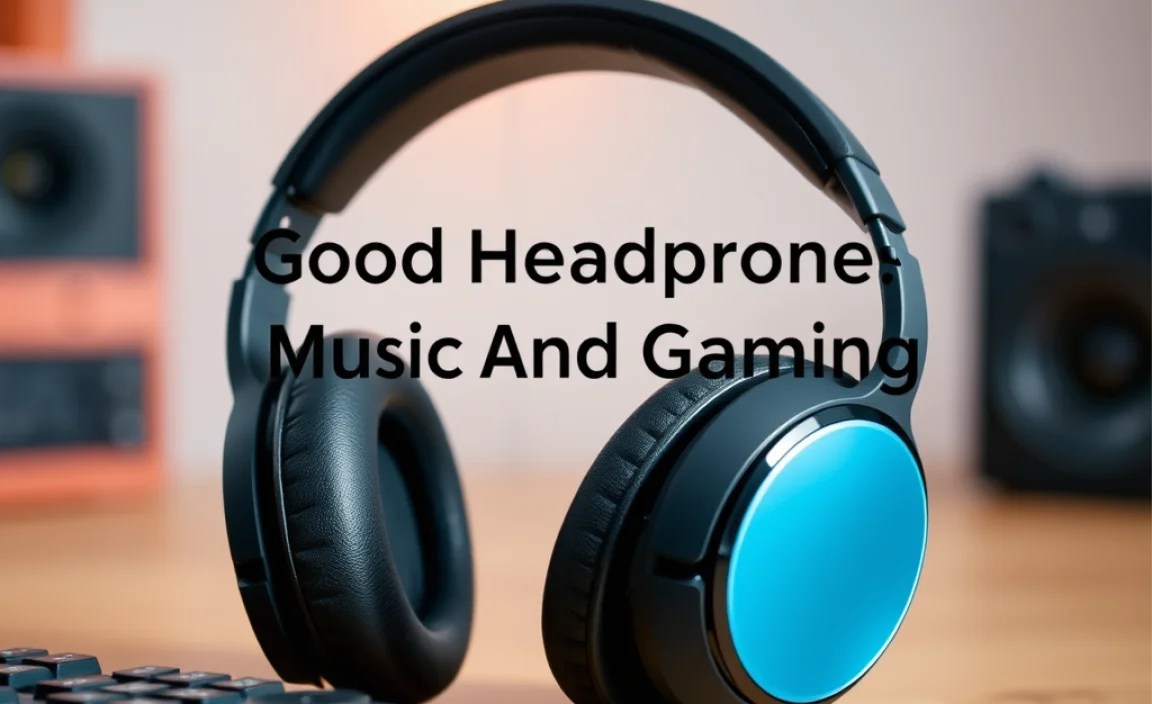
It might seem like all headphones are created equal, but when you switch between listening to a complex orchestral piece and pinpointing enemy footsteps in a fast-paced shooter, you’ll notice the differences. Music often benefits from a wider, more detailed soundstage that emphasizes clarity and natural instrument reproduction. Gaming, on the other hand, thrives on positional audio – the ability to accurately tell where a sound is coming from. This means hearing the subtle rustle of leaves to your left or an explosion behind you. Finding headphones that bridge this gap means you don’t have to compromise. It’s all about finding that sweet spot where both experiences are enhanced, not diminished.
Understanding the Key Features: What to Look For

Before we dive into specific recommendations, let’s demystify some of the terms and features that make headphones great for both music and gaming. Don’t worry, we’ll keep it straightforward!
Sound Quality: More Than Just Volume
This is the heart of any good headphone. For music, you want clarity, a good balance across bass, mids, and highs, and enough detail to hear subtle nuances. For gaming, this translates to being able to distinguish different sound elements, like dialogue, explosions, and stealthy movements, without them becoming a muddy mess. A wide and accurate soundstage is crucial for immersion in both scenarios.
Comfort: The Long Haul Factor
Whether you’re on a long commute listening to albums or in an extended gaming session, comfort is king. Look for headphones with plush earcups, an adjustable headband that doesn’t pinch, and a design that’s not too heavy. Over-ear headphones (circumaural) generally offer the best comfort for extended wear as they cup your entire ear.
Durability: Built to Last
You want headphones that can withstand daily use. For gaming, this can sometimes mean being thrown off in frustration (we’ve all been there!), so robust materials and solid construction are important. For music on the go, they need to survive being tossed in a bag.
Connectivity: Wired vs. Wireless
- Wired: Generally offers the best audio quality and zero latency (delay), which is critical for competitive gaming. They are also usually more affordable.
- Wireless: Offers freedom of movement and convenience. Look for Bluetooth codecs like aptX or LDAC for better audio quality, and ensure low latency for a good gaming experience. Some wireless gaming headsets have proprietary dongles for minimal delay.
Microphone Quality: For Clear Communication
If you play multiplayer games or often take calls, a good microphone is essential. Look for headphones with a clear, noise-canceling microphone that makes your voice sound natural and easy to understand without picking up too much background noise.
Noise Isolation/Cancellation: Focusing on Your Audio
- Noise Isolation (passive): Achieved through the physical design of the earcups sealing out external noise. Most over-ear headphones offer good passive isolation.
- Active Noise Cancellation (ANC): Uses microphones to detect and cancel out ambient sounds electronically. This is fantastic for commuting or noisy environments but can sometimes slightly alter the sound profile. For gaming, you might prefer passive isolation to avoid missing subtle in-game cues that ANC could potentially mask.
Essential Headphone Types for Music and Gaming

There are a few main categories of headphones that can serve your dual purpose admirably. Knowing these will help you narrow down your search.
Over-Ear Headphones
These are perhaps the most popular type for both music enthusiasts and gamers. They completely enclose your ears, offering excellent comfort and passive noise isolation. They tend to provide a richer, more immersive sound experience.
- Pros: Superior comfort, excellent sound quality and soundstage, good passive noise isolation, often more durable.
- Cons: Can be bulky, may cause ears to get warm over long periods.
On-Ear Headphones
These rest on your ears rather than enclosing them. They are generally more compact than over-ear models.
- Pros: More portable, can be lighter.
- Cons: Less passive noise isolation, can cause discomfort if the clamping force is too high, soundstage is typically smaller than over-ear.
In-Ear Monitors (IEMs) / Earbuds
These fit inside your ear canal. High-quality IEMs can offer surprisingly good sound and isolation, making them very portable and discreet.
- Pros: Extremely portable, excellent noise isolation (if fitted properly), good for active use.
- Cons: Comfort can be subjective, soundstage is often limited, can be more fragile.
Top Picks: Good Headphones for Music and Gaming

Finding headphones that excel at both music and gaming requires a delicate balance. Here are some highly-regarded options that consistently hit the mark. These are often recommended by audiophiles and gamers alike.
Category: Versatile All-Rounders (Over-Ear)
These headphones are designed to offer the best of both worlds, providing rich audio for music and clear, responsive sound for gaming.
| Headphone Model | Key Features for Music | Key Features for Gaming | Connectivity | Pros | Cons |
|---|---|---|---|---|---|
| Audio-Technica ATH-M50x | Accurate sound reproduction, good bass response, detailed mids and highs. Often used by professionals for monitoring. | Good soundstage for critical listening, reliable audio for cues. Detachable cable is a plus. | Wired (Detachable Cables Included) | Excellent sound quality for the price, durable build, very comfortable for long sessions. | Can be a bit bass-heavy for purists, microphone requires an adapter or separate unit. |
| SteelSeries Arctis Nova Pro Wireless | Balanced sound profile, good clarity, enjoyable for various music genres. Features ANC for focused listening. | Excellent 360° spatial audio, low latency via 2.4GHz wireless, clear mic with noise cancellation. | 2.4GHz Wireless (Dongle), Bluetooth, Wired (3.5mm) | Superb comfort, excellent feature set (ANC, dual connectivity, hot-swappable batteries), great mic. | High price point, ANC can slightly alter sound for audiophiles. |
| Beyerdynamic DT 770 PRO | Exceptional detail and clarity, wide soundstage, accurate for mixing and critical listening. | Precise imaging, robust build, comfortable for long hours. Ideal for competitive gaming where audio detail is paramount. | Wired (Fixed or Detachable Cable Variants) | Industry-standard sound quality, built like a tank, comfortable velour ear pads. Great value for audiophile-grade sound. | Closed-back design can get warm, no built-in mic, requires amplification for optimal performance. |
Category: Budget-Friendly Champions
You don’t need to break the bank to get good sound. These options offer fantastic value.
| Headphone Model | Key Features for Music | Key Features for Gaming | Connectivity | Pros | Cons |
|---|---|---|---|---|---|
| HyperX Cloud II | Warm, enjoyable sound with decent detail. Bass is present but not overpowering. | Comfortable for long gaming sessions, good surround sound with USB dongle, clear mic. | Wired (USB or 3.5mm) | Extremely comfortable, very durable for its price, excellent value for a gaming headset with good audio. | Soundstage isn’t as wide as premium audiophile headphones, mic quality is good but not broadcast level. |
| Samson SR850 | Surprisingly open and detailed sound for the price, good for casual listening and critical appraisal. | Decent soundstage and clarity for the price point, allowing for some directional awareness. | Wired (Fixed Cable) | Incredible sound for the money, semi-open design offers a more natural sound. | Build quality is average, comfort might be an issue for some, no microphone. Best for music first, gaming second if on a tight budget. |
Category: Wireless Freedom & Features
For convenience without a significant compromise in audio performance or gaming responsiveness.
| Headphone Model | Key Features for Music | Key Features for Gaming | Connectivity | Pros | Cons |
|---|---|---|---|---|---|
| Sennheiser Momentum 4 Wireless | Exceptional audio quality with aptX Adaptive support, detailed and natural sound, great ANC. | Low latency modes make it suitable for gaming, clear audio for immersion. | Bluetooth (aptX Adaptive), Wired (3.5mm) | Outstanding battery life, superb comfort, top-tier ANC, excellent music reproduction. | Not a dedicated gaming headset, so lacks some gamer-centric features like dedicated surround sound modes and boom mics. Pricey. |
| Logitech G PRO X Wireless LIGHTSPEED Gaming Headset | Surprisingly good for music, with a balanced sound profile that can be further tuned with EQ. | Low-latency LIGHTSPEED wireless, PRO-G drivers for clear, powerful audio, Blue VO!CE mic technology. | 2.4GHz Wireless (LIGHTSPEED Dongle), Wired (3.5mm) | Excellent wireless gaming performance, comfortable, very good microphone quality thanks to Blue VO!CE. | Can be more expensive than some dedicated music headphones with similar audio specs. |
Step-by-Step Guide: Choosing Your Perfect Pair
Now that you know what to look for and have some ideas, let’s walk through the decision process.
Step 1: Define Your Primary Use Case
While you want headphones for both, which is more important, or how do you split your time? If you’re a serious audiophile who occasionally games, prioritize music features. If you’re a competitive gamer who enjoys background music, focus on gaming prowess with good audio fidelity.
Step 2: Set Your Budget
Headphones range from $50 to over $1000. Having a budget in mind will significantly narrow down your options. Remember, sometimes spending a little more upfront can mean a more durable and better-sounding product that lasts longer.
Step 3: Decide on Wired or Wireless
Consider your setup. Do you have many devices and need a dongle? Is cable management an issue? Or do you prefer the freedom of no wires and can tolerate the occasional need to charge?
Step 4: Consider Comfort and Fit
If you plan on wearing headphones for hours, comfort is non-negotiable. Read reviews focusing on ear cup material, headband padding, and weight. If possible, try them on!
Step 5: Read Reviews and Watch Comparisons
Once you have a few models in mind, delve into detailed reviews. Look for comparisons testing audio quality for both music genres and specific game scenarios. Websites like Rtings.com offer incredibly detailed, objective reviews and comparison tools for headphones and gaming peripherals.
A great resource for understanding audio concepts and tech is Audio Science Review, which provides objective measurements, though their content can be technical.
Step 6: Check Microphone Quality (If Necessary)
If clear communication is vital, prioritize headsets with good, often detachable or retractable, microphones. Look for terms like “noise-canceling” or “broadcast quality.”
Step 7: Where to Buy and What to Expect
Major electronics retailers, Amazon, Best Buy, and specialized audio stores are good places to start. Reputable online audio stores often have knowledgeable staff and excellent return policies. For gaming-specific gear, manufacturers’ official stores are also reliable.
Tips for Getting the Most Out of Your Headphones
Once you have your new headphones, a few simple practices can ensure you get the best experience and longevity.
Proper Fit is Key
For over-ear and on-ear headphones, ensure the earcups are positioned correctly over your ears for optimal sound and comfort. For in-ear monitors, experimenting with different eartip sizes and materials (silicone or foam) is essential for a good seal and sound isolation.
Understand Your Source
The quality of the audio file you’re listening to matters. Lossless audio formats (like FLAC or WAV) will sound better than heavily compressed MP3s, especially on high-quality headphones. Similarly, in-game audio settings can greatly impact your experience.
Volume Levels and Hearing Health
It’s tempting to crank it up, but prolonged exposure to high volumes can damage your hearing. The National Institute on Deafness and Other Communication Disorders (NIDCD) recommends listening at no more than 60% of maximum volume for no more than 60 minutes at a time. For gaming, an effective sound level is often more important than sheer volume.
Care and Maintenance
- Cleaning: Regularly wipe down earcups and headbands with a soft, dry cloth. For deeper cleaning, a slightly damp cloth (water only, squeezed almost dry) can be used, but always let them air dry completely. Avoid harsh chemicals.
- Cable Care: For wired headphones, avoid tightly coiling or yanking the cable. Store them loosely or use a cable tie.
- Storage: When not in use, store your headphones in a safe place, ideally in a case or on a stand, to protect them from dust and accidental damage.
Equalization (EQ)
Many headphones, especially gaming headsets, come with accompanying software that allows you to adjust the EQ. This lets you fine-tune the sound profile to your preference for different music genres or game types. Experimenting with EQ can dramatically improve your listening experience.
Frequently Asked Questions About Headphones for Music and Gaming
Can I use gaming headsets for listening to music?
Absolutely! Many gaming headsets offer excellent audio quality that translates very well to music listening. Some might have a slightly more “fun” sound profile with boosted bass, which many people enjoy. You can often tweak the sound with EQ to suit your music tastes.
Do I need separate headphones for music and gaming?
Not necessarily. The goal of this guide is to help you find versatile headphones that excel at both. Unless you are an extreme audiophile or a professional esports player, a good pair of all-rounders will serve you very well and save you money and space.
What does “latency” mean in wireless headphones, and why is it important for gaming?
Latency is the delay between when a sound is produced and when you actually hear it. For gaming, especially fast-paced titles, minimal latency is crucial so you can react to in-game events instantly. High latency can make games feel unresponsive and jarring.
Is a microphone essential if I only play single-player games?
For single-player games, a microphone isn’t essential for gameplay itself. However, if you use your headphones for other activities like taking online calls, attending virtual meetings, or chatting with friends on Discord even when not gaming, a good built-in microphone can be very convenient.
What’s the difference between 7.1 surround sound and stereo?
Stereo sound uses two audio channels (left and right) to create a sense of space. 7.1 surround sound, in gaming, typically simulates multiple audio channels (often virtually) to create a more immersive 3D soundscape, helping you pinpoint sounds from different directions. While true surround sound is complex, virtual surround sound on gaming headsets can significantly enhance spatial awareness.
