
Quick Summary: Choosing the right headphones for video editing means prioritizing accuracy, comfort, and isolation. Look for a flat frequency response to hear your audio precisely, closed-back designs for fewer distractions, and a comfortable fit for long sessions. This guide breaks down what you need to know to make a sound decision.
Good Headphones For Video Editing: Your Essential Guide

Hey there, creative minds! Edward Cavitt here from headphonehorizon, ready to dive into a topic that’s crucial for anyone serious about crafting compelling video content: selecting the right headphones. When you’re hunched over your editing timeline, meticulously tweaking audio levels, adding sound effects, or mixing dialogue, your headphones are your ears.
They’re your window into the auditory universe you’re building. Getting this piece of gear right can transform a good edit into a great one, ensuring your audience hears exactly what you intend. Let’s steer clear of the jargon and get down to what truly matters for finding those “good headphones for video editing.”
Why Dedicated Headphones Matter for Video Editing

You might be thinking, “Can’t I just use my everyday earbuds or my gaming headset?” While many headphones can play sound, video editing demands something more. It requires precision.
Your headphones need to reveal the subtle nuances in your audio – the faint background hum, the crispness of spoken words, or the impact of a well-placed sound effect. Using inaccurate headphones can lead to mixing mistakes that might sound fine on your end but jarring or unclear to your viewers. Good editing headphones offer:
- Audio Accuracy: They reproduce sound truthfully, without artificially boosting bass or treble, so you hear what’s truly there.
- Detail Revelation: They help you catch problematic audio issues like pops, clicks, or sibilance (harsh ‘s’ sounds).
- Isolation: They minimize outside distractions, letting you focus on the intricate details of your sound design.
- Comfort: Long editing sessions require headphones that feel good for hours on end.
Key Features to Look for in Video Editing Headphones

When you start shopping, you’ll see a lot of technical terms. Don’t sweat it! We’ll break down the most important features for video editing. Think of these as your checklist for success.
1. Sound Signature: The Flat Truth
This is arguably the most critical factor. Video editors need headphones with a “flat” or “neutral” frequency response. What does that mean? It means the headphones don’t color the sound by making certain frequencies louder or softer than others. They aim to reproduce the audio exactly as it was recorded.
Imagine you’re a painter. You wouldn’t want your monitor to make reds look orange and blues look green, right? You want to see true colors. Similarly, audio editors need to hear true sounds. Headphones with a boosted bass (common in consumer headphones) might make your dialogue sound quieter than it actually is, leading you to turn it up too high during editing. Conversely, if they boost treble, you might miss subtle distortion that could annoy your viewers.
Why do editors need a flat response?
- To accurately judge dialogue levels.
- To identify and correct audio artifacts (hiss, pops, clicks).
- To ensure your audio translates well across different playback systems (speakers, other headphones, mobile devices).
Look for terms like “flat frequency response,” “neutral sound,” or “studio monitor headphones.” Reputable brands often provide frequency response charts, though interpreting them can require a bit more technical understanding. For beginners, focusing on the product descriptions mentioning neutrality is a great starting point.
2. Type of Headphones: Open-Back vs. Closed-Back
The design of the earcup plays a significant role in how you experience sound and how the world experiences yours.
Closed-Back Headphones
These have earcups that seal around your ears. This design is excellent for:
- Sound Isolation: They do a great job of blocking out external noise, which is invaluable when you’re trying to focus in a busy environment or on a noisy set.
- Preventing Sound Leakage: They also prevent sound from leaking out, so your collaborators or family members won’t be treated to the audio you’re working on.
Best for: Editing in less-than-ideal acoustic environments, field recording monitoring, or when you need to ensure no sound bleeds into your microphone during voiceovers.
Open-Back Headphones
These headphones have earcups with perforations or grilles, allowing air and sound to pass through. They offer:
- A More Natural Soundstage: Many editors find open-back headphones provide a wider, more spacious sound, making it easier to pinpoint the location of different sounds in your mix.
- Reduced Ear Fatigue: Because they don’t create a sealed pressure, some users find them more comfortable for very long listening sessions.
However, they also come with drawbacks:
- Poor Isolation: They let a lot of ambient noise in and your audio will leak out.
- Not Ideal for Recording: The sound leakage can be picked up by your microphone if you’re doing voiceovers or recording.
Best for: Editing in a quiet, dedicated studio space where isolation isn’t a primary concern and you benefit from a more natural listening experience.
For most beginners and editors working in varied environments, closed-back headphones are generally the more practical and versatile choice.
3. Comfort and Fit: Your Long-Term Companion
Video editing sessions can stretch for hours. Uncomfortable headphones are a guaranteed way to break your focus and strain your patience. Pay attention to:
- Earpad Material: Look for plush materials like velour or soft leather.
- Clamping Force: The headphones should feel secure but not like they’re trying to squeeze your head off.
- Weight: Lighter headphones are generally more comfortable for extended wear.
- Adjustability: Ensure the headband can be adjusted to fit your head size comfortably.
Try them on if possible, or read reviews specifically mentioning comfort during long use. Your neck and ears will thank you!
4. Driver Size and Type
Drivers are the small speakers inside your headphones. Larger drivers (typically 40mm and up) can often produce a wider range of frequencies and more powerful sound. However, driver size alone isn’t a guarantee of quality. The quality of the materials and design matters more. Common driver types include:
- Dynamic Drivers: The most common type, offering good bass and volume.
- Planar Magnetic Drivers: Known for excellent clarity, detail, and a very flat frequency response, but can be more expensive and demanding on your audio source.
- Balanced Armature Drivers: Often found in in-ear monitors, prized for clarity and detail, especially in the mid and high frequencies.
For video editing, dynamic and planar magnetic drivers are usually found in over-ear headphones that are well-suited for the task.
5. Impedance and Sensitivity: Compatibility Matters
These terms relate to how much power your headphones need to operate effectively and how loud they can get. Don’t let them intimidate you!
- Impedance (Ohms – Ω): Higher impedance headphones generally require more power from your audio source (computer, audio interface) to reach a comfortable listening volume.
- Low Impedance (under 80 Ω): These are usually easy to drive and will work well directly from a laptop or standard audio output.
- High Impedance (over 80 Ω): These might sound too quiet or lack dynamic range when plugged directly into a computer. They often benefit from a dedicated headphone amplifier.
- Sensitivity (dB): This indicates how loud the headphones will play at a given power input. Higher sensitivity means they get louder with less power.
Beginner Tip: For direct connection to a computer, aim for headphones with lower impedance (ideally under 80 Ω) and good sensitivity. If you plan on investing in a headphone amplifier later, higher impedance headphones can offer superior sound quality.
6. Connectivity: Wired is Usually King
For critical listening tasks like video editing, wired headphones are generally preferred. Here’s why:
- Latency: Wireless headphones can introduce a slight delay (latency) between the video and the audio. This can throw off your timing and make editing feel sluggish and frustrating.
- Sound Quality: While wireless audio technology has improved dramatically, a direct wired connection often provides the purest, most uncompressed audio signal.
- Reliability: No need to worry about battery life or Bluetooth pairing issues during a crucial editing session.
Most professional audio headphones use a standard 3.5mm or 1/4-inch connector. Ensure your computer or audio interface has a compatible port, or you have the necessary adapter.
Top Types of Headphones for Video Editors (and Why)

Based on the features above, here are the common categories of headphones and how they stack up for video editing:
Studio Monitor Headphones
These are designed specifically for audio professionals. Their primary goal is accuracy and a flat frequency response. They often come in both open-back and closed-back varieties.
- Pros: Unmatched audio accuracy, reveal details, durable build quality.
- Cons: Can sometimes sound a bit “clinical” or less exciting for casual listening; open-back versions offer no isolation.
- Best for: Serious edits, mixing, mastering, and anyone who needs to hear audio exactly as it is.
Professional Over-Ear Headphones
This is a broader category that often overlaps with studio monitors. These headphones are built for comfort, durability, and sound quality suitable for long listening sessions. Many excellent options here will offer a relatively flat response.
- Pros: Good balance of sound quality, comfort, and durability; many excellent closed-back options for isolation.
- Cons: Some models might have a slight coloration that’s not perfectly neutral.
- Best for: General video editing, sound design, casual listening.
Gaming Headsets (Use with Caution)
While convenient, gaming headsets are often designed with features like boosted bass for explosions and simulated surround sound that can color audio and hinder precise editing. Some higher-end gaming headsets might offer a more balanced profile, but they are rarely the first choice for serious audio work.
- Pros: Often comfortable, include microphones for voice chat or recording, integrated controls.
- Cons: Sound signature is usually not neutral or accurate, latency issues with some wireless models, surround sound processing can distort the true audio.
- Best for: Casual gaming, basic editing where audio fidelity isn’t the top priority.
Recommendations: Where to Start Your Search
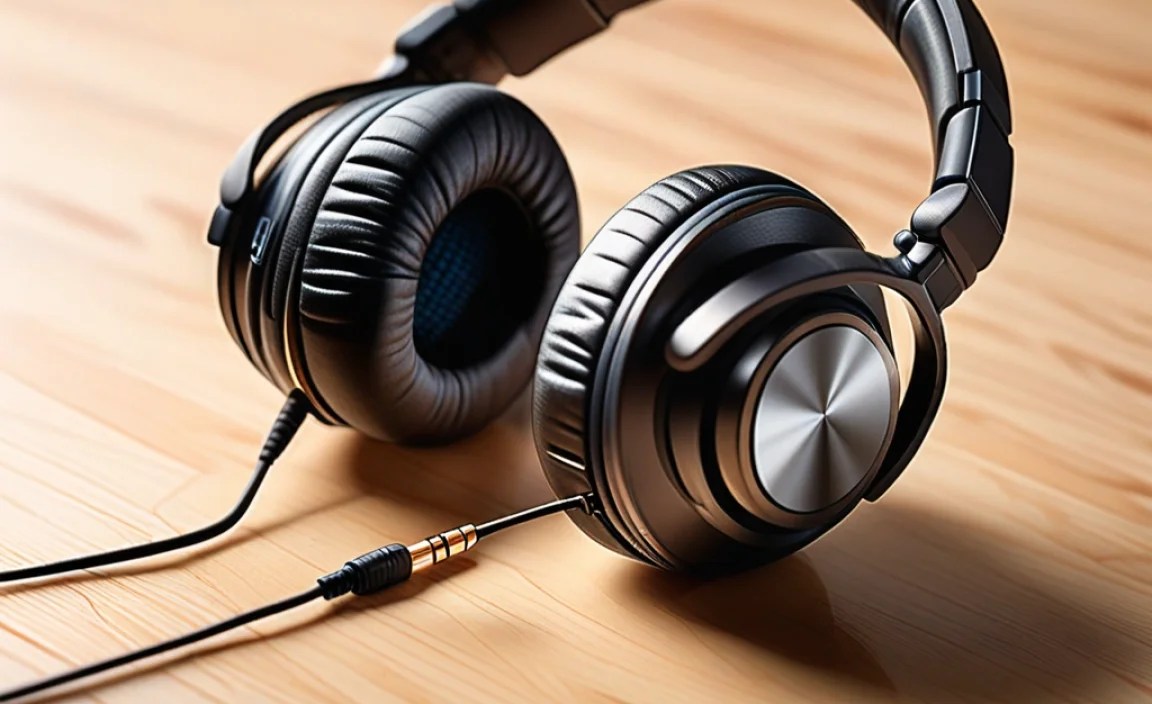
While I can’t definitively say “buy this exact pair,” I can point you towards reputable lines and models known for their suitability for editing. Always check the latest reviews for specific model performance and price points.
Popular & Reliable Closed-Back Options (Good for Isolation and General Editing)
These are fantastic starting points, offering a good balance of accuracy, comfort, and isolation.
1. Audio-Technica ATH-M50x: A long-time favorite in the prosumer audio world. They offer a detailed sound with a slightly more energetic bass than some pure studio monitors, making them enjoyable for both editing and music. Very durable and comfortable.
2. Beyerdynamic DT 770 Pro (80 Ohm version): A studio standard. Known for exceptional comfort, robust build, and a detailed, energetic sound that helps you pick out nuances. The 80 Ohm version is a good compromise for direct computer use, though the 32 Ohm version is easier to drive.
3. Sony MDR-7506: Another industry workhorse, especially in broadcast and field recording. They are known for bright detail and clarity, though some find them a bit sibilant. They are incredibly reliable and foldable for portability.
Popular & Reliable Open-Back Options (For Quiet Environments)
If you have a dedicated quiet space, these offer a more natural and immersive listening experience.
1. Sennheiser HD 599 / HD 560S: Excellent for their wide soundstage and comfortable wear. The HD 560S is generally considered more neutral than the 599, making it a strong contender for editing. Great for long sessions.
2. Philips Fidelio X2HR: Known for a lively and engaging sound with a comfortable fit. While not as strictly neutral as some studio cans, they offer excellent detail and a broad soundstage for the price.
Table: Key Features to Compare
Here’s a quick look at how some popular choices might stack up. Remember, features and prices can change!
| Headphone Model | Type | Frequency Response (Claimed) | Impedance | Comfort for Long Sessions | Pros for Editing | Cons for Editing |
|---|---|---|---|---|---|---|
| Audio-Technica ATH-M50x | Closed-Back | 15 Hz – 20 kHz | 38 Ω | Good | Durable, good detail, isolated, versatile sound. | Slightly less neutral than pure studio monitors for some. |
| Beyerdynamic DT 770 Pro (80 Ohm) | Closed-Back | 5 Hz – 35 kHz | 80 Ω | Excellent | Superb comfort, detailed sound, excellent isolation, robust. | Can sound a bit clinical to some; 80 Ohm might need more power than a basic laptop. |
| Sony MDR-7506 | Closed-Back | 10 Hz – 20 kHz | 63 Ω | Good | Industry standard, bright and clear detail, very durable, foldable. | Can be sibilant for some ears; less bass impact. |
| Sennheiser HD 560S | Open-Back | 6 Hz – 38 kHz | 120 Ω | Excellent | Wide soundstage, natural sound, great detail, very comfortable. | Requires a headphone amp for optimal performance; no isolation. |
| Philips Fidelio X2HR | Open-Back | 6 Hz – 40 kHz | 30 Ω | Excellent | Engaging sound, very wide soundstage, comfortable, good power handling from basic sources. | Not strictly neutral; sound leakage. |
Setting Up Your Editing Headphones for Success
Once you’ve got your headphones, here’s how to make sure you’re getting the best out of them:
1. Connect Properly
Plug your headphones directly into your computer’s headphone jack or, if you have one, an audio interface. An audio interface can provide a cleaner, more powerful signal than a laptop’s built-in sound card.
2. Adjust Volume Levels
Start with the volume low and gradually increase it. You don’t need to crank the volume up to hear details. In fact, listening at moderate volumes is healthier for your ears and allows for more accurate detail perception. A common guideline for safe listening is below 85 decibels (dB). For reference, a normal conversation is around 60 dB.
The National Institute on Deafness and Other Communication Disorders provides excellent resources on noise-induced hearing loss and safe listening levels.
3. Listen Critically
Spend some time listening to reference tracks you know well – music you love, dialogue from your favorite movies, or even just a podcast. This helps you understand what “neutral” sounds like on your new headphones and what issues to listen for in your own projects.
4. Consider a Headphone Amplifier (Optional)
If you invest in higher impedance headphones (like many open-back studio models) or find your current setup sounds a bit weak or distorted at higher volumes, a small headphone amplifier can make a significant difference. It provides extra power for your headphones, allowing them to perform at their best.
Common Video Editing Audio Pitfalls to Listen For
Your new headphones are a tool. Here’s what you should be listening for in your video projects:
- Dialogue Clarity: Can you easily
