
Quick Summary: Discovering good wireless headphones for watching TV is easier than you think! This guide breaks down key features like low latency, comfort, and battery life, offering beginner-friendly picks to enhance your viewing experience without any audio lag.
Good Wireless Headphones For Watching TV: Essential Picks for a Better Viewing Experience
Hey everyone, Edward Cavitt here from headphonehorizon! If you’re tired of that annoying delay between what’s happening on screen and what you’re hearing through your headphones, you’ve come to the right place. Wireless headphones can be a game-changer for enjoying your favorite shows and movies, offering freedom from tangled cords and the ability to listen at your own volume without disturbing others. But with so many options out there, how do you choose a pair that’s good for TV? It’s all about a few key things that make a big difference. In this guide, we’ll explore what makes wireless headphones great for TV watching and highlight some top contenders that are perfect for everyday listeners.
Why Wireless Headphones Are a Must-Have for TV

Let’s face it, living rooms are designed for shared experiences. But sometimes, you just want to crank up the volume to catch every whispered line or explosive sound effect without bothering your family, roommates, or neighbors. Or maybe you have hearing challenges and need to boost the audio without making the entire house rattle. Wireless headphones offer the perfect solution. They give you the freedom to move around, grab a snack, or just get comfortable on the couch, all while staying immersed in your entertainment. Plus, modern wireless technology has come a long way, meaning you can get fantastic sound quality and, crucially for TV, minimal audio delay.
The Most Important Features for TV Watching Headphones

When selecting headphones specifically for watching TV, a few features rise to the top. Forget some of the audiophile-grade specs you might see for music; for TV, it’s about practicality and a seamless experience. Here’s what to look for:
1. Low Latency – The Unsung Hero
This is BY FAR the most critical feature for TV watching. Latency refers to the delay between the audio signal being sent and when it’s actually heard. If your headphones have high latency, you’ll notice a distinct lag between the actors’ lips moving and their voices speaking. For TV and movies, this can be incredibly jarring and completely ruin the immersion. You want headphones that use codecs designed for low latency, like aptX Low Latency (if your TV or transmitter supports it) or simply headphones that are built with this specifically in mind. Look for brands that advertise “low latency” or “lip-sync free” for TV use.
For more on audio codecs and their impact, you can explore resources like Bluetooth’s official audio codec standards page. Understanding these can help you make an informed choice.
2. Comfort for Long Viewing Sessions
You’re not just watching a 30-minute sitcom; you might be settling in for a movie marathon or a binge-watching session. That’s why comfort is paramount. Consider the type of headphones:
- Over-ear headphones: These typically offer the most comfortable fit for extended wear, with plush earcups that surround your ears. They also tend to provide better passive noise isolation, which helps you focus on the TV.
- On-ear headphones: These rest on your ears. They can be lighter but might become uncomfortable after a while if the clamping force is too high.
- In-ear buds: While convenient and portable, many people find them less comfortable for very long periods compared to over-ear designs. However, some advanced earbuds offer a secure and comfortable fit.
Think about the weight of the headphones and the material of the earpads. Breathable materials like velour can be a godsend on warmer days.
3. Battery Life and Charging
Nothing kills a movie night faster than headphones dying midway through. Check the advertised battery life. For TV watching, you’ll likely want headphones that offer at least 20-30 hours of playback on a single charge. Many modern headphones also support fast charging, which can give you a few hours of listening time with just a 10-15 minute charge. Look for USB-C charging for convenience, as it’s becoming the standard for most modern devices.
4. Ease of Connection
This is where things can get slightly technical, but we’ll keep it simple. How do the headphones connect to your TV?
- Bluetooth: The most common method. Your TV needs to have built-in Bluetooth, or you’ll need a Bluetooth transmitter (often a small dongle that plugs into your TV’s headphone jack or optical audio output). Make sure the headphones and transmitter support compatible Bluetooth versions and codecs (like aptX Low Latency, if possible).
- RF (Radio Frequency) Wireless: These headphones often come with a base station that plugs into your TV. They generally offer a very stable connection and excellent low latency, often outperforming standard Bluetooth for this specific use case. The downside is you’re tied to the range of the base station, and they can sometimes be bulkier.
For beginners, Bluetooth is usually the easiest to get started with if your TV already supports it. If not, an RF system might be a simpler plug-and-play solution than dealing with Bluetooth transmitters.
5. Sound Quality and Volume Control
While audiophile-grade sound isn’t the primary concern, you still want clear dialogue and a decent soundstage to enjoy your shows. Most wireless headphones designed for general listening will offer good enough sound for casual TV viewing. Crucially, look for headphones with easy-to-access volume controls directly on the headphones or earcup. This way, you won’t have to constantly reach for the TV remote or your phone.
6. Durability and Build Quality
You want headphones that can withstand the occasional bump or placement on the coffee table. Look for solid construction, flexible headbands, and sturdy earcups. While you don’t need a ruggedized pair, a well-built set will last longer and feel more reassuring to use.
Our Top Picks for Good Wireless Headphones for Watching TV

Based on the features above, here are some types of headphones and specific models that consistently perform well for TV watching. We’ll categorize them to help you find what fits your needs and budget.
Category: Best Overall Value (Bluetooth)
These headphones strike a great balance between features, performance, and price, making them excellent for most users.
Sony WH-CH720N Noise Cancelling Wireless Headphones
Sony is a giant in audio, and their mid-range offerings often punch above their weight. The WH-CH720N are incredibly lightweight and comfortable for long listening sessions. They boast excellent battery life (up to 50 hours!), and while they don’t explicitly market aptX Low Latency, Sony’s integrated audio processing generally manages Bluetooth latency well for casual viewing. They also offer active noise cancellation (ANC), which is a bonus if you’re in a noisy environment.
- Pros: Lightweight, extremely comfortable, excellent battery life, good ANC, clear sound.
- Cons: ANC isn’t as powerful as higher-end Sony models, no aptX Low Latency support.
Where to buy: Available at major electronics retailers and online stores.
Category: Best for Lag-Free Experience (RF/Dedicated Transmitter)
If reducing latency to practically zero is your absolute top priority, RF or dedicated systems with low-latency transmitters are your best bet. These often provide the most seamless experience without needing your TV to have advanced Bluetooth capabilities.
Avantree Audition Pro High-Fidelity Bluetooth Headphones
Avantree specializes in Bluetooth and audio solutions, and their products often cater specifically to users needing low latency. The Audition Pro (and similar Avantree models like the HT5009, which includes a dedicated transmitter) are designed with aptX Low Latency in mind. This means if you pair them with a compatible transmitter (or use a kit they offer), you get incredibly minimal audio delay, making them perfect for movies and gaming. They offer good sound quality, strong battery life, and comfortable earcups.
- Pros: Excellent aptX Low Latency support, reliable connection, good comfort, good battery life.
- Cons: Can be pricier, especially in bundled kits.
Where to buy: Primarily through Avantree’s website and major online marketplaces.
Audio-Technica ATH-G1WL Wireless Gaming Headset (also great for TV)
While marketed as a gaming headset, the Audio-Technica ATH-G1WL offers a robust 2.4GHz wireless connection that delivers an extremely stable and low-latency experience similar to RF systems. You plug a USB dongle into your TV (ensure your TV or streaming device can output audio via USB, or use a compatible device like a streaming box). The sound is excellent for immersive viewing, and they are built for comfort during long sessions. Battery life is decent, and the boom microphone can be muted easily or swung up.
- Pros: Near-zero latency via 2.4GHz USB connection, excellent audio quality, comfortable over-ear design, durable build.
- Cons: Requires a USB audio output on your TV/device, might be overkill if you don’t need a microphone. Pricey.
Where to buy: Electronics retailers and dedicated audio/gaming stores.
Category: Budget-Friendly Option
You don’t need to break the bank for a good TV listening experience. These options offer solid performance without a high price tag.
Anker Soundcore Life Q30 Hybrid ANC Bluetooth Headphones
Anker’s Soundcore line is known for delivering fantastic value. The Life Q30 headphones offer surprisingly punchy sound, impressive battery life (up to 40 hours with ANC on), and comfortable, soft earcups. While they use standard Bluetooth and don’t specifically feature aptX Low Latency, their connection is generally stable enough for casual TV watching, and the audio sync is often adequate for many users. The ANC is effective for the price, helping to mute background distractions.
- Pros: Excellent value for money, long battery life, effective ANC, comfortable fit, good overall sound.
- Cons: May have slight noticeable latency for very sensitive users, build quality reflects the budget price point.
Where to buy: Widely available on Amazon and other online retailers. Many consider Anker’s approach to value and feature set to be highly beneficial for everyday consumers. Learn more about Bluetooth connectivity and its nuances to understand why different codecs matter.
Category: Best Wireless TV Speaker/Headphones Combo (RF)
These systems often use a base station that connects to your TV, and the headphones dock with this base station. They are purpose-built for easy TV audio and typically offer excellent low latency.
Sennheiser RS 5000 or similar RF systems
Brands like Sennheiser, GE, and others offer dedicated wireless headphone systems for TV. The Sennheiser RS 5000, for instance, connects via optical or analog audio inputs from your TV, and the headphones are designed to sit on a charging stand connected to the base. These systems are renowned for their simplicity, excellent sound reproduction (clear dialogue is a priority), and virtually zero latency. They are incredibly easy to set up and use, making them ideal for seniors or anyone who wants a plug-and-play solution without worrying about Bluetooth pairing.
- Pros: Extremely easy setup, near-zero latency, exceptional clarity for dialogue, comfortable to wear, dedicated charging cradle.
- Cons: Limited range compared to Bluetooth if you move far from the base, can be more expensive than basic Bluetooth headphones.
Where to buy: Specialist audio stores, electronics retailers, and online.
How to Connect Your Wireless Headphones to Your TV
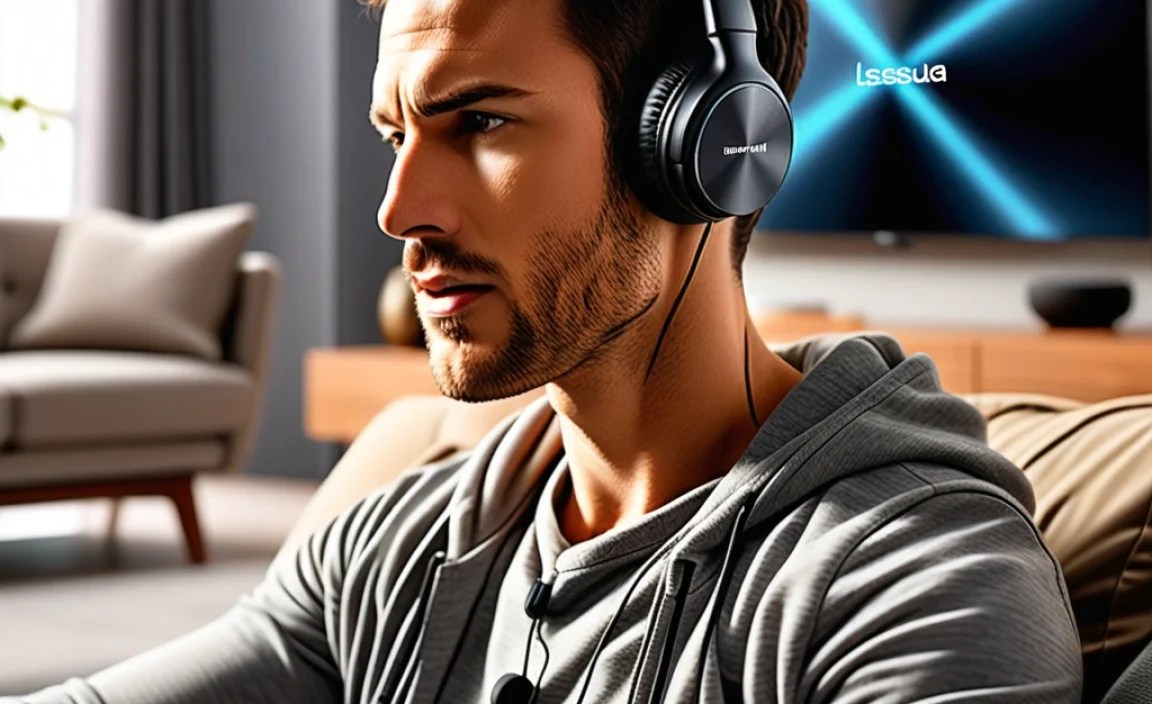
Connecting is usually straightforward, but the exact steps depend on your TV and the type of headphones you have.
Method 1: Using Built-in TV Bluetooth
Many modern Smart TVs have Bluetooth capabilities built-in.
- Turn on your TV’s Bluetooth: Go to your TV’s settings menu. Look for “Sound,” “Audio,” “Connections,” or “Bluetooth” options. Enable Bluetooth.
- Put your headphones in pairing mode: This usually involves pressing and holding a specific button on the headphones until an LED indicator flashes or you hear an audio prompt. Check your headphone manual for exact instructions.
- Scan for devices on your TV: Your TV should begin searching for nearby Bluetooth devices.
- Select your headphones: Once your headphones appear in the list of available devices on your TV screen, select them.
- Pair and connect: Follow any on-screen prompts to confirm the pairing. Your TV audio should now play through your headphones.
Tip: If you encounter issues, try turning off Bluetooth on other nearby devices (like phones or tablets) to avoid interference.
Method 2: Using a Bluetooth Transmitter/Adapter
If your TV doesn’t have built-in Bluetooth, a transmitter is your best friend.
- Choose your transmitter: Look for a transmitter that supports aptX Low Latency if your headphones also support it, for the best possible sync. Some transmitters also have multiple ports (optical, 3.5mm aux) to connect to your TV.
- Connect the transmitter to your TV:
- 3.5mm Audio Jack: Plug one end of the included audio cable into your TV’s headphone output and the other into the transmitter’s input.
- Optical (TOSLINK) Out: This often provides the best digital audio quality. Connect one end of the optical cable to your TV’s optical audio out and the other to the transmitter’s optical input. You might need to configure your TV’s audio output to “PCM” or “Optical” in its settings.
- Power the transmitter: Most transmitters are powered via USB. Plug it into a USB port on your TV or use a separate USB power adapter.
- Put the transmitter in pairing mode: Follow the transmitter’s instructions to initiate pairing.
- Put your headphones in pairing mode: As explained in Method 1.
- Connect: Allow the transmitter and headphones to find each other and pair.
- Configure TV Audio Output: Ensure your TV’s sound output is set to the port you used (e.g., Optical or External Speakers/Headphones).
Method 3: Using RF Wireless Systems (Base Station)
These are generally the most straightforward:
- Connect the base station to your TV: Use the included audio cables (optical or analog) to connect the base station to your TV’s audio output.
- Power the base station: Plug it into a power outlet.
- Charge the headphones: Place the headphones on their charging dock, which is usually part of the base station.
- Turn on and enjoy: Once powered and connected, the audio should automatically route to your headphones. There’s usually a simple power button on the headphones.
For a comprehensive guide on connecting various audio devices, the Federal Trade Commission (FTC) offers helpful consumer advice.
Troubleshooting Common Issues
Even with the best gear, you might run into common hiccups. Here are a few quick fixes:
- No Sound: Double-check that the headphones are fully charged and paired. Ensure your TV’s audio output is set correctly (e.g., to Bluetooth or External Audio Device). For transmitters, verify cable connections and power.
- Audio Lag (Lip-Sync Issues): If using Bluetooth, ensure both your TV and headphones support aptX Low Latency (or similar low-latency codecs). If not, try switching to an RF system or a dedicated low-latency transmitter. Sometimes, restarting both the TV and headphones can resolve temporary glitches.
- Connection Dropping: Make sure your headphones are within range of the TV or Bluetooth transmitter. Physical obstructions and interference from other wireless devices (microwaves, other Bluetooth devices) can also cause dropouts.
- Low Volume: Check the volume levels on both your TV and the headphones themselves. Ensure the headphones aren’t connected to a “master volume” setting on your TV that limits their individual control.
Frequently Asked Questions (FAQ)
Q1: What is latency and why is it important for TV?
Latency is the delay between when sound is produced and when you hear it. For TV, it’s critical because a noticeable delay creates a “lip-sync” issue where the audio
