
Quick Summary: Extend the life and enhance the performance of your over-ear headphones with these simple care tips. Learn to clean, store, and maintain your audio gear effectively for lasting enjoyment and optimal sound quality.
Headphone Care Tips For Over-Ear Headphones: The Essential Guide

Hey audio adventurers! Edward Cavitt here from Headphone Horizon. As someone who cherishes the pure joy of immersive sound, I know how much a great pair of over-ear headphones can transform your listening experience. They’re our gateway to incredible music, engaging podcasts, and thrilling games. But like any cherished piece of gear, they need a little love to keep performing at their best. Getting intimidated by technical jargon? Don’t be! This guide breaks down essential headphone care into simple, actionable steps. We’ll ensure your comfortable earcups, crisp audio, and reliable connections stand the test of time, making your investment worthwhile and your listening sessions pure bliss.
Why Taking Care of Your Over-Ear Headphones Matters
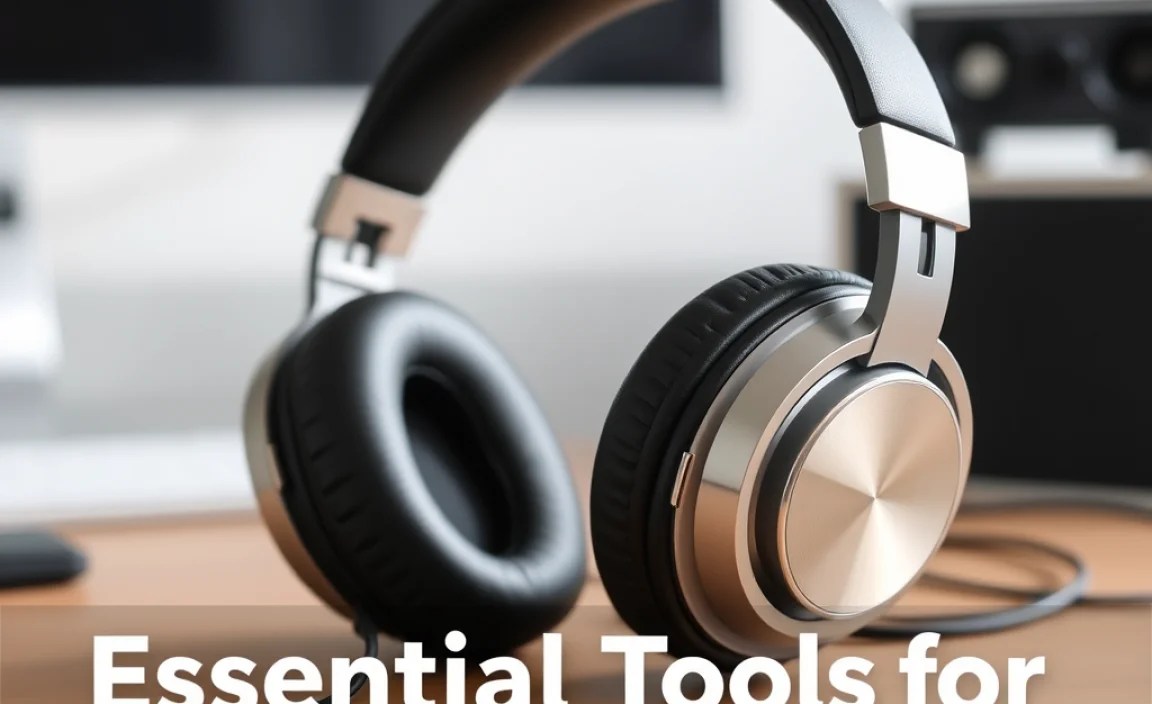
Think of your over-ear headphones as your trusty companions for auditory journeys. They sit comfortably on your head, enveloping you in sound. But this close relationship means they’re exposed to daily wear and tear – sweat, dust, oils from your skin, and the occasional accidental bump. Neglecting them can lead to a few frustrating issues:
- Reduced Sound Quality: Dirt and debris can clog drivers or affect diaphragm integrity, muffling sound or causing distortion.
- Hygiene Concerns: Earcups can become a breeding ground for bacteria, leading to discomfort or even ear issues.
- Physical Damage: Improper storage or handling can lead to cracked headbands, frayed cables, or broken hinges.
- Shorter Lifespan: Regular maintenance helps prevent minor issues from becoming major, costly repairs or necessitating replacement.
Investing a little time in proper care will not only keep your headphones sounding fantastic and feeling clean, but it will also significantly extend their lifespan, making them a reliable partner for years to come.
Essential Tools for Headphone Care

Before we dive into the how-to’s, let’s gather your arsenal. You don’t need a fancy toolkit – most of these items are probably already around your home or are inexpensive to pick up:
- Microfiber Cloths: Soft, lint-free, and perfect for wiping down surfaces without scratching.
- Cotton Swabs (Q-tips): Ideal for reaching small nooks and crannies.
- Mild Soap or Specialized Headphone Cleaner: A gentle solution for tougher grime. Use sparingly and ensure it’s safe for electronics and upholstery.
- Distilled Water: For a gentle cleaning solution. Tap water can contain minerals that leave deposits.
- Soft Brush (like a clean makeup brush or toothbrush): For dusting away loose debris.
- Optional: Isopropyl Alcohol (70%): For disinfecting surfaces, especially earpads, but use with extreme caution and only on specific materials. Always test in an inconspicuous area first.
Step-by-Step Guide to Cleaning Your Over-Ear Headphones

Let’s get down to business! We’ll break down the cleaning process into manageable steps. Remember to always unplug your headphones before cleaning and refer to your manufacturer’s manual for specific instructions, as some materials or designs might require special care.
Step 1: Exterior Wipe-Down
This is your go-to for everyday cleaning. It removes surface dust and fingerprints, keeping your headphones looking sharp.
- Power Down: Ensure your headphones are powered off if they have active noise cancellation or Bluetooth capabilities. Unplug them from any audio source.
- Gentle Dusting: Use a dry microfiber cloth to gently wipe down the entire exterior of your headphones – earcups, headband, and any plastic or metal components.
- Stubborn Smudges: For fingerprints or minor smudges, slightly dampen a clean microfiber cloth with distilled water. Wring out any excess water thoroughly so the cloth is just barely damp. Gently wipe the affected areas.
- Drying: Immediately follow up with a dry microfiber cloth to remove any residual moisture.
Step 2: Cleaning the Earpads
Earpads are the unsung heroes of comfort, but they’re also prime spots for sweat and oil buildup. How you clean them depends on the material.
For Leather or Faux Leather Earpads:
- Mild Cleaning Solution: Mix a tiny drop of mild soap (like dish soap) with distilled water. Alternatively, use a specialized leather cleaner.
- Dampen and Wipe: Lightly dampen a clean microfiber cloth with your solution. Wring it out thoroughly – you want it damp, not wet. Gently wipe the earpads, paying attention to areas with visible buildup.
- Rinse (Carefully!): Use a separate cloth dampened only with distilled water to wipe away any soap residue. Again, ensure this cloth is only slightly damp.
- Dry Thoroughly: Use a dry microfiber cloth to pat and wipe the earpads until completely dry. Leaving leather damp can lead to cracking or damage over time.
- Condition (Optional): For genuine leather, a small amount of leather conditioner applied with a clean cloth can help keep them supple. Always test conditioners in an inconspicuous spot first.
For Velour or Fabric Earpads:
- Dry Brushing: Start by using a soft brush (like a clean toothbrush or makeup brush) to gently sweep away loose dust and debris.
- Spot Cleaning: Mix a very small amount of mild detergent with distilled water. Dampen a clean microfiber cloth and wring it out until it’s almost dry. Gently blot any soiled areas. Avoid soaking the fabric.
- Rinse (Water Only): Use a separate, similarly damp cloth (with just distilled water) to blot the area and remove any soap residue.
- Air Dry Completely: Allow the earpads to air dry thoroughly. You can use a fan on a cool setting to speed up the process. Never use heat, as it can damage the fabric. Earpads can sometimes be removed for easier cleaning and drying – check your manual.
For Memory Foam Earpads (often under fabric or leather):
If your earpads are primarily memory foam, cleaning can be trickier as the foam can absorb moisture. It’s best to rely on surface cleaning of the outer material (leather, fabric) as described above. If the foam itself is soiled, very carefully spot clean with a barely damp cloth and ensure it dries completely before reassembly or use.
Step 3: Cleaning the Headband
The headband also experiences wear, especially where it makes contact with your head.
- Follow the same procedure as cleaning the earpads, matching the cleaning method to the headband’s material (leather, fabric, or plastic).
- Pay attention to the adjustable sliders, as dust can accumulate there. A dry cotton swab is excellent for cleaning these.
Step 4: Cleaning the Earcups and Grilles
This is where the magic happens – the sound! Be extra gentle here.
- Avoid Liquids Near Grilles: Never spray cleaning solutions or water directly onto the headphone grilles or earcups.
- Dry Wipe: Use a dry microfiber cloth to wipe the exterior of the earcups.
- Dusting Grilles: A soft, dry brush or a can of compressed air (held at a distance and used in short bursts) can gently dislodge dust from speaker grilles. Be very careful not to displace the grille material or push dust further in.
- Cleaning the Ports: Use a dry cotton swab to gently clean any audio ports or charging ports. Ensure there’s no lint or debris blocking them.
Step 5: Cable Care
A frayed or damaged cable can ruin your listening experience faster than almost anything else.
- Inspect Regularly: Gently check your audio cable for any signs of wear, kinks, or fraying, especially near the connectors and where it enters the earcup.
- Gentle Cleaning: If the cable is dirty, wipe it down with a dry or lightly dampened microfiber cloth. Avoid harsh chemicals.
- Prevent Stress: Don’t yank the cable to disconnect it; grip the plug. Avoid wrapping the cable too tightly or in sharp bends when storing.
Storage: Protecting Your Investment When Not in Use
Proper storage is as crucial as cleaning for maintaining your headphones.
Ideal Storage Practices:
- Use the Original Case or a Dedicated Pouch: Most high-quality headphones come with a protective case. Use it! It shields them from dust, impacts, and sunlight. If you don’t have one, consider purchasing a universal headphone case.
- Avoid Harsh Environments: Don’t leave your headphones in direct sunlight, extreme heat, or at risk of moisture or high humidity. This can damage materials and electronics.
- Store Them Gently: Avoid cramming them into a tight bag with other items. Give them space to prevent crushing or scratching.
- Detachable Cables: If your headphones have detachable cables, it’s often best to disconnect them for storage, especially for longer periods. This reduces stress on the headphone ports and the cable itself.
Storage vs. Hanging:
While many people hang their headphones on head-stands, consider the implications:
- Pros of Hanging: Keeps them accessible, prevents cables from getting tangled on a desk, and displays them nicely.
- Cons of Hanging: Can stretch the headband over time, especially if the headphones are heavy or left hanging for extended periods. They are also more exposed to dust and potential accidents.
If you choose to hang them, ensure the stand distributes weight evenly across the headband and doesn’t put undue pressure on one spot. For extended storage, a case is generally preferred.
Travel-Proofing Your Headphones
Taking your headphones on the go? Here’s how to keep them safe:
- Always Use a Case: This is non-negotiable for travel. A hard-shell case offers the best protection.
- Disconnect Cables: If detachable, disconnect the audio cable before packing.
- Secure Them: Place the case in your carry-on luggage rather than checked baggage, where they are more likely to be crushed or damaged.
- Mind the Temperature: Avoid leaving them in a hot car or direct sun for extended periods.
Dealing with Odors
Over time, especially with frequent use, earpads can develop an odor. Here are some gentle solutions:
- Baking Soda (Dry Method): Place your headphones (unplugged) in a sealed bag or container overnight with an open box or sachet of baking soda. The baking soda will absorb odors. Ensure the baking soda does not come into direct contact with the headphones.
- Activated Charcoal: Similar to baking soda, activated charcoal pouches can also absorb odors effectively.
- Ventilation: Simply leaving your headphones out in a well-ventilated area for a day can help dissipate mild odors.
- Earpad Replacement: For persistent odors or if cleaning doesn’t help, consider replacing the earpads. Many manufacturers sell replacement earpads, and they can make a world of difference.
When to Consider Professional Help or Earpad Replacement
Sometimes, DIY isn’t enough. Here’s when to seek alternatives:
- Visible Damage: If you see significant tears in the earpads, cracks in the headband, or severely frayed cables that you can’t safely repair, it might be time for replacement parts or professional repair.
- Sound Issues Persist: If you’ve cleaned everything and still experience distortion, crackling, or imbalance, there might be an internal issue. Check your warranty first.
- Deep Cleaning Needed: For very heavily soiled or stained earpads that you can’t clean effectively with mild methods, replacement is often the most practical solution.
Finding Replacement Earpads
Many brands offer official replacement earpads. You can usually find them on the manufacturer’s website. Third-party options are also available from retailers like Amazon or specialized audio accessory sites. Always ensure the replacement parts are compatible with your specific headphone model.
For instance, The Headphone Stand, a reputable authority in headphone accessories, often reviews and discusses replacement parts and accessories that can complement your care routine.
A Quick Reference: Cleaning Cheat Sheet
Here’s a handy table to summarize cleaning frequencies and methods:
| Component | Frequency | Cleaning Method | Tools |
|---|---|---|---|
| Exterior (Plastic/Metal) | Weekly (or as needed) | Wipe down, lightly damp cloth for smudges | Microfiber cloth, distilled water |
| Earpads (Leather/Faux Leather) | Monthly (or as needed) | Mild soap/cleaner, damp cloth, dry thoroughly | Microfiber cloth, mild soap, distilled water, optional conditioner |
| Earpads (Velour/Fabric) | Monthly (or as needed) | Soft brush, spot clean with barely damp cloth, air dry | Soft brush, microfiber cloth, mild detergent, distilled water |
| Headband | Monthly (or as needed) | Same as earpad material | See earpad tools |
| Grilles | As needed | Dry brush, compressed air (at distance) | Soft brush, compressed air |
| Cables | As needed | Wipe with dry/lightly damp cloth | Microfiber cloth |
Maintaining Optimal Sound Quality: Beyond Cleaning
Care isn’t just about keeping things clean; it’s about preserving the sound fidelity you love.
- Volume Levels: Consistently blasting music at maximum volume can strain the drivers over time, potentially leading to distortion or damage. While designed to be loud, moderation is key for longevity.
- Protecting Drivers: Avoid letting anything hard or sharp press against the speaker grilles. The diaphragms within are delicate.
- Environmental Factors: As mentioned, extreme temperatures and humidity can affect the internal components and materials.
- Firmware Updates: For wireless/Bluetooth headphones, keep your firmware updated. Manufacturers often release updates that can improve sound performance, connectivity, or battery management. You can usually find these updates through the manufacturer’s app or website. According to resources like the Federal Communications Commission (FCC), understanding how radio frequency devices operate can also inform how you best manage your wireless devices for optimal performance and signal integrity.
FAQ: Your Headphone Care Questions Answered
Q1: How often should I deep clean my over-ear headphones?
For most users, a deep clean of the earpads and headband once a month is sufficient. However, if you sweat heavily while using them or use them in dusty environments, you might need to clean them more frequently. The exterior and cables can benefit from a quick wipe-down weekly.
Q2: Can I use household cleaners on my headphones?
It’s best to avoid harsh household cleaners like Windex or abrasive scrubbing pads. Stick to mild soap (a tiny drop of dish soap), distilled water, or specialized electronic cleaners. Always dilute any cleaning solution heavily and test on an inconspicuous area first.
Q3: My headphones smell a bit musty. What can I do?
Try the dry methods mentioned above: placing them in a sealed container with baking soda or activated charcoal overnight. Ensure the odor absorbers don’t touch the headphones. Good ventilation also helps. If the smell persists and is tied to the earpads, consider replacing them.
Q4: Is it safe to use isopropyl alcohol on my headphones?
Use isopropyl alcohol (70%) very cautiously and sparingly, and only for disinfection on non-porous surfaces like some types of faux leather or plastic. Never use it on fabric/velour earpads or directly on speaker grilles. Always dilute it with some water (e.g., 50/50 mix) and test in a hidden spot. Ensure the area is completely dry before use. Excessive or improper use can damage finishes.
Q5: My headphone cable is fraying. Can I fix it?
Minor fraying, especially near the connector, can sometimes be temporarily managed with electrical tape. However, for significant fraying or damage that compromises the internal wires, it’s safer to replace the cable if it’s detachable. If the cable is fixed, it might be time to consider a repair service or newer headphones, as a damaged cable poses a risk of further damage or poor audio.
