
Quick Summary: Choosing the right DJ headphones is crucial for mixing. Look for durable, comfortable models with excellent sound isolation and a wide frequency response to hear every detail of your music. This guide simplifies the essentials for beginners to make a confident purchase.
Headphones for DJ: Essential Pro Gear for Every Beginner
Hey everyone, Edward Cavitt here from headphonehorizon! If you’re just stepping into the exciting world of DJing, you’ve probably realized that your everyday earbuds just won’t cut it. You need gear that can keep up with the demands of mixing live sets, cueing up tracks, and making those seamless transitions. That’s where a quality pair of DJ headphones comes in. They’re not just for listening; they’re your primary tool for monitoring sound, isolating tracks, and ensuring your audience hears perfection. Think of them as your ears on the dance floor. Don’t worry if the tech talk sounds a bit daunting – I’m here to break down exactly what makes a headphone “pro” for DJing and how to pick the perfect pair to kickstart your journey without feeling overwhelmed.
Why Special Headphones for DJing?

When you’re behind the decks, your headphones have a tough job. Unlike casual listening, DJing involves:
- Monitoring a track while playing another: You need to hear the incoming song clearly in one ear (your cue) while the main mix plays through speakers or your other headphone channel.
- Sound Isolation: You’ll often be in noisy environments – clubs, parties, or even busy rooms. Your headphones need to block out external sound so you can focus on the music.
- Durability: DJ headphones are often handled roughly, tossed in bags, or worn for long hours. They need to be built to last.
- Accurate Sound Reproduction: You need to hear every nuance of a track – the basslines, the highs, the subtle details – to mix them effectively.
This is why standard consumer headphones, while great for personal listening, often lack the necessary features. They might not isolate sound well, their build quality can be a weak point, and their sound profiles might be tweaked for enjoyment rather than critical monitoring.
Key Features to Look For in DJ Headphones

Let’s dive into the nitty-gritty of what makes a headphone a DJ’s best friend. Understanding these features will empower you to make an informed decision:
1. Sound Isolation
This is arguably the most critical feature. Good sound isolation, also known as passive noise cancellation, means the headphones physically block outside noise. This allows you to hear your cue track perfectly even over loud music from the main speakers or a rowdy crowd. Look for headphones with:
- Over-ear (Circumaural) Design: These cups completely enclose your ears, creating a seal that naturally blocks out a lot of ambient sound.
- Thick, Plush Ear Pads: Well-designed ear pads not only add comfort but also contribute significantly to creating that seal and improving isolation.
- Snug Fit: The headphones should feel secure but not painfully tight, allowing for a good seal around your ears.
Active Noise Cancellation (ANC) isn’t typically found or desired in DJ headphones because it can sometimes alter the sound profile and isn’t as effective at blocking the specific frequencies of club music as good passive isolation. For a deeper dive into how sound isolation works, you can explore resources like those from the American Speech-Language-Hearing Association, which discusses the principles of hearing protection and how sound is attenuated (reduced).
2. Comfort and Fit
DJ sets can be long. Whether you’re practicing at home or playing a gig that lasts for hours, comfort is paramount. Uncomfortable headphones can be a serious distraction, leading to fatigue and errors. Consider:
- Padded Headband: A well-padded headband distributes weight evenly across your head, reducing pressure points.
- Adjustable Fit: The headband should be easily adjustable to fit different head sizes.
- Swiveling Earcups: Most professional DJ headphones feature earcups that can swivel or pivot. This allows you to comfortably wear one earcup off your ear for “one-ear monitoring,” a common DJ technique.
- Lightweight Design: While durability is key, a lighter build can significantly improve long-term comfort.
- Breathable Earpads: Some materials can get hot and sweaty over time. Look for earpads made from materials that allow for some airflow.
3. Durability and Build Quality
DJ gear gets put through its paces. Your headphones need to withstand being packed, unpacked, and worn regularly. Key indicators of good build quality include:
- Robust Materials: Metal components in the headband and hinges are generally more durable than all-plastic constructions.
- Thick, Braided Cables: Single-sided (one cable coming out of one earcup) or detachable cables are a plus, but the cable itself should be thick and preferably braided to resist tangling and wear.
- Replaceable Parts: Many professional headphones offer replaceable ear pads and cables. This is a huge advantage, as it means you can extend the life of your headphones for years just by swapping out worn parts.
4. Sound Quality and Frequency Response
This is where you’ll hear the magic (or the problems!). DJ headphones need to provide a balanced and accurate sound reproduction. This means:
- Flat Frequency Response: Ideally, DJ headphones should aim for a “flat” frequency response. This means they reproduce sound across the audible spectrum (typically 20 Hz to 20 kHz) without artificially boosting certain frequencies. This allows you to hear the music as it was intended, making it easier to identify problems and mix accurately. While “perfectly flat” is rare and highly debated, a neutral, uncolored sound is the goal.
- Wide Frequency Range: A wider range means you can hear everything from the deepest bass notes to the crispest high frequencies. Standard ranges are 20 Hz – 20 kHz, but DJ headphones might extend beyond this, particularly in the bass frequencies.
- Clear Midrange: The midrange is crucial for vocals and key melodic elements. Clear mids ensure you can precisely blend tracks based on these components.
- Controlled Bass: You need to feel the bass, but it shouldn’t be so overpowering that it muddies the rest of the sound. Good DJ headphones provide punchy, defined bass.
You can sometimes find frequency response charts for headphones from manufacturers or review sites. A headphone’s response is typically plotted on a graph, showing the decibel (dB) level at each frequency. A flatter line indicates a more neutral sound. For more on sound perception and audio frequencies, the J.W. Beauvais’s Acoustics and Sound page provides an excellent, albeit a bit more technical, overview of human hearing and the audible spectrum.
5. Driver Size
Drivers are the small speakers within your headphones. Larger drivers generally produce more powerful sound and better bass response without distortion. For DJing, drivers in the 40mm to 50mm range are common and highly effective.
6. Impedance and Sensitivity
These are more technical, but worth a brief mention:
- Impedance (Ohms): This measures the headphone’s electrical resistance. Higher impedance headphones (e.g., 50-80 ohms or more) often sound better and are less prone to distortion when driven by a good amplifier. However, they might require a stronger signal from your DJ gear. Lower impedance (e.g., 30-40 ohms) headphones are easier to drive and work well with most basic setups.
- Sensitivity (dB/mW): This indicates how loud the headphones can get with a given amount of power. Higher sensitivity means they’ll be louder with the same input signal.
For beginners, headphones in the 30-60 ohm range with decent sensitivity are usually a safe bet that will work well with most DJ controllers and mixers.
Types of DJ Headphones

While the core features remain the same, DJ headphones come in a few common designs:
Closed-Back vs. Open-Back
- Closed-Back: This is the standard and most recommended type for DJing. The earcups are sealed, providing excellent sound isolation. Sounds made inside the earcup are kept in, and outside sounds are kept out.
- Open-Back: These headphones have perforated or vented earcups. They offer a more natural, airy soundstage, often preferred by audiophiles for critical listening. However, they leak sound significantly and offer very little isolation, making them unsuitable for DJing in any environment other than a perfectly silent studio.
For DJing, always opt for closed-back headphones.
Wired vs. Wireless
- Wired: The traditional choice. Wired headphones offer the most reliable connection with no latency (delay), which is crucial for precise mixing. They are generally more durable and don’t require charging.
- Wireless (Bluetooth): While convenient for casual listening, Bluetooth headphones often introduce a slight delay (latency) between your actions and the sound you hear. This latency can be a deal-breaker for real-time mixing. Some professional wireless systems exist with near-zero latency, but they are typically very expensive and less common for entry-level DJs. For serious mixing, stick with wired.
Top Features for Beginner DJs
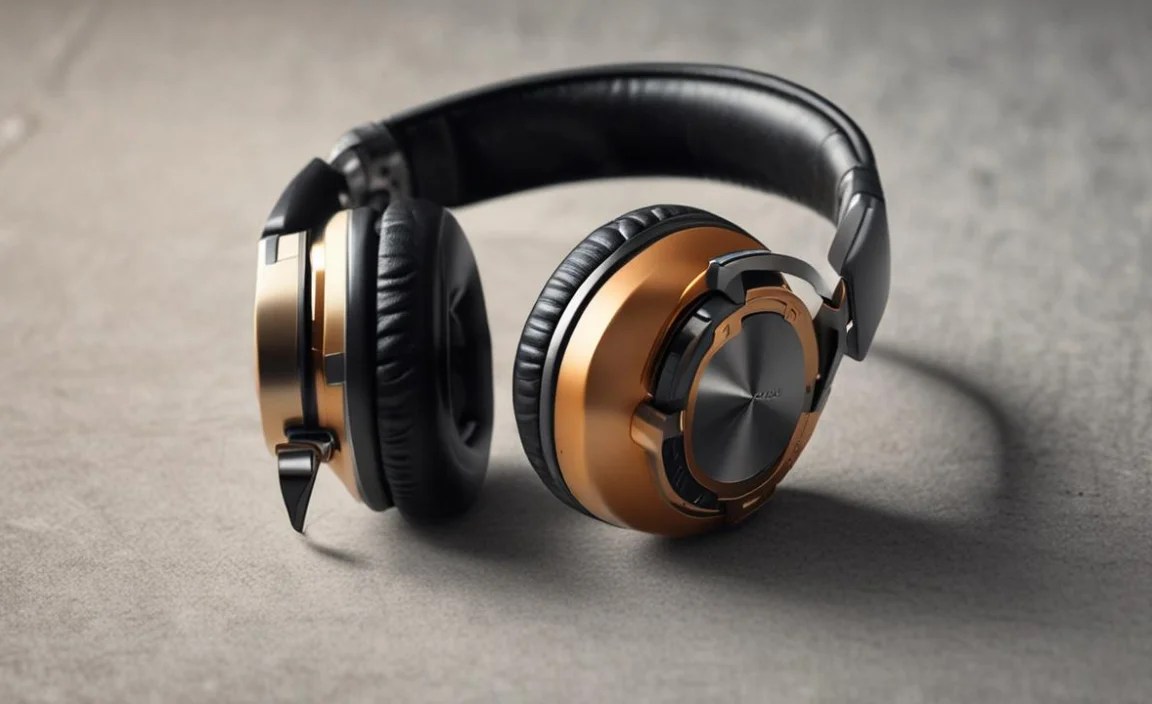
As a beginner, you don’t need the absolute top-of-the-line, most expensive gear, but you do need reliability and a good foundation. Focus on these key features:
- Excellent Isolation: To hear your cues clearly.
- Comfort: For those long practice sessions.
- Durable Build: To withstand learning curves and travel.
- Clear, Balanced Sound: To learn proper mixing techniques.
- Swiveling Earcups: For flexible monitoring.
- Detachable or Replaceable Cable: A huge plus for longevity.
Recommended DJ Headphones for Beginners

While specific model recommendations can change as new products are released, certain models have stood the test of time for their balance of features, performance, and price for beginners. Here are a few popular and well-regarded choices:
| Headphone Model | Key Strengths for Beginners | Considerations |
|---|---|---|
| Sennheiser HD 25 | Industry standard for a reason. Incredible durability, excellent isolation, punchy sound, comfortable for long wear. Lightweight and reliable. Swiveling earcup. | Can be a bit pricey for some beginners. Sound might not be as “refined” as some others, but is very effective for monitoring. |
| Audio-Technica ATH-M50x | Very popular for studio monitoring and DJing. Offers a balanced sound profile with good detail, comfortable fit, sturdy build, and comes with multiple detachable cables. Foldable design included. | Isolation is good but not as absolute as the HD 25. Can sometimes sound a bit “bright” for some listeners, but excellent for detail. |
| Sony MDR-7506 | A long-standing favorite in broadcast and studio environments, often adopted by DJs. Known for its clear, detailed sound and robust build. Comes with a folding design. | Isolation is decent but not top-tier. The build is solid but can feel a bit plasticky. Earpads might need replacing sooner than on other models. |
| Pioneer DJ HDJ-X5 | Designed specifically with DJs in mind. Offers excellent isolation, a comfortable fit, and a sound profile that emphasizes bass and clarity for monitoring. Pioneer is a trusted DJ brand. | Might be slightly more expensive than some alternatives. Earpads are comfortable but a secondary replacement might be desired later. |
Always try to read recent reviews and, if possible, try headphones on before buying. However, if buying online, the models above are consistently praised for their suitability for new DJs.
How to Use Your DJ Headphones Effectively
Once you have your headphones, here’s how to get the most out of them:
1. Master One-Ear Monitoring
This is a fundamental DJ technique. With a swiveling earcup:
- Place the headphone cup over one ear.
- Leave the other ear open to hear the main speakers (or crowd if you’re live).
- On your DJ mixer or controller, route the “cue” or “preview” sound only to your headphones.
- Select the deck you want to preview and adjust the cue volume so it’s balanced with the main mix you’re hearing out of your open ear.
- Listen to the track you’re about to mix in, beatmatch it, and make sure it sounds good before fading it into the main mix.
2. Adjust Your Settings
Ensure your DJ software or hardware is configured correctly to send the cue signal to your headphones. Most DJ controllers and software have a dedicated cue/master mix knob, allowing you to blend the sound you’re previewing with the main output. Experiment with this blend until you find what works best.
3. Understand EQ and Levels
Your headphones are key to hearing how EQ adjustments and volume levels are affecting your mix. If you can hear muddiness, harshness, or a lack of power in your headphones, it’s likely present in the main mix. Use them to make critical decisions about how each track sits in the overall soundscape.
4. Protect Your Hearing
DJing can be loud, and prolonged exposure to high volume levels through headphones can damage your hearing. It’s essential to keep your headphone volume at a level where you can still hear distinct frequencies without discomfort. If your ears ring after a session, the volume was too high. Remember, you’re monitoring, not trying to feel the bass through your skull. Consider resources from organizations like the National Institute on Deafness and Other Communication Disorders (NIDCD) for information on noise-induced hearing loss and prevention.
Caring for Your DJ Headphones
Treating your headphones well will ensure they last a long time. Here’s how:
Cleaning
- Ear Pads: Gently wipe down ear pads with a slightly damp, soft cloth. Avoid harsh chemicals. If they are very soiled, consider using a mild soap and water solution, but ensure they are completely dry before use.
- Headband and Housing: Use a dry or very lightly damp cloth to clean these areas.
- Grilles: Use a dry, soft brush (like a clean paintbrush or a soft toothbrush) to gently remove dust or debris from speaker grilles.
Storage
- If your headphones come with a carrying case or pouch, use it whenever you transport them.
- Avoid storing them in places with extreme temperatures or direct sunlight.
- If they are foldable, fold them carefully to avoid stressing the hinges.
Cable Management
- If you have a detachable cable, unplug it carefully from both the headphones and your equipment.
- When coiling a cable, use the “over-under” method to prevent internal twists and kinks that can lead to damage. Avoid wrapping cables too tightly around your forearm if it causes sharp bends.
When Parts Wear Out
Don’t despair if your ear pads start to flake or your cable frays. As mentioned earlier, many professional DJ headphones have replaceable parts. This is a significant cost-saver and allows you to restore your headphones to near-new condition. Major manufacturers and third-party accessory makers often sell these parts.
Frequently Asked Questions (FAQ)
Q1: Can I use my regular everyday headphones for DJing?
While you can technically plug them in, it’s not recommended for serious DJing. Everyday headphones often lack the sound isolation needed to hear your cue track over loud music, aren’t built for the rigors of DJ use, and their sound profiles might not be neutral enough for accurate mixing. You’ll likely struggle to mix effectively and could even damage them quickly.
Q2: How much should I expect to spend on a good pair of DJ headphones?
For a solid, beginner-friendly pair that will serve you well, expect to spend anywhere from $80 to $150. You can find decent options below $80, but investing a bit more, like in the $100-$150 range, often gets you much better durability, comfort, and sound quality that will last you longer.
