
Quick Summary: Properly storing your headphones extends their lifespan and maintains sound quality. This guide provides simple steps for cleaning, detangling cords, and protecting your headphones before you put them away, ensuring they’re ready for your next listening session.
Headphone Maintenance Before Storing: Your Essential Guide
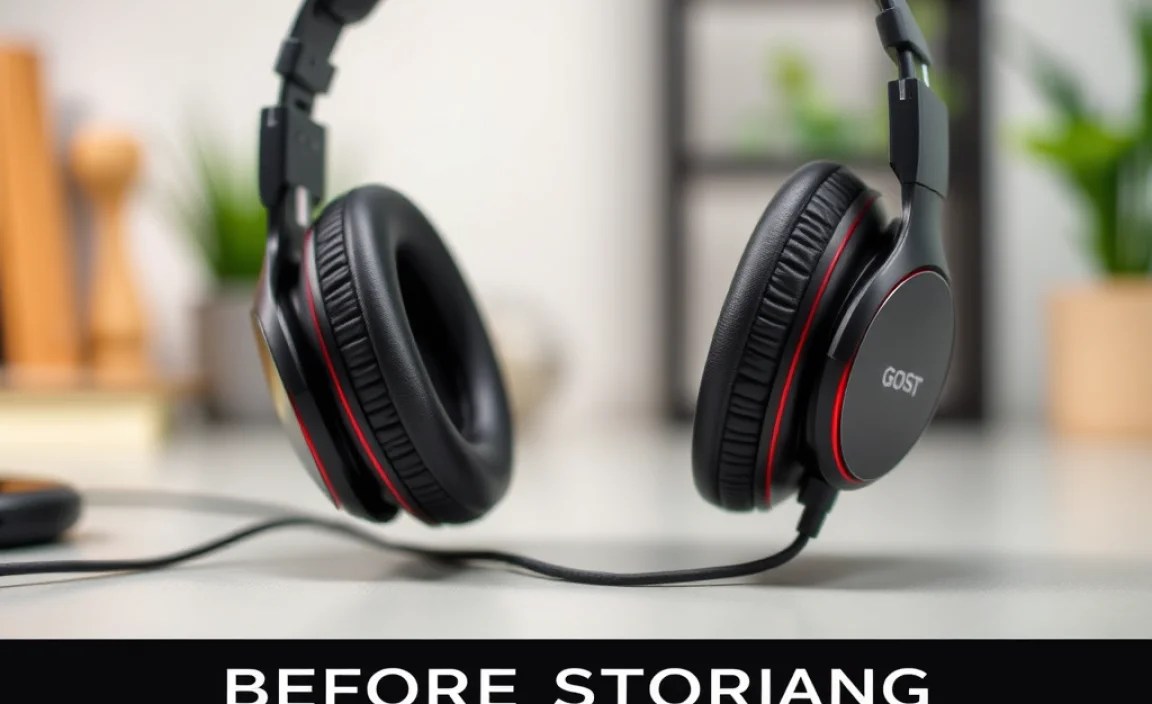
Hey audio adventurers! Edward Cavitt here from headphonehorizon, your friendly guide to all things sound. We all love our headphones, right? They’re our companions for commutes, study sessions, immersive gaming, and just unwinding with our favorite tunes. But just like any piece of gear we cherish, a little bit of care can go a long way. When it’s time to tuck your headphones away, whether for a few days or a few months, a quick maintenance routine is key. It’s not about being overly fussy; it’s about making sure your headphones stay in top shape, sound fantastic, and last for years to come. Don’t worry, we’ll keep it simple and straightforward – no tech wizardry needed!
Why Bother with Pre-Storage Headphone Care?

You might be thinking, “It’s just going in a drawer, what’s the big deal?” Well, that little bit of extra effort before storing your headphones can prevent a surprising number of problems down the line. Think about it: dust can settle into crevices, earwax and oils can build up on earpads, and delicate cords can get tangled and stressed. Leaving these issues unaddressed before they go into hibernation can mean:
- Degraded Sound Quality: Clogged drivers or dirt on speaker grilles can muffle your audio.
- Reduced Lifespan: Strain on cables or damage to delicate parts can shorten your headphones’ life.
- Hygiene Concerns: Built-up grime isn’t exactly pleasant, especially on things that sit near your ears.
- Aesthetics Declining: Stains and dirt just don’t look as good as clean finishes.
So, let’s get these beloved devices ready for their downtime, ensuring they emerge just as wonderful as when they went in!
Step-by-Step: Preparing Your Headphones for Storage
This is where the magic happens! These steps are designed to be quick, effective, and easy for anyone to follow. We’ll break it down by the most common headphone components.
Step 1: Clean Those Earcups and Earpads
This is perhaps the most critical step for both hygiene and longevity. Our ears produce oils, and our environment can introduce dust and sweat. Over time, this can degrade the earpad material and affect comfort and sound.
For Removable Earpads (Most Over-Ear and Some On-Ear Headphones):
- Detach the Earpads: Carefully check your headphone manual or look for a gentle prying or twisting mechanism to remove the earpads. Some clip on, others might have a small ring to twist.
- Gentle Hand Wash (if material allows): For protein leather, PU leather, or velour earpads, a mild soap and lukewarm water solution is usually safe. Use your fingertips to gently rub away grime. Avoid harsh scrubbing.
- Rinse Thoroughly: Make sure no soap residue remains, as this can also be an irritant.
- Air Dry Completely: This is CRUCIAL. Never reattach damp earpads. Lay them out on a clean towel in a well-ventilated area, away from direct sunlight or heat, and let them dry naturally. This can take 24-48 hours. Patience is key here to prevent mold or mildew.
- Wipe Down Leatherette/PU Leather: If your earpads are not removable or you prefer a quicker clean, use a slightly damp microfiber cloth with a very mild, diluted cleaning solution (like a tiny bit of diluted dish soap). Wipe gently. Follow up with a clean, dry microfiber cloth.
For Non-Removable Earpads (Most In-Ear Monitors, some On-Ear/Over-Ear):
- Use a Damp Microfiber Cloth: Lightly dampen a clean microfiber cloth with water. Wring it out thoroughly so it’s barely moist.
- Wipe Gently: Carefully wipe the surface of the earpads. Pay attention to any crevices where dirt might accumulate.
- For Stubborn Grime: If there’s light earwax or stubborn surface grime, you can use a cotton swab very lightly moistened with a solution of 70% isopropyl alcohol and water (50/50 mix) or a specialized electronics cleaner. Again, wring out the swab so it’s not dripping. Ensure it doesn’t soak into the earcup.
- Dry Immediately: Use a separate dry microfiber cloth to gently pat the earpads dry.
Step 2: Clean the Headband and Housing
The headband and the exterior of the earcups are also prone to collecting dust, fingerprints, and skin oils. Regular cleaning here maintains their appearance and prevents material degradation.
- Microfiber Cloth is Your Friend: For most materials (plastic, metal, coated surfaces), a dry or slightly damp microfiber cloth is all you need.
- Stubborn Dirt/Oils: For tougher spots, use that same mild soap and water solution or a diluted electronics cleaner on your microfiber cloth.
- Leather/Suede Headbands: For leather or suede headbands, use specialized cleaners designed for those materials. A very soft brush can help lift dirt from suede. For leather, always test cleaners in an inconspicuous spot first.
- Avoid Harsh Chemicals: Never use abrasive cleaners, solvents, or ammonia-based products, as these can damage finishes and materials.
Step 3: Address the Ear Tips (Especially for IEMs)
For in-ear monitors (IEMs) or earbuds, the ear tips are paramount for both sound isolation and hygiene. They come into direct contact with your ear canal.
- Remove Ear Tips: Carefully pull the ear tips off the IEM nozzle.
- Silicone Tips: Most silicone tips can be washed with mild soap and water. Rinse them thoroughly and let them air dry completely before reattaching.
- Foam Tips: Foam tips are a bit more delicate. Do NOT soak them. Instead, use a slightly damp microfiber cloth to gently wipe away any visible wax or debris. Some manufacturers recommend a light spray of isopropyl alcohol (70%), but always check your specific ear tip’s care instructions. Ensure they are completely dry before storing.
- Check for Wear: While you’re at it, inspect your ear tips. If they feel cracked, stiff, or are no longer sealing properly, it might be time to consider replacing them.
You can find replacement ear tips from manufacturers like Comply Foam or look for third-party options online.
Step 4: Tidy Up the Cable
The headphone cable is often the most vulnerable part. Tangling, kinking, or stressing can lead to internal wire breaks, which are notoriously difficult to fix.
- Untangle Gently: If the cable is tangled, take your time to carefully untangle it. Never yank or pull forcefully, as this can damage the internal wires.
- Gentle Wipe Down: Use a dry or slightly damp microfiber cloth to wipe down the cable. This removes any dust or grime that might have accumulated.
- Inspect for Damage: While cleaning, look for any nicks, cuts, or fraying along the cable’s length or near the connectors. If you find significant damage, you might need to consider repair or replacement if feasible for your model.
Step 5: Clean the Connectors
The headphone jack (the plug that goes into your device) can accumulate lint and gunk from pockets and bags, potentially leading to connection issues or static.
- Use a Dry, Soft Brush: A small, dry paintbrush or a cotton swab can be used to gently dislodge loose dust and lint from the connector.
- Isopropyl Alcohol (Carefully): For slightly more stubborn residue, you can lightly dampen a cotton swab with 70% isopropyl alcohol. Make sure the swab is just barely moist – you don’t want any drips. Gently swab the connector, focusing on the metal contact points.
- Allow to Dry: Let the connector air dry for a few minutes before plugging anything in.
This quick clean ensures a good connection every time you plug your headphones back in.
Step 6: Clean the Drivers/Grilles (Carefully!)
The speaker grilles on your headphones protect the actual audio drivers. Dust and debris here can directly impact sound quality.
- Dry Brush Method: The safest approach is to use a very soft, dry brush (like a clean makeup brush or a specialized electronics cleaning brush) to gently sweep away dust from the grilles. Work away from the grille, not into it.
- Compressed Air (Brevity is Key): A short, controlled burst of compressed air held at least six inches away from the grille can dislodge dust. Be very careful not to blow debris deeper into the headphones or to blast the grille directly.
- Avoid Liquids: It’s extremely important to keep liquids away from the driver area. If you’re unsure, it’s better to leave it than to risk damaging the delicate driver components. Many headphone manufacturers offer specific cleaning guidelines for their products, which you can usually find on their support websites.
Proper Storage Techniques
Once your headphones are clean and dry, how you store them is just as important for preventing damage.
Storage Environment Matters
- Cool and Dry: Store your headphones in a cool, dry place. Extreme temperatures or humidity can damage earpad materials, plastics, and internal components. Avoid storing them in direct sunlight, in a car, or in a damp bathroom.
- Away from Direct Sunlight: UV rays can degrade plastics and faux leather over time, causing them to crack or fade.
Protective Cases are Your Best Friend
Most higher-end headphones come with a carrying case, and for good reason! If yours didn’t, consider investing in one.
- Hard Shell Cases: These offer the best protection against impacts and crushing.
- Soft Pouches: Good for keeping dust off and preventing minor scratches, but not ideal for travel where they might be packed with other items.
- Original Packaging: If you still have the box, it can often be a decent storage solution for shorter periods.
Cable Management
How you wind the cable can significantly impact its lifespan.
- Loose Coils, Not Tight Wraps: Avoid wrapping the cable tightly around your hand or the headphones’ earcups, as this stresses the wires. Instead, create loose, gentle coils.
- Use Cable Ties (Optional): If your cable has length and you want to keep it tidy, use a soft Velcro cable tie. Don’t cinch it tightly.
- Detachable Cables: If your headphones have detachable cables, it’s often best to disconnect them and store them separately, especially for travel. This reduces stress on the headphone’s port.
Positioning for Storage
- Over-Ear/On-Ear: Lay them flat with earpads facing outwards, or on their headband if stable. Ensure nothing is pressing down on the earpads.
- In-Ear Monitors: Store them in their case, often with the cable carefully coiled as described above.
- Folding Headphones: If your headphones fold for storage, make sure the hinges are not stressed and that the earpads are not compressed unnaturally.
Tools You’ll Need for Headphone Maintenance

You don’t need a fancy toolkit for this! Most items are likely already in your home, or a quick trip to the store will get you what you need.
| Tool | Purpose | Where to Find |
|---|---|---|
| Microfiber Cloths (several) | General cleaning of all surfaces, drying. | Electronics stores, camera shops, online. |
| Mild Soap (e.g., dish soap) | For cleaning earpads (diluted). | Household cleaning aisle in supermarkets. |
| Lukewarm Water | For diluting soap and rinsing. | Your tap! |
| Cotton Swabs (Q-tips) | Cleaning small crevices, connectors, ear tips. | Pharmacy or supermarket. |
| 70% Isopropyl Alcohol | Sanitizing and cleaning stubborn grime (diluted). | Pharmacy. |
| Soft Brush (e.g., clean makeup brush, small paintbrush) | Dusting speaker grilles and hard-to-reach areas. | Art supply store, beauty supply store, or simply repurpose an old one. |
| Headphone Cleaning Kit (Optional) | Specialized tools and solutions. | Online retailers. |
| Protective Case or Pouch | Safe storage. | Often included with headphones, or online. |
A Note on Disinfection:
For those particularly concerned about germs, a very light application of 70% isopropyl alcohol on a cotton swab can be used for disinfection on non-porous surfaces like plastic housings or leatherette earpads. Always ensure the alcohol evaporates completely before storing and never let it seep into delicate components like speaker drivers or the headphone’s internal circuitry. For porous materials like foam ear tips, professional advice suggests they are harder to disinfect thoroughly and might benefit from replacement if hygiene is a major concern. The CDC provides guidelines on cleaning and disinfection that can be helpful for understanding best practices for various surfaces.
Troubleshooting Common Pre-Storage Issues
Even with the best intentions, you might encounter a small hurdle. Here are a few common ones and how to handle them:
- Earpads won’t come off: Double-check your headphone manual. Some are designed to be difficult to remove to maintain a seal. If so, stick to gentle surface cleaning with a damp cloth. Never force them.
- Stubborn earwax on IEMs: For silicone tips, try a toothpick to gently dislodge visible wax before washing. For foam tips, repeat the damp cloth method and ensure thorough drying.
- Cable kinks that won’t straighten out: A mild kink might relax over time if stored loosely. If it’s a sharp, permanent crease, this could indicate internal wire damage. Store it gently and test the audio quality thoroughly during your next use.
- Foul smell from earpads: This usually indicates moisture trapped for too long, leading to mildew. Wash removable earpads with mild soap and water, rinse thoroughly, and dry them completely in a well-ventilated area for at least 48 hours. Ensure the cups are fully dry before reattaching.
Frequently Asked Questions (FAQ)
Q1: How often should I clean my headphones before storing them?
It’s best to give them a quick wipe-down every few uses. A thorough clean, especially of the earpads and ear tips, is recommended before any extended storage period. If you use them daily and notice visible grime or sweat, clean them weekly. For infrequent use, clean them right before you decide to put them away for a while.
Q2: Can I use disinfecting wipes on my headphones?
It’s generally not recommended. Disinfecting wipes often contain alcohol or other chemicals that can be too harsh for headphone materials, potentially damaging plastics, faux leather, or coatings. It’s safer to use a diluted isopropyl alcohol solution on a cotton swab or specialized electronics cleaner, applied sparingly.
Q3: My headphones smell a bit musty. What should I do?
A musty smell usually means trapped moisture. For removable earpads, wash them with mild soap and water, rinse thoroughly, and let them air dry for at least 48 hours, ensuring complete dryness. For non-removable surfaces, use a slightly damp microfiber cloth and then a dry one, and ensure the storage area is well-ventilated.
Q4: Is it okay to store headphones in a very small, tight case?
No, it’s best to avoid tightly compressing your headphones, especially the earpads and headband. Over time, this can permanently deform the padding, leading to discomfort and a poorer seal for sound isolation. Use a case that allows for a bit of breathing room.
