
Quick Summary: This guide offers easy DIY fixes for common headphone problems. Learn to troubleshoot loose connections, replace earcups, and handle minor wire damage. Save money and extend your headphones’ life with these simple, beginner-friendly repair methods. Get your sound back without the hassle!
Hey headphone lovers, Edward Cavitt here from Headphone Horizon! We all love losing ourselves in our favorite tunes, podcasts, or audiobooks, and our headphones are our trusty companions. But what happens when they start acting up? A crackle, a loose wire, or a worn-out earcup can be frustrating. Before you think about replacing them, know that many common headphone issues can be fixed right at home with a little patience and a few simple tools. This guide is designed to walk you through essential DIY headphone repair methods, empowering you to revive your beloved audio gear and enjoy crisp, clear sound once more. Let’s dive in!
Why DIY Headphone Repair?

It might seem daunting to open up your headphones, but the reality is that many repairs are surprisingly straightforward. Choosing to fix your headphones yourself offers several fantastic benefits:
- Cost Savings: Professional repairs or buying new headphones can be expensive. DIY fixes often only require basic tools and materials, saving you a significant amount of money.
- Environmental Friendliness: Extending the life of your headphones reduces electronic waste, which is a huge win for our planet. Instead of tossing them, you’re giving them a new lease on life!
- Skill Development: Learning to repair your own gear is incredibly rewarding. You’ll gain confidence and a better understanding of how your favorite devices work.
- Convenience: No need to ship your headphones off or wait for a shop to fit you in. You can often fix issues quickly and get back to enjoying your audio.
This guide focuses on the most common problems that everyday listeners encounter and provides actionable, beginner-friendly solutions. We’ll cover everything from loose cables to worn-out earcups, so you can become your own headphone technician!
Essential Tools for Your DIY Headphone Repair Kit

Before we start tinkering, it’s wise to gather a few basic tools. You likely already have some of these around the house. Having them ready will make the repair process much smoother.
What You’ll Need:
- Small Phillips Head Screwdrivers: Many headphone casings are held together with tiny screws. A set with various sizes is ideal.
- Precision Flathead Screwdriver: Useful for prying open plastic clips or fitting into small slots.
- Pliers (Needle-Nose): Great for gripping small wires or components.
- Wire Strippers/Cutters: Essential if you need to expose wire ends for soldering or reconnecting. Look for ones designed for small gauge wires.
- Soldering Iron and Solder: For making permanent, strong connections. A low-wattage iron (around 20-30W) is usually sufficient for headphone wires.
- Heat Shrink Tubing or Electrical Tape: To insulate repaired wire connections and prevent short circuits.
- Tweezers: For handling tiny screws, wires, and delicate parts.
- Magnifying Glass or Headset: Helpful for seeing intricate details and small solder points.
- Multimeter (Optional but Recommended): For testing continuity and voltage, which can help diagnose electrical issues. You can find basic ones affordably online.
- Replacement Parts: Depending on the repair, you might need new earcups, replacement cables, or specific internal components.
Don’t feel overwhelmed if you don’t have everything. Start with the basics and add to your kit as you tackle more complex repairs. Many reputable online retailers offer affordable starter kits for electronics repair.
Common Headphone Problems and How to Fix Them
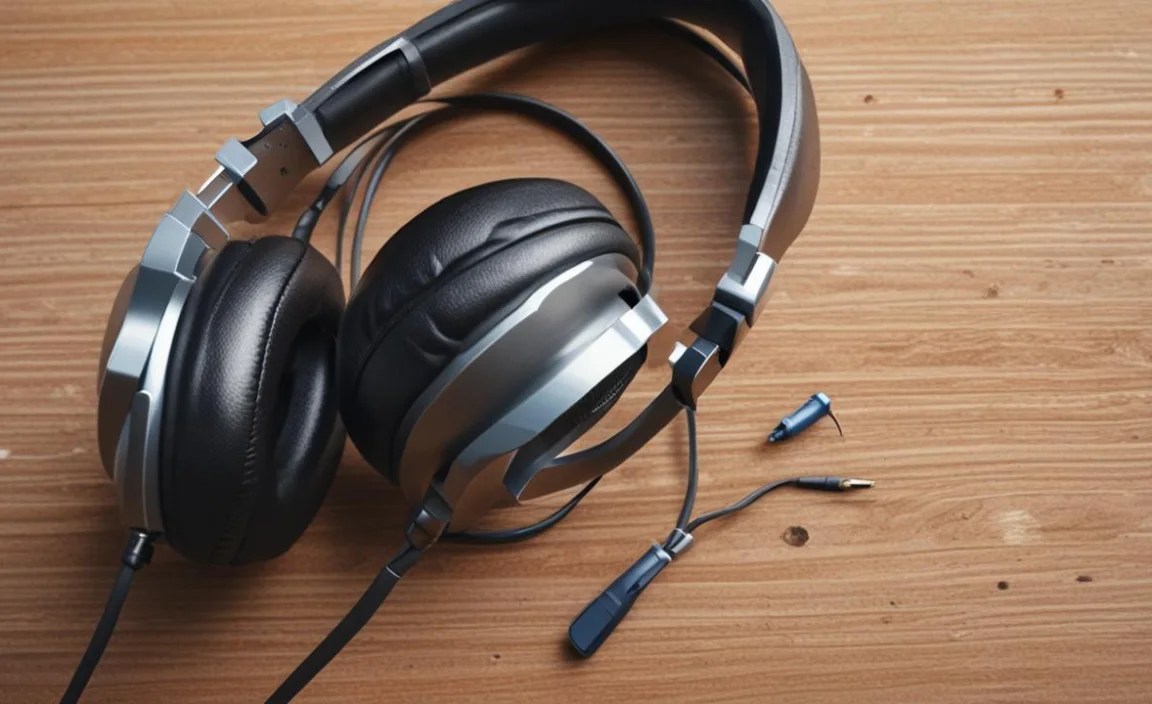
Let’s get down to business! Here are some of the most frequent issues headphone users face and how you can tackle them with DIY methods.
1. No Sound From One Earcup (or Intermittent Sound)
This is arguably the most common headphone ailment. It often points to a broken wire connection, either inside the earcup, at the plug, or somewhere along the cable. Intermittent sound often means a wire is frayed but still making contact sometimes.
Symptoms:
- One side has no audio.
- Sound cuts in and out on one side.
- Volume on one side is significantly lower than the other.
Troubleshooting Steps:
- Check the Plug: Ensure the headphone jack is fully inserted into your device. Try plugging it into a different device (phone, computer, tablet) to rule out an issue with the source.
- Inspect the Cable: Gently bend the cable at different points, especially near the earcup and the plug. If the sound cuts in and out as you move it, you’ve found the break.
- Examine the Earcup Jack (if detachable): If your headphones have a detachable cable, inspect the port on the earcup. Sometimes debris can prevent a solid connection. Try cleaning it gently with compressed air or a dry cotton swab.
- Investigate the Plug Jack: The plug itself can also get damaged or dirty. Carefully inspect it for bends or debris. You can try cleaning the contacts with a cotton swab dipped in isopropyl alcohol (ensure it dries completely before use).
- The Cable Break (Most Common): If you suspect a break within the cable, you’ll likely need to open up the earcup or at least access the wires near the plug.
DIY Fix: Repairing a Broken Wire
This often involves soldering. If you’re new to soldering, practice on some scrap wire first! For a quick fix, electrical tape or heat shrink tubing is essential for insulation. A good resource for understanding basic soldering techniques can be found at NASA’s Technology Transfer program provides some fundamental electronics principles.
Step-by-Step Wire Repair (Cable Break):
- Locate the Break: Based on your cable inspection, try to pinpoint where the wire is damaged. Often it’s near the plug or where the cable enters the earcup.
- Open the Earcup (if needed): Carefully look for screws around the earcup. Some are hidden under the earpad. You might need a small flathead or a guitar pick to gently pry away plastic clips. Be patient!
- Identify Wires: Inside the earcup, you’ll see wires connecting to the driver. Typically, there are three wires: left channel, right channel, and ground. They’re often color-coded (e.g., red for left, green for right, copper/bare for ground), but this can vary by manufacturer.
- Strip and Solder: If the break is in the cable itself, you may need to cut the damaged section out. Carefully strip about half an inch of insulation from the ends of the wires on both sides of the cut. Twist the corresponding wires together and solder them for a secure connection. Alternatively, if you can get to the wire connection inside the earcup that’s fallen off, strip the wire end and solder it back to its original point on the driver or circuit board.
- Insulate: Cover each soldered joint with a small piece of heat shrink tubing. Gently heat it with your soldering iron or a heat gun until it shrinks snugly around the connection. If you don’t have heat shrink, wrap the joint securely with electrical tape, ensuring no bare wire is exposed.
- Reassemble: Carefully put the earcup back together, ensuring no wires are pinched.
If the cable is severely damaged, consider replacing the entire cable if your headphones support it. Many gaming or audiophile headphones have detachable cables, making replacements a breeze.
2. Worn-Out or Damaged Earcups
Earcups are the most frequently touched part of your headphones. Over time, the padding can flatten, the faux leather can peel, and they can become uncomfortable or unhygienic. Thankfully, replacing them is usually very simple!
Symptoms:
- Earcups are flattened and uncomfortable.
- The faux leather/material is peeling or cracking.
- Reduced noise isolation due to a poor seal.
DIY Fix: Replacing Earcups
This is one of the easiest headphone repairs. Most earcups are designed to be user-replaceable.
Step-by-Step Earcup Replacement:
- Identify Your Headphone Model: This is crucial for finding the correct replacement earcups.
- Purchase Replacement Earcups: Search online marketplaces (Amazon, eBay) or specialized headphone parts websites using your headphone model number. Look for reviews to ensure quality. Many third-party options are available and can even offer upgrades (e.g., memory foam).
- Remove Old Earcups: Gently pry off the old earcups. Most attach with a plastic ring or clips. Sometimes, you can carefully slide a fingernail or a plastic spudger around the edge to unhook them. Be gentle to avoid damaging the headphone housing.
- Clean the Area: Before attaching the new ones, clean the area where the earcup sits. Remove any old glue residue if necessary.
- Attach New Earcups: Align the new earcup and press it into place until it clicks or snaps securely. For some models, you might need to tuck the edge of the earcup material into a grove.
It’s often helpful to watch a YouTube video of someone replacing the earcups on your specific headphone model. A quick search like “replace [your headphone model] earcups” will usually yield great visual guides.
3. Loose or Damaged Headphone Jack (Plug)
A bent, loose, or broken headphone jack can render your headphones unusable. If the connection feels wobbly or isn’t recognized by your device, the jack might be the culprit.
Symptoms:
- Headphones only work when the jack is held at a specific angle.
- No sound, or distorted sound, from the jack.
- The jack appears bent or damaged.
DIY Fix: Replacing the Headphone Jack
This repair is more involved and definitely requires soldering. If the jack is merely dirty or slightly loose in its housing, you might be able to push it back in more securely or clean it. But if it’s physically bent or broken, replacement is the way to go.
Step-by-Step Jack Replacement:
- Access the Jack: You’ll need to open the part of the headphone where the cable terminates. This is usually a small housing near the earcup or a separate inline remote/mic housing.
- Desolder the Old Jack: Carefully heat the solder points connecting the old jack’s wires to the circuit board or cable. Remove the old jack.
- Prepare the New Jack:** You’ll need a replacement 3.5mm headphone jack. These are readily available online. Ensure it’s the correct type (e.g., 3-pole for stereo, 4-pole for mic/remote).
- Solder Wires to New Jack: Identify the wires from your headphone cable (left, right, ground, and microphone if applicable – check wire colors and solder points carefully). Strip the ends and solder them to the corresponding terminals on the new jack.
- Insulate and Secure: Once soldered, use heat shrink tubing or electrical tape to insulate the connections. If the jack housing was damaged, you might need to reinforce it with hot glue or tape.
- Reassemble: Close up the housing, ensuring no wires are pinched.
For a more in-depth understanding of headphone jack types and soldering, resources like Electronics Tutorials can offer valuable insights into audio connections.
4. Headphone Hiss or Static Noise
A persistent hiss or static can be incredibly annoying. It can stem from several sources, some of which are DIY-fixable.
Symptoms:
- Constant static or white noise when no audio is playing.
- Crackling sounds that don’t correlate with audio playback.
Troubleshooting Steps & DIY Fixes:
- Isolate the Source:
- Test with a Different Device: Plug your headphones into a known-good audio source. If the hiss disappears, the problem is with your original device (e.g., computer’s sound card, phone’s headphone port).
- Test with Different Headphones: If you have another pair, plug them into your original device. If they also hiss, you’ve confirmed the issue is with the device.
- Check for Ground Loops: If you notice a hum or buzz that changes when you touch metal parts of your audio equipment (like your computer case), you might have a ground loop. This is often an issue with your power setup or multiple devices connected. Sometimes, using a dedicated headphone amplifier can help isolate the signal and reduce this.
- Cable Interference: A frayed or damaged cable can sometimes pick up electromagnetic interference, leading to static. Review the cable for any signs of damage and consider repair if found (see section 1).
- Internal Component Issues: If the hiss persists and seems to come from within the headphones themselves, it could be an issue with internal wiring, a loose connection to the driver, or even a faulty driver unit. This is where careful inspection of internal connections (as described in section 1) might be necessary.
- Dirty Connections: As mentioned before, ensure your headphone jack and the device’s port are clean.
For a deeper dive into audio noise issues, the Dolby Audio website sometimes has articles discussing audio fidelity and potential interference sources.
5. Loose or Broken Headband
A snapped or cracked headband can be a major setback, but depending on the material and break, it can sometimes be mended.
Symptoms:
- Headband is cracked or has snapped.
- Headphones feel unstable or loose.
DIY Fix: Repairing a Headband
The success of this repair depends heavily on the material and how the headband is constructed.
Materials & Methods:
- For Plastic Headbands:
- Super Glue (Cyanoacrylate): For clean breaks in plastic, super glue can often provide a strong bond. Ensure the surfaces are clean and aligned perfectly before applying.
- Epoxy Resin: A two-part epoxy offers a stronger, more durable bond for plastic. Mix the epoxy according to instructions, apply to the broken surfaces, and clamp them together while it cures.
- Plastic Welding (Advanced): If you have the tools and skill, you can melt and fuse plastic pieces together. This is generally not recommended for beginners.
- For Metal Headbands:
- Soldering/Brazing: If the metal is solderable (like aluminum or brass), you can solder or braze the pieces back together. This requires specialized tools and skills.
- Strong Adhesives: For non-critical breaks or as reinforcement, high-strength metal epoxies can work.
- For Padded Headbands:
- Sewing: If the fabric or stitching has come undone, you can often re-sew it using a strong thread and needle.
- Fabric Glue: For minor tears, fabric glue can be a quick fix.
General Repair Process:
- Clean the Break: Ensure the surfaces are free of dirt, grease, or old adhesive.
- Align Perfectly: This is critical for strength. Use tape to hold the pieces in their correct positions before applying adhesive or glue.
- Apply Adhesive/Glue: Follow the product’s instructions carefully.
- Clamp and Cure: For glues and epoxies, applying pressure with clamps and allowing them to cure fully is essential for maximum bond strength.
- Reinforce (Optional): For high-stress areas, you might consider adding a small brace or reinforcing plate on the inside of the headband, secured with glue or small screws.
A snapped headband can be tricky. If the break is in a crucial structural point, a repair might be temporary. Consider it a way to keep using your headphones while you save up for a replacement.
Headphone Repair vs. Replacement: When to Consider Each

Knowing when to repair and when to replace is an important skill for any headphone owner. Generally, consider these factors:
| Factor | Repair Recommendation | Replacement Recommendation |
|---|---|---|
| Cost of Repair | If |
