
Choosing the right headphone set for your phone is an essential audio upgrade. This guide simplifies the process, helping beginners find the perfect headphones for music, calls, and everyday use. Discover key features, types of headphones, and how to choose based on your needs and budget.
Headphone Set for Phone: Your Essential Audio Upgrade

Ever feel like your phone’s built-in speaker just isn’t cutting it? Whether you’re trying to enjoy your favorite album, catch up on podcasts, or have a crystal-clear phone call, the right pair of headphones can transform your mobile audio experience.
Upgrading to a dedicated headphone set for your phone isn’t just about better sound; it’s about comfort, convenience, and unlocking the full potential of your device’s audio capabilities. If you’re new to the world of headphones, don’t worry! We’re here to break down everything you need to know to find the perfect pair that won’t break the bank or overwhelm you with technical jargon. Get ready to hear your music and calls like never before!
Why Upgrade Your Phone’s Audio?

Let’s be honest, the default audio experience on most smartphones is functional, but rarely exciting. The tiny built-in speakers are designed for basic tasks, not for immersive listening. Here’s why taking the step to get a dedicated headphone set for your phone is a game-changer:
- Superior Sound Quality: Headphones are engineered to deliver richer bass, clearer highs, and a more balanced soundstage than phone speakers. This means you’ll hear nuances in your music you never knew existed.
- Privacy and Peace: Enjoy your music or make calls without disturbing others around you. This is crucial in public spaces, shared offices, or even at home.
- Enhanced Call Clarity: Many headphones feature built-in microphones that are far superior to your phone’s microphone. This leads to clearer conversations for both you and the person you’re speaking with.
- Active Noise Cancellation (ANC): For those who commute or travel, ANC headphones can significantly reduce ambient noise, allowing you to focus on your audio or have quiet calls.
- Comfort and Fit: Headphones come in various designs meant for extended wear, offering much more comfort than holding your phone to your ear for long periods.
- Versatility: Beyond your phone, many headphones can be used with other devices like tablets, laptops, or gaming consoles, making them a versatile audio accessory.
Understanding Different Types of Headphones

The world of headphones can seem vast, but most types fall into a few main categories. Knowing these will help you narrow down your search for the perfect headphone set for your phone:
1. Earbuds (In-Ear Monitors – IEMs)
These are the small, compact headphones that fit directly into your ear canal. They’re incredibly popular for their portability and discretion.
- Wired Earbuds: Typically connect via a 3.5mm headphone jack or a USB-C/Lightning connector. They’re generally more affordable and don’t require charging.
- Wireless Earbuds (True Wireless Stereo – TWS): These come as two separate earpieces with no wires between them, connecting to your phone via Bluetooth. They are charged via a portable case, offering ultimate freedom of movement.
Pros:
- Highly portable and discreet.
- Good passive noise isolation (they block outdoor noise by physically sealing your ear canal).
- Often come with multiple ear tip sizes for a secure and comfortable fit.
Cons:
- Can sometimes feel intrusive if not fitted properly.
- Battery life can be a concern for wireless models.
- Sound quality can vary greatly; cheaper options may lack bass or clarity.
2. On-Ear Headphones
These headphones rest on top of your ears. They are larger than earbuds but generally smaller and more portable than over-ear models.
Pros:
- More comfortable for some users than in-ear designs.
- Offer a decent balance of sound quality and portability.
- Can provide better awareness of your surroundings compared to in-ear or over-ear models.
Cons:
- Can put pressure on your ears over long listening sessions.
- Sound leakage can be an issue at higher volumes.
- Less effective at blocking out ambient noise than in-ear or over-ear options.
3. Over-Ear Headphones (Circumaural)
These headphones completely enclose your ears. They are the largest type, offering the most comfort and generally the best sound quality and noise isolation.
Pros:
- Most comfortable for extended listening sessions.
- Excellent passive noise isolation and sound quality, often with deeper bass.
- Ideal for immersive music listening and critical audio work.
Cons:
- Least portable option; bulkier to carry around.
- Can make your ears warm after prolonged use.
- Often more expensive than other types.
Key Features to Consider When Buying
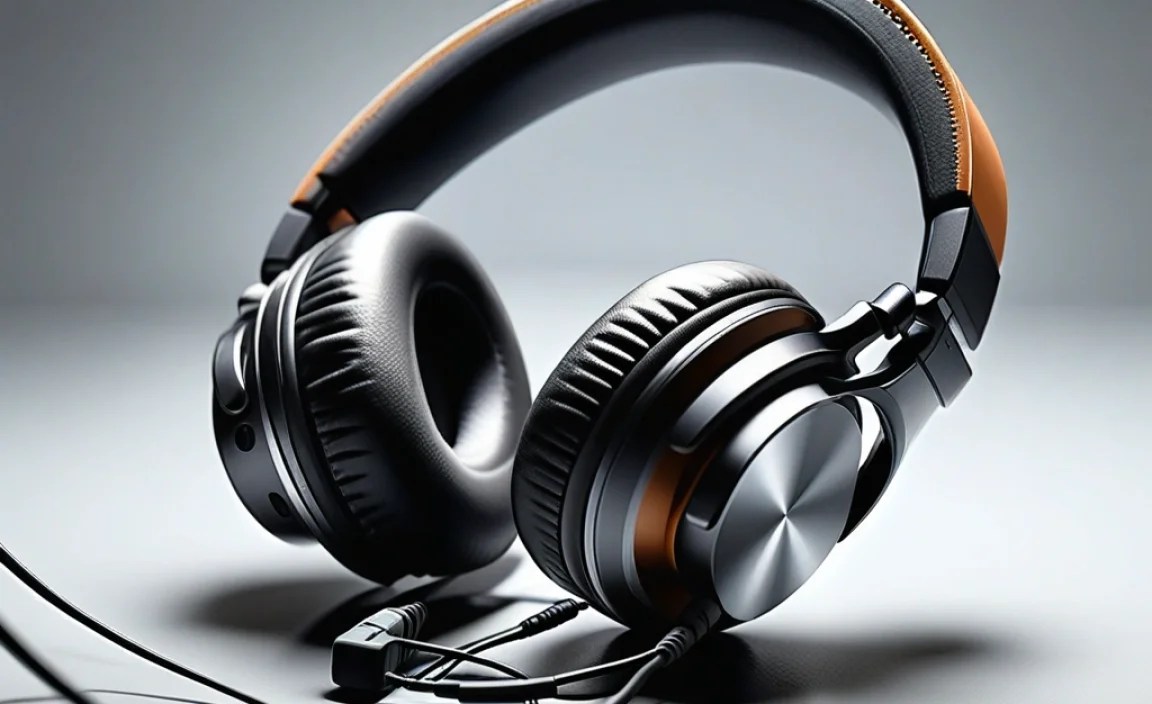
With the types of headphones out of the way, let’s look at the specific features that will make a difference for your phone experience.
Connectivity: Wired vs. Wireless
This is a big decision and often depends on your phone and personal preference.
- Wired:
- Pros: No battery to worry about, generally no audio lag, often more affordable.
- Cons: Can be restrictive due to the cable, requires a headphone jack (or an adapter if your phone lacks one).
Many modern phones, like the latest iPhones, omit the 3.5mm headphone jack. For these, you’ll need headphones with a USB-C or Lightning connector, or a reliable adapter. Always check what your phone supports!
- Wireless (Bluetooth):
- Pros: Ultimate freedom of movement, fewer tangles, can connect to multiple devices simultaneously (on some models).
- Cons: Requires charging, potential for audio lag in some situations (though modern Bluetooth codecs like aptX have improved this significantly), can be more expensive.
Sound Quality & Drivers
This refers to how good the headphones sound. While “audiophile” terms can get complex, here’s a simple breakdown:
- Drivers: These are the small speakers inside the headphones that produce sound. Larger drivers generally produce a wider range of frequencies, but driver size isn’t the only factor in sound quality.
- Frequency Response: This is the range of sound frequencies a headphone can produce, measured in Hertz (Hz). The human hearing range is typically 20Hz to 20,000Hz. Good headphones will cover or exceed this range.
- EQualization (EQ): Some headphones (especially wireless ones with companion apps) allow you to adjust the sound profile. You can boost bass for a more powerful sound, or emphasize vocals for clearer speech.
Microphone Quality
If you plan to use your headphones for phone calls, the microphone is crucial. Look for descriptions that mention:
- Clear Voice Capture (CVC) technology: This helps reduce background noise for clearer calls.
- Multiple microphones: Some higher-end headphones use multiple mics to isolate your voice.
- Reviews: Always check user reviews specifically mentioning call quality.
Comfort and Fit
You’ll be wearing these for potentially long periods, so comfort is paramount!
- Ear Tips (for earbuds): Most earbuds come with a selection of silicone or foam tips in different sizes. A good seal is key for sound quality and noise isolation.
- Headband and Earcup Padding (for on-ear/over-ear): Ensure the padding is soft and the clamping force isn’t too tight.
- Weight: Lighter headphones are generally more comfortable for long wear.
Noise Cancellation
This is a highly sought-after feature, especially for commuters and travelers.
- Passive Noise Isolation: This is achieved through a physical seal, like earbuds fitting snugly in your ear canal or over-ear cups creating a barrier.
- Active Noise Cancellation (ANC): This uses microphones to detect external noise and then generates opposing sound waves to cancel it out. It’s incredibly effective for constant, low-frequency noises like airplane engines or train rumble.
- Transparency Mode: Some ANC headphones have this feature, which amplifies external sounds so you can hear your surroundings without taking your headphones off – useful for announcements or conversations.
For a deeper dive into how noise cancellation works, you can check out resources like those from the Federal Communications Commission (FCC), which discusses noise control and its impact on hearing.
Battery Life (for Wireless)
If you opt for Bluetooth headphones, battery life is essential. Consider:
- Headphone Playtime: How long the headphones last on a single charge.
- Case Recharging (for TWS earbuds): How many full charges the carrying case provides.
- Fast Charging: Some headphones offer a quick charge for a few hours of playback with just a few minutes of charging.
Durability and Water Resistance
If you plan to use your headphones for workouts or in less-than-ideal weather, look for:
- Build Quality: Materials like reinforced plastic or metal tend to last longer.
- Water Resistance Rating (IPX rating): An IPX rating (e.g., IPX4, IPX7) indicates how resistant the headphones are to water and sweat. An IP certification explains these ratings in detail.
Top Contenders: Best Headphone Sets for Your Phone

To help you get started, here are some general categories of headphones that are excellent choices for smartphone users. Specific models change frequently, so think of these as types to guide your search.
Best All-Around Wireless Earbuds
These offer a great balance of sound, features, and convenience, perfect for everyday use.
Best Budget Wired Earbuds
For those on a tighter budget, wired earbuds still offer fantastic value and reliable performance without needing to worry about batteries.
Best Over-Ear for Immersive Listening
If comfort and top-tier sound quality are your priorities and portability is less of an issue, these are for you.
Best for Active Lifestyle (Sweat-Resistant)
Designed to withstand workouts and outdoor activities.
Best for Crystal-Clear Calls
Prioritizing microphone performance for frequent conversations.
Note: Product availability and specific features vary by region and time. Always check the latest reviews and specifications before purchasing.
Step-by-Step Guide to Choosing Your Perfect Headphone Set
Ready to find your ideal audio companion? Follow these steps:
Step 1: Define Your Primary Use Case
How will you mostly use your headphones with your phone? Is it:
- For listening to music and podcasts at home?
- For commuting and blocking out noise?
- For taking phone calls and virtual meetings?
- For exercising and workouts?
- A combination of the above?
Your primary use will heavily influence the type and features you prioritize.
Step 2: Consider Your Budget
Headphones can range from $15 to $500+. Set a realistic budget:
- Budget-Friendly ($20 – $75): Excellent basic wired earbuds, good quality entry-level Bluetooth earbuds.
- Mid-Range ($75 – $150): Solid wireless earbuds with good sound and features, comfortable on-ear or over-ear options.
- Premium ($150+): Top-tier noise-cancelling, audiophile-grade sound, advanced features, and superior build quality.
Step 3: Choose Your Preferred Type and Connectivity
Based on your use case and budget, decide whether you want:
- Earbuds (with or without wires)
- On-ear headphones
- Over-ear headphones
- Wired or Wireless
If your phone lacks a headphone jack, wireless or USB-C/Lightning wired options are your go-to. You can find compatibility charts on most smartphone manufacturer websites.
Step 4: Prioritize Key Features
Rank the features that matter most to you:
- Sound Quality
- Comfort & Fit
- Noise Cancellation
- Microphone Quality
- Battery Life (if wireless)
- Durability/Water Resistance
- Portability
- Brand Reputation
Step 5: Research and Read Reviews
Once you have a shortlist, dive into reviews:
- Read professional reviews: Websites like CNET, TechRadar, Rtings.com, and Wired often provide in-depth, comparative reviews.
- Check user reviews: Amazon, Best Buy, and other retailer sites offer insights from actual users. Look for recurring comments about sound, comfort, and reliability.
- Watch video reviews: YouTube can be a great resource for seeing how headphones look and how they perform in real-world scenarios.
Step 6: Try Them On (If Possible)
If you can, visit a local electronics store and try on different headphone models. Even a few minutes can tell you a lot about comfort and fit, especially for on-ear and over-ear headphones.
Step 7: Make Your Purchase and Enjoy
Once you’ve made your decision, the final step is to buy them and start enjoying your enhanced audio experience!
Troubleshooting Common Headphone Issues
Even the best headphones can sometimes act up. Here are quick fixes for common problems:
Issue: No Sound
- Check Volume: Make sure your phone’s volume is turned up and not muted.
- Connection: Ensure the headphones are securely plugged in or properly paired via Bluetooth. For Bluetooth, try turning Bluetooth off and on again on your phone.
- Try Another Device: Test the headphones with a different phone or device to see if the issue is with the headphones or your phone.
- Restart Your Phone: A simple reboot can often resolve temporary glitches.
Issue: Sound Only Comes from One Side
- Wired Headphones: Check the connection at both the headphone jack and the headphone cable. Sometimes dirt or debris can interfere. Carefully inspect the cable for damage.
- Wireless Headphones: Try unpairing and re-pairing the headphones with your phone.
- Balance Settings: On your phone, navigate to Accessibility settings and check the audio balance. It might be shifted to one side.
Issue: Poor Sound Quality (Muffled, Bass-Heavy, etc.)
- Check the Fit: For earbuds, ensure you have the correct size ear tips for a good seal. For on-ear/over-ear, make sure they are positioned correctly.
- Clean Your Headphones: Earwax or debris on the speaker grilles can affect sound. Use a dry, soft brush or a slightly damp cotton swab (be careful not to use too much moisture for IEMs).
- Source Quality: The quality of the audio file or streaming service also plays a role. Lower bitrate music files will sound worse.
- EQ Settings: If your headphones have an app, check the equalizer settings.
Issue: Bluetooth Pairing Problems
- Forget and Re-pair: On your phone, go to Bluetooth settings, find your headphones, and select “Forget Device.” Then, put your headphones back into pairing mode and connect them as if for the first time.
- Reset Headphones: Many Bluetooth headphones have a reset function, often involving holding down buttons. Consult your headphone’s manual for specific instructions.
- Charge Them: Low battery can sometimes cause pairing issues.
Issue: Background Noise During Calls
- Microphone Placement: Ensure the microphone isn’t covered by your hand or clothing.
- Environment: Try to move to a quieter location.
- CVC Technology: If your headphones have CVC, ensure it’s enabled (usually automatic).
For more in-depth troubleshooting, refer to your headphone manufacturer’s support website or your phone’s
