
Discover the best ways to use headphones for a peaceful night’s sleep. This beginner-friendly guide covers choosing the right pair, understanding comfort features, and simple tips to help you drift off to dreamland with soothing sounds, ensuring a restful and undisturbed sleep experience.
Struggling to find quiet or wanting to drown out disturbances for a better night’s rest? Using headphones for sleeping might be your perfect solution. From calming nature sounds to your favorite podcasts, the right headphones can transform your bedtime routine into a truly restorative experience. But with so many options, how do you pick the ones that won’t disrupt your sleep? This guide is here to help. We’ll walk through everything you need to know, from the types of sleep-friendly headphones available to features that promote ultimate comfort, so you can finally get that deep, uninterrupted sleep you deserve.
Why Use Headphones for Sleeping?
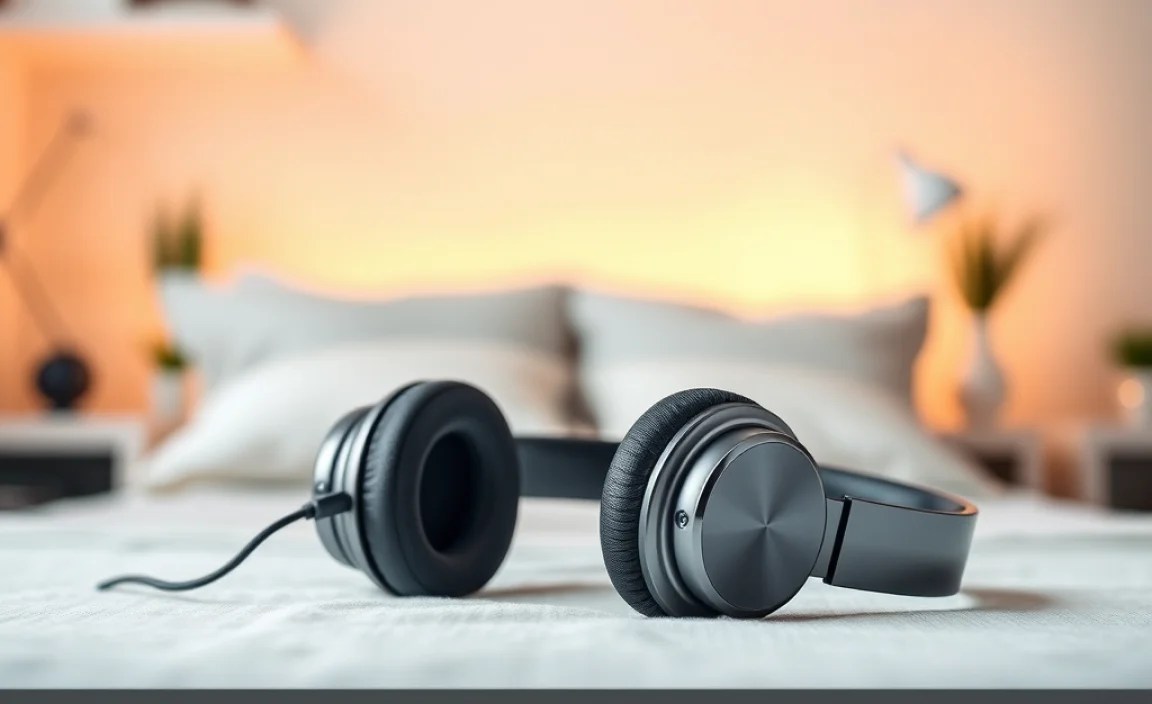
The idea of wearing headphones to bed might seem a bit unusual at first, but for many, they’ve become an essential tool for achieving quality sleep. The reasons are varied and often deeply personal. Whether it’s the gentle hum of white noise designed to mask disruptive sounds, the relaxing narrative of an audiobook, or the calming embrace of ambient music, headphones create a personal sanctuary of sound. This controlled auditory environment can be incredibly effective in a number of scenarios.
For those living in noisy environments – think bustling city streets, noisy roommates, or even a snoring partner – headphones act as a powerful barrier, blocking out the cacophony that can keep you tossing and turning. Beyond just blocking noise, they can actively introduce soothing sounds that promote relaxation and signal to your brain that it’s time to wind down. This is particularly beneficial for people who find it hard to switch off after a busy day. A consistent, calming audio experience can become a relaxing ritual, making it easier to fall asleep and stay asleep throughout the night. Studies have shown that using auditory stimuli like white noise can improve sleep quality for some individuals, helping to increase the amount of time spent in deep sleep stages.
Furthermore, headphones offer a discreet way to enjoy audio content without disturbing a bed partner. This means you can listen to your preferred sleep aids or entertainment without compromise. The psychological comfort derived from a familiar voice or a repeating sound pattern can also be a significant factor in aiding sleep onset. It’s about creating a sense of control over your sleep environment and making it as conducive to rest as possible. For some, the physical sensation of something comforting over or in their ears can also be a psychological cue for relaxation, similar to how a weighted blanket can provide comfort.
Types of Headphones for Sleeping

Not all headphones are created equal, especially when it comes to sleeping. The key is to find a design that prioritizes comfort and minimizes pressure points, allowing you to sleep in various positions without discomfort. We can break them down into a few main categories:
1. Headbands with Speakers
These are often the top choice for many people seeking sleep-friendly headphones. They consist of a soft, comfortable fabric headband with ultra-thin, flat speakers embedded within. The headband itself is usually made from breathable, stretchy material like cotton, modal, or polyester blends, making them comfortable against the skin, even for side sleepers. The speakers are typically positioned over your ears and are designed to be unobtrusive, so you don’t feel them poking you as you move.
- Pros:
- Extremely comfortable for all sleep positions.
- Lightweight and less intrusive than traditional headphones.
- Can double as a sleep mask.
- Usually washable (after removing electronics).
- Cons:
- Sound quality might not be as rich as over-ear or in-ear options.
- Durability can sometimes be an issue with the fabric and speaker wiring.
- May not offer significant noise cancellation.
2. Ultra-Thin On-Ear Headphones
These are a more traditional headphone design but are specifically engineered for bedtime. Instead of bulky earcups, they feature exceptionally thin, low-profile drivers that rest gently on the outer ear. The headband is usually padded and adjustable, aiming for a secure but not overly tight fit. The focus here is on minimizing the protrusion from your head, making them more tolerable for sleeping on your side compared to standard on-ear headphones.
- Pros:
- Potentially better sound quality than headband speakers.
- More robust construction than some headband options.
- Cons:
- Can still create some pressure for side sleepers.
- May shift during sleep.
- Bulkier than headband options.
3. Small, Comfortable In-Ear Earbuds
For some, small, well-fitting in-ear earbuds are the way to go. The trick is finding ones that are ergonomically designed to be shallow and smooth, with no protruding parts that can dig into your ear or pillow. Silicone or memory foam tips can further enhance comfort and provide a degree of passive noise isolation. Some specialized sleep earbuds are designed to be incredibly tiny and have a flattened profile.
- Pros:
- Excellent passive noise isolation.
- Discreet and minimal.
- Good for those who prefer an in-ear feel.
- Cons:
- Can still cause pressure or discomfort if they don’t fit perfectly.
- Risk of losing them in bed.
- Potential for earwax buildup if not cleaned.
- Tendency for some to fall out during sleep.
4. Bone Conduction Headphones
These headphones don’t go into or over your ears at all. Instead, they rest on your cheekbones just in front of your ears, transmitting sound through vibrations. This leaves your ear canal completely open, which is excellent for situational awareness if you need to hear alarms or important sounds. They are generally very comfortable for sleeping as there’s nothing pressing on your ears or creating bulk.
- Pros:
- Leaves ears open for awareness of surroundings.
- No ear pressure or discomfort.
- Good for side sleepers.
- Cons:
- Sound quality is often less immersive and bass-heavy.
- Can leak sound, potentially disturbing a partner.
- May not provide enough passive noise isolation for very noisy environments.
- Can feel unusual for some users.
Essential Features for Sleep Headphones
When you’re selecting headphones specifically for sleeping, comfort is king, but there are other features that can make a significant difference in your sleep quality. Thinking about these will help you narrow down your choices and find the perfect pair.
Comfort Factors
This is the most critical aspect. You need headphones that you’ll forget you’re wearing.
- Soft Materials: Look for breathable, plush fabrics for headbands and ear contact points.
- Low Profile Design: Especially important for side sleepers, the headphones should not protrude significantly from your head.
- Adjustable Fit: A secure yet gentle fit that doesn’t feel tight or pinch is essential.
- Lightweight: The lighter, the better, to avoid feeling the weight on your head or ears.
- No Hard Edges: Any hard plastic or metal components can become uncomfortable when pressed against your pillow.
Sound Quality & Features
While you might not need audiophile-grade sound, good audio plays a role. Consider these:
- Balanced Sound: Avoid overly bass-heavy or tinny sound, which can be distracting.
- Adjustable Volume: Crucial for ensuring the sound is at a comfortable, non-disruptive level.
- Built-in Sleep Timers: Many devices allow you to set them to turn off automatically after a certain period, preventing music from playing all night.
- Noise Masking Capabilities: Some headphones are designed to play specific frequencies or ambient sounds intended to promote sleep (e.g., white noise, pink noise, brown noise).
Connectivity & Power
How you connect and charge them matters:
- Bluetooth Version: Newer versions (like Bluetooth 5.0 and above) offer better stability and power efficiency.
- Battery Life: Ensure the battery lasts for your entire sleep duration, or choose options that can be used while charging (though this can be cumbersome).
- Wired Options: While less common for sleep, some may prefer a wired connection to avoid battery concerns, though the cable can be a nuisance.
- Easy Pairing: Simple and quick Bluetooth pairing is a plus, especially when you’re tired.
Durability & Maintenance
These headphones will likely endure a lot of movement.
- Washable Covers: For headband styles, removable and washable covers are a hygiene essential.
- Robust Wiring: Ensure the wires connecting speakers are not thin and flimsy, especially in headband models.
- Secure Speaker Placement: Speakers should be firmly seated within the headband or earcups to prevent shifting.
How to Choose the Best Headphones for Sleeping: A Step-by-Step Guide

Picking the right headphones for sleep doesn’t have to be overwhelming. Follow these simple steps to find a pair that will help you drift off peacefully.
Step 1: Assess Your Sleep Habits and Needs
Before you even look at headphones, think about your typical sleep routine and what you want to achieve. Ask yourself:
- What position do you usually sleep in? Side, back, stomach sleeper needs will differ significantly. Side sleepers need the flattest, most unobtrusive designs.
- What sounds will you be listening to? Is it for general white noise, music, podcasts, audiobooks, or guided meditation? This impacts the kind of sound quality you might need.
- What is your primary goal? Is it to block out noise, create a calming ambiance, or enjoy audio content?
- Are you sensitive to pressure? If even a slight pressure on your ears bothers you, avoid anything that sits directly on or in them.
- Do you share a bed? Consider how much sound leakage is acceptable.
Step 2: Decide on the Headphone Type
Based on your assessment in Step 1, choose the most suitable headphone type:
- Side sleepers: Prioritize headband headphones or extremely shallow in-ear buds. Bone conduction is also a strong contender.
- Back/Stomach sleepers: You have more flexibility, but ultra-thin on-ear or comfortable in-ear options still offer the best discreet experience.
- Noise sensitivity: Look for options with good passive noise isolation (like well-fitting earbuds) or those that play masking sounds effectively.
- Discreetness: In-ear earbuds and thin headbands are generally the most discreet.
Step 3: Prioritize Comfort Features
Once you have a type in mind, dive deeper into comfort specifics:
- Read Reviews: User reviews are invaluable for sleep headphones. Look for comments specifically about comfort during sleep, especially from people with similar sleeping positions.
- Check Material: Ensure headbands are made of soft, breathable fabric and earbuds have comfortable, interchangeable tips (silicone or memory foam).
- Measure/Consider Size: For headbands, some come in S/M/L sizes. Ensure the band won’t be too tight or too loose.
- Weight: If product specifications are available, look for the lightest options.
Step 4: Evaluate Sound and Technical Features
Consider what you’ll be listening to and how you’ll connect:
- Sound Profile: If listening to spoken word, clarity is key. For relaxation sounds, a smooth, balanced tone is best. Most sleep headphones focus on functional sound over high fidelity.
- Bluetooth Connectivity: Ensure it’s a stable connection. Bluetooth 5.0+ is recommended for reliability and battery efficiency.
- Battery Life: Aim for at least 8-10 hours of playback on a single charge, or opt for models that can be used while plugged in if that’s feasible for you.
- Ease of Use: Simple controls that are easy to find and operate even when groggy are a plus.
Step 5: Consider Durability and Maintenance
Sleep headphones endure a lot of abuse from tossing and turning.
- Washability: For headband types, look for removable electronics so the fabric can be machine-washed. This is crucial for hygiene.
- Build Quality: Check for reinforced wiring or robust construction in reviews.
- Warranty: A good warranty can provide peace of mind.
Step 6: Set a Budget and Make Your Purchase
Sleep headphones range from very affordable to moderately expensive. Decide how much you’re willing to spend and start browsing reputable online retailers or electronics stores. Remember, the ‘best’ pair is subjective and depends entirely on your personal comfort and needs.
Troubleshooting Common Issues with Sleep Headphones
Even the best headphones can run into a snag now and then. Here are some common problems and how to fix them:
Issue 1: Discomfort from Pressure Points
Problem: You feel pressure on your ears or head, especially when sleeping on your side.
Solutions:
- For Headband Headphones: Ensure the speakers are positioned directly over your ears and not pressing against the cartilage. Gently adjust the headband. If it’s still uncomfortable, try repositioning the speakers within the headband if they are movable.
- For In-Ear Earbuds: Try different sizes and types of ear tips (silicone, foam). Ensure the earbuds are seated shallowly in your ear canal, not pushed too deep. Some people find shallower insertion more comfortable for sleep.
- For On-Ear Headphones: These are inherently trickier for side sleepers. Try adjusting the headband for a lighter grip, or consider switching to a headband-style headphone or bone conduction if pressure persists.
- Consider Bone Conduction: If pressure is a persistent issue, bone conduction headphones bypass the ear entirely and might be a better fit.
Issue 2: Headphones Shifting or Falling Out
Problem: Your headphones move around too much, or earbuds fall out during the night.
Solutions:
- For Headband Headphones: Look for headbands made from grippier material, or wear them slightly lower on your forehead. Some users tie a scarf or a soft fabric band over the headphones to keep them in place.
- For In-Ear Earbuds: Experiment with ear tips. Memory foam tips often create a more secure seal. Ensure you are inserting them correctly according to the manufacturer’s instructions – sometimes a slight twist helps them lock in.
- For On-Ear Headphones: Adjust the headband for a snugger fit, but avoid over-tightening, which causes discomfort.
Issue 3: Connectivity Problems (Bluetooth)
Problem: Your headphones won’t pair or keep disconnecting from your device.
Solutions:
- Check Battery Levels: Ensure both your headphones and the connected device (phone, tablet) have sufficient battery charge.
- Restart Devices: Turn off both your headphones and your audio source device, then turn them back on and try pairing again.
- “Forget” and Re-pair: On your audio source device, go to Bluetooth settings, find your headphones in the list of paired devices, select “Forget This Device” or “Unpair,” and then initiate the pairing process again.
- Check Distance: Ensure your headphones are within the typical Bluetooth range (usually around 30 feet / 10 meters) of your device.
- Update Firmware: Some headphones have companion apps that allow you to update their firmware, which can resolve connectivity bugs.
Issue 4: Poor Sound Quality
Problem: The audio sounds muffled, distorted, or too quiet/loud.
Solutions:
- Check Volume Limits: Ensure your audio source device isn’t limiting the volume due to safety settings. Also, check the headphone’s volume control.
- Clean Ear Tips/Speakers: Earwax or debris can significantly impact sound. Gently clean ear tips and the speaker grilles according to the manufacturer’s instructions (e.g., using a dry brush or a lightly dampened cotton swab).
- Positioning: For earbuds, ensure they are properly seated. For headband/on-ear types, make sure the speakers are aligned with your ear canals.
- Source Content: The quality of the audio file or stream also plays a huge role. Try playing a different, known-good audio file to see if the problem persists.
