
Do you love listening to music with your earbuds? They can be so much fun! But what happens when they stop working? It can be frustrating, right? Imagine you’re ready for a long walk or a workout. Then, suddenly, you hear nothing. That’s when headphone troubleshooting comes to the rescue!
Earbuds often face common problems like no sound, one side not working, or connection issues. These can happen to anyone. Did you know that sometimes, it’s as easy as cleaning them? That’s a fun fact! Many people forget to keep their earbuds clean, and dirt can block the sound.
This article will help you learn simple tips for fixing earbud problems. We’ll explore easy steps to troubleshoot your headphones and get them back to sounding great. So, are you ready to dive in and save your favorite pair? Let’s get started!
Headphone Troubleshooting for Earbuds

Struggling with your earbuds? You’re not alone! Many people face issues like sound cutting out or not connecting. First, check the battery life. A low charge can cause problems. Next, ensure the earbuds are fully plugged in. Sometimes, dirt or stubborn lint gets stuck in the port, causing interruptions. Did you know resetting your earbuds can fix common glitches? With a few simple steps, you’ll enjoy clear sound again. Don’t give up on your favorite tunes!
Common Issues with Earbuds
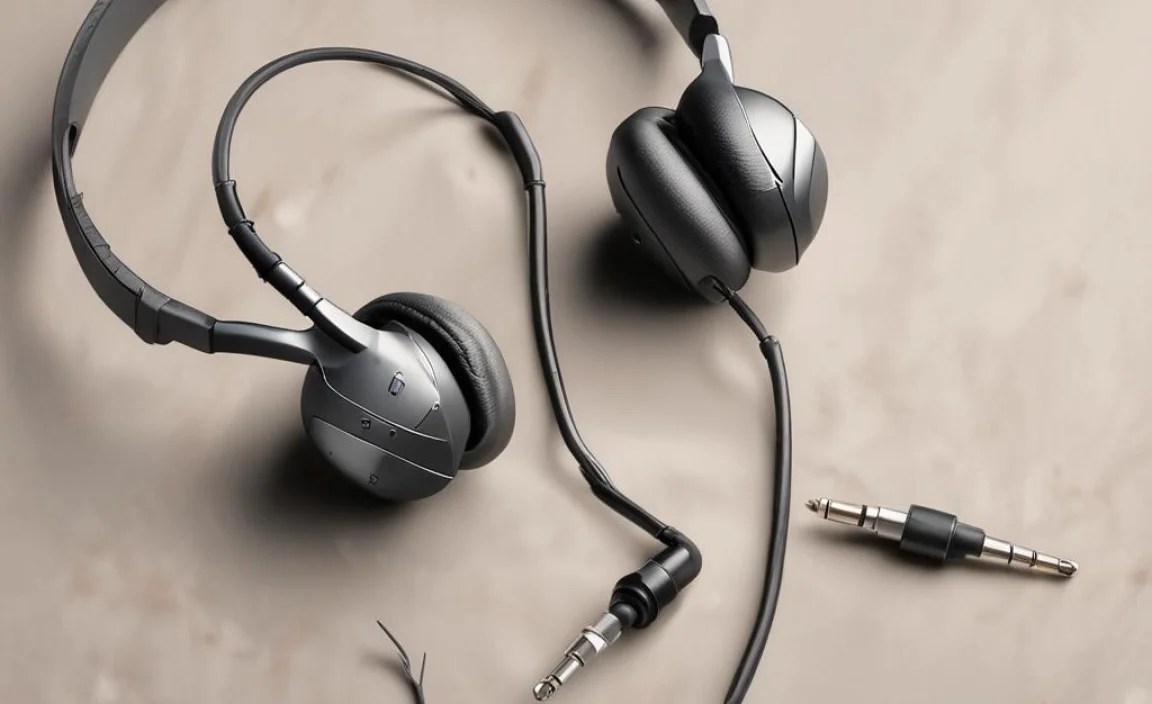
Identifying sound problems: no sound vs. distorted sound. Common physical damages: frayed cables, damaged connectors.
Earbuds can be tricky little things! First up, let’s talk about sound problems. You might hear no sound, which is like expecting a concert but getting a whisper. Or, you could have distorted sound, where your favorite song sounds like a cat in a blender. Ouch! Now, check for common physical damages too. Frayed cables look like they’ve been through a wrestling match, while damaged connectors might have been mishandled. Don’t let these issues ruin your jams!
| Issue | Signs |
|---|---|
| No Sound | No music or voices coming through |
| Distorted Sound | Sound is unclear or scratchy |
| Frayed Cables | Visible wear on wires |
| Damaged Connectors | Loose or broken connection points |
Troubleshooting Sound Issues
Steps to check audio source settings and connections. Testing earbuds with different devices.
Sound problems can be a real downer, especially with your favorite earbuds. First, check your audio source settings to make sure the volume isn’t muted. Nobody likes listening to silence, right? Next, try plugging your earbuds into different devices. Sometimes, a device just needs a little shake-up! You might discover they work perfectly with your tablet but not your phone. In case you want a quick checklist, here it goes:
| Step | Action |
|---|---|
| 1 | Check audio source volume and settings |
| 2 | Test earbuds on another device |
Following these steps could turn that frown upside down!
Checking Bluetooth Connectivity
Pairing issues: how to reconnect Bluetooth earbuds. Solutions for disconnecting or lagging audio during playback.
Let’s tackle those pesky Bluetooth earbuds! First, make sure they’re paired correctly. Go to your device’s settings and look for your earbuds in the Bluetooth menu. Sometimes, they need a little nudge to reconnect. If they lag or disconnect, try turning them off and on again. Like magic, right? Also, keep your Bluetooth device close; a distance of more than 30 feet is like making a phone call from the moon!
| Issue | Solution |
|---|---|
| Pairing problems | Revisit Bluetooth settings and select your earbuds again. |
| Audio lag | Move closer to the device or toggle Bluetooth off and back on. |
| Disconnecting | Charge your earbuds and reset them if needed. |
Remember, even earbuds need a little pampering sometimes! Happy listening!
Battery and Charging Problems
Signs of battery issues: charging speeds and retention. Tips for maintaining battery life of wireless earbuds.
Many people get confused when their earbuds don’t charge well. Signs of battery issues include slow charging and short playtime. If your music stops more often than a squirrel at a traffic light, your battery might be acting up!
To keep your earbuds happy and charged, try these tips:
| Tip | Description |
|---|---|
| Charge Smart | Use the right charger to avoid problems. |
| Store Properly | Keep them in a cool, dry place. |
| Don’t Overcharge | Unplug when fully charged, or they might get grumpy! |
Following these tips can extend your battery life and keep your tunes playing longer than your favorite song! Remember, a happy battery means happy listening!
Physical Maintenance of Earbuds
Cleaning techniques for ear tips and speakers. Proper storage tips to prevent damage.
Earbuds need care to stay clean and safe. For cleaning, use a soft cloth to wipe the outside. You can clean the ear tips gently with warm, soapy water. Let everything dry before putting them back in your ears. Proper storage is key too. Always keep earbuds in a case when not in use. This prevents dust and damage. Good maintenance helps earbuds last longer and work better.
How do you clean earbuds properly?
To keep earbuds clean, use a soft cloth and warm, soapy water for the ear tips. Make sure they dry completely before use.
Tips for storing earbuds
- Use a protective case.
- Avoid placing them in your pocket.
- Keep them away from heat and moisture.
Software and Firmware Updates
How to update firmware for better performance. Troubleshooting app connections for wireless earbuds.
Keeping your earbuds working well is important. You can improve performance with software updates. Check your device settings regularly. Updating firmware helps fix bugs and adds new features. Simply connect your earbuds to a compatible app. Follow the instructions in the app to update.
- Open the app on your phone.
- Go to settings or device info.
- Find updates and follow the steps.
If you have trouble connecting, try turning off Bluetooth and turning it back on. This can solve many connection issues.
How do you update firmware for earbuds?
You update firmware by using the companion app on your phone. Open the app, check for updates, and follow the on-screen instructions.
When to Seek Professional Help
Signs that indicate professional servicing is needed. Warranty and repair options for common brands.
Sometimes, earbuds stop working even after troubleshooting. Look for these signs to know when you need professional help:
- Sound quality is poor or missing.
- One side stops working completely.
- Physical damage like frayed wires.
If you notice these problems, check your warranty or repair options. Brands like Apple or Samsung often have services to fix issues. They may replace your earbuds for free or at a low cost if they are still under warranty.
When should I take my earbuds to a repair shop?
Take your earbuds to a repair shop if they show signs of serious damage or malfunction. It’s better to get help than to risk further damage.
Preventive Measures for Earbud Longevity
Best practices for using and caring for earbuds. Importance of using compatible accessories to avoid damage.
Taking care of your earbuds can make them last longer and avoid mishaps. Always store them in a cool place instead of tossing them in your backpack like a forgotten snack. Use compatible accessories, as the wrong charger is like trying to fit a square peg in a round hole—just doesn’t work! Here’s a handy table to help you remember some top practices:
| Tip | Description |
|---|---|
| Store Properly | Keep them in a case to avoid tangles and dust. |
| Clean Regularly | Wipe them with a soft cloth for clear sound. |
| Avoid Moisture | Keep them dry; earbuds aren’t fans of rain! |
By following these steps, your earbuds can perform better and stick around for the long haul! Remember, treating them right is the key to great sound and happy ears!
Conclusion
In conclusion, troubleshooting your earbuds can be simple. Check the connections and clean them if needed. Restart your device when sound issues occur. If problems persist, look for updates or reset the earbuds. Don’t hesitate to explore online guides for more help. Remember, with a few steps, you can get your earbuds working again!
FAQs
What Steps Should I Take If One Earbud Is Not Working While The Other Is Functioning Normally?
First, check if the earbud is plugged in all the way. Sometimes, it may seem connected but isn’t. Next, try cleaning the earbud and the headphone jack to remove dirt. You can also switch the earbuds to see if the problem moves with them. If one earbud still doesn’t work, you might need to ask an adult for help.
How Can I Fix Issues With My Earbuds Cutting In And Out During Audio Playback?
To fix your earbuds cutting in and out, first, check the connection. Make sure they are plugged in well. You can try a different device, too, to see if the problem is there. If they still don’t work, clean the earbuds gently. Sometimes dirt can cause problems. If nothing helps, you might need new earbuds.
What Should I Do If My Earbuds Are Not Connecting To My Device Via Bluetooth?
First, make sure your earbuds are charged. Then, check if Bluetooth is turned on your device. Next, try to forget the earbuds in your device’s Bluetooth settings and reconnect them. If that doesn’t work, restart both your earbuds and your device. Finally, try to connect them again.
How Can I Prevent My Earbuds From Producing Muffled Sound Or Distortion?
To keep your earbuds from sounding muffled, start by cleaning them. Use a soft cloth to wipe off dirt and earwax. Make sure they fit snugly in your ears; if they’re loose, they can sound strange. Also, check the volume; too loud can cause distortion. Finally, try different audio settings on your device to find what sounds best!
What Are Some Common Causes Of Earbud Audio Lag When Using Them For Gaming Or Video Watching, And How Can I Resolve It?
Earbud audio lag happens when the sound is delayed. This can be caused by a weak Bluetooth connection, low battery, or using old earbuds. To fix this, you can try moving closer to your device, charging your earbuds, or using a different pair if they’re old. Restarting your device can also help.
