
Quick Summary: Choosing the right headphones for your Android phone is simpler than you think! This guide breaks down key features like connection types (wired vs. wireless), sound quality, comfort, and budget considerations. Discover the essential power to unlock amazing audio on your Android device, ensuring a perfect listening experience every time.
Headphones for Android Phone: Essential Power for Your Listening Experience

Hey there, audio adventurers! Edward Cavitt here, your friendly guide from headphonehorizon. Dropping the needle on your favorite tunes or diving into a captivating podcast from your Android phone should be a seamless, enjoyable experience. But with so many headphone options out there, picking the right pair can feel a bit daunting. Don’t sweat it! This guide is designed to cut through the noise and help you find headphones that not only sound fantastic but also perfectly complement your Android phone. We’ll cover everything you need to know, from the crucial connection types to what ‘sound quality’ really means for everyday listening. Get ready to power up your personal audio world!
Understanding Your Android Phone’s Headphone Ports (or Lack Thereof!)

The first thing to consider is how your Android phone connects to headphones. This has changed a lot over the years, and understanding your phone’s capabilities is step one.
The Classic 3.5mm Headphone Jack
Many older and some budget-friendly Android phones still feature the familiar 3.5mm headphone jack. This is the universal audio port you’ve likely seen on stereos and other audio devices for ages.
- Pros:
- Universal compatibility with a vast range of wired headphones.
- No need for charging the headphones themselves (unless they have active noise cancellation).
- Often provides a direct, high-quality audio signal.
- Cons:
- Becoming less common on newer flagship phones.
- Can be susceptible to physical damage or corrosion over time.
- Requires a physical connection, which can be less convenient.
USB-C Audio
As the 3.5mm jack has faded, USB-C has risen as a versatile connector. Many modern Android phones now use USB-C for charging and data transfer, and some support audio output through this port.
- Pros:
- Fewer moving parts than a 3.5mm jack, potentially more durable.
- Can offer digital audio for potentially clearer sound.
- Allows for charging and listening simultaneously if your phone supports it (or with a hub).
- Cons:
- Requires USB-C headphones or a USB-C to 3.5mm adapter.
- Audio compatibility can vary slightly between phone models.
- Not all USB-C ports are enabled for audio output.
Bluetooth Wireless
This is by far the most common connection method for modern Android phones. Bluetooth allows for untethered listening, giving you freedom of movement.
- Pros:
- Ultimate freedom of movement, no wires to get tangled.
- Easy pairing with your Android device.
- Wide variety of headphone styles available (earbuds, over-ear, etc.).
- Cons:
- Requires headphones to be charged.
- Audio quality can be dependent on Bluetooth codecs (more on this later).
- Potential for occasional connection dropouts or interference.
Wired vs. Wireless: Making the Right Choice for Your Android
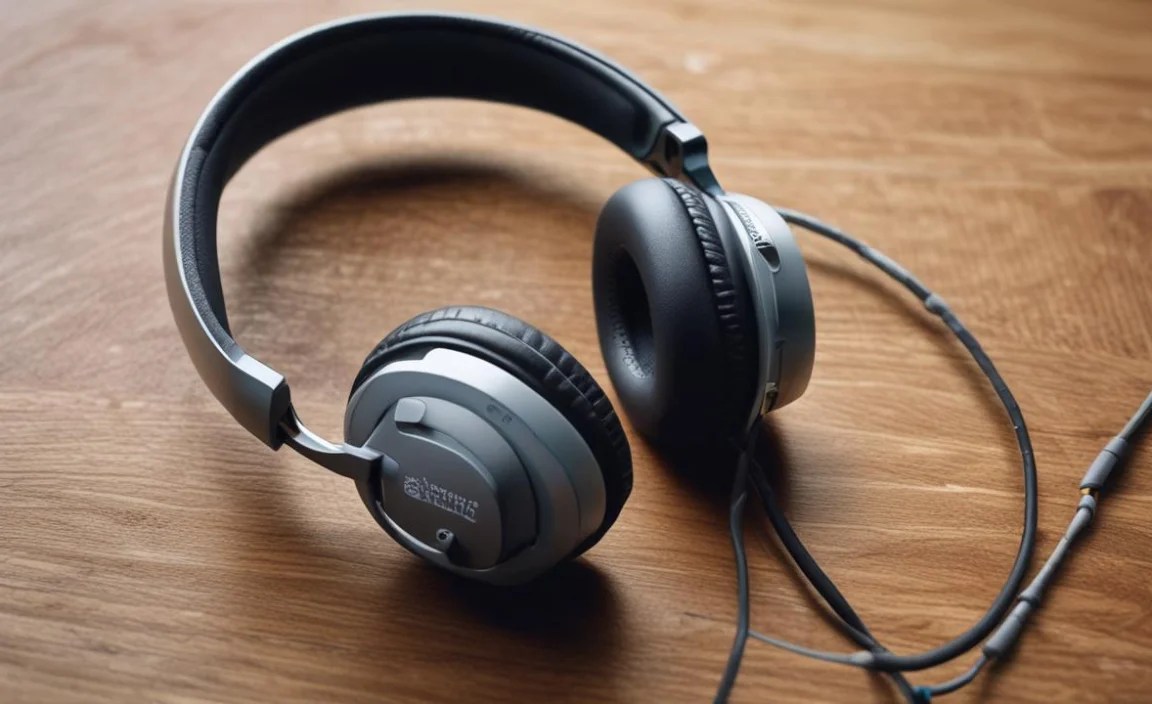
The biggest decision you’ll face is choosing between wired and wireless headphones. Both have their strengths when paired with your Android phone.
Wired Headphones: The Reliable Connection
For the purest signal and no charging worries, wired headphones are still a superb choice for your Android phone. Whether they plug into a 3.5mm jack or a USB-C port, they offer a direct line to your audio.
Benefits of Wired for Android
When you plug in a pair of wired headphones, you’re bypassing extra steps. This often translates to:
- Consistent Sound Quality: Less reliant on wireless transmission, often providing a more stable and detailed sound.
- No Battery Anxiety: Your headphones draw power from your phone (or none at all if passive), so you don’t need to remember to charge them separately.
- Simplicity: Just plug and play! No pairing or Bluetooth settings to fiddle with.
When Wired Might Be Best
If you’re an audiophile who craves the absolute best fidelity, or if you work in environments where battery life is critical and charging opportunities are scarce, wired headphones are your go-to. For studio monitoring or critical listening sessions with your phone as the source, wired is often preferred.
Wireless Headphones: The Freedom of Movement
Bluetooth headphones offer unparalleled convenience. They’ve become the default for many Android users thanks to their ease of use and freedom from cables.
Benefits of Wireless for Android
The appeal of wireless is hard to ignore:
- Untethered Experience: Move freely while listening. Great for workouts, commuting, or just relaxing around the house without your phone tethered to you.
- Modern Convenience: Many come with integrated controls for music playback and calls, and voice assistant access.
- Variety of Styles: From tiny true wireless earbuds to comfortable over-ear cans, the options are endless.
When Wireless Might Be Best
If you value convenience above all else, or if your daily activities involve a lot of movement (gym, walking, chores), wireless headphones are likely your best bet. The best wireless headphones for Android phones also offer features like active noise cancellation (ANC) for immersive listening in noisy environments.
What to Look for in Headphones for Your Android Phone

Beyond the connection type, several factors contribute to a great headphone experience with your Android device. Let’s dive in.
Sound Quality: More Than Just Loud
This is subjective, but there are objective elements to consider. For Android phones, consider how different codecs might affect sound.
Understanding Bluetooth Codecs
Bluetooth headphones don’t all sound the same. The “codec” is the technology that compresses and transmits audio over Bluetooth. Your Android phone and your headphones need to support the same codec for the best quality.
- SBC (Subband Coding): The most basic and universally supported codec. It’s like the default setting – it works everywhere but isn’t the best quality.
- AAC (Advanced Audio Coding): Common on Apple devices, but many Android phones also support it. It offers better quality than SBC.
- aptX Family (aptX, aptX HD, aptX Low Latency): Developed by Qualcomm, these are found on many Android phones. aptX HD offers higher fidelity audio, and aptX Low Latency is great for watching videos or gaming, minimizing the delay between sound and picture.
- LDAC: A high-resolution audio codec developed by Sony, also supported by many Android phones. It can transmit much more data than other codecs, offering near-hi-res audio.
Tip: You can often check which Bluetooth codecs your Android phone supports in the Developer Options (you might need to enable these first by tapping the build number in “About phone” multiple times). For example, Google’s Pixel phones often support LDAC and aptX HD.
Comfort and Fit: Essential for Long Listening Sessions
No matter how good the sound, uncomfortable headphones are a deal-breaker. This is especially important for daily drivers for your Android phone.
Types of Fit
- In-Ear (Earbuds/IEMs): These sit inside your ear canal. Look for models that come with multiple ear tip sizes (silicone or foam) to ensure a secure and comfortable seal. A good seal is crucial for both bass response and noise isolation.
- On-Ear: Earcups rest on your ears. They can be less isolating but are often more breathable and lighter than over-ear models.
- Over-Ear: Earcups completely surround your ears. These typically offer the most comfort for extended wear and can provide better passive noise isolation. They are generally the largest and least portable.
Durability and Build Quality
Your headphones for your Android phone will likely see a lot of use. Look for sturdy materials and a reputable brand known for reliable products. For wireless, consider battery life and charging speeds.
Microphone Quality for Calls
If you plan to use your headphones for phone calls or virtual meetings through your Android device, pay attention to microphone reviews. Some headphones have much better mics than others.
Active Noise Cancellation (ANC)
If you often find yourself in noisy environments like planes, trains, or busy offices, ANC can be a game-changer. It actively cancels out ambient noise, letting you focus on your audio or enjoy a moment of quiet.
Top Headphone Types for Your Android Phone

Let’s look at specific types of headphones and what makes them great companions for your Android phone.
True Wireless Earbuds
These are tiny, battery-powered earbuds that have no wires connecting them to each other. They are incredibly popular for their portability and convenience.
- Pros: Ultra-portable, discreet, no wires at all, often come with a charging case.
- Cons: Small batteries can mean shorter individual listening times (though the case recharges them), can be easy to lose, mic quality can vary.
- Great for: Commuting, workouts, casual listening.
Wireless Neckband Earbuds
These earbuds are connected by a band that rests around your neck. The battery and controls are housed in the neckband.
- Pros: Larger batteries than true wireless, less likely to be lost, often have physical controls for easy access, can be more stable during activity.
- Cons: The neckband can be noticeable, not as discreet as true wireless.
- Great for: Workouts, people who tend to lose small earbuds, users who want quick access to controls.
Wireless Over-Ear Headphones
These are classic headphones with earcups that enclose your ears. They are known for comfort and sound quality.
- Pros: Excellent comfort for long listening, superior sound quality potential, often feature ANC, good passive noise isolation.
- Cons: Bulky, not ideal for intense workouts, require charging.
- Great for: Travel, home listening, office work, audiophiles seeking comfort.
Wired Over-Ear/On-Ear Headphones
The traditional headphone. Reliable and often deliver the best bang for your buck in terms of pure audio fidelity.
- Pros: No charging required (usually), excellent sound quality potential, durable.
- Cons: Requires a headphone jack or adapter, can be cumbersome.
- Great for: Critical listening, budget-conscious audiophiles, users without Bluetooth who still want great sound.
A Quick Look at Some Popular Brands
While this isn’t a full review section, it’s helpful to know brands that consistently produce quality headphones for Android users. Relying on reputable manufacturers is a safe bet for performance and support.
| Brand | Typical Strengths | Connection Types Supported |
|---|---|---|
| Sony | Excellent sound quality, industry-leading ANC, great features (LDAC support). | Bluetooth, Wired (3.5mm or USB-C adapters) |
| Sennheiser | Premium audio fidelity, robust build, transparent sound. | Bluetooth, Wired (3.5mm) |
| Bose | Superb ANC, comfortable fit, balanced sound. | Bluetooth, Wired (3.5mm) |
| JBL | Strong bass, durable, good value for money. | Bluetooth, Wired (3.5mm) |
| Anker (Soundcore) | Great features at budget-friendly prices, good battery life. | Bluetooth, Wired (3.5mm) |
| Apple (AirPods series) | Seamless integration with Apple devices, good mic quality, convenient features. While designed for Apple, they work well with Android via Bluetooth, though some features are lost. | Bluetooth |
When choosing, consider what features are most important to you and what your budget allows. Reading reviews from trusted audio sites can also help narrow down your choices.
Connecting Your New Headphones to Your Android Phone
Once you’ve picked out your ideal pair, the next step is getting them connected. It’s usually a straightforward process.
For Wired Headphones (3.5mm or USB-C)
- Locate the Port: Find the 3.5mm headphone jack or the USB-C port on your Android phone.
- Plug In: Insert the headphone plug firmly into the port.
- Enjoy: Your phone should automatically detect the headphones. If you’re using USB-C headphones and it’s not working, check your phone’s sound settings to ensure USB-C audio is enabled or try an official adapter.
For Bluetooth Headphones
- Put Headphones in Pairing Mode: This usually involves pressing and holding a power or Bluetooth button until a light flashes or you hear an audio cue indicating pairing mode. Refer to your headphone’s manual for exact instructions.
- Enable Bluetooth on Your Android Phone: Go to Settings > Connected devices > Connection preferences > Bluetooth.
- Scan for Devices: Tap “Pair new device” or “Scan.” Your phone will search for nearby Bluetooth devices.
- Select Your Headphones: Find your headphone’s name in the list and tap on it.
- Confirm Pairing: You might be asked to confirm a pairing code. Once connected, your headphones should appear under “Paired devices.”
- Enjoy: You’re now connected and ready to listen!
Essential Maintenance for Your Headphones
To keep your headphones sounding great and working reliably with your Android phone, a little regular care goes a long way.
Cleaning Your Headphones
- Eartips (for earbuds): Remove the eartips and wash them gently with mild soap and water. Ensure they are completely dry before reattaching. For in-ear headphones, a clean seal is vital for sound quality and hygiene.
- Earcups (for over-ear/on-ear): Wipe the earcups with a slightly damp, soft cloth. Avoid soaking them. For leather or protein leather, a leather conditioner can be used sparingly on the exterior, but avoid getting it on the speaker grille.
- Headband: Wipe with a soft, dry or slightly damp cloth.
- Grilles and Housing: Use a dry, soft brush (like a clean toothbrush or a dedicated headphone brush) to gently dislodge any debris from speaker grilles or the headphone housing. For stubborn dirt, a slightly damp cotton swab can be used carefully, ensuring no liquid gets inside.
- Charging Ports: Use a dry cotton swab or a puff of compressed air to clean any dust or debris from USB-C ports on headphones or charging cases.
Proper Storage
Keep your headphones in a protective case when not in use, especially if they are true wireless earbuds or over-ear models. This prevents damage from accidental drops, scratches, and dust. Storing them away from direct sunlight and extreme temperatures is also beneficial.
Cable Care (for Wired Headphones)
Avoid coiling the cable too tightly, which can damage internal wires over time. Gently loop the cable when storing it. If your headphones have a detachable cable, disconnect them for storage to reduce stress on the connectors.
Battery Care (for Wireless Headphones)
While modern lithium-ion batteries are robust, it’s good practice to avoid consistently draining them to 0% or leaving them fully charged for extended periods if you can help it. For long-term storage, aim for a charge level of around 50%.
Troubleshooting Common Headphone Issues with Android
Even the best headphones can sometimes have hiccups. Here are some common issues and how to fix them:
Issue: No Sound
- Check Volume: Ensure the volume on your Android phone and your headphones (if they have their own volume control) is turned up.
- Check Connection:
- Wired: Unplug and re-plug the headphones. Ensure the plug is making good contact. Try them on another device to see if the headphones are faulty.
- Bluetooth: Check if Bluetooth is enabled on your phone and if the headphones are connected. Go to Bluetooth settings and ensure your headphones are “Active” or “Connected.” Try unpairing and re-pairing the headphones.
- Check Audio Output Setting: On some Android phones
