
Quick Summary: Choosing the right headphones for your iPad 10th Gen? This guide simplifies the process, focusing on what matters: sound quality, comfort, connectivity, and budget. We’ll help you find the perfect audio companions for your tablet, whether for music, movies, or learning. Get ready to enhance your iPad experience with great sound!
Headphones for Apple iPad 10th Gen: Essential Sound for Every Listener

Your new Apple iPad 10th Generation is a fantastic device for entertainment, work, and staying connected. To truly unlock its auditory potential, the right pair of headphones is essential.
Whether you’re diving into immersive games, enjoying your favorite albums with rich detail, or participating in important video calls, the sound quality makes all the difference. But with so many options out there, how do you choose the best headphones for your iPad 10th Gen?
Don’t worry, this guide is here to break down everything you need to know in simple, easy-to-understand terms. We’ll cover what to look for, different types of headphones, connection methods, and some top recommendations to help you make a confident decision and elevate your listening experience.
Understanding Your iPad 10th Gen’s Audio Capabilities

The iPad 10th Generation features a modern USB-C port, which is a key consideration when choosing headphones. Unlike older iPads that relied solely on a 3.5mm headphone jack, the 10th Gen primarily uses USB-C for wired audio.
This means you’ll need headphones with a USB-C connector or an adapter if you prefer using headphones with a traditional 3.5mm plug. The USB-C connection also opens up possibilities for higher-quality digital audio transmission, potentially offering a clearer and more detailed sound experience compared to analog signals.
Apple’s commitment to audio quality means the iPad 10th Gen is capable of handling a wide range of audio formats, from standard MP3s to high-resolution lossless audio if you’re using a compatible streaming service.
This capability is best appreciated when paired with good quality headphones that can reproduce the nuances of these sound files. For users who stream a lot or want the best possible sound, understanding codecs (the way audio is compressed and transmitted) can be beneficial, though for most everyday users, focusing on reputable brands and clear connectivity is the most practical approach.
Types of Headphones to Consider

Deciding on the type of headphones is the first big step. Your personal preference, listening environment, and how you plan to use them with your iPad 10th Gen will guide this decision. Here are the main categories:
On-Ear Headphones
On-ear headphones rest on your ears rather than enclosing them. They offer a good balance of sound quality and portability. They are generally lighter and more compact than over-ear models, making them convenient for on-the-go listening or if you prefer not to have anything covering your entire ear. However, they might not provide as much passive noise isolation as over-ear designs, and prolonged wear could become less comfortable for some users.
Over-Ear (Circumaural) Headphones
These headphones completely surround your ears, offering excellent comfort and superior sound isolation. The earcups create a seal around your ears, which helps to block out external noise and allows the headphones to deliver richer bass and a more immersive listening experience. Over-ear headphones are often favored by audiophiles and those who spend long hours listening to music or watching movies. They can be a bit bulkier, which might be a consideration for portability.
In-Ear Headphones (Earbuds)
In-ear headphones, often called earbuds, fit directly into your ear canal. They are incredibly portable, discreet, and often the most comfortable option for active people or those who find on-ear or over-ear headphones bulky. Many modern earbuds come with ear tips in various sizes to ensure a secure and comfortable fit. They can offer surprisingly good sound quality and effective noise isolation, especially with a good seal in the ear.
Wired vs. Wireless: Connecting to Your iPad 10th Gen

The connection type is a crucial aspect of choosing headphones for your iPad 10th Gen. With the shift to USB-C, you have a few main pathways:
USB-C Wired Headphones
These headphones plug directly into the iPad’s USB-C port. They bypass the need for Bluetooth pairing and can sometimes offer higher fidelity audio because the signal is digital. They are ideal if you want a reliable connection without worrying about battery life or signal interference. A key advantage is that they can be used while charging your iPad, provided your headphones have a pass-through USB-C port or you use a USB-C hub.
Pros:
- Direct digital audio connection for potentially better sound quality.
- No battery required for the headphones themselves.
- Stable, reliable connection.
- Can often be used while charging the iPad (with adapters).
Cons:
- Limits your movement due to the cable.
- Requires a USB-C port, meaning you can’t use it while charging unless you have an adapter.
- Less convenient for frequent movement.
Bluetooth Wireless Headphones
Bluetooth headphones connect wirelessly to your iPad 10th Gen. This offers the ultimate freedom of movement. Modern Bluetooth technologies, like those supporting the AAC codec (which Apple devices use effectively), deliver excellent sound quality that is virtually indistinguishable from wired connections for most listeners. You’ll need to ensure the headphones are charged, but battery life on most modern Bluetooth headphones is excellent.
Pros:
- Complete freedom of movement.
- No wires to get tangled.
- Sleek and convenient for everyday use.
- Easy to pair with multiple devices.
Cons:
- Requires charging the headphones.
- Potential for occasional signal dropouts or interference, though rare with newer tech.
- Slightly higher latency (delay) which might be noticeable in gaming or video editing.
- Audio quality can vary depending on Bluetooth codec support.
Using a USB-C to 3.5mm Adapter
If you already own high-quality headphones with a 3.5mm jack, you can easily use them with your iPad 10th Gen by employing a USB-C to 3.5mm adapter or dongle. Many reputable audio brands offer these, and some even include one with their USB-C headphones. This is a cost-effective solution if you don’t want to buy entirely new headphones, though the quality of the adapter itself can slightly influence the sound.
Pros:
- Allows the use of existing 3.5mm headphones.
- Can be more affordable than buying new USB-C or Bluetooth headphones.
- Offers flexibility in headphone choice.
Cons:
- Requires an extra dongle, which can be lost or forgotten.
- The quality of the adapter’s digital-to-analog converter (DAC) and amplifier can impact sound.
- One more item to carry around.
Key Features to Look For
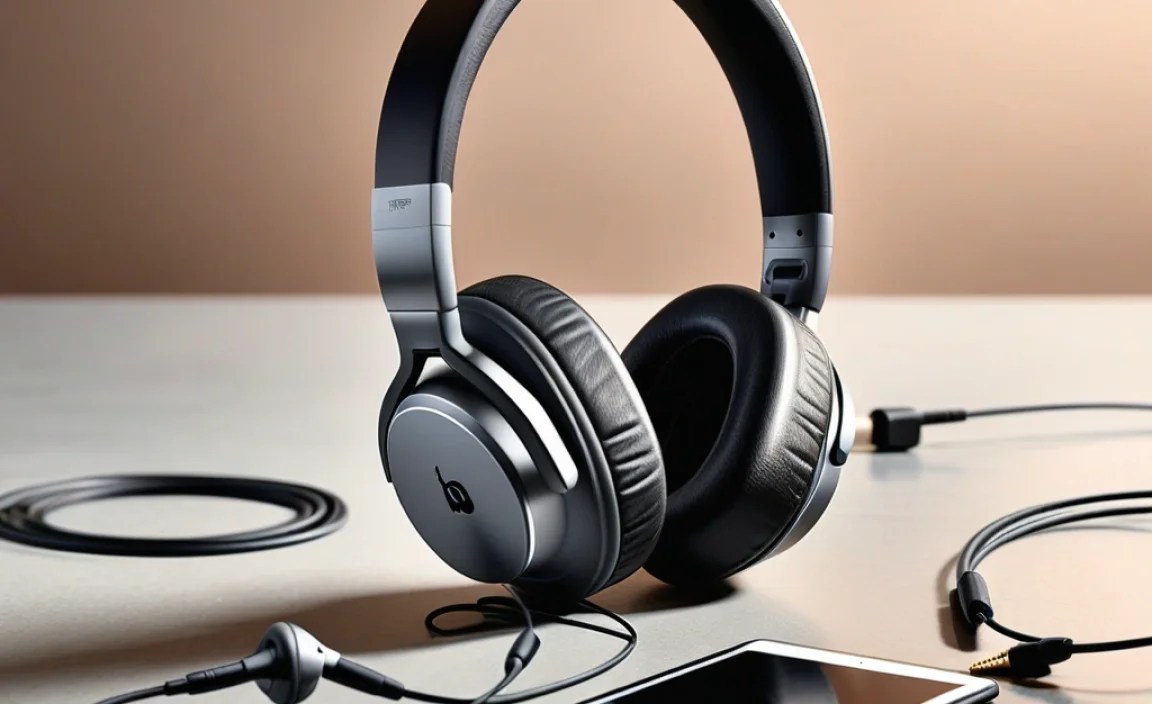
Beyond the type and connection, several features can significantly enhance your listening experience. Here’s what to keep in mind:
Sound Quality
This is subjective, but generally, look for headphones that offer a balanced sound profile. This means clear highs, well-defined mids (where vocals and instruments often reside), and present but not overwhelming bass. Reading reviews from trusted audio sites can give you an idea of a headphone’s sound signature. For instance, sites like Rtings.com provide detailed acoustic measurements and performance analyses.
Comfort and Fit
You’ll be wearing these for extended periods, so comfort is paramount. For over-ear and on-ear headphones, check the padding on the earcups and headband. For in-ear headphones, look for multiple ear tip sizes (silicone, foam) to ensure a snug, comfortable seal. A good fit also significantly improves passive noise isolation and bass response.
Noise Cancellation
Active Noise Cancellation (ANC) uses microphones to detect ambient noise and generates an opposing soundwave to cancel it out. This is fantastic for noisy environments like airplanes, commutes, or busy offices. Passive Noise Isolation is achieved through the physical design of the headphones (like earcups or a good seal with earbuds) to block out external sound. For travel or focus, ANC is a game-changer.
Microphone Quality
If you plan to use your iPad for video calls, online classes, or even voice dictation, a good built-in microphone is essential. Look for reviews that specifically test microphone performance in various environments. Some headphones use multiple microphones to isolate your voice from background noise.
Battery Life (for Wireless)
For Bluetooth headphones, battery life is critical. Aim for headphones that offer at least 20-30 hours of playback on a single charge. Many also offer quick charging, which can give you several hours of listening time from just a few minutes of charging – a lifesaver when you’re in a rush.
Durability and Build Quality
Your headphones should be able to withstand daily use. Look for materials that feel robust and well-constructed. Brands known for their build quality often use metal or high-quality plastics, and sturdy hinges or adjustable headbands.
Top Considerations for iPad 10th Gen Users
When pairing headphones with your specific iPad 10th Gen, consider these points:
1. USB-C Compatibility is Key
Prioritize headphones with a USB-C connector for a direct, high-quality digital audio experience. If you opt for 3.5mm headphones, ensure you have a reliable USB-C to 3.5mm adapter. Apple’s official USB-C to 3.5mm headphone jack adapter is a safe bet, as is a dongle from a reputable audio brand.
2. Bluetooth Codecs Matter (Slightly)
For Bluetooth, Apple devices primarily support the AAC codec, which offers good sound quality. While LDAC or aptX might be found on some headphones, AAC is what your iPad 10th Gen will likely use for the best wireless performance with Apple headphones or compatible third-party options. Don’t stress too much about this; most modern Bluetooth headphones will sound great.
3. iPad’s Built-in Audio System
The iPad 10th Gen has stereo speakers. While convenient, headphones will always provide a more immersive and private listening experience, especially with spatial audio features if the content supports it. The iPad’s ability to drive headphones is generally good, meaning most standard headphones will perform well without needing a dedicated headphone amplifier.
Recommended Headphones for iPad 10th Gen Users
Here are some categories and examples of headphones that would pair wonderfully with your iPad 10th Gen. These are general recommendations; always check the latest models and reviews for current offerings.
| Headphone Type | Key Features | Example Models (check for USB-C variant or adapter compatibility) | Best For |
|---|---|---|---|
| USB-C Wired | Direct digital connection, no battery needed, stable. | Audio-Technica ATH-M50xST (if USB-C variant exists or with adapter), some gaming headsets. | Audiophiles, content creators, those prioritizing sound fidelity and stable connection. |
| Bluetooth Over-Ear | Comfort, immersion, ANC, long battery life. | Sony WH-1000XM5/XM4, Bose QuietComfort Ultra Headphones/QC45, Apple AirPods Max (use adapter for wired). | Travelers, students, music lovers seeking the best noise cancellation and comfort. |
| Bluetooth In-Ear (Earbuds) | Portability, convenience, good for calls and active use. | Apple AirPods Pro (2nd Gen), Bose QuietComfort Earbuds II, Sony WF-1000XM5/XM4. | Everyday commuters, those who prioritize portability and active lifestyle integration. |
| USB-C or Adapter 3.5mm In-Ear | Affordable, portable, many options available. | Many brands offer USB-C earbuds or you can use any 3.5mm earbud with a dongle. (e.g., KZ ZST X with adapter, basic Apple USB-C earbuds). | Budget-conscious users, travelers who prefer wired connections. |
Note: Always verify if a specific model offers a USB-C variant or if it works well with a USB-C to 3.5mm adapter for the best compatibility with your iPad 10th Gen.
Step-by-Step: Connecting Your Headphones
Connecting your new headphones to your iPad 10th Gen is straightforward. Here’s how:
For USB-C Wired Headphones
- Locate the USB-C port on your iPad 10th Gen (usually at the bottom edge).
- Plug the USB-C connector of your headphones directly into the port.
- Your iPad should automatically recognize the headphones. You may see an audio output indicator change.
- Play some audio to test. If you encounter issues, try another USB-C port on a hub if you’re using one, or restart your iPad.
For Bluetooth Wireless Headphones
- Put headphones in pairing mode: Refer to your headphone’s manual. Typically, this involves holding down a power or Bluetooth button until an indicator light flashes.
- Open iPad Settings: Tap the ‘Settings’ app icon on your iPad’s home screen.
- Go to Bluetooth: Tap on ‘Bluetooth’ from the settings menu.
- Enable Bluetooth: Ensure the Bluetooth toggle is switched ON (green).
- Find your headphones: Your iPad will scan for nearby Bluetooth devices. Your headphones should appear under “Other Devices.”
- Tap to connect: Tap on the name of your headphones when they appear.
- Confirm pairing: You might be prompted to confirm a pairing code. Once connected, they will move to the “My Devices” list.
- Play audio to confirm the connection.
For 3.5mm Headphones with a USB-C Adapter
- Plug your 3.5mm headphones into the adapter.
- Plug the adapter’s USB-C connector into your iPad 10th Gen’s USB-C port.
- Your iPad should recognize the adapter and route audio through your headphones.
- Test by playing audio.
Maintaining Your Headphones for Longevity
To ensure your headphones continue to provide excellent sound for a long time, follow these simple maintenance tips:
- Clean Regularly: Earwax and dirt can build up on earbuds and headphone grilles. Use a dry, soft brush or a slightly dampened cloth (with water or mild soap solution, never directly on the headphone) to gently clean them. For ear tips, remove them and wash with mild soap and water, ensuring they are completely dry before reattaching.
- Store Properly: Use the provided carrying case or pouch to protect your headphones from dust, scratches, and damage when not in use. Avoid stuffing them into tight pockets or bags without protection.
- Handle with Care: Avoid yanking on cables when disconnecting them; grip the connector instead. Be mindful of bending or twisting the headphone band excessively.
- Manage Battery Life (Wireless): For Bluetooth headphones, avoid leaving them completely discharged for extended periods, as this can degrade the battery over time.
- Keep Dry: Protect your headphones from moisture, especially if they are not rated for water resistance. Avoid wearing them in heavy rain or during intense workouts without proper sweat protection.
Troubleshooting Common Issues
Sometimes, things don’t work perfectly right away. Here are common issues and their simple fixes:
| Problem | Possible Solution |
|---|---|
| No Sound |
|
| Sound Distortion or Static |
|
| Bluetooth Not Connecting/Pairing |
|
