
Quick Summary: Discover top in-ear headphone choices for immersive sound, comfort, and durability. This guide breaks down key features, brand reputations, and simple maintenance tips, empowering you to find and care for your perfect pair, ensuring crystal-clear audio for music, calls, and more.
Headphones Best In Ear: Your Essential Guide to Crystal-Clear Sound
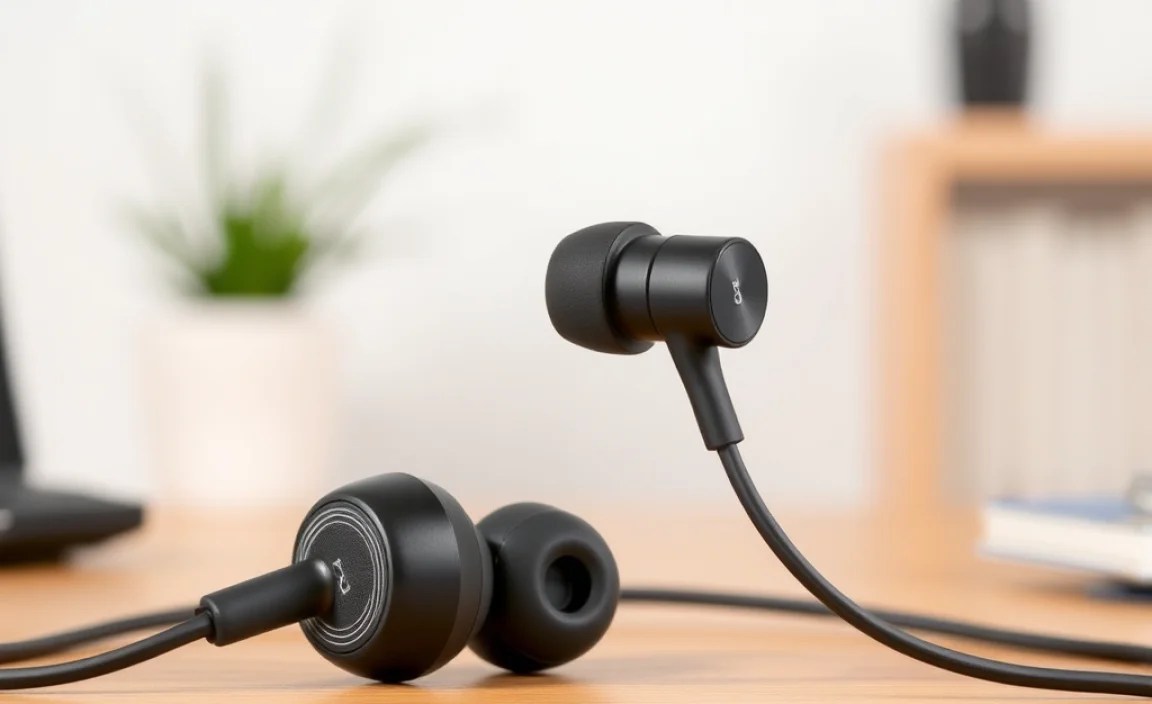
Welcome to the world of in-ear headphones! If you’re looking to dive into your favorite music, podcasts, or crystal-clear calls without the bulk of over-ear cans, you’ve come to the right place. In-ear headphones, often called earbuds, offer a fantastic blend of portability, personal sound, and active lifestyle convenience. But with so many options buzzing around, how do you choose the ones that are truly the “best in ear” for you? This guide is designed to cut through the noise, introducing you to the essential features, renowned brands, and simple care tips to ensure your listening experience is always top-notch. Let’s get started on finding your perfect audio companions!
What Makes In-Ear Headphones “Best”? Decoding Key Features

The “best” in-ear headphones aren’t just about price; they’re about how well they meet your specific needs. We’ll explore the features that truly matter:
Sound Quality: More Than Just Volume
This is the heart of any headphone experience. For in-ear models, look for:
- Driver Size & Type: Larger drivers generally produce a fuller sound, but the technology matters too. Balanced armature drivers are known for clarity and detail, especially in higher frequencies, while dynamic drivers excel at bass response. Many premium earbuds use a combination.
- Frequency Response: This indicates the range of sounds the headphones can reproduce. A wider range (e.g., 20Hz – 20kHz) means you’ll hear more of the audio spectrum.
- Noise Isolation vs. Noise Cancellation:
- Passive Noise Isolation: This relies on the physical seal of the ear tip to block out external sound. A good seal is crucial for both sound quality and isolation.
- Active Noise Cancellation (ANC): This technology uses microphones to detect ambient noise and emit an opposing sound wave to cancel it out. It’s fantastic for noisy environments like flights or busy commutes.
- Sound Signature: This refers to the headset’s tonal balance. Some prefer a “flat” or balanced profile for accurate reproduction, while others enjoy boosted bass for genres like hip-hop or EDM, or enhanced mids for vocal-centric music.
Comfort and Fit: Essential for Long Listening Sessions
If your earbuds aren’t comfortable, you won’t wear them. Consider:
- Ear Tip Material & Sizes: Most come with silicone tips in various sizes. Some higher-end models include foam tips, which offer a more custom fit and better passive isolation. The right fit is paramount for both comfort and sound.
- Ergonomics & Weight: How do they feel in your ear? Do they stay put during movement? Lighter, ergonomically designed earbuds are usually more comfortable for extended use.
- Wired vs. Wireless (True Wireless Stereo – TWS):
- Wired: Generally offer superior audio fidelity for the price and no battery concerns. Cables can sometimes tangle or feel restrictive.
- TWS: Offer ultimate freedom of movement. Battery life and connectivity are key considerations.
Durability and Build Quality: Investing in Longevity
Your earbuds go places, so they need to last:
- Materials: Look for sturdy plastics, metal accents, and robust cable construction (for wired models).
- Water & Sweat Resistance (IP Rating): Crucial for workouts or use in damp conditions. An IPX4 rating means they can handle splashes, while higher ratings offer more protection. You can learn more about IP ratings from sources like the International Electrotechnical Commission (IEC).
Connectivity & Controls: Seamless Interaction
For wireless models:
- Bluetooth Version: Newer versions (e.g., Bluetooth 5.0 and above) offer better range, stability, and power efficiency.
- Codec Support: Advanced codecs like aptX or LDAC can deliver higher-resolution audio over Bluetooth, especially important if your source device also supports them.
- Controls: Are there easy-to-use buttons or touch controls for play/pause, skipping tracks, adjusting volume, and managing calls?
Top Brands Defining “Best In Ear”

While personal preference is king, certain brands consistently deliver quality and innovation in the in-ear headphone market. Here are a few to consider:
Premium Tier: Where Sound Meets Sophistication
These brands often push the boundaries of audio technology, offering exceptional sound and cutting-edge features, but at a higher price point.
- Sennheiser: Renowned for balanced, natural sound and excellent build quality. Their IE series offers audiophile-grade experiences.
- Sony: A powerhouse known for its innovative ANC technology, robust sound, and user-friendly features, especially in their WF-1000X series.
- Bose: Famous for industry-leading active noise cancellation and comfortable, balanced sound. The QuietComfort Earbuds are a benchmark.
- Apple (AirPods Pro): A dominant force in the TWS market, celebrated for seamless integration with Apple devices, effective ANC, and a comfortable fit.
Mid-Range Excellence: Great Value, Great Sound
These brands offer a fantastic balance of performance, features, and affordability, making them excellent choices for most listeners.
- Audio-Technica: Offers a broad range of well-regarded in-ear monitors (IEMs) known for their detailed sound and value.
- Jabra: Known for their durability, secure fit (great for active users), and solid sound with excellent call quality.
- Anker (Soundcore): Provides surprisingly good audio quality and features like ANC at very competitive prices.
- Jaybird: Focuses heavily on fitness and active lifestyles, offering secure fits and robust waterproofing.
Budget-Conscious Choices: Surprisingly Capable
You don’t always need to break the bank to get good sound. These options often punch above their weight class.
- KZ (Knowledge Zenith): A highly popular brand among budget audiophiles for offering highly customizable and surprisingly detailed sound at incredibly low prices.
- Edifier: Delivers solid performance and smart features across various price points, including capable TWS earbuds.
- RHA: Known for their durable metal construction and clear, balanced sound, even in their more affordable models.
Navigating Features: ANC vs. Transparency Mode
Understanding advanced features can significantly enhance your listening experience:
Active Noise Cancellation (ANC): Your Personal Quiet Zone
ANC is a game-changer for commuters, frequent flyers, or anyone working in a noisy environment. It works by using microphones to detect external sounds and then generating anti-noise frequencies. The effectiveness can vary, with premium models offering superior cancellation of low-frequency drones like airplane engines or bus hum.
Transparency Mode (Ambient Sound Mode): Stay Aware
This feature does the opposite of ANC. It uses the earbuds’ microphones to feed ambient sounds into your ears. This is incredibly useful for situations where you need to hear your surroundings, such as:
- Walking through traffic
- Listening for announcements at an airport or train station
- Having a quick conversation without removing your earbuds
- Staying aware of your surroundings during outdoor exercise (though caution is always advised).
Most earbuds with ANC also offer a Transparency Mode, often accessible via a button press or a tap on the earbud. It’s a vital safety and convenience feature that transforms how you use your headphones.
The Crucial Step: Finding Your Perfect Fit

Even the most expensive headphones won’t sound their best if they don’t fit correctly. A proper seal is key for:
- Bass Response: Without a good seal, the low frequencies will escape, making your music sound thin and weak.
- Noise Isolation: A snug fit physically blocks out more external noise.
- Comfort: The right-sized tips prevent pressure points and ear fatigue.
How to Get the Best Fit:
- Experiment with Included Tips: Always try the different sizes of silicone (or foam) ear tips that come with your headphones.
- The “Seal Test”: Insert an earbud and gently rotate it until it feels snug and secure. You should notice a significant muffling of external sounds. If you can still hear a lot of ambient noise clearly, the seal isn’t good enough.
- Consider Aftermarket Tips: If the included tips don’t work, many companies sell premium silicone or foam tips (like those from Comply or SpinFit) that can offer a more universal or specialized fit.
- Placement Matters: Ensure the earbud is inserted correctly into your ear canal, not just resting in the outer ear.
Maintenance & Care: Keeping Your Best In Ear Headphones in Top Shape

Treating your earbuds well ensures they sound great and last longer. Here’s what you need to know:
Daily Cleaning: The Germs We Don’t See
Earwax, sweat, and skin oils can build up quickly. Regular cleaning is essential for hygiene and optimal sound:
- Ear Tips: Gently remove the ear tips and wash them with mild soap and warm water. Ensure they are completely dry before reattaching.
- Earbud Nozzles: Use a dry, soft brush (like a clean, old toothbrush or a dedicated headphone brush) to gently remove any visible debris from the speaker grilles. A dry cotton swab can also work, but be careful not to push debris further in.
- Earbud Body: Wipe down the earbuds with a slightly damp cloth. Avoid getting moisture into any openings.
Charging Case Care: Powering Your Music
The charging case needs attention too:
- Charging Port: Keep the charging port (USB-C, Lightning, etc.) clean using a dry cotton swab or a toothpick very carefully to remove lint or debris.
- Contacts: Ensure the charging contacts inside the case and on the earbuds are clean and free of corrosion. A pencil eraser can sometimes help remove minor oxidation from metal contacts.
Storage: Protect Your Investment
- Use the Case: Always store your earbuds in their charging case when not in use. This protects them from dust, damage, and accidental loss.
- Avoid Extreme Temperatures: Don’t leave your earbuds or case in direct sunlight, a hot car, or freezing conditions, as extreme temperatures can damage the batteries and internal components.
Dealing with Moisture: Sweat & Water Resistance
If your earbuds are rated for water resistance (check their IP rating):
- Post-Workout: Wipe them down with a dry, lint-free cloth after sweating.
- Accidental Dips: If submerged (within their stated limits), rinse gently with fresh water and allow them to air dry completely before charging or using. Never use heat to dry them.
Troubleshooting Common Issues: When Things Go Wrong
Even the best headphones can encounter minor hiccups. Here are solutions to common problems:
Issue 1: One Earbud Not Working
Possible Causes & Fixes:
- Battery Issue (TWS): Ensure both earbuds are properly seated in the charging case and have charged. Check the charging contacts for dirt.
- Bluetooth Pairing Gone Awry:
- Turn off Bluetooth on your device.
- Place earbuds in the case and close the lid for 10 seconds.
- Open the lid and try pairing again.
- As a last resort, “forget” the earbuds in your device’s Bluetooth settings and re-pair from scratch.
- Dirt or Debris: Clean the charging contacts on the earbuds and inside the case.
- Firmware Glitch: Check the manufacturer’s app for firmware updates or a reset option.
Issue 2: Poor Sound Quality or Low Volume
Possible Causes & Fixes:
- Bad Seal: Re-insert the earbud and try a different size ear tip. Ensure no hair or debris is blocking the ear canal.
- Clogged Nozzles: Gently clean the earbud speaker grilles as described in the maintenance section.
- Volume Level: Check volume on your device and within any associated app. Also, ensure your device’s media volume is up.
- Source Audio Quality: Low-quality audio files or streaming settings can impact sound. Try a different, high-quality audio source.
- Equalizer Settings: Check if any equalizer (EQ) settings on your device or app are set inappropriately.
Issue 3: Connectivity Problems (Bluetooth Drops, Stuttering)
Possible Causes & Fixes:
- Distance: Ensure your device is within the Bluetooth range (typically up to 30 feet/10 meters).
- Interference: Other wireless devices (microwaves, Wi-Fi routers, other Bluetooth devices) can interfere. Try moving away from potential sources of interference.
- Low Battery: Both earbuds and your connected device should have sufficient battery charge.
- Outdated Firmware: Check for and install any available firmware updates via the manufacturer’s app.
- Reset Connection: “Forget” the earbuds in your device’s Bluetooth settings and re-pair.
Issue 4: ANC Not Working Effectively
Possible Causes & Fixes:
- Poor Seal: ANC relies heavily on isolation. A good physical seal is the first step. Try different ear tip sizes.
- ANC Turned Off: Double-check that ANC is enabled via the earbuds’ controls or app.
- Environmental Noise: ANC is best at canceling consistent low-frequency noises. It struggles more with sudden, sharp, or high-frequency sounds like voices.
- Firmware/Software Issue: Ensure your firmware is up to date. Some headphones allow you to adjust ANC levels in their app.
Choosing Your Perfect Pair: A Quick Comparison Tool
To help visualize some key differences, consider this simplified comparison. Remember that specific models within these brands will have varying features and price points.
| Feature | Entry-Level Brands (e.g., KZ, Edifier) | Mid-Range Brands (e.g., Jabra, Anker) | Premium Brands (e.g., Sony, Bose, Sennheiser) | Apple (AirPods Pro) |
|---|---|---|---|---|
| Primary Focus | Value for money, decent sound | Balanced features, reliability, good sound | Top-tier sound, advanced features (ANC), premium build | Seamless Apple integration, good ANC, convenience |
| Typical Price Range | $20 – $70 | $70 – $150 | $150 – $300+ | $200 – $250 |
| ANC Capability | Limited or None | Good, often with transparency modes | Excellent, industry-leading | Very Good, with adaptable transparency |
| Build Quality | Functional, can vary | Durable, often water/sweat resistant | High-quality materials, robust | Premium finish, reasonable durability |
| Connectivity | Basic Bluetooth 5.0+ | Stable Bluetooth 5.0+, often with multi-point | Latest Bluetooth, advanced codecs | H1/H2 chip, seamless switching (Apple devices) |
| Best For | Budget-conscious users, casual listening | Active users, commuters, general everyday use | Audiophiles, frequent travelers, noise-sensitive individuals | iPhone/iPad/Mac users, those prioritizing ease of use and ANC |
