
Quick Summary: Ready to pedal to your favorite tunes? This guide breaks down choosing safe and enjoyable headphones for biking. Discover the best types, essential features, and safety tips to keep you rolling and rocking on your rides.
Headphones for Biking: Your Essential Guide
Hey, fellow riders and music lovers! Edward Cavitt here from Headphone Horizon. Cycling is an incredible way to clear your head, get some exercise, and explore your surroundings. And for many of us, a good soundtrack can make that experience even better. But when you’re out on the open road or tackling a scenic trail, how do you safely enjoy your music? Choosing the right headphones for biking is crucial, not just for sound quality but for your safety. It’s all about finding that sweet spot between immersive audio and staying aware of what’s happening around you. This guide will help you navigate the options, understand the key features, and make a smart choice so you can ride with rhythm and confidence.
Why Use Headphones for Biking?
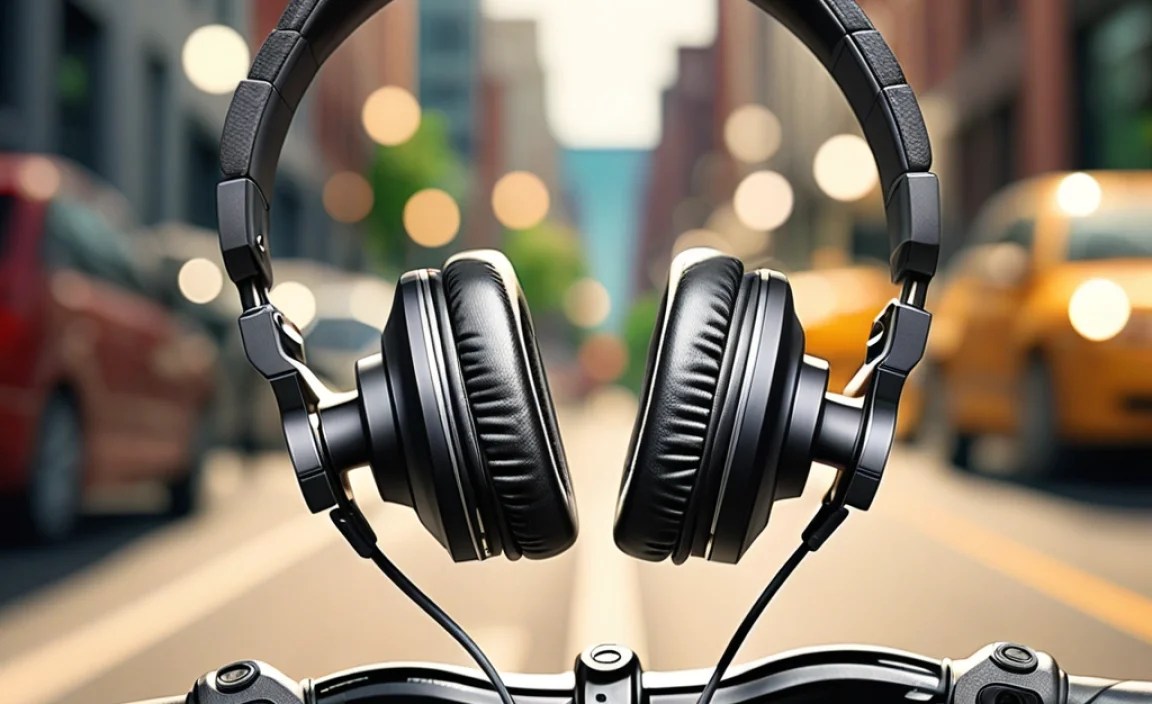
Let’s face it, the world can be a noisy place, and sometimes, tunes help drown out the less pleasant sounds, like traffic or the whirring of a nearby construction site, while providing motivation. For many cyclists, music isn’t just background noise; it’s a vital part of their ride. It can:
- Boost Motivation: An energetic playlist can push you through tough climbs and long distances.
- Enhance Enjoyment: Your favorite songs can make a mundane commute or a beautiful scenic route feel more vibrant and personal.
- Reduce Perceived Effort: Studies suggest that listening to music can make physical activity feel less strenuous.
- Provide Companionship: For solo riders, music can feel like a companion, making long rides more engaging.
However, it’s imperative to remember that safety always comes first. The goal is to enhance your ride, not to isolate yourself from potential hazards. This means choosing headphones for biking that allow you to hear important environmental cues.
Safety First: The Golden Rule for Biking with Audio

Before we dive into types of headphones, let’s talk about the most critical aspect: awareness. When you’re on a bike, you’re sharing the road (or trail) with cars, pedestrians, other cyclists, and unexpected obstacles. Your hearing is one of your most important safety tools. You need to be able to:
- Hear approaching vehicles, especially those you can’t see.
- Detect horns, sirens, and other warning signals.
- Be aware of pedestrians, cyclists, and animals nearby.
- Hear changes in your environment, like a car door opening or a loose gravel patch.
This is why many jurisdictions have laws or recommendations regarding headphone use while cycling. For instance, in some places, it’s illegal to wear headphones in both ears. Always check your local regulations. The U.S. Department of Transportation emphasizes situational awareness for all road users. As they state, “Awareness of your surroundings and the ability to react to unexpected events are critical for safety.”
Choosing the Right Type of Headphones for Biking

Not all headphones are created equal when it comes to cycling. Some designs are inherently safer and more practical for active use. Here’s a breakdown of the most common types and how they stack up for biking:
1. Bone Conduction Headphones
These are often considered the gold standard for biking. Instead of covering your ears or going inside, bone conduction headphones rest on your cheekbones, just in front of your ears. They transmit sound vibrations through your bones to your inner ear, leaving your ear canals completely open.
Pros:
- Maximum Awareness: Your ears remain open, so you can hear traffic, sirens, and ambient sounds clearly.
- Comfortable for Long Rides: No ear pressure or discomfort, even for hours.
- Secure Fit: They typically have a band that wraps around the back of your head, keeping them in place.
- Often Water-Resistant: Great for sweaty rides or unexpected rain.
Cons:
- Sound Quality: Bass and overall fidelity can’t match traditional headphones, but modern options are improving.
- Sound Leakage: At higher volumes, people nearby might be able to hear what you’re listening to.
- Vibration: Some users feel a slight, tickling vibration on their cheekbones.
Best For: Road cyclists, city commuters, and anyone prioritizing situational awareness above all else.
2. Open-Ear Headphones (Air Conduction/Earbuds)
These are earbuds or small headphones that don’t create a seal in your ear canal. They direct sound into your ear in a way that allows ambient noise to pass through naturally.
Pros:
- Good Awareness: While not as open as bone conduction, they still let in significant external sound.
- Decent Sound Quality: Generally better than bone conduction for music fidelity.
- Lightweight and Portable: Easy to carry and wear.
Cons:
- Fit Can Vary: Some might fall out during vigorous activity.
- Sound Leakage: Can be an issue at higher volumes.
- Less Secure than Bone Conduction: Might shift during bumpy rides.
- Not Ideal for Very Noisy Environments: Can be harder to hear your audio over loud traffic.
Best For: Casual riders, gravel cyclists, and those who want a balance of sound and awareness without a tight seal.
3. Traditional In-Ear Earbuds (with Caution)
These are the standard earbuds that fit snugly into your ear canal, creating a seal. While common, they are generally the least recommended for cycling due to their sound-blocking nature.
Pros:
- Great Sound Quality: Excellent bass and noise isolation.
- Secure Fit: Once in, they tend to stay put.
- Noise Isolation: Great for blocking out distractions while stationary.
Cons:
- Poor Situational Awareness: They block too much external sound, making it dangerous to ride in traffic.
- Potentially Illegal: Many places prohibit wearing earbuds in both ears while cycling.
- Discomfort on Long Rides: Can cause ear fatigue.
Best For: Stationary activities or when riding on a completely closed, safe path where no external sounds are relevant. It’s generally safer to use only one earbud if you opt for this type.
4. On-Ear or Over-Ear Headphones (Generally Not Recommended)
These are the larger, more traditional headphones that sit on or over your ears. For biking, they are usually impractical and unsafe.
Pros:
- Excellent Sound Quality: Often the best for audio fidelity.
- Comfortable for Extended Listening: If worn off the bike.
Cons:
- Extremely Poor Awareness: They completely block external sounds.
- Unstable Fit: Prone to falling off with head movement or wind.
- Bulky: Awkward to wear with a helmet.
- Wind Noise: Very susceptible to wind noise at speed.
- Overheating: Can make your ears hot.
Best For: Definitely NOT for biking. Stick to options that let you hear your surroundings.
Key Features to Look For in Biking Headphones

Beyond the type, several features can significantly improve your experience with headphones for biking:
1. Bluetooth Connectivity
Wireless is almost always the way to go when cycling. Tangles of headphone wires can be a nuisance and even a hazard, getting caught on handlebars or clothing. Bluetooth offers freedom of movement and easy pairing with your phone or music device.
2. Battery Life
A long ride calls for long-lasting battery life. Look for headphones that offer at least 6-8 hours of playtime on a single charge. Some top-tier bone conduction models can last 10 hours or more.
3. Water and Sweat Resistance (IP Rating)
Cycling means sweat, and sometimes it means rain. You’ll want headphones with a good IP (Ingress Protection) rating. An IPX4 rating means they can withstand splashes of water, while IPX5 or higher indicates they can handle jets of water, making them suitable for heavy sweat or downpours. For example, the U.S. government’s National Institute of Standards and Technology (NIST) provides detailed explanations of IP codes.
4. Secure and Comfortable Fit
Whether it’s earbuds that come with multiple tip sizes or a bone conduction band that’s adjustable, the headphones shouldn’t shift or fall off during your ride. Comfort is also key for longer excursions.
5. Controls
Easy-to-access physical buttons for play/pause, volume adjustment, and skipping tracks are invaluable. You don’t want to be fumbling with your phone while riding. Many biking headphones have controls integrated directly onto the earpieces.
6. Microphone Quality (for Calls)
If you plan to take calls on the go, a good microphone is important. Some bone conduction headphones have microphones that can pick up your voice clearly, even with wind noise. Look for models that advertise noise-canceling microphones.
Top Picks for Headphones for Biking

While specific models change rapidly, here are some of the most well-regarded brands and types that consistently offer great performance for cyclists:
Bone Conduction Headphone Brands to Consider:
The leaders in this category are:
- Shokz (formerly AfterShokz): Widely considered the benchmark for bone conduction. Models like the OpenRun Pro offer a great balance of sound, battery, and comfort.
- AfterShokz (now Shokz): (See Shokz above)
- Jabra: Some of their sport earbuds offer an open-ear design.
- Trekz: (Often associated with Shokz/AfterShokz in past generations).
Open-Ear Earbud Options:
Some companies offer earbuds specifically designed not to block your ear canal:
- Jabra Elite Active series: Some models offer a “HearThrough” mode that lets in ambient sound.
- Bose Sport Open Earbuds: Designed to rest on the ear, leaving the canal open.
- Apple AirPods (3rd Gen, AirPods Pro with Transparency Mode): While not specialized for sport, their open design and Transparency Mode (Pro) can allow some awareness. However, they may not be secure enough for vigorous riding.
Setting Up Your Headphones for Your First Ride
Once you’ve chosen your headphones, here’s how to get them ready for your cycling adventures:
Step 1: Charge Them Up
Before your first ride, ensure your headphones are fully charged. This ensures you won’t run out of power halfway through your journey.
Step 2: Pairing with Your Device
Most Bluetooth headphones enter pairing mode automatically on initial startup, or you’ll need to press and hold a specific button. Open the Bluetooth settings on your smartphone or music player, select your headphones from the list of available devices, and confirm the pairing.
Step 3: Fit and Adjust for Comfort and Security
Put on your headphones. For bone conduction, adjust the band so they sit snugly on your cheekbones without pressure. For earbuds, try different ear tip sizes (if included) to find the most secure yet comfortable fit. Ensure they won’t loosen or fall out with movement.
Step 4: Test in a Safe Environment
Before hitting busy roads, test your headphones in a quiet park or on your driveway. Play some music and deliberately listen for ambient sounds – cars, birds, people talking. Adjust the volume to a level where you can clearly hear your audio without completely drowning out your surroundings. Many experts recommend keeping the volume at around 60% of maximum. According to the National Highway Traffic Safety Administration (NHTSA), distractions, including audio, can significantly increase crash risk.
Step 5: Familiarize Yourself with Controls
While stationary, practice using the buttons for play/pause, volume, track skipping, and answering calls. You want to be able to do this instinctively while riding without looking.
Making the Most of Your Audio Experience Safely
Here are some tips to ensure your biking audio experience is both enjoyable and safe:
- Volume Control is Key: Never crank your music so loud that you can’t hear critical sounds like sirens or horns. A good rule of thumb is to keep the volume low enough that you can still hold a conversation with someone speaking next to you.
- Be Mindful of Your Route: If you’re riding in a busy urban area with lots of traffic, prioritize maximum awareness. Consider leaving headphones off entirely or using only one earbud in a situation where extreme caution is needed. For quieter trails, you might have more flexibility.
- Check the Weather and Conditions: On days with poor visibility or tricky road conditions, it’s often best to err on the side of caution and reduce or eliminate audio distractions.
- Understand Your Surroundings: Always pay attention to traffic signals, stop signs, and other road users, regardless of what you’re listening to.
- Use “Transparency” or “Ambient Sound” Modes: If your earbuds have these features, use them! They are designed to allow ambient noise in.
- Consider Podcasts or Audiobooks: Sometimes, listening to spoken word can be less distracting than music, and it may be easier to monitor your surroundings while still enjoying content.
What About Helmets?
Wearing a helmet is non-negotiable for cyclists. Thankfully, most modern headphones designed for biking are made to be worn comfortably with a helmet. Bone conduction headphones, with their behind-the-head bands, typically fit very well under helmets. Some newer helmets even integrate speakers!
When choosing a helmet, ensure it fits properly and meets safety standards. Organizations like the Consumer Product Safety Commission (CPSC) in the U.S. set standards for bicycle helmets.
Troubleshooting Common Issues
Even the best headphones can sometimes act up. Here are a few common issues and how to fix them:
Issue: Bluetooth Pairing Problems
- Solution: Ensure both your headphones and device are in pairing mode. Turn off Bluetooth on other nearby devices to avoid interference. Restart both devices and try pairing again. Clear the pairing list on your headphones and device if the problem persists.
Issue: Sound Cutting In and Out
- Solution: Check the battery levels on both devices. Move your audio source closer to your headphones (Bluetooth range is typically around 30 feet). Ensure there are no major obstructions or sources of wireless interference (like microwaves) between your device and headphones.
Issue: Low Volume
- Solution: Check the volume on both your headphones and your connected device. Make sure you haven’t accidentally activated a “low power” or “eco” mode on your headphones, which can sometimes limit volume. Ensure the headphones are sitting correctly on your ears (for bone conduction).
Issue: Wind Noise
- Solution: This is a common problem at speed. Bone conduction headphones can be particularly susceptible. Try reducing your speed slightly, or see if your headphones have a wind-reduction feature. Sometimes, adjusting the headphone position can help. For severe wind noise, you might need to temporarily pause your audio.
Issue: Headphones Won’t Turn On
- Solution: Make sure they are fully charged. Connect them to the charger and wait a few minutes before trying to power them on again. If they still don’t turn on, consult the manufacturer’s manual or their customer support.
FAQ: Your Biking Headphone Questions Answered
Q1: Are headphones legal for biking?
A: It varies by location. Many places allow headphones, but some have restrictions, such as only permitting them in one ear or prohibiting them altogether. Always check your local laws before riding with headphones. For example, California and parts of New York have specific statutes regarding headphone use by bicyclists and motorcyclists.
Q2: What is the safest type of headphone for cycling?
A: Bone conduction headphones are generally considered the safest because they leave your ear canals open, allowing you to hear ambient sounds like traffic and sirens. Open-ear earbuds are also a good alternative.
Q3: Can I wear my regular earbuds while biking?
A: It’s generally not recommended for safety reasons, especially if they create a seal in your ear. They block too much external sound. If you must use them, consider wearing only one earbud so you can still hear your surroundings
