
Quick Summary: Choosing the right headphones for classroom use is key for focus and learning. This guide helps students and educators select comfortable, durable, and effective headphones for various classroom activities, ensuring a quiet and productive learning environment. Learn about essential features, types, and important considerations for making the best choice.
Headphones for Classroom: Your Essential Guide to Better Focus and Learning
Hey everyone, Edward Cavitt here from headphonehorizon! Navigating the world of headphones can sometimes feel a bit overwhelming, especially when you’re looking for the perfect pair for a specific need like the classroom. Whether you’re a student trying to concentrate during lectures, a teacher managing a busy learning space, or a parent helping your child find the right audio companion, understanding what makes a good classroom headphone is crucial. In this guide, we’ll break down everything you need to know, from the essential features to keep in mind to different types of headphones that work best, all explained in plain English. Get ready to discover how the right headphones can truly enhance the learning experience!
Why Are Headphones So Important in Today’s Classroom?

In modern educational settings, headphones have become more than just an accessory; they are a vital tool for learning. Classrooms are often dynamic environments with various auditory inputs, from group discussions and teacher instructions to background hums and external noises. For students who need to focus on digital learning materials, online lectures, or individual study, an effective pair of headphones can create a personal zone of concentration. They help minimize distractions, allowing students to fully engage with the content, whether it’s an educational video, an audio lesson, or a spelling test. For students with sensory sensitivities or auditory processing differences, headphones can be a game-changer, providing a controlled and comfortable listening experience. Teachers also benefit, using headphones for professional development, online collaboration, or when students are working independently on audio-based tasks.
Key Features to Look for in Classroom Headphones

When selecting headphones specifically for a classroom environment, a few key features stand out as essential for optimal performance and user comfort. These aren’t necessarily the fanciest features, but they are the ones that make the biggest difference in a learning context.
1. Comfort is King
Students often wear headphones for extended periods. Therefore, comfort is paramount. Look for:
- Padded Earcups: Soft, plush earcups that don’t pinch or press too hard against the ears. Memory foam is often a great choice.
- Adjustable Headband: A headband that can be easily adjusted to fit different head sizes, ensuring a snug but not too tight fit.
- Lightweight Design: Heavy headphones can cause fatigue and discomfort over time. Opt for models that feel light and effortless to wear.
2. Durability for Everyday Use
Classrooms can be hectic places. Headphones need to withstand daily wear and tear, including being packed into backpacks, occasional drops, and frequent use by multiple students. Strong, flexible materials and reinforced joints are indicators of good durability. A sturdy build will ensure the headphones last longer, saving you money in the long run.
3. Sound Quality for Clarity, Not Just Volume
While you don’t need audiophile-grade sound for most classroom applications, clear audio is essential for understandable lectures and lessons. Look for headphones that deliver balanced sound, meaning:
- Clear Mid-range: This is where human voices typically sit, so good mid-range performance is crucial for understanding speech.
- Avoid Excessive Bass: While some bass is good for engagement, overly boomy bass can muddy the sound and make speech harder to discern, and isn’t usually necessary for educational content.
4. Noise Isolation or Mild Noise Cancellation
The ability to block out ambient noise is a significant advantage. Two main types of technology help with this:
- Passive Noise Isolation: This is achieved through the physical design of the headphones, particularly the seal created by over-ear or in-ear earbuds. A good seal physically blocks outside sound.
- Active Noise Cancellation (ANC): This technology uses microphones to detect external noise and then creates an “anti-noise” to cancel it out. For classroom settings, mild or adaptive ANC can be beneficial, but be cautious with very powerful ANC as it can sometimes make surrounding announcements harder to hear if not managed correctly. For younger children, passive isolation is often sufficient and safer.
5. Wired vs. Wireless: Pros and Cons
This is a big decision and depends on your specific classroom setup and student age.
| Feature | Wired Headphones | Wireless Headphones |
|---|---|---|
| Cost | Generally more affordable. | Can be more expensive. |
| Setup & Connectivity | Plug and play; no pairing needed. Reliable connection. | Requires initial pairing via Bluetooth, batteries/charging. Potential for connectivity issues. |
| Battery Life | No battery required – always ready. | Needs regular charging or battery replacement. Battery dying mid-lesson is a risk. |
| Durability (Cable) | Cable can fray, tangle, or be a tripping hazard. | No cable to worry about breaking. |
| Portability | Cable can sometimes be cumbersome. | Easier to manage without cables. |
| Distraction Potential | Less potential for distraction from pairing issues or low battery warnings. | Can be a distraction if connectivity is poor or battery runs out. |
6. Volume Limiting for Hearing Protection
This is a feature that’s incredibly important, especially for younger students. Volume-limiting headphones cap the maximum sound output, designed to protect developing ears from permanent hearing damage. Many headphones marketed for children will explicitly state a volume limit, often around 85-90 decibels (dB). This is a crucial safety feature that educators and parents should prioritize. According to the National Institute on Deafness and Other Communication Disorders (NIDCD), prolonged exposure to sounds at or above 85 dB can cause hearing loss.
7. Microphone Quality (If Needed)
If the headphones will be used for online classes, participation in virtual discussions, or voice-activated learning activities, a built-in microphone is essential. Look for clear voice pickup without excessive background noise. Many headsets designed for communication will specify microphone clarity.
Types of Headphones Best Suited for Classrooms

Not all headphone designs are created equal when it comes to classroom suitability. Here are the most common and effective types:
1. Over-Ear Headphones
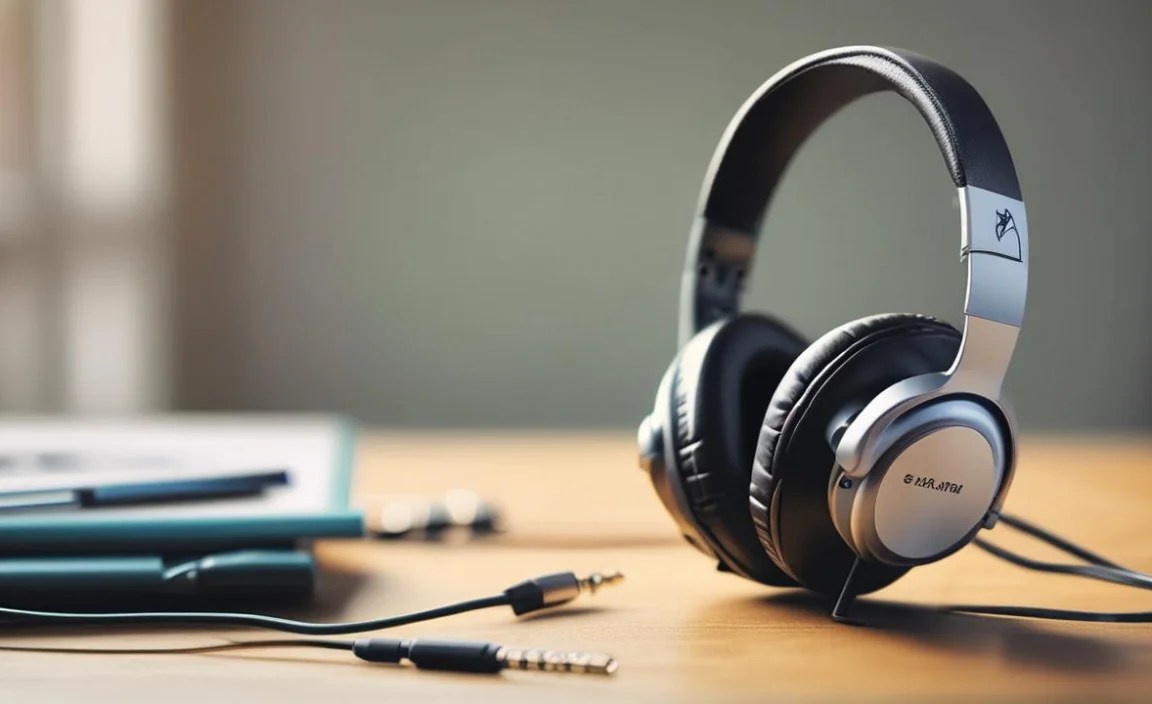
These headphones completely cover the ears, providing excellent passive noise isolation due to their seal. They are generally very comfortable for long wear due to their padded earcups and are often the most durable option.
- Pros: Superior comfort, excellent passive noise isolation, good sound quality, often very durable.
- Cons: Can be bulky, may cause ears to get warm during long sessions.
- Best for: Older students, teachers, quiet study, digital learning with audio/video content.
2. On-Ear Headphones
These sit directly on the ears rather than around them. They offer less noise isolation than over-ear models but are usually more compact and let in a bit more ambient sound, which can be good for situational awareness.
- Pros: More compact than over-ear, generally lighter, can offer better situational awareness.
- Cons: Can press on ears and become uncomfortable over time, less effective at blocking noise.
- Best for: Situations where some ambient sound awareness is needed, younger students who prefer less pressure on their ears.
3. In-Ear Headphones (Earbuds)
These small headphones fit directly into the ear canal. They offer good portability and can provide effective noise isolation if they have a good seal.
- Pros: Extremely portable, can offer good passive noise isolation, often very affordable.
- Cons: Can be less comfortable for long wear, less durable, can be a choking hazard for very young children, harder to clean.
- Best for: Students who prefer a less bulky option, on-the-go learning, situations where portability is key. Ensure they fit snugly for isolation.
4. Headsets (with Microphone Boom)
These are typically over-ear or on-ear headphones with an attached microphone, often on a flexible boom arm. They are ideal for activities requiring verbal communication.
- Pros: Integrated microphone is ideal for clear communication, often designed for comfort during extended use.
- Cons: Can be more expensive, microphone boom can be fragile if not well-made.
- Best for: Online classes, virtual meetings, interactive learning software, language labs.
Making the Right Choice: A Step-by-Step Approach

Choosing the perfect classroom headphones doesn’t have to be a guessing game. Follow these steps to make an informed decision:
Step 1: Identify the Primary Use Case
Think about how the headphones will be used most often. Is it for:
- Listening to lectures and educational videos?
- Online classes and video conferencing?
- Quiet study and concentration?
- Language learning with audio prompts?
- Students with special needs requiring specific audio environments?
This primary use will guide your feature priorities.
Step 2: Consider the Age and Needs of the User(s)
This is critical, especially when buying for children. For younger students (under 13), prioritize safety features like volume limiting and choose durable, easy-to-clean designs. For older students and adults, comfort, noise isolation, and perhaps microphone quality might be higher priorities.
Step 3: Prioritize Durability and Comfort
No matter the age, comfort and durability are non-negotiable. Read reviews specifically mentioning how well headphones hold up to daily use and how comfortable they are for extended periods. Look for materials like pliable plastics, strong hinges, and well-padded earcups.
Step 4: Decide on Wired vs. Wireless
As discussed earlier, consider the classroom’s technological infrastructure, budget, and the students’ ability to manage wireless devices. For simple, reliable use and lower cost, wired is often best. For flexibility and eliminating tangled cords, wireless is appealing, but factor in charging and pairing.
Step 5: Check for Volume Limiting Features
If purchasing for children, make this a mandatory feature. It’s a simple way to protect their hearing. Look for clear labeling or specifications stating a maximum volume limit (e.g., 85 dB).
Step 6: Evaluate Noise Isolation Needs
For students who need to block out distractions, over-ear headphones with good passive isolation or mild ANC are excellent. If situational awareness is important (e.g., hearing a teacher’s verbal cue), on-ear or earbuds with a looser fit might be better.
Step 7: Set a Budget
Classroom headphones can range from very inexpensive earbuds to premium noise-canceling headsets. Determine your budget per unit. Buying in bulk for a classroom might qualify for educational discounts, so it’s worth investigating.
Step 8: Read Reviews and Consult Recommendations
Once you have a few models in mind, dive into reviews from reputable tech sites and user feedback. Look for common themes regarding comfort, durability, and sound clarity for spoken word. Educational technology blogs and parent review sites can also offer valuable insights.
Top Considerations for Different Classroom Scenarios
The ideal classroom headphone can vary depending on the specific context:
For Elementary School Students:
- Must-Haves: Volume limiting (85 dB), extreme durability, comfort, ease of use (wired often preferred), no small detachable parts.
- Good to Have: Bright, fun colors, easy-to-clean materials.
- Examples: Kid-friendly over-ear headphones from brands like BuddyPhones, AmazonBasics Kids Headphones, JLab JB Kids.
For Middle and High School Students:
- Must-Haves: Comfort for long wear, good passive noise isolation, clear audio for spoken word, durable construction.
- Good to Have: Wireless options (if managing charging is feasible), integrated microphones for online interaction, sleeker designs.
- Examples: Standard over-ear or on-ear headphones, some more robust earbuds. Brands like Audio-Technica, Sennheiser (entry-level), Jabra Evolve (for headsets), or even good quality general-purpose headphones.
For Teachers and Professional Development:
- Must-Haves: Excellent comfort, superior microphone quality for online meetings, reliable connectivity (wired or stable wireless), good noise cancellation.
- Good to Have: Wireless convenience, long battery life, comfortable for all-day wear.
- Examples: Dedicated headsets like Plantronics/Poly, Jabra, Bose (for ANC focus), or high-quality over-ear headphones.
For Computer Labs or Shared Devices:
- Must-Haves: Durability, ease of sanitation, simple plug-and-play functionality (wired is often best), affordability for bulk purchase.
- Good to Have: Replaceable parts (like ear pads), simple designs that are easy for anyone to use.
- Examples: Bulk packs of wired earbuds or durable, no-frills wired headphones.
Maintenance and Care for Extended Lifespan

To ensure your classroom headphones last and remain hygienic, a little regular care goes a long way:
Cleaning Earcups and Headbands:
- For Faux Leather/Vinyl: Use a slightly damp cloth (water or mild soap solution). Dry thoroughly with a clean cloth. Avoid harsh chemicals.
- For Fabric/Velvet: Mild soap and water, gently scrubbed with a soft brush if needed, then air-dried completely. For removable pads, follow manufacturer instructions.
- For Plastic: A damp cloth is usually sufficient.
Cable Management (for Wired Models):
- Avoid yanking the cable directly from the jack.
- Coil cables loosely; avoid tight wrapping that stresses the wires.
- Store headphones in a case or designated spot to prevent tangling and crushing.
Storage:
- When not in use, store headphones in a cool, dry place.
- A padded case or a dedicated shelf/hook in a classroom can protect them from damage.
- For shared sets, consider individual cubbies or labeled bags.
Checking Connections:
- Periodically inspect the audio jack and the cable where it meets the earcups for any signs of fraying or damage.
- If using wireless, ensure charging ports are clear of debris.
Proper care, especially in a shared environment, is crucial for hygiene and functionality. Regular cleaning and gentle handling can significantly extend the life of your headphones.
Frequently Asked Questions (FAQ)
Q1: What is the most important feature for headphones for young children?
The most critical feature for young children is volume limiting. This ensures that the sound level stays at a safe threshold (typically 85 dB or below) to prevent permanent hearing damage. Durability and comfort are also very important.
Q2: Can I use noise-canceling headphones in a classroom?
Yes, but with caution. Standard noise-canceling headphones can be very effective at blocking distractions. However, for younger students or situations where it’s important to hear announcements, it might be better to opt for headphones with passive noise isolation or mild, adjustable ANC, or to ensure students are trained to remove them when spoken to directly or when announcements are made.
Q3: How do I decide between wired and wireless headphones for a classroom set?
Consider your budget, the students’ age and responsibility, and the available charging infrastructure. Wired headphones are cheaper, more reliable, and don’t require charging, making them ideal for large sets and younger children. Wireless headphones offer more freedom but require managing battery life and Bluetooth pairing, which might be better suited for older students or teachers.
Q4: Are earbuds suitable for classroom use?
Earbuds can be suitable, especially for older students or for specific tasks where portability is key. However, they need to fit snugly to provide adequate noise isolation and should ideally be from a reputable brand to ensure reasonable sound quality. Durability and hygiene can be concerns with earbuds, especially if they are frequently shared.
Q5: What does “noise isolation” mean, and how is it different from “noise cancellation”?
Noise isolation is a passive feature achieved through the physical design of the headphones, like a good seal around the ears (over-ear) or a snug fit in the ear canal (in-ear), which physically blocks outside
