
Hey there, fellow music makers! Edward Cavitt here from Headphone Horizon. So, you’ve got yourself an electric drum set – fantastic! Now, to really get into the groove, hear every beat, and avoid annoying your neighbors, you need a good pair of headphones. But with so many options out there, where do you even start? Don’t worry, I’ve got your back. This guide is all about finding the best headphones for your electric drum set without breaking the bank. We’ll focus on what truly matters for drummers and explore some awesome, affordable choices that will make your practice sessions way more enjoyable and effective. Let’s dive in!

Why Headphones Are a Must-Have for Electric Drumming

Playing an electric drum set without headphones is like trying to enjoy a movie with the volume off – you’re missing a huge part of the experience! Here’s why they’re essential:
- Isolation: Electric drums, while quieter than acoustic sets, still make noise. Headphones create a sound bubble, letting you focus on the music without distractions and keeping your practice sessions considerate of others.
- Sound Quality: Good headphones deliver a clear, detailed sound. You’ll hear the nuances of your drum sounds – the crisp snare crack, the deep kick thump, the subtle cymbal wash – which is vital for developing your timing and feel.
- Hearing Protection: It might seem counterintuitive, but properly using headphones can protect your hearing. They allow you to hear the music clearly at lower volumes, preventing you from blasting the sound to overcome ambient noise or the subtle acoustic bleed from the pads. The National Institute on Deafness and Other Communication Disorders (NIDCD) offers great resources on noise-induced hearing loss.
- Practice Consistency: With headphones, you can practice anytime, anywhere, without worrying about the noise level. This consistency is key to improving your drumming skills.
- Performance: In live or recording situations, headphones are non-negotiable for monitoring your playing and the mix.
Key Features to Look For in Drum Set Headphones

Not all headphones are created equal, especially when it comes to drumming. Here’s what to prioritize:
1. Closed-Back Design for Isolation
This is probably the most important feature for electric drummers. Closed-back headphones have earcups that seal around your ears. This does two things:
- Keeps Sound In: Prevents your drumming sound from leaking out, which is great for not disturbing anyone around you.
- Keeps Sound Out: Blocks out ambient noise, so you can focus purely on the sound coming from your drum module.
This isolation is critical for accurate practice and for protecting your hearing, as you won’t need to crank the volume to hear yourself over other noises. Open-back headphones, on the other hand, are not ideal for this purpose, as they leak sound freely.
2. Comfort and Durability
You’ll be wearing these for hours, especially during longer practice sessions. Look for:
- Padded Earcups: Soft, plush earcups that don’t pinch. Memory foam is often a good sign of comfort.
- Adjustable Headband: A comfortable fit means the headband can be adjusted to your head size without being too tight or too loose.
- Sturdy Build: Drumming can be energetic! The headphones should feel robust and able to withstand some movement. Metal-reinforced headbands and high-quality plastics are good indicators of durability.
- Replaceable Parts: Check if ear pads or cables are replaceable. This can significantly extend the life of your headphones.
3. Sound Quality and Frequency Response
While you don’t need audiophile-grade $1000 headphones, you do need clarity. For electric drums, you want headphones that:
- Offer a Flat or Neutral Frequency Response: This means the headphones reproduce sounds at all frequencies (bass, mids, treble) without artificially boosting or cutting certain ranges. This gives you the most accurate representation of the drum sounds. You want to hear the full spectrum, from the low thud of the kick to the sizzle of the cymbals.
- Provide Good Detail: You should be able to distinguish individual drum sounds and subtle rhythmic patterns.
- Handle Bass Well (but not overpoweringly): You need to feel the kick drum, but it shouldn’t muddy up the rest of the sound.
4. Impedance and Sensitivity
This is a slightly more technical point, but it’s important for ensuring your headphones will sound good with your drum module. These are usually represented by numbers (Ohms for impedance, dB for sensitivity).
- Low to Medium Impedance (around 32-80 Ohms) is generally best for most electric drum modules. Higher impedance headphones often require an amplifier to reach a sufficient volume, which most drum modules don’t have built-in.
- Sensitivity tells you how loud the headphones get with a given amount of power. Higher sensitivity (around 95dB or more) means they’ll get louder more easily.
For beginners, sticking to headphones with impedance around 32-80 Ohms and decent sensitivity will usually ensure they work well with your electric drum module without needing extra equipment.
5. Cable Length and Type
A good cable length is crucial for freedom of movement. Aim for at least 6 feet (around 2 meters) for comfortable practice. Detachable cables are a bonus, as they can be easily replaced if they get damaged.
Recommended Affordable Headphones for Electric Drum Sets

Alright, let’s get down to some practical recommendations. These are solid, reliable options that offer excellent value for money and are widely recommended for music practice and monitoring.
Top Budget-Friendly Choices
- Audio-Technica ATH-M20x: A fantastic starting point. These are closed-back, comfortable, and offer a balanced sound profile that’s great for detailed listening. They’re known for their build quality and value.
- Samson SR850: While technically semi-open, these are often lauded for their incredible value and open soundstage for the price. For drummers who want a more airy feel and aren’t too concerned about extreme isolation, these punch well above their weight. However, for maximum isolation, a closed-back option might be better.
- Sennheiser HD 280 Pro: A classic in the studio and practice world. These are robust, offer excellent noise isolation thanks to their sealed design, and have a very clear, accurate sound. They are known for their durability and comfortable fit, though they can feel a bit snug for some initially.
- Sony MDR-7506: Another industry standard. These are incredibly durable, fold up nicely, and deliver a very clear, detailed sound that’s excellent for hearing all the nuances of your electronic kit. They are a workhorse for a reason.
Consider These When Buying
When you’re looking at headphones, pay attention to these specs:
| Feature | What to Look For (for Electric Drums) | Why it Matters |
|---|---|---|
| Design | Closed-Back | Maximum isolation, prevents sound bleed. |
| Comfort | Padded earcups, adjustable headband, moderate clamping force. | Allows for long, comfortable practice sessions. |
| Durability | Sturdy build, reinforced parts, robust cable. | Withstands movement and frequent use. |
| Sound | Neutral frequency response, clear mids and highs, defined bass. | Accurate representation of drum sounds, helps with timing and technique. |
| Impedance | 32-80 Ohms (typical range for modules) | Ensures sufficient volume from your drum module. |
| Cable | 6+ feet, potentially detachable. | Freedom of movement, easy replacement if damaged. |
Step-by-Step: Setting Up and Using Your Headphones
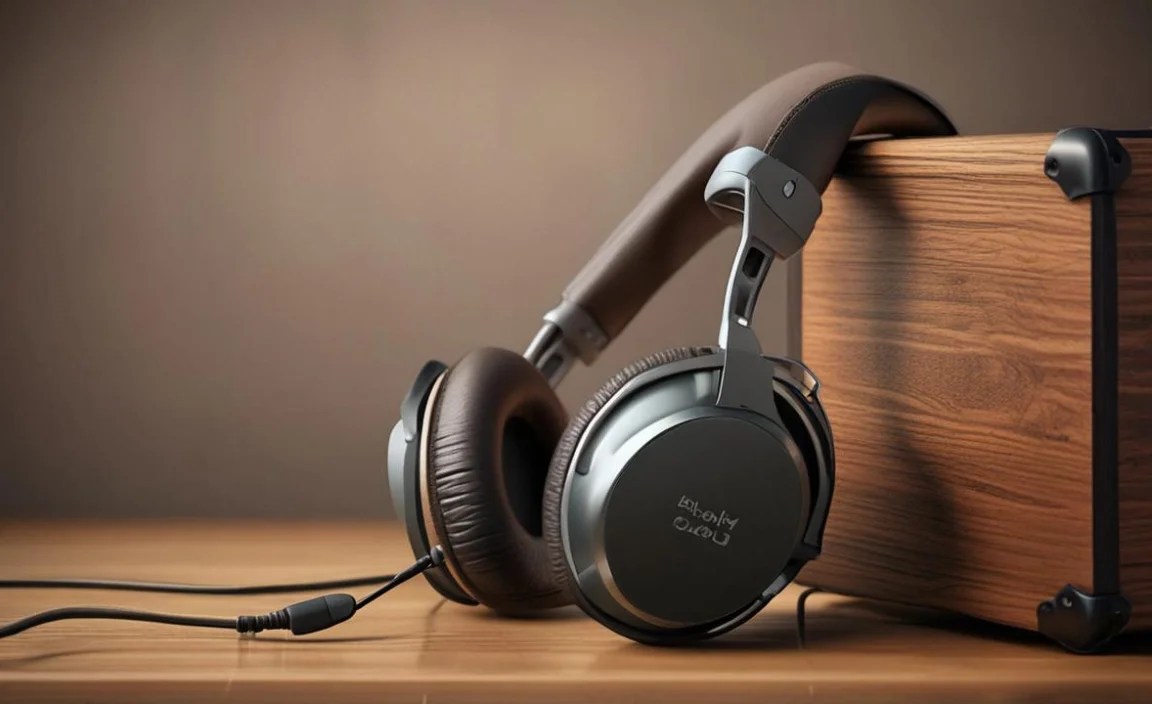
Getting your headphones connected and ready is a breeze. Here’s how:
Step 1: Identify the Headphone Output on Your Drum Module
Almost all electric drum modules have a dedicated headphone jack. It’s usually a round port labeled “Headphones,” “Phones,” or with a headphone symbol (a circle with a triangle inside). It’s typically a 1/4-inch (6.35mm) jack, which is the standard size for professional audio gear. Some smaller or simpler modules might have a 3.5mm (1/8-inch) jack, similar to what you find on smartphones, but this is less common for drum modules.
Step 2: Connect Your Headphones
If your headphones have a standard 1/4-inch plug, you can plug them directly in. Many headphones come with a small adapter that screws onto the end of their 3.5mm plug to convert it to a 1/4-inch plug. Make sure this adapter (if needed) is securely attached to your headphone cable.
Step 3: Power On Your Drum Module
Turn on your electric drum module. Ensure it’s powered on before adjusting volumes to avoid any sudden loud noises.
Step 4: Set Headphone Volume Carefully
This is crucial for hearing protection.
- Start with the volume all the way down.
- Put the headphones on.
- Slowly increase the volume on your drum module until you can hear the sounds clearly and comfortably.
- You should be able to hear the drum sounds well enough to practice your timing and dynamics. If you need to turn it extremely loud to hear anything, there might be another issue, or the headphones might not be suitable (though this is rare with the recommended types).
Remember, the goal is to hear clearly, not to feel the bass vibrate your skull (though a slight rumble is good!). Safe listening levels prevent long-term hearing damage. The American Speech-Language-Hearing Association (ASHA) has excellent guidance on preventing noise-induced hearing loss.
Step 5: Adjust Drum Module Settings (Optional but Recommended)
Your drum module likely has various sound settings and EQ options. Use your headphones to:
- Listen to different drum kits.
- Adjust the EQ to get the best overall sound through your headphones. You might want to slightly boost the higher frequencies for cymbals or add a bit more thump to the kick drum.
- Experiment with reverb and effects to see how they sound in your ears.
Listening through headphones will give you a much more accurate picture of the module’s sounds than using built-in speakers (if your module even has them) or trying to hear them across the room.
Step 6: Practice and Enjoy!
Now you’re all set! Put on your headphones, get behind your kit, and enjoy the immersive experience of playing without disturbing anyone and without external distractions. You’ll likely find your focus and your playing improve significantly.
Troubleshooting Common Headphone Issues
Even with the best gear, sometimes things don’t work perfectly. Here are a few common issues and their quick fixes:
No Sound or Intermittent Sound
- Check the Connection: Ensure the headphone plug is fully inserted into the drum module’s headphone jack. Try wiggling it gently to see if the sound comes in and out. If it does, the plug or jack might be faulty.
- Check the Cable: Inspect the headphone cable for any visible damage, kinks, or breaks. If it’s a detachable cable, try unplugging and replugging it at both ends (if applicable).
- Test Headphones Elsewhere: Plug your headphones into a different device (like a phone or computer) to see if they produce sound there. This helps determine if the issue is with the headphones or the drum module.
- Check Drum Module Volume: Ensure the master volume and headphone volume on your drum module are turned up.
- Try Different Headphones: If possible, try another pair of headphones with your drum module to see if they work.
Sound is Too Quiet
- Increase Volume on Module: Make sure the headphone volume control on your drum module is turned up sufficiently.
- Check Impedance: If you’re using very high impedance headphones (e.g., over 250 Ohms), your module might not have enough power to drive them adequately. Stick to the recommended lower impedance ranges for modules.
- Ensure Correct Plug Insertion: Sometimes a loose connection can result in lower volume.
One Side Not Working
This is almost always a cable issue. The cable might be damaged internally, or the plug might be faulty. If you have detachable cables, try swapping it out. If the cable is fixed to the headphones, and they are otherwise good quality, it might be time to consider replacing the headphones or getting the cable repaired by a specialist.
Uncomfortable Fit Causes Fatigue
If your headphones are too tight, too loose, or the earcups are causing pressure:
- Adjust the Headband: Most headphones have an adjustable headband. Find the sweet spot that is snug enough not to move but not so tight it causes pain.
- Try Different Ear Pads: Some manufacturers offer thicker or softer replacement ear pads, which can improve comfort. It’s also a great way to refresh old headphones!
- Ensure Correct Orientation: Make sure you have them on the right way (L for left, R for right).
- Take Breaks: Even with the most comfortable headphones, it’s good practice to take short breaks during long sessions.
Frequently Asked Questions (FAQ)
Here are some common questions beginner drummers have about headphones for their electric kits:
Q1: Do I really need closed-back headphones for my electric drum set?
A1: Yes, for most practice scenarios, closed-back headphones are highly recommended. They provide excellent isolation, meaning they block out external noise so you can hear your kit clearly, and they prevent sound from leaking out, which is considerate to others around you. This isolation also helps you practice at safer listening volumes.
Q2: What’s the difference between headphones for regular listening and headphones for drumming?
A2: While you can use regular headphones for drumming, specialized monitoring or studio headphones are often better. They typically offer a more neutral sound profile (so you hear the drum sounds accurately), greater durability for active use, better isolation, and increased comfort for long sessions. They’re built to be workhorses.
Q3: Are expensive headphones necessary for an electric drum set?
A3: Absolutely not! As this guide shows, there are many excellent, affordable headphones that perform exceptionally well for electric drumming. Focus on the key features like isolation, comfort, and a clear, balanced sound rather than price. You can get great results without spending a fortune.
Q4: How can I protect my hearing while using headphones with my electric drum set?
A4: Always start with the volume at its lowest setting and gradually increase it until you can hear clearly and comfortably. The goal is clarity, not maximum loudness. Avoid listening for extended periods at
