
Quick Summary: Connecting headphones to your Fender amp lets you practice silently and improve your tone. This guide explains how to choose the right headphones, what to look for in impedance and comfort, and the simple steps to plug in for an essential, undisturbed playing experience. Get the best sound from your Fender amp, anytime.
Headphones for Fender Amp: Your Essential Guide to Silent Practice and Better Tone
As a guitarist, there’s nothing quite like the satisfying roar of a Fender amp. But let’s be honest, sometimes you need to practice without that roar disturbing the peace – or your neighbors! That’s where headphones come in, transforming your amp into a personal sound sanctuary. Whether you’re a seasoned pro or just starting your guitar journey, knowing how to pick and use the right headphones for your Fender amp can open up a world of convenient practice and even help you dial in your tone like never before. This guide is here to make it simple, taking the guesswork out of getting that essential sound, silently.
Why Connect Headphones to Your Fender Amp?

It might seem straightforward, but understanding the benefits can really highlight why this setup is so valuable. Fender amps, renowned for their classic tones, can be enjoyed in two main ways when using headphones:
- Silent Practice: This is the most obvious benefit. Practice at any hour, in any environment, without bothering anyone. This is invaluable for students, apartment dwellers, or anyone with a busy schedule.
- Tone Shaping and Monitoring: Plugging in headphones often engages a cabinet simulator, which can give you a more direct and often clearer representation of your amp’s tone, especially when recording or learning new techniques. It bypasses room acoustics that might color your sound in unexpected ways.
- Focused Learning: Without the ambient noise of your surroundings, you can better hear subtle nuances in your playing, practice scales with precision, and focus intensely on your technique and tone.
Choosing the Right Headphones for Your Fender Amp

Not all headphones are created equal, and when connecting to a guitar amp, there are a few key features to consider. We’re not just looking for something to listen to music; we need something that can handle the output of your amplifier effectively and deliver an accurate representation of your guitar tone.
Types of Headphones: Open-Back vs. Closed-Back
This is a fundamental choice that impacts your listening experience the most.
- Closed-Back Headphones: These headphones fully enclose your ears and have a sealed design.
- Pros: Excellent sound isolation (they block out external noise and prevent your amp’s sound from leaking out), robust bass response, great for loud environments or when you need to focus intensely on your playing. They are generally preferred for amp monitoring.
- Cons: Can sometimes feel warm or stuffy with extended use, soundstage might feel a bit more confined compared to open-back models.
- Open-Back Headphones: These have vents or grilles on the earcups, allowing air and sound to pass through.
- Pros: More natural and spacious soundstage, often more comfortable for long listening sessions as they don’t trap heat.
- Cons: Poor sound isolation. Your amp’s sound will leak out, potentially bothering others, and you’ll hear more ambient noise. Not ideal for silent practice in shared spaces.
For most guitarists looking to practice with their Fender amp, closed-back headphones are the superior choice due to their isolation capabilities.
Key Specifications to Consider
Beyond the type, these technical aspects matter:
| Specification | What it Means | Why it Matters for Fender Amps |
|---|---|---|
| Impedance (Ohms, Ω) | Measures the electrical resistance of the headphones. | Your Fender amp’s headphone output has a specific impedance rating. Matching or ensuring your headphones can handle it prevents distortion and ensures optimal volume and sound quality. Low impedance (under 32Ω) is common for portable devices. Mid-range (32-80Ω) is a good general purpose. Higher impedance (80Ω+) often requires a better amplifier or headphone output to drive them properly. For most Fender amps, headphones in the 32Ω to 80Ω range are a safe bet. |
| Frequency Response | The range of audible frequencies a headphone can reproduce (e.g., 20Hz – 20kHz). | A wider, flatter frequency response will give you a more accurate representation of your guitar’s tone, allowing you to better hear the nuances of your amp’s settings and your playing. |
| Driver Size and Type | The component that produces sound. Larger drivers (e.g., 40mm or 50mm) can sometimes offer better bass and overall dynamics. | Larger drivers can contribute to a fuller sound, which is beneficial for capturing the richness of a Fender amp’s tone. |
| Comfort & Fit | Earcups, headband padding, weight, and adjustability. | You’ll likely be wearing these for extended practice sessions. Comfort is paramount to prevent fatigue and distraction. Over-ear (circumaural) designs are generally more comfortable than on-ear (supra-aural) for long periods. |
| Cable Type & Length | Detachable vs. fixed, coiled vs. straight, length. | A durable, detachable cable is a plus for longevity. A coiled cable can be convenient to prevent tangles while playing. Ensure the cable is long enough to give you freedom of movement. |
Recommended Headphone Features for Guitarists
When looking for headphones specifically for your Fender amp, prioritize these:
- Closed-Back Design: For maximum isolation.
- Comfortable Over-Ear Fit: For long practice sessions.
- Durable Construction: Gear gets handled, and you want headphones that can last.
- Relatively Flat Frequency Response: To hear your true tone, not an overly colored one.
- Impedance in the 32Ω to 80Ω Range: Generally compatible and well-driven by most amp headphone outputs.
How to Connect Headphones to Your Fender Amp: A Step-by-Step Guide

Connecting headphones to your Fender amp is usually a straightforward process. However, the exact location of the headphone jack can vary slightly between models. Here’s a general walkthrough:
Step 1: Locate the Headphone Output Jack
This is the most crucial step. Flip your amp over or carefully inspect its front and rear panels. Look for a round port labeled “Headphones,” “Phones,” “HP,” or sometimes depicted with a headphone symbol (
).
Common Locations:
- Front Panel: Many smaller practice amps have it here for easy access.
- Rear Panel: Larger or more feature-rich amps might place it on the back.
- Built into FX Loop or DI Out: Some amps integrate headphone jacks with other specialized outputs.
What if my amp doesn’t have a headphone jack?
Don’t worry! If your Fender amp lacks a dedicated headphone jack, you have a few excellent alternative solutions:
- Headphone Amp/Interface: A small, portable headphone amplifier or an audio interface with a headphone output can act as an intermediary. You’d typically connect your guitar to the interface, and then plug your headphones into the interface. Many audio interfaces also allow you to connect your amp’s line out or speaker out (with proper load handling) for monitoring.
- DI Box with Headphone Out: Some DI (Direct Injection) boxes are equipped with headphone outputs, offering a way to split your signal and monitor it.
- Amps with Emulated Outputs: Newer Fender models, like some from the Champion series or digital modeling amps, often feature USB outputs or “emulated line out” jacks that can be used with an audio interface and headphones. These outputs are designed to provide a signal suitable for both headphones and recording.
Step 2: Prepare Your Headphones
Make sure your chosen headphones are ready. If they have a detachable cable, ensure it’s securely plugged into the headphone earcup. Check that the cable’s plug matches the jack on your amp. Most amp headphone jacks are 1/4-inch (6.35mm). If your headphones have a 1/8-inch (3.5mm) plug, you’ll need a reliable 1/4-inch to 1/8-inch adapter. Ensure the adapter is high quality to avoid signal degradation.
Step 3: Connect the Headphones
With your amp powered off (this is a good safety practice, though not always strictly necessary for just plugging in headphones), gently insert the plug of your headphone cable into the amp’s headphone jack. Push it in firmly until it feels seated.
Step 4: Power On and Adjust Settings
Once the headphones are connected, it’s time to power on your Fender amp. Immediately after powering up, or even before, it’s crucial to lower the master volume and gain/gain controls to their minimum settings. This prevents a sudden loud burst of sound that could damage your hearing or your headphones.
Slowly bring up the master volume and any other relevant controls to a comfortable listening level. Listen carefully through your headphones. You should hear your guitar signal.
Step 5: Fine-Tune Your Tone
Now you can experiment with your amp’s EQ (Bass, Middle, Treble), gain, and any other tone-shaping features. The headphone output often bypasses the speaker, which can subtly alter the perceived tone. This is a fantastic opportunity to really dial in your sounds for practice or recording. Experiment with different settings – you might discover new sonic territories!
Important Considerations for Amp Headphone Jacks
Fender’s approach to headphone outputs can vary across their vast product line. Here are some general distinctions:
- Direct Speaker Emulation: Some amps have a headphone jack that is designed to provide a sound similar to the amp’s speaker, sometimes with built-in cabinet simulation. This is ideal for pure practice.
- Line Level Output: Other headphone jacks might provide a cleaner, less processed signal. This can be useful if you plan to route the signal through an external effects processor or a DAW (Digital Audio Workstation) with its own amp modeling.
- Automatic Speaker Muting: On many Fender amps, inserting an instrument cable or headphone plug into the dedicated jack will automatically mute the main speaker. This is a safety feature to prevent simultaneously running the amp at full volume through both the speaker and headphones, which could overload components. Always check your amp’s manual to confirm this behavior.
To understand precisely how your specific Fender amp handles its headphone output, consulting the user manual is always the best resource. You can usually find these manuals as PDFs on the official Fender website by searching for your amp model.
Troubleshooting Common Issues
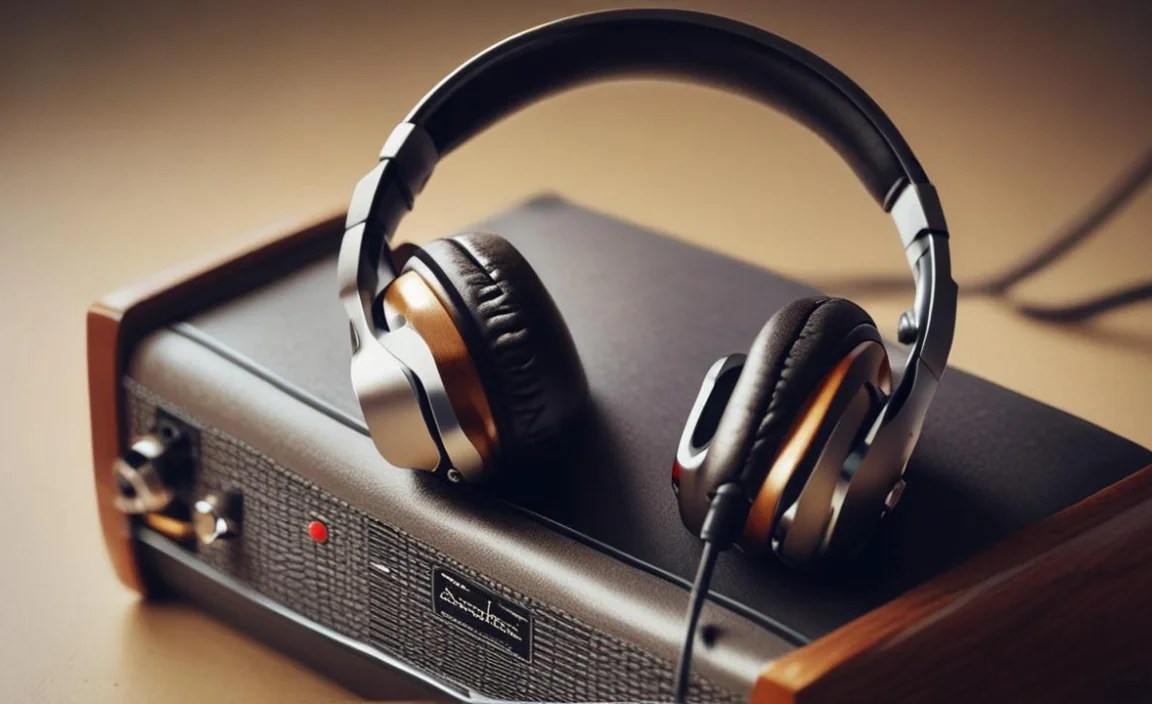
Even with the best gear, sometimes things don’t sound quite right. Here are a few common issues and how to fix them:
No Sound or Weak Sound
- Check Connections: Ensure the headphone cable is fully plugged into both the amp and the headphones.
- Volume Levels: Is the amp’s volume turned up? Are the headphone volume controls (if any) turned up?
- Input/Output Configuration: If using an interface or adapter, double-check that the correct input/output is selected on your device.
- Impedance Mismatch: While less common with modern amps, drastically mismatched impedance (though usually not a problem for headphones in the 32-250Ω range) could theoretically cause issues.
- Faulty Cable/Headphones: Try a different cable or a different pair of headphones to rule out equipment failure.
Buzzing or Hum
- Ground Loop: This is a very common issue. Ensure all your audio equipment is plugged into the asame power strip or circuit if possible. Try plugging the amp and your power supply into a different outlet.
- Interference: Keep headphone cables away from power cables and other sources of electromagnetic interference.
- Dirty Jacks: Gently clean the headphone jack on your amp and the plug on your cable with a suitable contact cleaner (like DeoxIT) or even a blast of compressed air.
Distorted or Unpleasant Tone
- Gain Too High: The input gain or drive on your amp might be set too high, causing the signal to clip before it even reaches the headphone output. Try lowering it.
- Volume Too High: Pushing the master volume too hard can also introduce unwanted distortion.
- Headphone Quality: Some lower-quality headphones can distort easily when driven by an amp signal.
- Cabinet Simulation (or lack thereof): Without a speaker to interact with, your amp’s tone can sound harsher or more brittle. Many modern amps have built-in cabinet simulation for headphone outputs that smooths this out.
Best Headphones for Fender Amps: Popular Recommendations

While specific models change, here are some reliable brands and series that consistently offer great headphones for musicians and audio enthusiasts:
- Audio-Technica ATH-M Series (e.g., ATH-M30x, ATH-M40x, ATH-M50x): These are studio staples, known for their durability, comfort, and balanced sound. The M50x is particularly popular for its slightly emphasized bass, which can be pleasing for guitar practice.
- Sennheiser HD 280 Pro: A workhorse in professional studios. Excellent isolation and a robust build make them ideal for focused practice.
- Beyerdynamic DT 770 PRO: Available in different impedance versions (like 80Ω), these are exceptionally comfortable and provide a detailed, dynamic sound. Their closed-back design offers great isolation.
- AKG K Series (e.g., K52, K72, K92): More budget-friendly options that still offer good sound quality and comfort, making them great entry-level choices.
Remember to always check the impedance rating. For most Fender amps, headphones around 32Ω to 80Ω are a safe and effective choice.
Frequently Asked Questions (FAQ)
Q1: Can I permanently damage my Fender amp by plugging in headphones?
Generally, no. Most modern Fender amps are designed to safely disengage the main speaker when headphones are plugged in, protecting both the amp and your hearing. Always double-check your amp’s manual for specific behavior, especially with older or simpler models.
Q2: Do I need an adapter for my headphones?
It depends on your headphones and your amp. Most guitar amp headphone jacks are 1/4 inch (6.35mm). If your headphones have a smaller 1/8 inch (3.5mm) plug, you will need a 1/8-inch to 1/4-inch adapter. Ensure it’s a good quality adapter to avoid sound quality issues.
Q3: What is impedance and why does it matter for headphones and amps?
Impedance, measured in Ohms (Ω), is electrical resistance. Headphones with too low impedance might draw too much power, and headphones with too high impedance might not get enough power to sound loud or clear enough from your amp’s headphone output. A sweet spot for guitar amps is typically between 32Ω and 80Ω, offering a good balance of loudness and sound quality without straining the amp’s circuitry.
Q4: Will using headphones change my amp’s tone significantly?
Yes, it can. When you plug in headphones, you’re often bypassing the physical speaker and the way it interacts with your room’s acoustics. Some amps have built-in cabinet simulation for headphone outputs to make the sound more speaker-like. You might find your tone sounds clearer, more direct, or even a bit different than through the speaker, which can be a great way to fine-tune your settings.
Q5: Can I record my Fender amp using headphones?
You can record the sound you hear through your headphones, but it’s usually best to use an audio interface for recording. You can connect your amp’s line-out or headphone-out to the interface, and then plug headphones into the interface. This gives you more control and often a cleaner digital signal for your recording software (DAW). Make sure your amp’s headphone output offers a suitable signal for this purpose.
Q6: Are open-back headphones okay for my Fender amp?
While open-back headphones offer a more natural soundstage, they are generally not recommended for practicing with a Fender amp if you need silence. They leak sound significantly, meaning others can hear your
