
Quick Summary: This guide helps hearing aid users choose and use headphones effectively. We cover types of headphones, essential features like Bluetooth and comfort, and tips for maximizing sound quality and compatibility, ensuring you can enjoy music and calls without interference.
Headphones for Hearing Aid Users: Your Essential Guide to Clearer Sound
Hello headphone enthusiasts! It’s Edward Cavitt from headphonehorizon, here to help you navigate the world of audio. If you use hearing aids, finding the right headphones can sometimes feel like a puzzle. You want to enjoy your music, podcasts, or take calls without any distracting buzz, feedback, or discomfort. The good news? You absolutely can! With a little know-how, you can find headphones that work harmoniously with your hearing aids, opening up a world of crystal-clear sound. This guide is designed to break down everything you need to know, simply and clearly, so you can make an informed choice and boost your listening experience.
Why Finding the Right Headphones Matters for Hearing Aid Users

Hearing aids are amazing devices, designed to amplify specific sound frequencies to help you hear better. However, they can sometimes interact with external audio devices, including headphones, in unexpected ways. This interaction can lead to:
- Feedback: A whistling or squealing sound, often caused by the amplified sound from the headphone leaking and being picked up by the hearing aid’s microphone.
- Interference: Buzzing or static noises, which can occur due to electromagnetic interference between the hearing aid and the headphone’s electronics.
- Sound Quality Issues: Muffled or distorted audio if the sound isn’t channeled correctly to your ears.
- Discomfort: Headphones that don’t fit well with your hearing aids can be uncomfortable to wear for extended periods.
The goal is to find headphones that minimize these potential issues, allowing you to enjoy your audio without compromising your hearing aid’s performance. It’s about creating a seamless listening experience where the technology enhances, rather than hinders, your ability to hear.
Understanding Your Options: Types of Headphones

Not all headphones are created equal, and the type you choose can significantly impact your experience. Here’s a look at the most common types and how they might work for you:
1. Over-Ear Headphones (Circumaural)
These headphones completely enclose your ears. They often provide the best sound isolation and can be very comfortable. For hearing aid users, over-ear headphones can be a good choice because:
- They create a strong seal around the ear, which can help prevent sound leakage.
- The earcups are often spacious enough to accommodate hearing aids without causing immediate pressure or discomfort.
- However, wearing them over hearing aids needs careful consideration for a good fit.
2. On-Ear Headphones (Supra-aural)
These rest directly on your ears. They are generally smaller and lighter than over-ear models. Their pros for hearing aid users include:
- Less bulk means they might be easier to position without interfering with hearing aids compared to some bulky over-ear styles.
- They offer a compromise between portability and sound quality.
The con is that they might not provide as much sound isolation as over-ear models, and the pressure on the ears can sometimes be an issue if not positioned correctly with hearing aids.
3. In-Ear Headphones (Earbuds/IEMs – In-Ear Monitors)
These sit directly in the ear canal or just at the entrance. They are popular for their portability and effectiveness in noise isolation. For hearing aid users, these can be tricky:
- The small size can make them difficult to wear alongside hearing aids, which are often larger.
- They can create a very tight seal, sometimes leading to feedback issues if the hearing aid is also trying to amplify external sounds.
- However, some specialized in-ear solutions are designed with hearing aid compatibility in mind, or can be used in conjunction with hearing aids that have direct streaming capabilities.
4. Bone Conduction Headphones
These headphones sit on your cheekbones, transmitting sound vibrations through your skull directly to your inner ear. This leaves your ear canals open. For hearing aid users, bone conduction headphones can be a game-changer:
- They bypass the external ear entirely, meaning they don’t interfere with the placement or function of your hearing aids.
- You can often still hear ambient sounds or your own hearing aids while listening to audio through bone conduction.
- This is excellent for situational awareness, like walking or cycling.
Essential Features to Look For
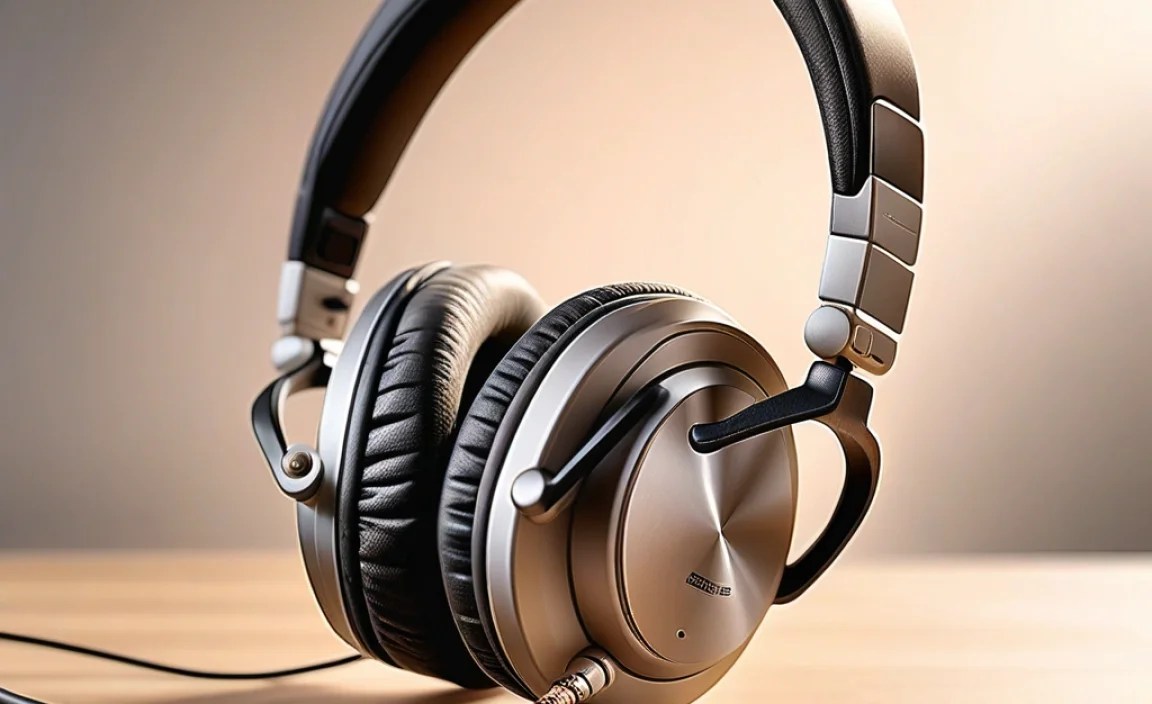
Beyond the physical design of the headphones, several technological features can make a big difference for hearing aid users.
1. Bluetooth Connectivity (Version 4.0 and Higher)
Bluetooth allows for wireless streaming of audio directly from your devices (phone, tablet, computer) to your headphones. This eliminates tangled wires and offers freedom of movement. For hearing aid users, particularly those with modern, Bluetooth-enabled hearing aids, this is often the best solution.
- Direct Streaming to Hearing Aids: Many newer hearing aids can connect directly to smartphones and other Bluetooth devices. This means you might not even need separate headphones for calls or music; your hearing aids become your personal speakers. Check with your audiologist if your hearing aids support this. The 2019 FDA ruling on hearing aid accessibility has pushed manufacturers to include more connectivity options.
- Bluetooth Headphone Compatibility: If your hearing aids don’t stream directly, a good pair of Bluetooth headphones can still be used. The key is to ensure they offer a stable connection with minimal interference. Look for headphones with Bluetooth 5.0 or higher for better stability and range.
2. Volume Control and Equalization (EQ) Settings
Being able to adjust the volume independently on your headphones is crucial. You want to be able to find a comfortable listening level without over-amplifying sound that could cause feedback with your hearing aids.
Some advanced headphones offer EQ settings, allowing you to fine-tune the sound profile. This can be helpful in compensating for certain hearing loss patterns or simply adjusting the sound to your preference. Experimenting with EQ can help you achieve clearer audio.
3. Comfort and Fit
This is paramount. Headphones need to fit comfortably without putting undue pressure on your ears or hearing aids. Consider:
- Cushion Material: Soft, breathable earcups (like memory foam) can enhance comfort.
- Headband Adjustability: A well-padded and adjustable headband ensures a secure but gentle fit.
- Weight: Lighter headphones are generally more comfortable for long listening sessions.
- Accommodation for Hearing Aids: Some over-ear headphone cups have a more recessed area, which might provide more space for hearing aids to sit. Others might have a slimmer profile.
4. Noise Cancellation (Active vs. Passive)
Noise cancellation can be a double-edged sword. It can dramatically improve your listening experience by blocking out ambient noise, but it can also sometimes interact poorly with hearing aids or mask important environmental sounds.
- Passive Noise Cancellation: This relies on the physical design of the headphones (e.g., earcups creating a seal) to block out noise. It’s generally safe and effective, and often sufficient for good audio quality.
- Active Noise Cancellation (ANC): This uses microphones to detect ambient noise and create anti-noise waves to cancel it out. While effective for reducing distractions, ANC can sometimes introduce a low-level hiss or hum that might interfere with hearing aids. If you consider ANC, look for models with adjustable ANC levels or an “off” mode, and test them thoroughly.
5. Wired vs. Wireless
While wireless Bluetooth is popular, wired headphones can offer a different set of advantages:
- Potentially Less Interference: Some users find that wired connections can be less prone to the electromagnetic interference that Bluetooth can sometimes cause.
- No Battery Worries: Wired headphones don’t need charging.
- Simplicity: A direct cable connection is straightforward.
However, Bluetooth is often preferred for its convenience and improved compatibility with modern hearing aids. For wired connections, ensure you use a high-quality audio cable with good shielding.
Step-by-Step Guide: Finding and Using Your Headphones
Let’s walk through the process of selecting and using the best headphones for your needs.
Step 1: Assess Your Hearing Aid Capabilities
Before you even look at headphones, understand what your hearing aids can do. Schedule a appointment with your audiologist. They can tell you:
- Direct Streaming Compatibility: Do your hearing aids support direct Bluetooth audio streaming from smartphones or other devices? This is the most integrated solution.
- Telecoil (T-Coil) Functionality: Some hearing aids have a telecoil setting that picks up audio from specialized “loop systems” found in public places like theaters or auditoriums, and sometimes via specific accessories.
- Compatibility with Accessories: Your audiologist can recommend specific accessories designed to stream audio from TVs or other devices directly to your hearing aids.
Resources like the FDA provide information on connecting hearing aids to devices, which can be a good starting point for discussion with your professional.
Step 2: Determine Your Primary Use Case
What will you primarily use your headphones for?
- Music Listening: Focus on sound quality, comfort, and potentially noise isolation.
- Phone Calls: Look for clear microphones and good call quality, often found in truly wireless earbuds or comfortable over-ear models.
- Watching Videos/TV: Low latency (minimal audio delay) is important, and Bluetooth connectivity to a TV adapter might be necessary.
- Gaming: Low latency and immersive sound.
- Situational Awareness: Bone conduction headphones are ideal if you need to hear your surroundings.
Step 3: Consider the Headphone Types Discussed
Based on your hearing aid capabilities and primary use cases, revisit the headphone types:
- For Direct Streaming Hearing Aids: You might use minimal external headphones or simply enjoy audio through your hearing aids. If you want headphones for better bass or isolation, focus on Bluetooth models that pair well with your phone, allowing audio to flow to your hearing aids.
- For No Direct Streaming Hearing Aids:
- Over-ear or On-ear are often good for comfort and can be positioned carefully.
- Bone conduction bypasses the ears entirely, making them a great option if your hearing aids are sensitive to external sounds.
Step 4: Prioritize Key Features
When you start browsing, keep these features at the top of your list:
- Bluetooth Version: Aim for 5.0 or newer for stability.
- Comfort & Fit: Read reviews focusing on long-term wearability with or without hearing aids.
- Adjustable Volume/EQ: Essential for fine-tuning.
- Microphone Quality (for calls): Look for clear voice pickup.
- Battery Life: Ensure it meets your needs for extended use.
Step 5: Read Reviews and Consult Experts
Don’t shy away from reading user reviews, especially those from individuals who also use hearing aids. Look for comments on:
- Feedback or buzzing noises.
- Comfort when wearing hearing aids.
- Ease of pairing with devices.
- Sound quality with hearing aids.
Your audiologist is your most valuable resource. They can offer personalized recommendations and even have demo models you can try. Associations like the Hearing Loss Association of America (HLAA) also provide resources and forums where users share experiences.
Step 6: Test Before You Buy (If Possible)
The best way to know if headphones are right is to try them on. If you can, visit an electronics store and try:
- Wearing the headphones with your hearing aids on. Do they fit comfortably?
- Does anything press uncomfortably?
- If the store allows, pair them briefly with a device to check for immediate issues like buzzing.
Step 7: Proper Placement and Usage
Once you have your headphones:
- Positioning is Key: For over-ear and on-ear headphones, experiment with slightly angling the earcups or adjusting their position on your head to find the sweet spot where they don’t interfere with your hearing aids and minimize feedback.
- Start with Low Volume: Always begin with the volume at its lowest setting and gradually increase it. This helps prevent sudden loud noises and allows you to gauge comfort and sound quality.
- Experiment with Hearing Aid Settings: If your hearing aids have different listening programs, try switching between them while wearing headphones to see if one works better. Some hearing aids have specific “streaming” or “Bluetooth” programs.
- Turn Off Unnecessary Features: If you experience interference, try disabling active noise cancellation (ANC) or other advanced processing features on your headphones to see if it resolves the issue.
- Keep Firmware Updated: For Bluetooth headphones and hearing aids, ensure their firmware is up-to-date. Manufacturers often release updates to improve performance and fix bugs.
Troubleshooting Common Issues
Even with the best headphones, you might encounter minor hiccups. Here’s how to tackle them:
1. Feedback or Whistling
This is common when the amplified sound from the headphone leaks out and is picked up by your hearing aid’s microphone.
- Adjust Headphone Seal: Ensure the earcups are creating a good seal around, not just on, your ears.
- Reposition Hearing Aid: Sometimes, a slight adjustment of your hearing aid can help.
- Lower Volume: Reduce the volume on your headphones or the source device.
- Try Different Headphones: Over-ear headphones with good passive isolation are often best for reducing leakage.
- Disable Hearing Aid Mics (Temporary): If your hearing aids have a “telecoil” or “loop” program, switching to that might turn off the external microphones, stopping feedback. This is a temporary workaround and reduces your situational awareness.
2. Buzzing or Static Interference
This often stems from electromagnetic interference between devices.
- Check Bluetooth Version: Ensure both your headphones and device are using a modern, stable Bluetooth version (5.0+).
- Reduce Distance: Keep your audio source device (phone, tablet) close to your headphones.
- Turn Off Other Wireless Devices: Temporarily disable Wi-Fi or other Bluetooth devices nearby to see if they are the cause.
- Update Firmware: Make sure your headphones and phone/device have the latest software updates.
- Wired Connection: If possible, try a wired connection to see if the interference disappears.
3. Audio is Too Quiet
Even with hearing aids, you might find the audio level isn’t sufficient.
- Check Volume Levels: Ensure volume is up on both the headphone and the source device.
- Check Hearing Aid Volume: Confirm your hearing aid’s volume is also set appropriately for listening to external audio.
- Select Appropriate Program: If your hearing aids have multiple programs, try switching to a program designed for audio streaming.
- Use EQ: Boost treble frequencies slightly in EQ settings if you’re struggling to hear detail.
- Consider Bone Conduction: These can sometimes provide a different perception of volume and clarity.
4. Discomfort with Hearing Aids
This is a physical fitting issue.
- Try Different Headphone Styles: Over-ear headphones with deeper cups or on-ear headphones with softer padding might be more accommodating.
- Consider Bone Conduction: This completely avoids ear contact.
- Positioning: Experiment with how you place the headphone earcups and your hearing aids. Sometimes a slight tilt or shift makes a difference.
- Remove Hearing Aids (If Safe/Appropriate): If using headphones with excellent passive isolation and you have direct streaming via Bluetooth to your hearing aids, you might be able to stream audio directly to your hearing aids without needing external headphones at all. Otherwise, if you’re solely using external headphones for music and not concerned about hearing ambient sounds, removing hearing aids can solve comfort issues, but be mindful of safety.
Headphones That Often Work Well for Hearing Aid Users
While individual experiences vary, some headphone types and brands tend to be favored by hearing aid users due to their design, connectivity, or comfort. Always consult your audiologist and read specific reviews.
Recommended Types:
- Over-Ear Headphones: Look for models with plush, deep earcups that offer space for hearing aids.
