
Quick Summary: Discovering the right headphones to complement your hearing aids can significantly enhance your listening experience. This guide covers essential features, compatible brands, and simple maintenance tips to help you enjoy clearer sound and fuller engagement with music, calls, and more.
Headphones for Hearing Aids: Your Essential Guide to Clearer Sound

For many, hearing aids are a vital tool for navigating the world of sound. But what happens when you want to enjoy music, podcasts, or phone calls with that same clarity? Connecting headphones that work harmoniously with your hearing aids can be a game-changer. Gone are the days of struggling with muffled audio or feedback loops. This guide by Edward Cavitt at Headphone Horizon is designed to demystify the process, helping you find the perfect audio companions for your hearing aids. Whether you’re a seasoned audiophile or just starting to explore assistive listening devices, we’ll walk you through what matters most, from essential features and trusted brands to simple maintenance that keeps your sound crystal clear.
Why Choose Specific Headphones for Hearing Aids?

Traditional headphones can sometimes pose challenges for individuals using hearing aids. The physical design might cause interference, or the sound profile might not be optimized to work with the amplification your hearing aids provide. Specific headphones designed for or compatible with hearing aids aim to overcome these hurdles. They often focus on:
- Reducing feedback: Minimizing the squealing or humming that can occur when a microphone (like those in headphones) is too close to a speaker (your hearing aid).
- Direct audio streaming: Enabling a direct connection from your audio source (phone, TV, computer) to your hearing aids, bypassing the need for separate headphones or providing a more seamless experience.
- Optimized sound quality: Tailoring the audio output to complement the frequencies your hearing aids are already adjusting.
- Comfort and fit: Ensuring they can be worn comfortably alongside or in conjunction with hearing aids.
Understanding Key Features to Look For

When selecting headphones to pair with your hearing aids, several features can make a significant difference in your listening experience. Prioritizing these will help you narrow down your options and find the best fit for your needs.
1. Bluetooth Connectivity
Bluetooth is almost indispensable for modern hearing aid users seeking seamless audio integration. The ability to wirelessly connect your phone, tablet, or computer directly to your hearing aids or supportive headphones is a significant advantage. Look for:
- Bluetooth version: Newer versions like Bluetooth 5.0 and above offer improved stability, faster pairing, and better power efficiency.
- Multi-point pairing: This allows you to connect to two devices simultaneously, such as your phone and laptop, without constantly reconnecting.
- Low latency: Crucial for watching videos or playing games, low latency ensures that the audio is synchronized with the video, preventing frustrating delays.
2. Direct Streaming Capabilities (MFi/Made for iPhone/Android)
Many modern hearing aids are designed to stream audio directly from compatible smartphones. This technology, often branded as “Made for iPhone” (MFi) or supporting ASHA (Audio Streaming for Hearing Aids) for Android devices, allows for a direct, high-quality audio feed. If your hearing aids support this, you might not even need separate headphones for many listening tasks. However, you might still consider headphones for:
- Enhanced comfort: Especially for long listening sessions where wearing hearing aids might become less comfortable.
- Superior sound isolation: To block out ambient noise and focus solely on the streamed audio.
- Different listening environments: Such as busy offices or public transport where extra sound insulation is beneficial.
3. T-Coil Compatibility
The T-coil (telecoil) setting on hearing aids is designed to pick up magnetic signals from compatible audio devices, bypassing the hearing aid’s microphone. This dramatically reduces background noise and delivers clearer sound. When choosing headphones, consider:
- Devices with built-in T-coils: Some specialized headphones or audio streamers may have T-coil transmitters.
- Telecoil-equipped assistive listening devices: These can bridge the gap between standard headphones and your hearing aid’s T-coil mode.
4. Noise Cancellation (Active and Passive)
Noise cancellation is a primary concern for enhancing audibility. There are two types:
- Active Noise Cancellation (ANC): Uses microphones to detect ambient noise and generate opposing sound waves to cancel it out. This is excellent for travel or noisy environments.
- Passive Noise Isolation: Achieved through the physical design of the headphones, such as snug-fitting earcups or earbuds that block external sound.
For those with hearing aids, ANC can be particularly beneficial as it reduces the ambient noise that might compete with the amplified sound from your hearing aids or streamed audio. However, be mindful that ANC can sometimes alter the perceived sound quality, so testing is recommended.
5. Comfort and Fit
Wearing headphones for extended periods, especially with hearing aids, requires careful consideration of comfort. Look for:
- Over-ear designs: These typically distribute weight evenly and can provide excellent passive isolation without pressing directly on your ears or hearing aids.
- On-ear designs: Lighter than over-ear, but can sometimes press on hearing aid components.
- In-ear designs (earbuds): Can be a good option if they fit comfortably alongside your hearing aids or if you’re looking for a discreet solution. Some have customizable tips for a secure fit.
- Adjustable headbands and padded earcups: Ensure a comfortable, personalized fit.
6. Volume Control and Accessibility
Easy-to-reach volume controls are essential. Look for headphones with:
- Physical buttons: Often easier to locate and use by feel than touch controls, especially when wearing hearing aids.
- Independent volume control: Ability to adjust headphone volume separately from your hearing aid volume.
- Intuitive controls: Buttons for play/pause, skip tracks, and answer/end calls should be clearly marked and easily accessible.
Top Features in Headphones for Hearing Aids

| Feature | Benefit for Hearing Aid Users | Considerations |
|---|---|---|
| Bluetooth 5.0+ Connectivity | Stable, low-latency wireless streaming directly to hearing aids or headphones. | Ensure compatibility with your hearing aid’s streaming protocol (MFi, ASHA). |
| Active Noise Cancellation (ANC) | Significantly reduces background noise, allowing clearer focus on desired audio. | May alter sound quality; test for personal preference. Some ANC can create a “pressure” sensation. |
| Passive Noise Isolation | Physical design blocks environmental sound without electronics. Good for privacy and focus. | Earcups/tips should not interfere with hearing aid placement or comfort. |
| T-Coil (Telecoil) Support | Directly connects to telecoil-equipped audio sources for optimal clarity. | Becoming less common in mainstream headphones; often found in specialized assistive listening devices. |
| Comfortable Over-Ear Design | Distributes weight, offers good isolation, and usually accommodates hearing aids comfortably. | Can be bulkier; ensure earcups are spacious enough. |
| Inline/On-Cable Controls | Easy access to volume and playback adjustments without fumbling with devices. | Test button placement and ease of use by feel. |
Brands and Models to Consider
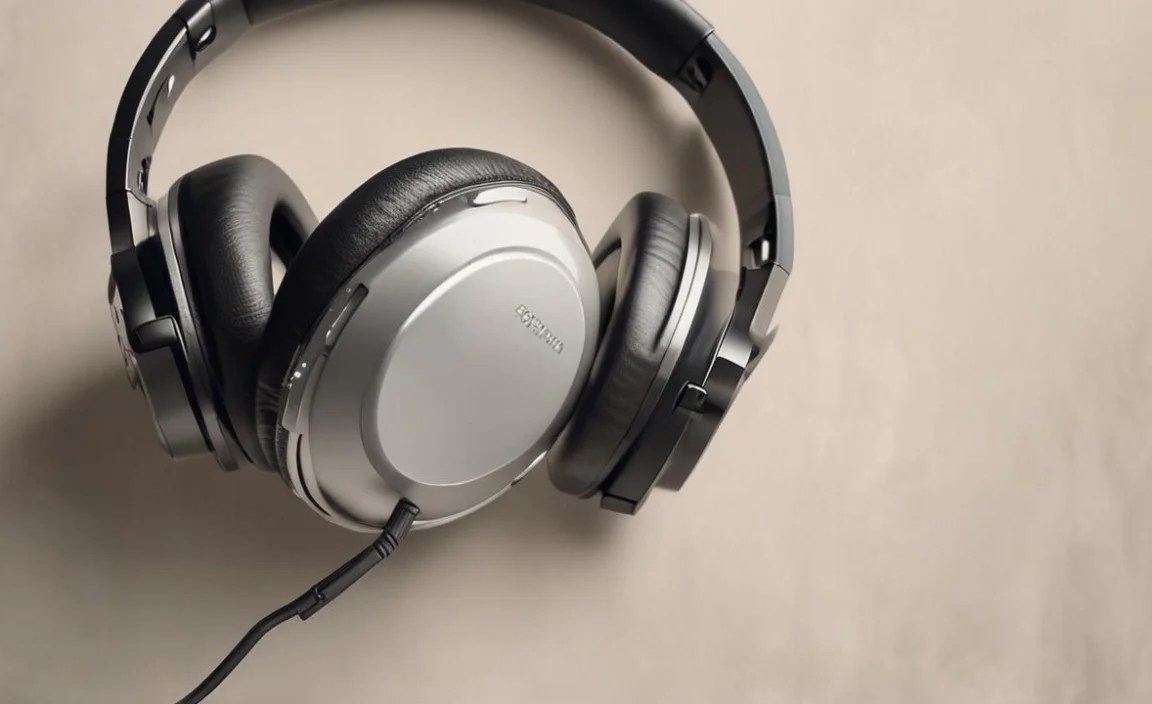
While there isn’t a single “off-the-shelf” headphone model universally recommended for all hearing aids, some brands and types consistently offer features that benefit hearing aid users. It’s always best to consult your audiologist and check compatibility with your specific hearing aid model.
1. Hearing Aid Manufacturer Accessories
Many hearing aid manufacturers offer their own branded Bluetooth streamers or headphones designed to work seamlessly with their devices. These are often the most straightforward solution for direct streaming and T-coil functionality.
- Examples: Phonak Roger Pen, Signia StreamLine TV transmitter, Oticon TV Adapter.
- Pros: Guaranteed compatibility, optimized sound quality for hearing aids, often user-friendly.
- Cons: Can be more expensive, may only work with specific hearing aid brands, less versatile for general audio use.
2. Wireless Headphones with Strong Bluetooth Capabilities
Reputable brands known for their audio quality often have models with excellent Bluetooth performance, which can be effective even if not explicitly marketed for hearing aids. Look for:
- Sony WH-1000XM Series: Renowned for industry-leading ANC and excellent sound quality. Their comfortable design and stable Bluetooth connection make them a popular choice. Some users find they can wear these over their hearing aids without significant discomfort or feedback issues.
- Bose QuietComfort Series: Another leader in ANC, Bose headphones offer superb comfort and a balanced sound profile. Their lightweight design and effective noise cancellation are major plus points.
- Sennheiser Momentum Series: Known for their premium build and exceptional audio fidelity. If your primary goal is enjoying music with maximum detail, these are a strong contender, provided they can be worn comfortably with your hearing aids.
- Jabra Elite Series (Earbuds): For a more discreet option, Jabra earbuds often feature good connectivity and comfortable fits. Some models offer strong passive isolation and decent sound quality.
Important Note: When using these mainstream headphones, you might primarily be using them for their audio quality and noise cancellation, rather than direct streaming to your hearing aids. The sound will come from the headphones themselves, not directly into your hearing aids unless your hearing aids have a specific “audio passthrough” or “ambient sound” mode that you’ve enabled. Alternatively, they can be useful if you use hearing aids that can be switched off or put in a “telecoil” mode when you want to rely solely on the headphone’s sound.
3. Assistive Listening Devices (ALDs)
These are not always “headphones” in the traditional sense but are devices designed to improve hearing in specific situations. Many incorporate Bluetooth or loop systems for T-coil compatibility.
- Examples: Williams Sound personal amplifiers, some TV listener systems.
- Pros: Specifically designed to address hearing challenges, often very effective for T-coil users.
- Cons: Audio quality for music might be secondary to speech clarity; appearance can be less discreet.
Connecting Your Headphones: A Step-by-Step Guide

Connecting headphones, whether to stream directly to your hearing aids or to use the headphones independently, is usually a straightforward process. Here’s a general guide:
Step 1: Check Your Hearing Aid Compatibility
Before buying any headphones, confirm how your hearing aids receive audio. Do they support direct Bluetooth streaming (MFi, ASHA)? Do they have a T-coil setting? Your audiologist is the best resource for this information.
For more information on accessibility features and assistive listening technologies, the Federal Communications Commission (FCC) offers valuable insights.
Step 2: Prepare Your Headphones
- Ensure your headphones are fully charged.
- Read the headphone’s manual for specific pairing instructions.
Step 3: Enable Bluetooth on Your Source Device
On your smartphone, tablet, or computer, navigate to the Bluetooth settings and turn Bluetooth on.
Step 4: Put Your Hearing Aids or Headphones in Pairing Mode
This process varies by device:
- For direct streaming to hearing aids: Follow your hearing aid manufacturer’s instructions to put them into pairing mode. This might involve opening the battery door, pressing a button, or using a mobile app.
- For standalone headphones: Most headphones have a dedicated Bluetooth pairing button, often located on one of the earcups. Press and hold this button until an indicator light flashes or you hear an audio cue indicating pairing mode.
Step 5: Select Your Device from the Source List
On your smartphone, tablet, or computer, a list of available Bluetooth devices will appear. Select your hearing aids (often appearing with their model name) or your headphones from this list.
Step 6: Confirm Pairing
Your source device and your hearing aids/headphones should now be paired. You might hear a confirmation sound in your headphones or see a “Connected” status on your screen. If prompted, confirm any pairing requests.
Step 7: Test the Audio
Play some music or a video. Ensure the sound is coming through your hearing aids (if using direct streaming) or your headphones. Adjust volume levels as needed on both your source device and your headphones/hearing aids.
Using Telecoil (T-Coil)
If your hearing aids have a T-coil setting and you’re using a compatible audio device (like a looped theatre or a telecoil-equipped assistive listening device):
- Ensure your hearing aids are switched to the T-coil program. This is usually done via a button on the hearing aid or your streaming remote/app.
- Position yourself near the sound source for optimal reception.
- The sound from the source will transmit directly to your hearing aids via magnetic induction, bypassing external microphones and significantly reducing background noise.
Hacks and Tips for Better Listening
Even with the right equipment, a few smart strategies can elevate your audio experience.
- Adjust Equalization (EQ): Many smartphones and headphone apps allow you to customize the sound profile. Experiment with EQ settings to find a balance that works best with your hearing aids, perhaps boosting mid-range frequencies where speech is most prominent.
- Use a Hearing Loop System: For public places like theaters, lecture halls, or chapels, look for the “Telecoil” symbol (a red ear with a T inside a circle). Many such venues are equipped with hearing loops. Connecting your hearing aids via T-coil can provide a remarkably clear audio experience. Resources like HearingLoop.org can help you find loops near you.
- Experiment with Fit: For over-ear headphones, ensure the earcups create a good seal around your ears. For earbuds, try different tip sizes to find the most secure and isolating fit. This passive isolation is crucial for getting the most out of your audio. The National Institute on Deafness and Other Communication Disorders (NIDCD) provides general information on hearing health and assistive devices.
- Manage Volume Levels Carefully: While it’s tempting to crank up the volume, it’s often more effective to ensure your headphones provide good isolation and your hearing aids are properly configured, allowing you to listen at safe, comfortable levels.
- Utilize Hearing Aid Companion Apps: Many modern hearing aids come with smartphone apps that offer advanced controls, including streaming management, T-coil program selection, and sometimes even EQ adjustments for streamed audio.
Troubleshooting Common Issues
Encountering a hiccup is normal. Here are solutions to frequent problems:
1. No Sound
- Check Volume: Ensure volume is up on your source device, headphones, and hearing aids (if applicable).
- Check Connections: Verify Bluetooth is on and the devices are still paired. Try “forgetting” the device in Bluetooth settings and re-pairing.
- Restart Devices: Turn off and on your source device, headphones, and hearing aids.
- Battery Levels: Ensure all devices are adequately charged.
- Check Program Settings: If using direct streaming to hearing aids, ensure the correct streaming program is activated.
2. Sound is Muffled or Distorted
- Adjust EQ: Use EQ settings in your source device or headphone app to correct the sound profile.
- Check Fit/Seal: Ensure headphones are worn correctly and earcups/tips create a good seal.
- Clean Devices: Debris in headphone drivers or ear canals can affect sound.
- Interference: Other wireless devices can sometimes cause interference. Try moving away from high-traffic wireless areas.
- Hearing Aid Settings: Consult your audiologist to ensure your hearing aid’s sound profile for streaming is optimized.
3. Bluetooth Pairing Issues
- Device Limit: Some devices can only pair with a limited number of other devices. Remove old pairings.
- Interference: Move to an area with less wireless congestion.
- Reset Devices: Consult manuals for how to perform a factory reset on your headphones or hearing aids.
- Software Updates: Ensure your source device, headphones, and hearing aids have the latest firmware/software updates.
