
Quick Summary: Discover how to choose, use, and care for wireless earbuds to enhance your jogging experience. This beginner-friendly guide covers essential features like comfort, battery life, and water resistance, ensuring your tunes keep pace with your stride.
Wireless Earbuds: Your Essential Jogging Companion
Hitting the pavement or trail with your favorite playlist is a fantastic way to boost your mood and fitness. But tangled wires can quickly turn a blissful run into a frustrating juggling act. That’s where wireless earbuds come in! They offer the freedom to move without restriction, letting you focus entirely on your pace and your music. Think of them as your personal DJ and motivator, all rolled into one. In this guide, Edward Cavitt from headphonehorizon will walk you through everything you need to know to make wireless earbuds your perfect jogging partner. We’ll cover how to pick the right pair, how to keep them secure, and how to make sure they’re always ready to go when you are.
Why Wireless Earbuds Are a Runner’s Best Friend

For many of us, running is more than just exercise; it’s a form of therapy, a way to clear our heads, and a chance to connect with our surroundings. Music or podcasts can significantly amplify these benefits, providing rhythm, motivation, and entertainment. Traditional wired headphones, however, can be a real nuisance when you’re on the move. They snag on clothing, bounce around, and can even pose a tripping hazard. Wireless earbuds eliminate these problems entirely, offering unparalleled convenience and a much smoother running experience. The liberation from cords means you can focus on your form, your breathing, and the sheer joy of movement, with your audio seamlessly accompanying you.
Beyond just convenience, wireless earbuds offer specific advantages tailored for an active lifestyle:
- Unrestricted Movement: No wires means no entanglement. You can move naturally without anything holding you back.
- Enhanced Motivation: A motivating playlist can push you further and keep your energy levels high.
- Improved Focus: Without the distraction of managing wires, you can concentrate better on your run and your surroundings.
- Durability and Sweat Resistance: Many earbuds designed for sports come with features to withstand sweat and light rain.
- Safety: Some earbuds even include ambient sound modes, allowing you to hear traffic or other important environmental cues for increased safety.
Choosing the Right Wireless Earbuds for Your Jog

Not all wireless earbuds are created equal, especially when it comes to active pursuits. Here’s what to look for to ensure you get a pair that will stick with you, run after run:
1. Secure Fit and Comfort
This is arguably the most crucial factor for joggers. Earbuds that constantly fall out are worse than useless. Look for features that promote a secure fit:
- Ear Tip Options: Most earbuds come with an assortment of silicone or foam ear tips in different sizes. Experimenting with these is key to finding what seals well and stays put for your ear shape.
- Winged Tips or Ear Hooks: Some models include small fins or hooks that tuck into the contours of your ear, providing an extra layer of security. These are fantastic for intense activity.
- Ergonomic Design: Consider the overall shape of the earbud. Some are designed to sit more snugly within the ear canal, while others rest in the outer ear.
2. Battery Life
You don’t want your music cutting out halfway through your longest run. Check the specs for:
- Earbud Battery Life: This is how long the earbuds will last on a single charge. Aim for at least 4-6 hours for a decent workout session.
- Charging Case Battery Life: The case provides additional charges on the go. A good charging case can offer 2-3 full recharges, extending total listening time significantly.
External Resource: For more detailed information on battery types and how they perform, you can check out resources from the U.S. Department of Energy on battery technologies.
3. Water and Sweat Resistance (IP Rating)
Jogging means sweat, and sometimes an unexpected shower. Look for an IP (Ingress Protection) rating. This is a two-digit code where the first digit indicates protection against solids (like dust), and the second indicates protection against liquids.
- IPX4: This is the minimum you should aim for. It means the earbuds are protected against splashes of water from any direction.
- IPX5: Sprayed with water – more robust protection.
- IPX7: Can be submerged in shallow water for a short time – usually overkill for jogging but great for durability.
An IPX4 rating is generally sufficient for most runners, protecting against sweat and light rain.
4. Sound Quality and Noise Isolation
While supreme audiophile sound might not be the top priority for a run, good audio can make a big difference to your motivation. Consider:
- Balanced Sound Profile: You want something that sounds clear and engaging without being fatiguing.
- Noise Isolation vs. Ambient Sound Mode: Good isolation can help you immerse yourself in music. However, for safety, especially when running near roads, you might prefer earbuds with an “ambient sound” or “transparency” mode. This mode uses external microphones to let you hear your surroundings without removing the earbuds.
5. Connectivity (Bluetooth Version)
A stable Bluetooth connection is vital. Most modern earbuds use Bluetooth 5.0 or higher, which offers better range, power efficiency, and a more stable connection compared to older versions.
Essential Features for Jogging Earbuds

Beyond the basic selection criteria, certain features can make wireless earbuds truly indispensable for your runs:
1. Durability and Build Quality
Your earbuds will be exposed to the elements and the rigors of movement. A sturdy build means they can withstand being tossed in your gym bag or surviving an accidental drop. Materials like reinforced plastics and robust charging cases contribute to longevity.
2. Controls and Ease of Use
You don’t want to be fumbling with tiny buttons or complex touch controls mid-run. Look for earbuds with:
- Intuitive Physical Buttons: Simple, tactile buttons can be easier to operate accurately when you’re wearing gloves or your fingers are sweaty.
- Easy-to-Use Touch Controls: If you prefer touch, ensure the controls are responsive and allow for common commands like play/pause, skip track, and volume adjustment.
- Voice Assistant Access: The ability to activate Siri or Google Assistant with a tap can be incredibly useful for managing calls or getting directions without interrupting your stride.
3. Companion App (Optional but Recommended)
Many higher-end wireless earbuds come with a companion app. These apps can offer:
- Customizable EQ: Adjust the sound to your preference.
- Firmware Updates: Keep your earbuds performing at their best.
- Control Customization: Remap touch controls.
- “Find My Earbuds” Feature: A lifesaver if you misplace one.
How to Properly Fit and Secure Your Wireless Earbuds for Running

Even the best earbuds won’t perform optimally if they aren’t fitted correctly. Taking a few minutes to get this right will make a world of difference on your runs.
Step 1: Select the Right Ear Tips
Your earbuds likely came with several sizes of silicone or foam tips. Start by trying the medium size. Insert them gently into your ear canal, rotating them slightly until you feel a comfortable seal. If they feel loose or you can hear a lot of outside noise, try a larger size. If they feel tight or uncomfortable, try a smaller size.
Step 2: Test the Fit with a Gentle Tug
Once you think you have the right size, give the earbud a gentle tug. It should feel secure in your ear. Wiggle your head from side to side. The earbuds should stay firmly in place. You’re aiming for a snug fit without discomfort that could cause pain during a long run.
Step 3: Utilize Secure-Fit Accessories (If Available)
If your earbuds came with optional wing tips or ear hooks, now is the time to attach them. Wing tips are small silicone fins that nestle into the ridges of your ear, while ear hooks loop over the top of your ear. Experiment to see which provides the most secure and comfortable fit.
Step 4: Perform a “Shake Test”
This is where you simulate energetic movement. Put the earbuds in, and then deliberately shake your head from side to side and nod. Jump a few times. If they remain securely in place without any sign of loosening, you’ve likely found your perfect fit.
Step 5: Consider the “Ambient Sound” Feature
As mentioned, for safety, consider using the ambient sound or transparency mode. This is particularly important when running on roads or in areas with potential hazards. Get familiar with how to activate this feature on your specific earbuds, often through a tap on the earbud or via the companion app.
Maintaining Your Wireless Earbuds for Longevity
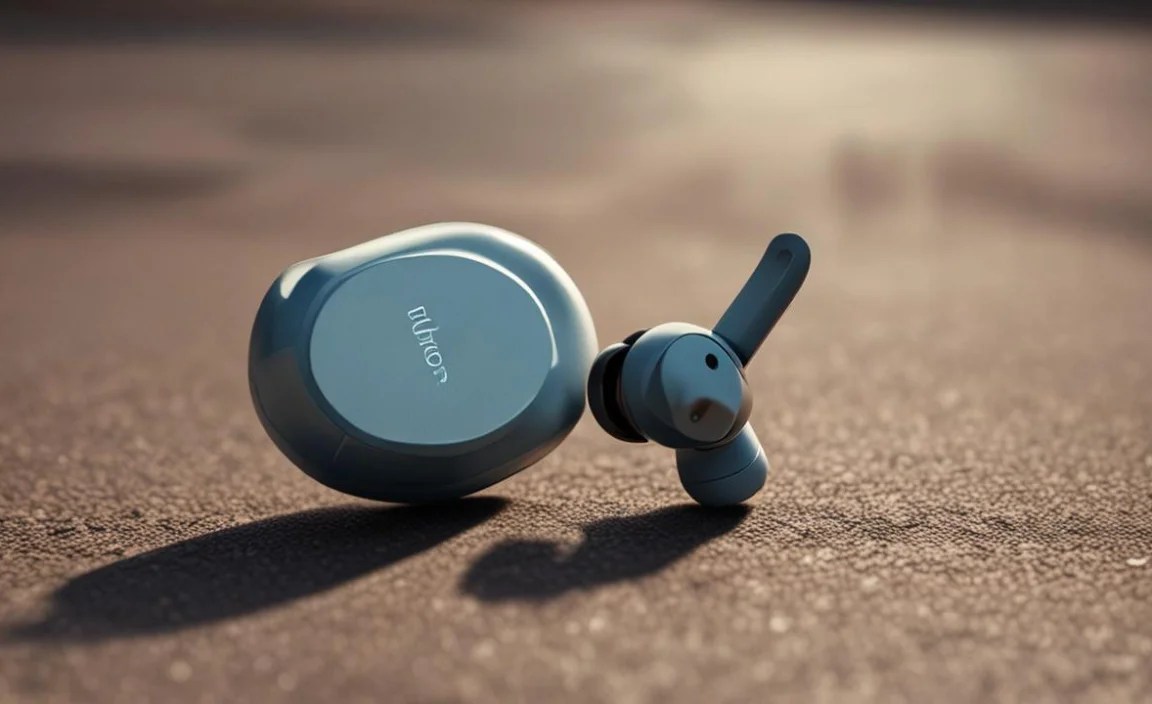
To ensure your wireless earbuds are always ready for your next jog and last for years to come, a little maintenance goes a long way.
1. Cleaning Your Earbuds
Sweat and earwax can build up, affecting sound quality and hygiene. Here’s how to clean them:
- Ear Tips: Remove the ear tips and wash them with mild soap and water. Rinse thoroughly and let them air dry completely before reattaching.
- Earbud Body: Use a dry, soft cloth (like a microfiber cloth) to wipe down the earbuds. For stubborn grime, you can slightly dampen the cloth with water, but never let water seep into any openings. A cotton swab can be useful for cleaning nooks and crannies.
- Charging Contacts: Gently clean the charging contacts on both the earbuds and inside the case with a dry cotton swab or a slightly alcohol-dampened swab. Ensure they are dry before placing the earbuds in the case.
2. Caring for the Charging Case
Keep the charging case clean, especially its interior and charging ports. A buildup of lint or dirt can prevent proper charging. Use a dry cloth or a soft brush to remove any debris.
3. Proper Storage
When not in use, always store your earbuds in their charging case. This protects them from dust, damage, and accidental loss. Avoid storing them in extreme temperatures (hot or cold) as this can degrade battery performance.
4. Battery Care
To maximize battery lifespan:
- Avoid fully draining the battery regularly.
- If storing for extended periods, aim for around 50% charge.
- Don’t leave them constantly plugged in after they’re fully charged, although most modern devices have protection against this.
External Resource: The Battery University website offers comprehensive guides on battery care and extending battery life for various electronic devices.
Troubleshooting Common Wireless Earbud Issues for Runners
Even with the best care, you might encounter a hiccup. Here are solutions to common problems:
1. Earbuds Won’t Connect to My Device
- Restart Both Devices: Turn off your earbuds and your phone/music player, then turn them back on.
- Forget and Re-pair: Go to your device’s Bluetooth settings, find your earbuds, and choose “Forget Device.” Then, put your earbuds back into pairing mode and reconnect them.
- Check Battery Levels: Ensure both the earbuds and the charging case have enough charge.
- Check for Interference: Other Bluetooth devices or Wi-Fi signals can sometimes cause interference. Try moving to a different location.
2. One Earbud Isn’t Working
- Check Battery: Ensure that specific earbud has charge.
- Clean Charging Contacts: As mentioned in the maintenance section, dirty contacts can prevent charging.
- Reset Earbuds: Most earbuds have a reset procedure, often involving placing them in the case and holding a button for a specific duration. Consult your earbud’s manual.
- Re-pair: Sometimes re-pairing the earbuds to your device can resolve this issue.
3. Sound Quality Issues (Crackling, Cutting Out)
- Check Fit: An improper seal can affect sound.
- Clean Earbuds: Earwax or debris can obstruct the speaker grille.
- Update Firmware: Check the companion app for any available firmware updates.
- Distance from Device: Make sure your device is within Bluetooth range.
- Close Other Apps: Some apps can consume bandwidth and cause connection issues.
4. Earbuds Keep Falling Out
- Change Ear Tips: Try a different size or material of ear tip.
- Use Secure-Fit Accessories: If available, attach wing tips or ear hooks.
- Ensure Clean Ears: Earwax can make it difficult for earbuds to get a good grip.
Top Wireless Earbud Recommendations for Jogging (General Categories)
While specific models change rapidly, here are general categories and features to look for when browsing for your ideal jogging companion:
| Feature Category | Key Considerations for Jogging | Why It Matters |
|---|---|---|
| Fit & Security | Wing tips, ear hooks, numerous ear tip sizes, ergonomic design. | Prevents earbuds from falling out during high-impact activities. |
| Durability & Resistance | IPX4 or higher water/sweat resistance rating. Robust build materials. | Handles sweat, rain, and the general wear-and-tear of outdoor use. |
| Battery Life | At least 4-6 hours of bud life; charging case with multiple recharges. | Ensures your music lasts through your longest runs without interruption. |
| Connectivity | Bluetooth 5.0 or higher. Stable, reliable connection. | Minimizes audio dropouts and ensures a seamless listening experience. |
| Awareness Features | Transparency/Ambient Sound mode. | Allows you to hear your surroundings for increased safety. |
Popular brands often have specific sports-focused lines that integrate many of these features. Look for terms like “sport,” “active,” or “fitness” in the product name or description. For real-time recommendations and reviews, dedicated tech websites and audio review blogs are excellent resources.
Frequently Asked Questions (FAQ)
Q1: Can I use regular wireless earbuds for jogging, or do I need sports-specific ones?
While you can use regular wireless earbuds, sports-specific models are highly recommended. They are designed with much better water/sweat resistance, more secure fits (often with ear hooks or wing tips), and sometimes ambient sound modes for safety, all of which are crucial for an active lifestyle.
Q2: How do I make sure my wireless earbuds stay in my ears while I’m running?
The key is proper fit. Experiment with the different ear tip sizes included with your earbuds to find the ones that create a snug, comfortable seal. If your earbuds have them, utilize wing tips or ear hooks for an extra layer of security. A good fit means they shouldn’t move even with vigorous head shaking.
Q3: What does an IPX4 rating mean for my earbuds?
An IPX4 rating means your earbuds are protected against splashes of water from any direction. This is generally sufficient for protecting them from sweat during a workout and light rain, making them suitable for most jogging conditions.
Q4: How often should I clean my wireless earbuds?
It’s best to give your earbuds a quick wipe-down after each sweaty workout. A more thorough cleaning of the ear tips and charging contacts should be done weekly, or whenever you notice a buildup of earwax or grime that might affect sound quality or charging.
Q5: Is it safe to listen to loud music while jogging?
Listening at excessively loud volumes can be harmful to your hearing over time. The recommendation for safe listening levels is to keep the volume at no more than 60% of the maximum for no more than 60 minutes a day. Always be mindful and consider using ambient sound modes for safety when running near traffic or in unfamiliar areas.
Q6: My earbuds’ battery life seems much shorter than advertised. What can I do?
Several factors can affect battery life, including listening volume, continuous usage without breaks, and extreme temperatures. Ensure you’re following best practices for battery care. If the issue persists and your earbuds are relatively new, it could be a battery defect. Contacting the manufacturer for support or a potential warranty claim might be necessary.
Conclusion
Wireless earbuds have truly revolutionized the way we approach our workouts, transforming potentially cumbersome wired setups into sleek, liberating companions. By understanding what to look for – a secure fit
