
Quick Summary: Enhance your racing experience with the right headphones. Discover essential audio features focusing on comfort, noise isolation, durability, and sound clarity to immerse yourself in the race, communicate effectively, and stay safe. This guide simplifies choosing the best headphones for your racing needs.
Headphones for Racing: Proven Audio Essentials
Welcome to headphonehorizon, where we make the world of audio accessible to everyone! If you’re a racing enthusiast, you know that the thrill of the track isn’t just visual – it’s auditory. The roar of engines, the crackle of the radio, and the subtle nuances of your vehicle’s performance all contribute to an immersive experience. But achieving that full sensory immersion, especially in a loud and demanding environment like a race track, requires more than just any pair of headphones. It requires the right ones. Choosing the best headphones for racing can feel overwhelming with all the technical terms, but don’t worry! We’re here to break down the essential features that will elevate your racing game, ensuring you get crystal-clear communication, vital environmental awareness, and pure audio enjoyment without compromising on comfort or durability. Let’s dive in and find your perfect pair!
Why Headphones Matter for Racing

In the high-octane world of motorsports, audio plays a surprisingly crucial role. It’s not just about enjoying your favorite tunes while you’re between heats or during transport; it’s about enhancing performance, safety, and the overall experience. Think of it like this: a racing driver needs to hear every subtle change in their engine’s. Similarly, for sim racing or even track days where communication is key, clear audio is paramount.
Here’s a breakdown of why dedicated headphones are a game-changer for racing:
- Enhanced Immersion: Especially in sim racing, high-quality audio can make you feel like you’re truly in the cockpit. The sound of tire scrub, engine revs, and chassis flex adds layers of realism that are vital for concentration and enjoyment.
- Clear Communication: Whether it’s pit-to-car radio or coordinating with your team, reliable and clear communication is non-negotiable. Excellent microphones and noise-canceling technologies ensure your message gets through, even over the din of engines.
- Noise Isolation/Cancellation: Race tracks are incredibly loud environments. Headphones can block out distracting external noise, allowing you to focus on critical audio cues or conversations. This can also protect your hearing from long-term damage from prolonged exposure to high decibel levels. According to the Centers for Disease Control and Prevention (CDC), sustained exposure to noise above 85 decibels can cause hearing loss.
- Situational Awareness: While noise isolation is crucial, sometimes you need to hear ambient sounds. Some racing headphones offer adjustable ambient sound passthrough, allowing you to hear important track announcements or approaching vehicles.
- Comfort for Extended Wear: Races and practice sessions can be long. Comfortable headphones that don’t cause fatigue or discomfort are essential for maintaining focus and performance over extended periods.
Key Features to Look For in Racing Headphones

When you’re scanning the shelves or online listings for headphones suitable for racing, certain features will stand out as particularly beneficial. Let’s demystify these, so you know exactly what you’re looking for.
1. Comfort and Fit
This is arguably the most important factor, especially for prolonged use. If your headphones are uncomfortable, they’ll be a distraction rather than an aid. For racing, consider:
- Earcup Material and Design: Look for plush, breathable materials like velour or synthetic leather that can withstand heat and sweat. Over-ear designs generally offer better comfort and passive noise isolation than on-ear or in-ear models for long durations.
- Headband Adjustability: A well-padded and adjustable headband ensures a secure yet gentle fit, distributing weight evenly to prevent pressure points.
- Weight: Lighter headphones are generally more comfortable for extended wear.
2. Noise Isolation and Cancellation
The ability to control the sound environment around you is vital. This comes in two main forms:
- Passive Noise Isolation: This is achieved through the physical design of the headphones – how well they seal around your ears to block out external noise. A good over-ear design with snug-fitting earcups will offer excellent passive isolation. This is often sufficient for many racing scenarios, especially if you’re seeking to block out general track noise to focus on comms or your own audio feed.
- Active Noise Cancellation (ANC): This technology uses microphones to detect ambient sound and then generates opposing sound waves to cancel it out. ANC is highly effective against low-frequency, constant noises like engine hums. However, it might not be ideal for situations where you need to hear sudden, sharp noises or voices clearly. Some ANC headphones offer adjustable levels or modes, which can be beneficial.
For racing, a balance is often key. You want to block out consistent engine roar but still be able to hear specific comms or sudden warnings. Many professional motorsport communication systems incorporate integrated hearing protection with advanced audio filtering for this very reason.
3. Durability and Build Quality
Race tracks can be harsh environments. Your headphones need to withstand the rigors of the sport. Look for:
- Robust Materials: Metal components in the headband or sturdy, high-grade plastics for the earcups contribute to longevity.
- Cable Quality: If the headphones are wired, ensure the cable is thick, reinforced, and ideally detachable. A frayed or broken cable can render your headphones useless.
- Sweat and Water Resistance: Especially if you’re out in the elements or engaging in physically demanding racing, some level of sweat or water resistance (look for IP ratings) can be a lifesaver.
4. Audio Quality and Microphone Performance
When it comes to sound, clarity is king.
- Sound Signature: For racing, you generally want a balanced sound profile. This means you can clearly hear the nuances of engine notes (for simulation) or speech (for communication) without the bass overwhelming other frequencies.
- Microphone Clarity: If you need to communicate, the microphone is as important as the earpieces. Look for headphones with noise-canceling microphones that can filter out background noise, ensuring your voice is heard clearly. Some high-end systems even offer boom mics with windscreens.
- Frequency Response: While you don’t need to be an audiophile, a wider frequency response generally indicates more detailed sound reproduction.
5. Connectivity
How your headphones connect to your devices matters for convenience and reliability.
- Wired: Offers the most reliable and often best-quality audio connection with no latency issues. Essential for competitive esports or professional applications where any delay can be detrimental. A 3.5mm jack is common, but ensure compatibility with your racing setup (PC, console, racing simulator interface).
- Wireless (Bluetooth): Offers freedom of movement. However, latency can be an issue for real-time applications like competitive racing simulations. Look for Bluetooth versions with low-latency codecs (like aptX Low Latency if supported by both your headphones and device). For track use, wireless is generally not recommended due to reliability and latency concerns.
- Detachable Cables: A huge plus for durability and versatility. If a cable gets damaged, you can simply replace it instead of the entire headset.
Types of Headphones for Racing Scenarios

The “best” headphones often depend on the specific type of racing you’re involved in. Let’s explore a few common scenarios:
Sim Racing / Esports
This is where audio fidelity and immersion are paramount, along with clear communication for team play.
- Over-Ear (Closed-Back) Headsets: These excel at blocking out ambient room noise and providing a rich, detailed soundscape that enhances the simulated engine sounds and track audio. Look for comfort and a good microphone.
- Wired Connections: Essential to avoid any latency that could affect your reaction times.
- Detachable Boom Microphone: For clear team comms.
Pros for Sim Racing:
- Excellent immersion and detail.
- Superior noise isolation for focus.
- Clear communication via dedicated microphones.
- No latency issues with wired options.
Cons for Sim Racing:
- Can be warmer for long sessions.
- Wired models restrict movement.
Track Days / Karting (Driver-to-Pit Communication)
Here, clear, reliable communication with your team and hearing critical track audio are the top priorities. Hearing protection is also a major consideration.
- Dedicated Motorsport Communication Systems: These are specialized headsets designed for extreme noise environments. They often feature integrated hearing protection, high-fidelity speakers for comms, and noise-canceling microphones. Brands like Peltor, Stilo, and OMP are industry leaders.
- High-Quality Earmuffs with Audio Input: Some racing earmuffs are designed to connect to external audio sources or radios, offering excellent hearing protection while allowing for essential comms.
Pros for Track Days:
- Superior hearing protection.
- Crystal-clear, reliable communication.
- Designed for extreme conditions.
Cons for Track Days:
- Can be expensive.
- May not offer broad music listening capabilities beyond comms.
- Bulkier than standard headphones.
General Enthusiast Use (e.g., attending races, driving simulators)
This category is more flexible, balancing comfort, noise cancellation, and audio quality for a variety of uses.
- Over-Ear ANC Headphones: Great for traveling to the track or enjoying music when you’re not actively racing. Many offer ambient sound modes useful for hearing track announcements.
- Comfortable Wired Headphones: If you primarily use a home simulator or PC setup and prioritize uncompromised audio quality and zero latency, a good pair of wired studio or gaming headphones will serve you well.
Pros for General Use:
- Versatile across different listening needs.
- Good balance of features for comfort and sound.
- ANC can be useful for travel.
Cons for General Use:
- May not offer the extreme durability or specialized comms of motorsport-specific gear.
- Wireless ANC headphones can have latency issues for competitive simulation.
Top Features to Prioritize: A Quick Reference
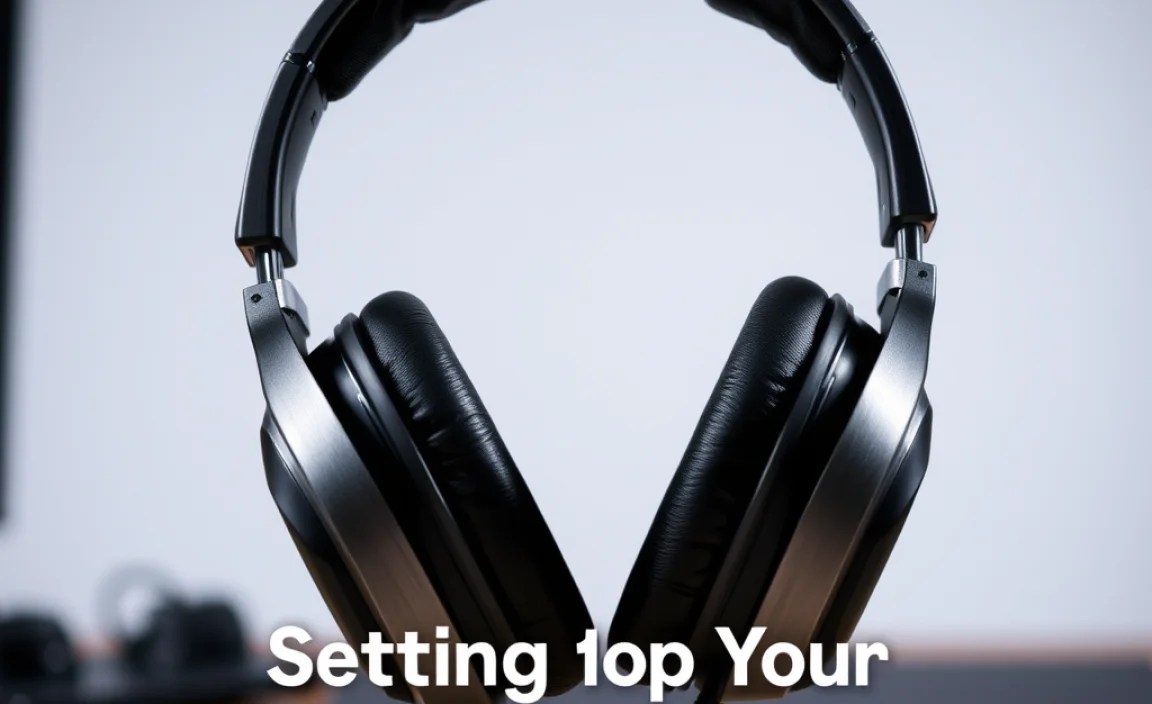
To make your decision easier, here’s a table summarizing the most crucial features based on your primary racing activity.
| Consideration | Sim Racing / Esports | Track Days / Karting | General Enthusiast Use |
|---|---|---|---|
| Primary Focus | Immersion, Comms, No Latency | Hearing Protection, Comms Reliability | Versatility, Comfort, Sound Quality |
| Noise Control | Excellent Passive Isolation | Superior Hearing Protection | ANC or Good Passive Isolation |
| Microphone | Clear, Noise-Canceling Boom Mic | Specialized Motorsport Mic | Good Quality (if needed) |
| Connectivity | Wired (3.5mm or USB) | Wired (Proprietary or standard) | Wired or Low-Latency Wireless |
| Durability | Good, but less extreme than track use | Extremely Robust, Sweat/Impact Resistant | Reasonably Durable |
| Comfort | High Priority for long sessions | Ensured by design, integrated into helmet systems | High Priority for long sessions |
Setting Up Your Racing Headphones
Once you’ve chosen your headphones, proper setup ensures you get the most out of them. This is usually straightforward, but a few tips can make a big difference.
For Sim Racing / PC Use:
- Connect Your Headphones: Plug your headphones into the designated audio port on your PC or gaming console (usually a 3.5mm jack or USB port).
- Select Audio Output: In your computer’s sound settings or your console’s audio menu, select your headphones as the primary audio playback device.
- Configure Microphone Input: For your microphone, ensure it’s also selected as the input device in your system settings and any communication software you use (e.g., Discord, in-game voice chat).
- Adjust Volume Levels: Start with low volumes and gradually increase them. Find a comfortable listening level that allows you to hear all game audio and communication clearly without straining your ears.
- Test Microphone: Do a quick voice test with a friend or use a recording app to ensure your microphone is picking up your voice clearly and not an excessive amount of background noise from your room.
For Track Day / Motorsport Use:
This setup is typically more integrated and might involve connecting to a race radio or intercom system.
- Check Compatibility: Ensure your communication system’s headset jack or connector is compatible with your headphones. Adapters might be necessary.
- Connect to Intercom/Radio: Plug your headphones into the designated port on your race car’s intercom system or your radio unit.
- Power On: Ensure your communication system is powered on.
- Communication Test: Perform a thorough test with your pit crew or team members. Speak clearly and listen for their responses. Adjust any volume controls on the intercom or radio as needed.
- Hearing Protection Check: Ensure the earmuffs or earcup seals are providing adequate protection from ambient noise. You should be able to hear comms clearly, but the overall roar of the track should be significantly dampened.
Essential Maintenance for Longevity
To keep your racing headphones in top shape, a little regular maintenance goes a long way. Treat them well, and they’ll serve you reliably.
- Cleaning Earcups:
- For fabric earcups (velour), use a soft brush or a slightly damp cloth. Avoid over-wetting.
- For leather or pleather earcups, use a damp cloth with a mild soap solution, then wipe dry.
- Allow earcups to air dry completely before reattaching or wearing to prevent moisture buildup.
- Cable Care:
- Avoid tightly wrapping cables. Use a gentle loop.
- Store headphones with the cable loosely coiled or detached if possible.
- Inspect cables regularly for any signs of wear or damage.
- Storage:
- Store your headphones in a dry, safe place, away from direct sunlight and extreme temperatures.
- If your headphones came with a case, use it. This provides the best protection against dust, scratches, and impacts.
- Microphone Care:
- Keep the microphone grille clean and free from debris. A gentle puff of air or a soft brush can work.
- If your microphone has a foam windscreen, replace it if it becomes worn or damaged.
By following these simple steps, you can ensure your headphones remain comfortable, functional, and perform at their best for every race.
Troubleshooting Common Issues
Sometimes, even with the best gear, things don’t work perfectly. Here are a few common issues and how to fix them.
No Sound
- Check Connections: Ensure the audio cable is fully plugged into both the headphones and the device. Try a different port if available.
- Volume Levels: Verify that the volume on your headphones (if applicable) and your device is turned up.
- Audio Output Settings: Confirm that your headphones are selected as the playback device in your computer’s or console’s sound settings.
- Test on Another Device: Plug the headphones into a different device (like a smartphone) to see if they work. This helps determine if the issue is with the headphones or the original device.
Microphone Not Working
- Check Microphone Mute: Ensure the microphone isn’t muted via an inline switch or software setting.
- Input Device Settings: Confirm the correct microphone is selected as the input device in your system’s sound settings and any communication apps.
- Permissions: On some operating systems (like Windows 10/11 or macOS), you may need to grant microphone access to specific applications in your privacy settings.
- Test on Another Application/Device: Similar to sound
