
Quick Summary: Choosing the right headphones for school is crucial for focus, learning, and enjoyment. This guide helps students and parents navigate essential factors like comfort, durability, sound quality, and connectivity. We’ll explore different types, what to look for in brands, key features, and simple maintenance tips to ensure your audio gear serves you well throughout the academic year.
Headphones For School: Essential Gear for Every Student
Heading back to school often means grabbing notebooks, pens, and maybe a new backpack. But in today’s digital learning environment, a solid pair of headphones is just as essential as any textbook. Whether you’re diving into online lectures, concentrating in a noisy library, or just unwinding with your favorite music after a long day of classes, the right headphones can be a game-changer. They create your personal bubble of focus, enhance your learning experience by letting you clearly hear every word, and provide a much-needed escape. But with so many options out there, how do you pick the perfect pair that won’t break the bank or fall apart after a semester? Don’t worry, we’re here to guide you through it!
Why Headphones Are a Student’s Best Friend

In the modern academic landscape, headphones are more than just accessories; they are vital tools that support and enhance the learning process. They offer a private listening space, which is especially important in dorm rooms, shared study areas, or bustling campus environments. This privacy allows students to fully immerse themselves in lectures, educational videos, or study music without distractions from their surroundings. Furthermore, many online courses and resources rely heavily on audio components, making a good pair of headphones indispensable for clear comprehension. Beyond academics, headphones are a fantastic way for students to de-stress, connect with friends online, or enjoy personal entertainment, contributing to overall well-being.
Understanding the Different Types of Headphones
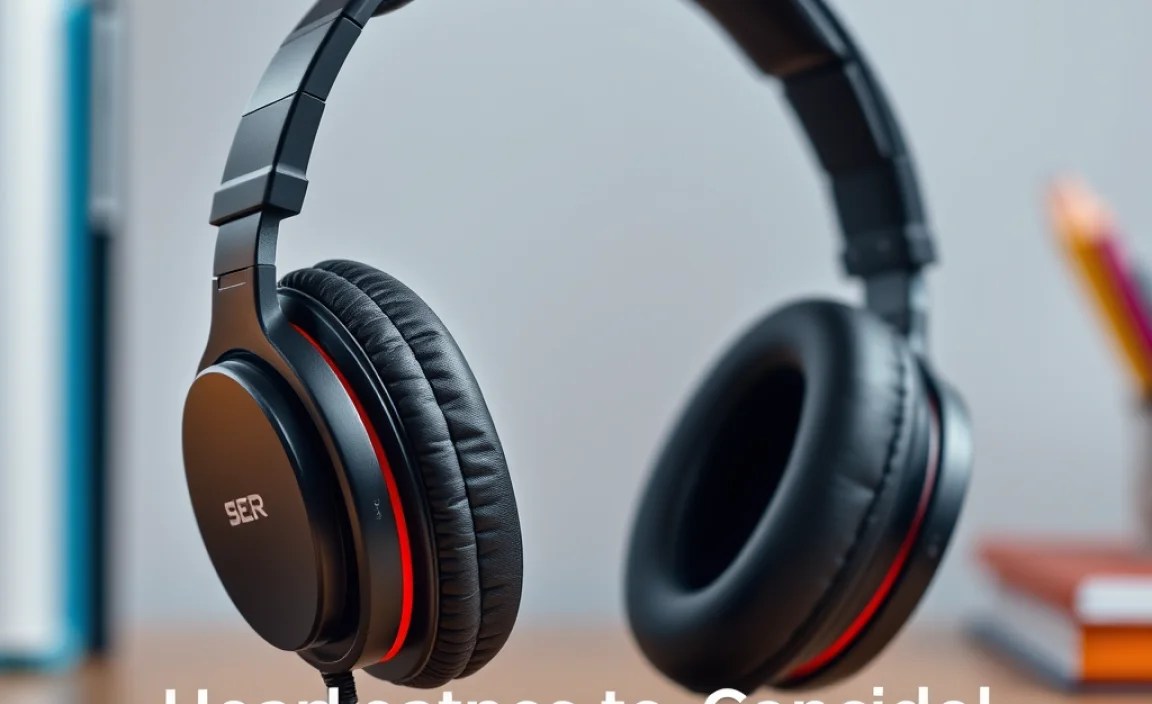
The world of headphones can seem a bit overwhelming at first. Let’s break down the most common types you’ll encounter, focusing on what makes them suitable for student life.
Over-Ear Headphones
These headphones completely enclose your ears, offering immersive sound and excellent passive noise isolation. They often provide a comfortable fit for long listening sessions, which is ideal for students who spend hours studying or attending online classes. Over-ear headphones can be further divided into:
- Closed-Back: These have a sealed ear cup, preventing sound from leaking out or in. They are great for noisy environments and for maintaining audio privacy.
- Open-Back: These have vented ear cups, offering a more natural, spacious sound. However, they do let sound leak in and out, making them less ideal for public or shared spaces.
On-Ear Headphones
Smaller than over-ear models, on-ear headphones rest directly on your ears. They are more portable and usually less bulky, which can be a plus for students on the go. While they offer a decent listening experience, their noise isolation isn’t as effective as closed-back over-ear models, and they might become less comfortable during extended wear for some people.
In-Ear Headphones (Earbuds)
These are the compact marvels that fit directly into your ear canal. They are incredibly portable, discreet, and often the most affordable option. Many come with different ear tip sizes to ensure a snug, comfortable fit and good passive noise isolation. True wireless earbuds, a popular subset, offer complete freedom from wires.
Key Features to Consider for School
When selecting headphones for academic use, certain features become particularly important. Think about your typical day and what will make your experience smoother and more productive.
Comfort is King
You’ll likely be wearing your headphones for extended periods, whether for lectures, study marathons, or long commutes. Look for headphones with plush earcups (for over-ear and on-ear models) made from breathable materials. Adjustable headbands are also essential for a secure and comfortable fit. For earbuds, ensure they come with various-sized ear tips to find a seal that’s both comfortable and effective at blocking out noise.
Durability Matters
Student life can be tough on gear. Headphones get tossed into backpacks, stuffed into pockets, and might even endure the occasional accidental drop. Opt for models constructed from sturdy materials like reinforced plastics or metal. Pay attention to the cable if you’re looking at wired headphones – a thicker, braided cable is generally more durable. For wireless options, check battery life and build quality.
Sound Quality for Learning and Listening
While you don’t necessarily need audiophile-grade equipment for school, good sound quality is crucial. You want to clearly hear spoken words in lectures, understand dialogue in educational videos, and enjoy your music without distortion. Balanced audio reproduction is key – not too bass-heavy that it muddles other sounds, and not too tinny that it’s fatiguing.
Noise Isolation and Noise Cancellation
This is a big one for students. Effective noise isolation helps block out ambient sounds in busy dorms, libraries, or public transport, allowing you to concentrate.
- Passive Noise Isolation: Achieved through the physical design of the headphones (e.g., snug fit of earbuds, sealed earcups of over-ear models).
- Active Noise Cancellation (ANC): Uses microphones to detect external noise and generate opposing sound waves to cancel it out. ANC is particularly useful for blocking consistent, low-frequency noises like airplane engines or humming air conditioners, but can also significantly reduce chatter. While often more expensive, ANC headphones can be a worthwhile investment for deep focus. For more on how ANC works, you can check out resources like this explanation from the HowStuffWorks.
Connectivity: Wired vs. Wireless
Both wired and wireless headphones have their place in a student’s toolkit.
- Wired Headphones:
- Pros: Generally more affordable, require no charging, often have slightly better audio quality for the price, no latency issues.
- Cons: Cables can get tangled, may require an adapter if your device lacks a headphone jack (common on newer laptops/phones).
- Wireless Headphones (Bluetooth):
- Pros: Freedom of movement, no tangled cables, often integrate well with multiple devices.
- Cons: Require charging, can be more expensive, potential for slight audio lag (though usually minimal for everyday use), Bluetooth pairing can occasionally be finicky.
For students constantly moving between classes and study spots, wireless headphones offer superior convenience. However, if budget is a major concern or you work with audio/video editing where latency matters, wired might be better.
Battery Life (for Wireless)
If you opt for wireless, check the advertised battery life. Aim for headphones that can last at least 20-30 hours on a single charge, or longer if possible. Consider models with fast charging capabilities, which can give you several hours of playback from just a few minutes of charging.
Microphone Quality
If you plan to use your headphones for online classes, virtual meetings, or calls, a built-in microphone is essential. Look for reviews that specifically mention microphone clarity. Some headphones offer better mic quality than others, and a clear mic ensures you come across well to professors and classmates.
Top Brands and Models for Students
While personal preference plays a huge role, some brands consistently deliver quality and reliability that students can count on. Here are a few categories and examples:
Reliable Budget-Friendly Options
You don’t need to spend a fortune to get a good pair of headphones. Many brands offer excellent value.
- Audio-Technica: Known for its excellent sound quality at accessible price points. Models like the ATH-M20x or ATH-M30x offer great sound for studying and light music production.
- Anker Soundcore: This brand has made a name for itself with affordable, feature-rich wireless earbuds and headphones, often packing good battery life and decent ANC for the price.
- JLab: JLab focuses on making audio accessible, offering a wide range of colorful and durable earbuds and headphones that are great for everyday use.
Mid-Range Performers
Stepping up a bit can get you significantly improved comfort, sound, and features, especially noise cancellation.
- Sennheiser: A respected audio company offering durable and well-regarded headphones at various price points. The HD 450BT provides good ANC and wireless connectivity.
- Sony: Sony’s WH-CH720N or the popular WH-1000XM series (though pricier) are renowned for their exceptional ANC, comfort, and sound quality. Their wireless earbuds like the WF-1000XM series also offer top-tier performance.
- JBL: Offers a broad range of headphones, from robust wireless options like the Tune 760NC to comfortable in-ear models, often with a signature sound profile that’s engaging for music and media.
Premium Choices (with Student Discounts!)
If your budget allows, or if you can find student deals, these brands offer some of the best in ANC, comfort, and sound.
- Bose: The QuietComfort series (like the QC45 or QC Ultra) is legendary for its industry-leading noise cancellation and supreme comfort.
- Apple: For students with other Apple devices, AirPods Pro and AirPods Max offer seamless integration, good ANC, and high-quality audio, though at a premium price.
Essential Features Explained in Detail
Let’s dive a little deeper into the features that will truly impact your student experience.
Noise Cancellation Technologies
Active Noise Cancellation (ANC) works by using microphones to listen to the ambient sound around you. It then generates an “anti-noise” sound wave that cancels out those external noises. This is incredibly effective for drowning out steady drones like traffic, air conditioning, or the general hum of a busy cafeteria.
Types of ANC:
- Hybrid ANC: Uses microphones both inside and outside the earcups to cancel a wider range of frequencies.
- Adaptive ANC: Adjusts the level of noise cancellation automatically based on your environment.
While ANC is fantastic for focus, it’s important to be aware of your surroundings, especially when walking outdoors or crossing streets. Many headphones offer a “transparency mode” that lets in external sound when you need to hear announcements or traffic.
Driver Size and Sound Profile
Drivers are the small speakers inside your headphones. Larger drivers (measured in millimeters, e.g., 40mm) can sometimes produce a fuller, more powerful sound, especially in the bass frequencies. However, driver size isn’t the only determinant of sound quality; the tuning and design of the headphones play a much bigger role.
A balanced sound profile is generally best for academic use. This means instruments and vocals are clear and distinct, without any one frequency range overpowering others. Some headphones are “V-shaped,” meaning they boost bass and treble, which can be great for energetic music but might make dialogue less clear. Look for reviews that describe a “neutral” or “balanced” sound if clarity is your top priority.
Bluetooth Codecs (for Wireless)
If you’re going wireless, you’ll encounter Bluetooth codecs like SBC, AAC, aptX, and LDAC. These are essentially languages that your headphones and device use to communicate audio wirelessly.
- SBC (Subband Coding): The most basic and universally compatible codec. It’s standard on all Bluetooth devices but offers lower audio quality.
- AAC (Advanced Audio Coding): Commonly used by Apple devices. It offers better quality than SBC and is standard on iPhones, iPads, and Macs.
- aptX: Found on many Android devices. Offers improved audio quality and lower latency compared to SBC.
- LDAC: Sony’s high-resolution audio codec, capable of transmitting much more data than other codecs, offering the best possible wireless audio quality if both your device and headphones support it.
For most students, AAC on iOS or aptX on Android will provide more than enough quality. If you own primarily Android devices and want the best possible wireless audio, look for headphones supporting aptX HD or LDAC.
Battery Life vs. Charging Speed
Imagine your headphones dying right before a crucial online seminar or during a long study session. This is where battery life becomes critical. Aim for headphones that offer at least 20-30 hours of playback on a single charge. For true convenience, fast charging is a lifesaver. A quick 10-15 minute charge can often yield 2-4 hours of listening time, perfect for those last-minute power-ups.
Table: Battery Life Considerations
| Feature | Why it’s Important for Students | What to Look For |
|---|---|---|
| Total Playback Time | Ensures headphones last through multiple classes, study sessions, or a full day without needing a charge. | Aim for 25+ hours for wireless headphones. |
| Fast Charging | Quickly tops up battery for unexpected needs. | A 10-15 minute charge providing 2-4 hours of playback is ideal. |
| Charging Port Type | Universal compatibility and convenience. | USB-C is the modern standard and most convenient for charging multiple devices. |
| Option to Use Wired | Provides a backup if the battery runs out, or for devices with no Bluetooth. | Some wireless headphones can be used with an audio cable. |
Brands vs. Features: What’s More Important?
It’s a common dilemma: do you stick with a trusted brand name you know and love, or prioritize specific features that meet your needs, even if the brand is less famous? Here’s a breakdown:
| Brand Reputation | Feature Focus |
|---|---|
| Pros: Established brands often have a track record of quality, reliability, better customer support, and consistent performance. They’ve built their reputation on delivering good products. | Pros: Allows you to tailor your purchase specifically to your needs (e.g., prioritizing ANC, battery life, or comfort). Can sometimes lead to finding excellent value from lesser-known brands. |
| Cons: Can sometimes mean paying a premium for the brand name, and you might miss out on innovative features offered by newer or more niche companies. | Cons: Less established brands might have less reliable customer service, a shorter product lifespan, or inconsistent quality control. Thorough research is crucial. |
| Student Strategy: Look for reputable brands within your budget that offer the core features you need. For example, Sony or Bose for ANC, Audio-Technica for balanced sound. | Student Strategy: Identify your absolute must-have features (e.g., comfortable for long wear, good mic for calls, strong ANC). Then, seek out brands that excel in those areas, comparing them across different price points. Reading reviews is critical here. |
Our advice? Strive for a balance. Look for trusted brands that also boast the specific features most important to your academic and personal life. If a lesser-known brand offers a feature set that perfectly matches your needs at a great price, do your due diligence with independent reviews before committing.
Maintenance and Care for Longevity
Your headphones are an investment, and a little care can go a long way in extending their life and keeping them sounding great.
Keeping Them Clean
Regular cleaning is essential, especially for earbuds that sit inside the ear canal.
- Earcups and Headband: For over-ear and on-ear headphones, gently wipe the earcups and headband with a slightly damp, soft cloth. Avoid harsh chemicals or excessive moisture. If your earcups are removable, you can often clean them more thoroughly.
- Ear Tips: For earbuds, carefully remove the ear tips and wash them with mild soap and water. Ensure they are completely dry before reattaching them. You can also use a dry cotton swab to clean the nozzle where sound comes out, being careful not to push debris further in.
- Exterior: Wipe down the outer casing of your headphones with a dry or slightly damp microfiber cloth to remove fingerprints and smudges.
Cable Care (for Wired Headphones)
- Avoid yanking the cable from the jack; always grasp the plug itself.
- Don’t wrap the cable too tightly around the headphones; loose coiling is better.
- Store them so the cable isn’t strained or sharply bent.
Storage
When not in use, store your headphones in a protective case or a designated safe spot. This prevents them from getting damaged in a backpack, scratched, or accumulating dust. Many headphones come with a carrying
