
Quick Summary: Choosing the right headphones for snowboarding enhances your mountain experience. Focus on comfort, secure fit, durability against cold and moisture, and easy controls. Prioritize safety by opting for models that allow situational awareness. This guide helps you find the perfect audio companion for hitting the slopes.
Snowboarding Headphones: Your Ultimate Guide to the Perfect Slope Soundtrack
Hitting the slopes with your favorite tunes is an incredible way to elevate your snowboarding experience. But not just any pair of headphones will do when you’re carving down a mountain. The cold, the snow, and the need to stay aware of your surroundings make choosing the right audio gear a bit trickier than your usual commute. Don’t worry, though! As your friend at Headphone Horizon, I’m here to break down exactly what you need to look for. We’ll explore the essential features, the types of headphones that work best, and some tips to keep your audio flowing smoothly, no matter how epic the powder is. Let’s get you set up with the perfect sound for your next adventure!
Why Are Special Headphones Needed for Snowboarding?

Snowboarding isn’t just about the ride; it’s an experience. Music can enhance that experience, turning a good day into a great one. However, the unique environment of a ski resort presents specific challenges for standard headphones. Unlike a quiet office or a busy street, the mountains demand gear that can withstand harsh conditions and, crucially, allow you to remain aware of your surroundings for safety. Standard earbuds might fall out, wired headphones can be a tangle hazard, and non-water-resistant models can be quickly ruined by snow and moisture. Specialized headphones designed for active, cold-weather use address these issues, ensuring both your audio enjoyment and your safety on the slopes.
Key Features to Look for in Snowboarding Headphones

When you’re looking for headphones to take on your snowboarding adventures, a few key features will make all the difference. Think of these as your non-negotiables for a great time on the mountain.
1. Comfort and Fit (Especially with a Helmet!)
This is paramount. You’ll likely be wearing them for hours, and the last thing you want is discomfort. For snowboarding, the best headphones integrate seamlessly with your helmet.
- Helmet Compatibility: Most snowboard helmets come with built-in ear pads that have pockets for headphones. Look for “helmet audio systems” or “ear pad compatible headphones” that are specifically designed to fit these pockets. These are usually slim and flat to avoid pressure points.
- Secure Fit: Whether they’re in-ear or integrated into ear pads, they need to stay put. Nothing ruins a run like a headphone trying to escape your ear or ear pad.
- Material: Soft, breathable materials are best, especially around the ear, to prevent irritation.
2. Durability and Weather Resistance
Snowboarding is a wet and cold sport. Your headphones need to be built to handle it.
- Water and Sweat Resistance: Look for an IP rating (Ingress Protection). An IPX4 rating is the minimum you should aim for, meaning it protects against splashes of water from any direction. Higher ratings offer even better protection. Snow is moisture, and your body generates sweat, so this is crucial.
- Cold Weather Performance: Electronics can be finicky in extreme cold. Materials that remain flexible and durable in low temperatures are important. Avoid headphones with brittle plastic components.
- Robust Construction: They should be able to withstand accidental bumps and drops that can happen on the mountain.
3. Sound Quality and Awareness
You want to enjoy your music, but safety on the slopes is non-negotiable. It’s a balance.
- Situational Awareness: This is critical. You need to be able to hear other skiers, snowboarders, snowmobiles, and resort announcements. Over-ear headphones that are too isolating can be dangerous. In-ear headphones, if they seal too well, can also block out ambient noise. Look for headphones that allow some ambient sound through, or consider bone-conduction headphones (more on those later).
- Sound Clarity: Even with ambient noise, you want your music to sound good. Look for decent bass and clear mids and highs.
- Volume Control: Easy-to-access volume controls are a must, allowing you to quickly adjust sound levels as needed for safety or to hear announcements.
4. Battery Life
A full day on the slopes requires reliable power.
- Long Playtime: Aim for headphones that offer at least 6-8 hours of battery life on a single charge. Some might even offer more, which is always a bonus.
- Quick Charging: If you have a short break, a quick charge feature can be a lifesaver.
- Battery Indicator: Know how much juice you have left.
5. Ease of Use and Controls
Fumbling with tiny buttons with gloves on is frustrating and potentially dangerous.
- Glove-Friendly Controls: Look for larger buttons, tactile controls, or even voice commands that are easy to operate without removing your gloves.
- Connectivity: Bluetooth is standard and offers freedom from wires. Ensure it has a stable connection.
- Microphone Quality: If you plan on taking calls, a clear microphone is important, though voice calls on the mountain can be challenging due to wind noise.
Types of Headphones for Snowboarding
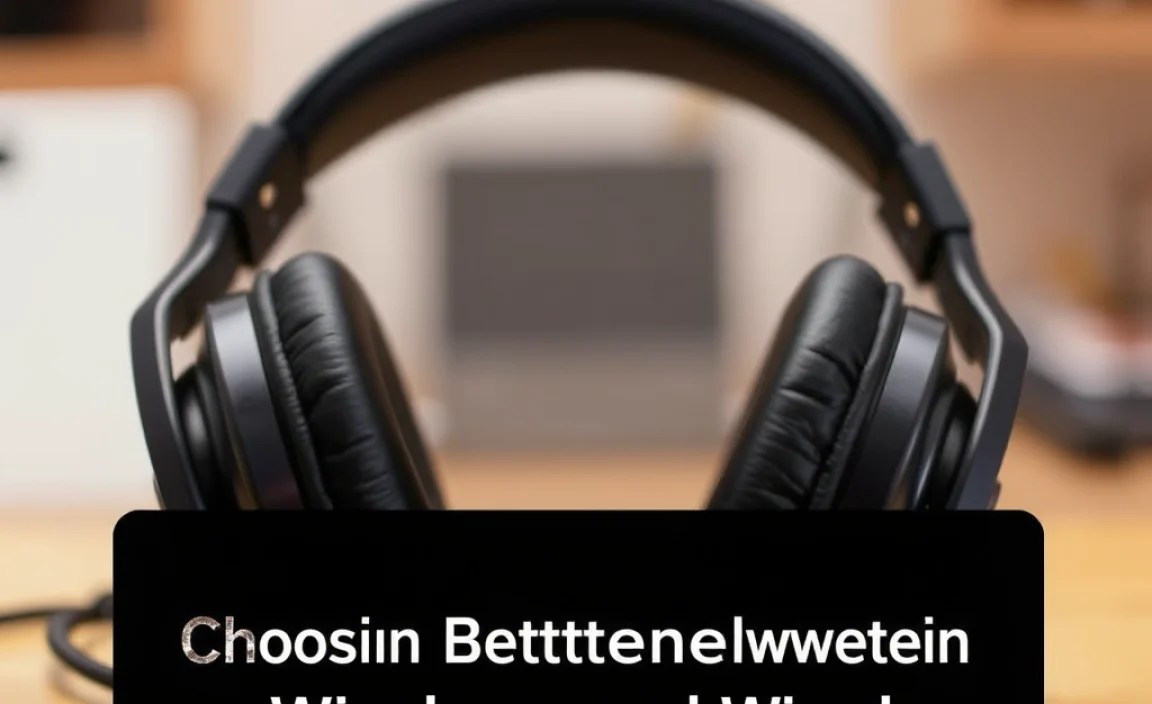
Not all headphones are created equal for the mountain. Here’s a breakdown of the most common and effective types, along with their pros and cons.
A. Helmet-Integrated Audio Systems
These are arguably the most convenient option for snowboarders. They consist of small, flat speakers that fit into dedicated pockets in many snowboard helmets. They often connect wirelessly to your phone.
Pros:
- Designed to work with helmets, offering a secure and comfortable fit.
- Usually slim and unobtrusive.
- Wireless connectivity is common, avoiding tangled wires.
- Keeps your ears warm.
Cons:
- Requires a helmet with compatible ear pad pockets.
- Sound quality can vary greatly depending on the model.
- Can be more expensive than standalone headphones.
- You might need to purchase them separately if your helmet doesn’t come with them.
B. True Wireless Earbuds (with Secure Fit)
Compact and convenient, true wireless earbuds can work for snowboarding, but only if they have a very secure fit and are water-resistant.
Pros:
- Very portable and discreet.
- No wires to get tangled.
- Can be worn under most helmets, though check for pressure points.
Cons:
- Tend to fall out easily if not a secure fit or designed for sport.
- Can be difficult to control with gloves.
- Some can block too much ambient sound, compromising safety.
- Battery life can be shorter than other types.
- Risk of losing one earbud easily.
Tip: Look for earbuds with ear fins or hooks designed for active use.
C. Bone Conduction Headphones
These are a fantastic safety-focused option. Instead of sending sound waves through your ear canal, bone conduction headphones transmit vibrations through your cheekbones directly to your inner ear. This leaves your ear canals open to hear your surroundings.
Pros:
- Superior Situational Awareness: This is their biggest advantage for sports like snowboarding. You can hear ambient sounds clearly.
- Comfortable for long periods.
- Many are designed for rugged use and resistance to elements.
- Can often be worn with helmets, although fit can vary.
Cons:
- Sound quality is generally not as rich or deep as traditional headphones, especially bass.
- Can take some getting used to the vibration sensation.
- They don’t keep your ears warm like helmet speakers would.
External Resource: Learn more about how bone conduction works from the National Institute on Deafness and Other Communication Disorders.
D. Neckband Headphones
These feature earbuds connected by a band that rests around your neck. Some newer models are true wireless with a neckband for charging or stability.
Pros:
- More secure than completely wireless earbuds, as they are tethered (unless they are magnetically clasped).
- Easier to manage than fully separate earbuds.
- Often have longer battery life than true wireless earbuds.
Cons:
- Neckband can sometimes interfere with jacket collars or helmet straps.
- Wires, if present, can still be a minor nuisance.
- Might not be as secure as helmet-integrated systems.
Choosing Between Wireless and Wired

For snowboarding, wireless is almost always the way to go. The freedom from cables is a significant safety and convenience factor.
Wireless (Bluetooth):
- Pros: No tangled wires when you’re moving, interacting with gear, or falling.
- Cons: Requires charging, potential for connection drops (though rare with modern Bluetooth).
Wired:
- Pros: No charging needed, potentially slightly better sound quality at the same price point.
- Cons: Wires can snag on jackets, goggles, or ski poles. They can get damaged more easily. Not ideal for active pursuits.
Given the active nature and potential for tumbles while snowboarding, the safety and convenience of wireless headphones far outweigh the minor cons.
Popular Brands and What to Look For
Several brands offer excellent headphones suitable for snowboarding. When looking at specific models, pay attention to their sport-focused features:
| Brand | Type of Headphones Often Suitable for Snowboarding | Key Features to Note on Their Models | Price Range (Approximate) |
|---|---|---|---|
| Outdoor Tech | Helmet Audio Chips (True Wireless Drops), Bone Conduction | Designed specifically for helmets, glove-friendly controls, good battery life, water-resistant. | $$ – $$$ |
| Skullcandy | Various models with helmet compatibility, some true wireless with secure fit options. | Durable, good bass, often affordable, Bluetooth connectivity. | $ – $$ |
| Jabra | Elite Active Series (True Wireless Earbuds) | Excellent secure fit, very water-resistant (IP57+), good for active use, decent ambient sound modes. | $$ – $$$ |
| Anker (Soundcore) | Sport Series Earbuds, some Bluetooth headphones. | Affordable, good battery life, often water and sweat resistant. | $ – $$ |
| AfterShokz (now Shokz) | Bone Conduction Headphones | Industry leader in bone conduction, superior situational awareness, durable, long battery. | $$ – $$$ |
| Sena | Bluetooth Communication Systems (often integrated into helmets or as attachments) | Primarily for communication but include audio, designed for extreme weather and active use. Can be pricier. | $$$ – $$$$ |
Note: Price ranges are approximate and subject to change based on model and sales.
Snowboarding Headphone Setup: Step-by-Step Getting Started
Ready to get your audio set up for the slopes? It’s a straightforward process:
Step 1: Choose Your Headphone Type
Decide which of the types discussed above best suits your needs and helmet. For most snowboarders, helmet-integrated audio systems or bone conduction headphones are top choices for safety and comfort.
Step 2: Ensure Helmet Compatibility (If Applicable)
If you’re opting for helmet audio, confirm that your helmet has dedicated pockets for audio speakers. Most modern snowboard helmets do, but it’s always good to check the manual or specifications of your helmet.
Step 3: Charge Your Headphones
Before you head out, ensure your headphones are fully charged. Check the battery indicator if your device has one. A full charge is your insurance policy for a full day of music or podcasts.
Step 4: Pair Your Headphones with Your Device (Bluetooth)
Turn on your headphones and put them into pairing mode (check your headphone manual if unsure). On your smartphone or music player, go to Bluetooth settings, scan for devices, and select your headphones from the list. Once paired, they should connect automatically in the future.
- Turn headphones ON and enter pairing mode.
- Open Bluetooth settings on your phone/device.
- Scan for new devices.
- Select your headphones from the list.
- Confirm pairing if prompted.
Step 5: Install Speakers into Helmet (If Applicable)
If you have helmet audio chips, carefully insert them into the ear pads of your helmet, ensuring they are positioned correctly for comfort and sound delivery. They usually just slot in.
Step 6: Test Sound and Fit
Put on your helmet and headphones. Play some music. Can you hear it clearly? Is it comfortable? Can you still hear important ambient sounds (like wind, other people)? Adjust the position of the speakers or headphones as needed.
Step 7: Practice Controls
With your gloves on, practice controlling playback (play/pause, skip track, volume up/down) and answering calls (if supported). Getting familiar with this before you’re on a steep slope is crucial for safety and convenience.
Tips for Using Headphones Safely While Snowboarding
Your audio experience should never compromise your safety or the safety of others on the mountain. Here are some essential safety tips:
- Prioritize Awareness: Always be aware of your surroundings. Keep the volume at a level that allows you to hear other people, snowmobiles, or resort staff. Bone conduction headphones are excellent for this.
- Use Situational Awareness Features: If your headphones have an ambient sound mode or transparency mode, use it when necessary.
- Avoid Total Isolation: Never use headphones that completely block out all external noise. This can lead to dangerous situations where you can’t hear approaching snowboarders, skiers, or warnings.
- Know Your Limits and Speed: When listening to music, you might feel more inclined to push your limits. Be extra mindful of your speed and skill level.
- Stay Updated on Resort Rules: Some resorts may have specific rules regarding headphone use. While rare, it’s always good to be aware.
- Take Breaks from Music: Sometimes, it’s best to just enjoy the sounds of the mountain without any music.
- Check Your Gear Before You Go: Ensure your headphones are charged and functioning correctly before leaving for the resort.
For more information on general snow sports safety, the National Ski Areas Association (NSAA) offers a wealth of resources.
Troubleshooting Common Snowboarding Headphone Issues
Even with the best gear, you might run into a few hiccups. Here are some common problems and how to fix them:
- Problem: Headphones won’t pair with my device.
- Solution: Ensure both your headphones and device are charged. Turn both off and on again. Make sure the headphones are in pairing mode and not already connected to another device. Clear the Bluetooth cache on your phone if issues persist.
- Problem: Sound is distorted or cutting out.
- Solution: Check battery levels on both devices. Move closer to your audio source. Interference from other electronics can sometimes cause this, so try moving away from other Bluetooth devices or strong Wi-Fi signals. Ensure your headphones aren’t physically damaged.
- Problem: Headphones are uncomfortable with my helmet.
- Solution: If using helmet audio, try repositioning the speakers. If using earbuds, try different ear tip sizes or styles. Consider bone conduction headphones if pressure from earbuds under the helmet is the issue. Ensure your helmet isn’t too tight.
