
Quick Summary: Choosing between headphones and headsets for gaming hinges on your needs. Headsets combine audio and a mic for clear communication, ideal for multiplayer. Headphones offer superior sound quality for immersive single-player experiences but require a separate microphone. This guide helps you pick the perfect audio gear for your gaming setup.
Headphones vs Headset for Gaming: The Essential Choice for Every Player
Hey gamers! Edward Cavitt here from headphonehorizon. Diving into the world of gaming audio can feel a bit overwhelming, right? You’ve got options popping up everywhere, and deciding between “just headphones” and a “gaming headset” is a big one. It’s like choosing your ultimate weapon for battling virtual foes – getting it right means a way better experience! Whether you’re a seasoned pro who needs crystal-clear comms for squad calls or a solo adventurer craving every rustle of leaves in a vast open world, this guide is for you. We’ll break down exactly what you need to know, in plain English, so you can make a confident choice. Let’s get your sound sorted!
Understanding the Core Difference: What’s What?
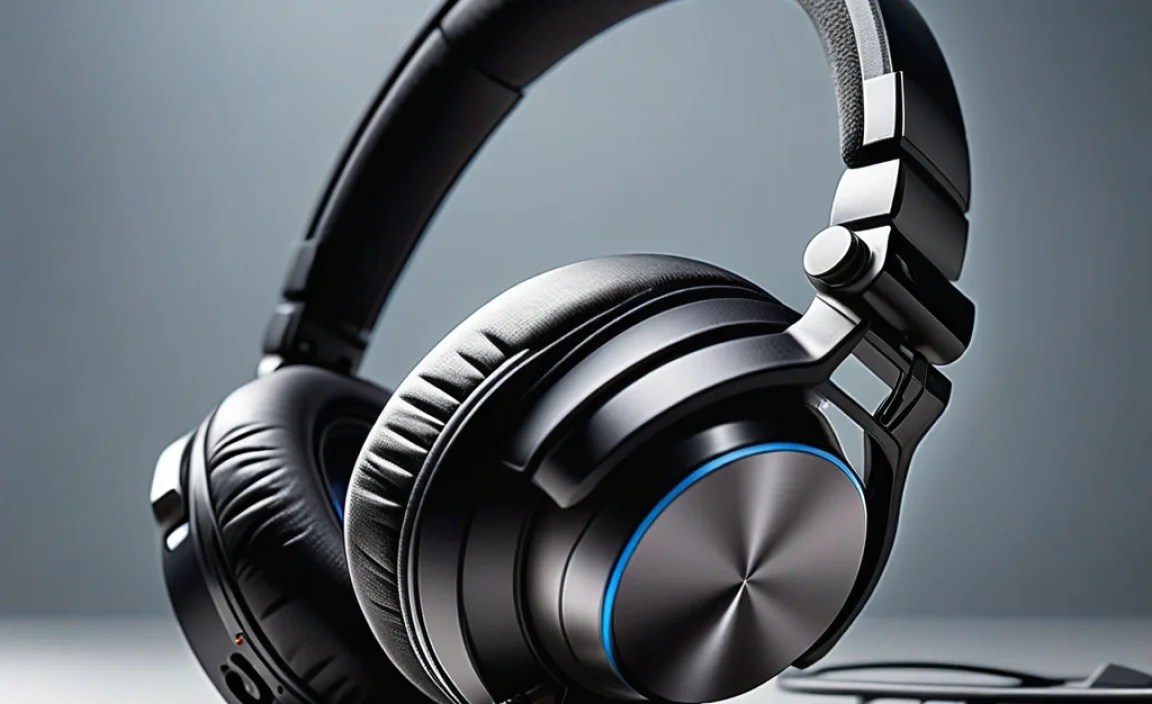
Before we get into the nitty-gritty of which is better for your gaming style, let’s clarify what we’re even talking about. At their heart, they both deliver sound to your ears. However, a key feature sets them apart:
- Headphones: These are designed purely for audio playback. Think of them as your personal concert hall for music, movies, and, yes, the incredible soundscapes of your favorite games. They focus on delivering rich, detailed audio.
- Gaming Headsets: These are a combination of headphones and a built-in microphone. Their primary purpose is to provide both immersive audio and the ability to communicate with other players during online games.
It sounds simple, but this distinction is crucial when it comes to your gaming experience. Let’s explore why.
The Case for Gaming Headsets: Communication is Key

For many gamers, especially those who play online multiplayer games, a gaming headset is the go-to choice. The integrated microphone is its standout feature, designed for clear voice communication. This is non-negotiable for team-based games where coordinating strategies, calling out enemy positions, and general banter with teammates is part of the fun and crucial for victory.
Why Choose a Gaming Headset?
- Integrated Microphone: The most obvious benefit. No need for extra gadgets or complicated setups. Just plug it in, and you’re ready to talk.
- Convenience: One device handles both your audio input and output. This simplifies your gaming setup, reducing cable clutter and the number of peripherals you need to manage.
- Designed for Gaming: Many gaming headsets are engineered with features specifically beneficial for gaming, such as virtual surround sound (more on this later), booming bass for explosions, and often a comfortable fit for long gaming sessions.
- Ease of Use: They are typically plug-and-play, especially USB headsets. This makes them incredibly beginner-friendly.
Potential Downsides of Gaming Headsets
- Audio Quality: While many gaming headsets offer good sound, they often don’t rival dedicated audiophile headphones in terms of pure audio fidelity, detail, and soundstage for critical listening. The focus is often on a “gaming sound profile” rather than neutral, accurate reproduction.
- Microphone Quality Varies: Not all built-in microphones are created equal. Cheaper headsets might have mics that sound muffled or pick up a lot of background noise.
- Cost: A feature-rich, high-quality gaming headset can be quite an investment.
The Appeal of Headphones: Immersive Soundscapes

If your primary focus is on experiencing the rich audio design of single-player games, enjoying captivating soundtracks, or if you’re a content creator who needs accurate audio for editing, then high-quality headphones might be your preference. They generally offer a superior audio experience for pure listening pleasure.
Why Opt for Headphones (with a separate mic)?
- Superior Sound Quality: Dedicated headphones, especially those designed for audiophiles or critical listening, often provide a more detailed, accurate, and immersive soundstage. You’ll hear nuances in music and game audio that you might miss otherwise.
- Comfort and Fit: Premium headphones often prioritize comfort and build quality, using better materials for earcups and headbands, making them suitable for extremely long sessions.
- Versatility: Great headphones can be used for far more than just gaming – for music production, movies, and everyday listening with exceptional fidelity.
- Upgradeability: You can pair your chosen headphones with a high-quality, dedicated microphone (like a USB mic or a mod mic) to achieve superior voice clarity and flexibility in mic placement.
Considerations for Using Headphones for Gaming
- Requires a Separate Microphone: This is the big one. You’ll need to budget for and set up an additional microphone, which adds complexity and cost.
- Potential for More Cables: Depending on your setup, you might end up with more cables to manage – one for the headphones and one for the microphone.
- Compatibility: Ensuring your chosen headphones and microphone work seamlessly with your gaming platform (PC, console) is important. For example, some console controllers have limited audio jack capabilities.
Key Features to Consider for Both Headphones and Headsets

Whether you lean towards a dedicated headset or a pair of headphones with a separate mic, certain features will significantly impact your gaming experience. Let’s break them down:
1. Sound Quality and Drivers
This is arguably the most important factor. The drivers are the “speakers” inside your headphones or headset. Larger drivers typically produce more powerful sound. Look for clarity, balance, and the ability to reproduce a wide range of frequencies.
- Frequency Response: Usually measured in Hz (Hertz). A wider range (e.g., 20Hz-20kHz) is generally better, covering both deep bass and crisp highs.
- Driver Material: Different materials (like neodymium, beryllium) can affect sound performance. For beginners, understanding driver size and reputable brands is more accessible.
2. Comfort and Fit
Long gaming sessions demand comfort. Poorly fitting or heavy headphones can become unbearable. Consider:
- Earcup Type:
- Circumaural (Over-Ear): Cups surround the entire ear. Generally more comfortable for long periods and offer better noise isolation.
- Supra-aural (On-Ear): Cups rest on the ear. Can be less comfortable for some and might leak sound.
- Weight: Lighter is usually better for extended wear.
- Padding: Look for plush memory foam or breathable fabric earcups and well-padded headbands.
3. Microphone Quality (for Headsets or Separate Mics)
If you plan on communicating, mic quality is paramount. For headsets, check reviews for microphone clarity. If using a separate mic, consider:
- Type: USB mics are generally plug-and-play and good for beginners. XLR mics offer professional-level quality but require an audio interface.
- Polar Patterns: Cardioid is good for isolating your voice and rejecting background noise.
- Noise Cancellation: Features that reduce background sounds can be a lifesaver in noisy environments.
For more on microphone types, check out resources like Shure’s guide on polar patterns.
4. Connectivity
How will you connect your audio gear? Common options include:
- 3.5mm Jack: The traditional analog connection. Versatile, but audio quality can vary.
- USB: Offers digital audio and often allows for more features via software. Some gaming headsets use USB for both audio and the mic.
- Wireless (RF or Bluetooth): Offers freedom of movement but can introduce latency (delay) or require charging. RF wireless is generally preferred for gaming due to lower latency than Bluetooth.
5. Virtual Surround Sound
This is a common feature in gaming headsets. It simulates a surround sound experience using only two speakers. It can help you pinpoint the direction of in-game sounds.
- Pros: Can give you a competitive edge by helping you locate enemies.
- Cons: The quality of implementation varies greatly. Some systems can sound artificial or degrade stereo imaging. True surround sound (with multiple drivers) is rare and typically expensive.
6. Durability and Build Quality
Gaming gear can take a beating. Look for sturdy materials like metal in the headband and reinforced plastic for the earcups. Reviews are your best friend here.
Headphones vs. Headset for Gaming: A Comparison Table

To help you visualize the differences and make a decision, here’s a quick comparison:
| Feature | Gaming Headset | Headphones + Separate Mic |
|---|---|---|
| Primary Purpose | Integrated audio and communication for multiplayer gaming. | High-fidelity audio playback; communication handled separately. |
| Microphone | Built-in, often retractable or flip-to-mute. Quality varies. | Requires a separate purchase (USB mic, boom mic, etc.). Can achieve higher quality. |
| Audio Quality | Good to very good, often optimized for gaming. Can sometimes prioritize bass over clarity. | Generally excellent to superior, especially for critical listening and music. |
| Setup Simplicity | Plug-and-play via USB or 3.5mm. Very easy. | Requires connecting two devices. Mic setup can be more involved. |
| Versatility | Primarily for gaming and voice chat. Okay for music, but often not audiophile-grade. | Excellent for gaming, music, movies, content creation, and professional audio work. |
| Cost (Initial) | Can range from budget-friendly to premium. | Requires budgeting for both headphones AND a microphone. Can be more expensive overall for a comparable quality setup. |
| Cable Management | Typically one cable to the device. | Two cables (one for headphones, one for mic) to the device or computer. |
Choosing Your Path: Which is Right for You?
Now that we’ve covered the basics, let’s tailor the advice to different gaming scenarios:
Scenario 1: The Online Multiplayer Combatant
Game Types: First-person shooters (e.g., Call of Duty, Valorant), MOBAs (e.g., League of Legends, Dota 2), MMORPGs (e.g., World of Warcraft).
Your Best Bet: Gaming Headset
If your gaming lifeblood is coordinating with teammates, calling out tactics, and hearing opponents’ footsteps clearly, a good quality gaming headset is your essential tool. The convenience of an integrated microphone means you can jump into any match and communicate instantly. Look for features like a clear, noise-canceling microphone and virtual surround sound to give you that tactical edge.
Scenario 2: The Immersive Storyteller
Game Types: Single-player RPGs (e.g., The Witcher 3, Cyberpunk 2077), adventure games (e.g., Red Dead Redemption 2), visually stunning indie titles.
Your Best Bet: High-Quality Headphones + Dedicated Microphone
If you prefer to get lost in rich, atmospheric game worlds and crave every detail of the soundtrack and sound design, dedicated audiophile headphones will provide a significantly richer experience. You can then add a quality USB microphone for those rare moments you might need to chat with a friend or stream your adventures, ensuring your voice sounds as good as the game world looks.
Scenario 3: The Budget-Conscious Beginner
Game Types: A mix of everything, just starting out.
Your Best Bet: Entry-Level to Mid-Range Gaming Headset
For those new to PC or console gaming, an all-in-one gaming headset is often the most practical and cost-effective starting point. You get both audio and mic functionality without the added complexity and expense of separate components. Many excellent budget options are available that offer good sound and a usable microphone.
Scenario 4: The Content Creator or Streamer
Game Types: Any, with a focus on broadcasting gameplay and commentary.
Your Best Bet: High-Quality Headphones + Professional Microphone Setup
For streamers, audio quality for both listening and speaking is paramount. Viewers need to hear your commentary clearly, and you need to hear game audio and alerts without distortion. Investing in top-tier studio headphones (perhaps open-back for a wider soundstage, depending on your environment) and a dedicated condenser or dynamic microphone (like a Blue Yeti, Shure SM58 using an interface, or a Rode NT-USB+) will elevate your production value significantly. For more on audio recording, resources from universities like NYFA’s Audio Recording Techniques can be insightful.
Tips for Choosing the Right Gear
Regardless of whether you’re leaning towards a headset or headphones, here are some universal tips to help you make the best choice:
- Read Reviews: Look for detailed written and video reviews from reputable tech sites and YouTubers. Pay attention to comments about comfort for long sessions, microphone clarity, and overall sound quality for gaming.
- Set a Budget: Determine how much you’re willing to spend. You can find decent options at various price points, but investing a bit more often yields significant improvements in quality and durability.
- Consider Your Platform: Ensure compatibility. If you’re on a PC, you have more flexibility. For consoles, check controller ports (3.5mm Jack) or USB capabilities closely.
- Try Before You Buy (If Possible): If you have a local electronics store, try out different models to feel the fit and comfort firsthand.
- Don’t Forget Peripherals: If you opt for headphones and a separate mic, research compatibility. A USB microph
