
Navigate the world of wireless headphones for your phone with this essential guide. Learn how to choose the right pair, understand key features like Bluetooth versions and battery life, and master basic pairing and troubleshooting for an effortless audio experience.
Headphones Wireless For Phone: Your Essential Guide to Freedom and Fun
Hello audio adventurers! Edward Cavitt here from Headphone Horizon, your friendly guide to all things sound. If you’re tired of tangled cords limiting your listening, or simply looking to upgrade your phone’s audio game, you’ve come to the right place! Wireless headphones for your phone offer incredible freedom, letting you move, work, and relax without being tethered. But with so many options out there, choosing the perfect pair can feel a bit overwhelming. Don’t worry, we’re going to break it down, step-by-step, making sure you feel confident in your choices and ready to enjoy crystal-clear sound, no matter where you go. Let’s ditch the wires and dive into the wonderful world of wireless audio!
Why Go Wireless? The Perks of Cord-Free Listening

The appeal of wireless headphones is undeniable. Beyond the obvious freedom from tangled cables, there are several compelling reasons to make the switch:
- Unrestricted Movement: Whether you’re working out, cooking, or just lounging around the house, wireless headphones allow you to move freely without yanking your phone or the headphones themselves.
- Tangle-Free Life: Say goodbye to that frustrating knot of wires that seems to form in your pocket or bag.
- Enhanced Convenience: Easily switch between listening to music, taking calls, and interacting with your phone’s assistant without fumbling for a cable.
- Modern Aesthetic: Many wireless models boast a sleek, minimalist design that complements modern smartphones.
- Improved Durability (often): With no delicate wires to fray, wireless headphones can sometimes offer greater longevity.
Choosing Your Perfect Wireless Headphones: Key Features Explained
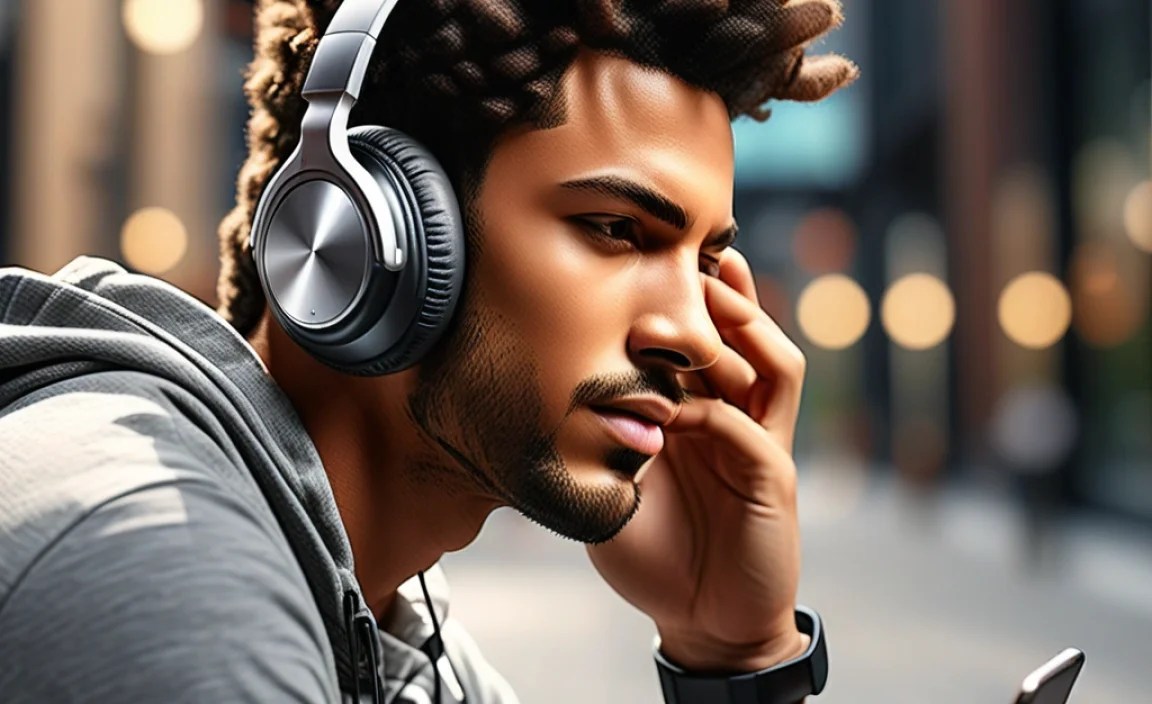
To help you make an informed decision, let’s explore the most important features to consider when buying headphones wireless for your phone:
1. Connectivity: Bluetooth is King
Almost all wireless headphones for phones use Bluetooth technology to connect. Understanding Bluetooth versions can help you get the best performance:
- Bluetooth Versions: Newer versions offer better power efficiency, improved connection stability, and sometimes higher audio quality. For example, Bluetooth 5.0 and above are generally recommended for better performance. You can find more detailed information on Bluetooth versions and their benefits on the official Bluetooth website.
- Codec Support: Bluetooth codecs are like translators for audio data. Common ones include SBC (standard, widely compatible), AAC (better for Apple devices), and aptX (often found on Android devices, offering higher quality audio).
- Multipoint Pairing: This allows your headphones to connect to two devices simultaneously, so you can seamlessly switch between your phone and laptop, for instance.
2. Sound Quality: What Matters Most
This is subjective, but here are general points to consider:
- Driver Size: Larger drivers (the speaker components) can potentially produce a fuller, richer sound, especially in bass frequencies.
- Frequency Response: This indicates the range of sounds the headphones can produce. A wider range (e.g., 20Hz – 20kHz) means they can reproduce more of the audible spectrum.
- Tuning: Manufacturers “tune” headphones to achieve a specific sound profile – some prefer a bass-heavy sound for workouts, while others aim for a more balanced, neutral sound for critical listening. Reading reviews that describe the sound signature can be very helpful.
3. Battery Life: Powering Your Playlist
This is crucial for wireless devices. Consider these aspects:
- Playback Time: How long do the headphones last on a single charge? This can range from 4-5 hours for some earbuds to 20+ hours for over-ear models.
- Charging Case Capacity (for earbuds): Many true wireless earbuds come with a charging case that provides multiple extra charges.
- Fast Charging: Some models offer a quick charge feature, giving you an hour or two of playback from just a few minutes of charging.
- USB-C Charging: This is becoming standard and is convenient as many modern phones also use USB-C.
4. Comfort and Fit: Essential for Long Listening Sessions
Especially important for earbuds and on-the-go use:
- Ear Tip Options (for earbuds): Look for headphones that come with multiple sizes of silicone or foam ear tips to ensure a secure and comfortable seal.
- Ergonomics: For over-ear and on-ear headphones, consider the headband padding, earcup material, and overall weight for long-term comfort.
- Secure Fit: If you plan to use them for sports, look for features like ear hooks or wings that help keep the earbuds in place.
5. Durability and Water Resistance: Built for Your Lifestyle
Think about where and how you’ll use your headphones:
- IP Rating: This indicates how resistant the headphones are to dust and water. An IPX4 rating, for example, means they can withstand splashes of water, making them suitable for workouts or light rain. You can learn more about IP ratings on Electronics Notes.
- Build Quality: Sturdier materials can mean longer life.
6. Noise Cancellation: Focus on Your Audio
Active Noise Cancellation (ANC) uses microphones to detect and cancel out ambient sound. This is fantastic for commuting, flying, or working in noisy environments. Passive noise isolation is achieved through a good physical seal, common with in-ear headphones.
7. Microphone Quality: For Calls on the Go
If you plan to take a lot of calls, check reviews for microphone performance. Some headphones have multiple microphones to help reduce background noise during calls.
Types of Wireless Headphones for Your Phone

The world of wireless headphones for your phone can be broadly categorized:
True Wireless Earbuds (TWS)
These are completely wire-free, with each earbud being a separate unit. They usually come with a charging case.
- Pros: Ultimate portability, no wires whatsoever, discreet.
- Cons: Small batteries mean shorter individual listening times (but unlimited with case), easier to lose, can be fiddly for some.
Wireless Neckband Earbuds
These have two earbuds connected by a flexible band that rests around your neck. The battery and controls are often housed in the neckband.
- Pros: More secure than TWS (less likely to lose), longer battery life than many TWS, often cheaper.
- Cons: The neckband can sometimes be felt or catch on things.
On-Ear Wireless Headphones
These rest directly on your ears without covering them completely.
- Pros: More compact than over-ear, generally less heat build-up than over-ear.
- Cons: Can cause ear fatigue for some, less passive noise isolation than over-ear.
Over-Ear Wireless Headphones
These completely enclose your ears.
- Pros: Excellent comfort for long periods, superior passive noise isolation, often the best sound quality and battery life.
- Cons: Bulky, can be warm in hot weather.
Getting Started: Pairing Your Wireless Headphones with Your Phone

Pairing your new wireless headphones is usually a straightforward process. Here’s a general step-by-step guide:
Step 1: Prepare Your Headphones
- Ensure your wireless headphones are charged.
- If they are brand new, you might need to remove any protective plastic tabs from the charging contacts.
Step 2: Put Headphones in Pairing Mode
This step varies by model. Common methods include:
- Pressing and holding a power or Bluetooth button for a few seconds until an indicator light flashes (often blue or red/blue).
- For true wireless earbuds, this might involve taking them out of their case or pressing a button on the case itself.
- Consult your headphone’s manual for the exact instructions.
Step 3: Enable Bluetooth on Your Phone
This is done within your phone’s settings:
- For iPhones: Go to Settings > Bluetooth and toggle it on.
- For Android Phones: Go to Settings > Connections (or Network & Internet) > Bluetooth and toggle it on.
Step 4: Scan for Devices
Your phone will start searching for nearby Bluetooth devices. Your headphones should appear in the list of “Available Devices” or “Other Devices.”
Step 5: Select Your Headphones
Tap on the name of your headphones in the list. Your phone and headphones will then attempt to connect.
Step 6: Confirm Connection
Once paired, you will usually see a confirmation message on your phone (e.g., “Connected”). Your headphones might also give an audio cue (e.g., a beep or a voice prompt saying “Connected”). The indicator light on the headphones will typically change (e.g., solid blue, or flashing slowly).
Tip: Your headphones should automatically reconnect to your phone the next time you turn them on and have Bluetooth enabled on your phone, as long as they are the last connected device and within range.
Understanding Common Wireless Headphone Settings
Many modern headphones offer features accessible through companion apps or your phone’s Bluetooth settings. Here are a few you might encounter:
Equalizer (EQ) Settings
This allows you to adjust the sound profile to your liking, boosting bass, treble, or mid-ranges. Most headphones come with presets (like “Bass Boost” or “Vocal Boost”), and some allow for custom EQ settings.
Noise Cancellation Levels
If your headphones have ANC, you can often toggle between different modes: full ANC, transparency mode (to hear your surroundings), and off.
Firmware Updates
Manufacturers release updates to improve performance, fix bugs, or add new features. Keeping your headphones updated is a good practice.
Troubleshooting Common Wireless Headphone Issues
Occasionally, you might run into small hiccups. Here are solutions to some common problems:
Issue: Headphones Won’t Connect/Pair
- Solution: Make sure Bluetooth is on your phone. Ensure headphones are in pairing mode (check manual). Turn both devices off and on again. Forget the device on your phone’s Bluetooth list and try re-pairing. Ensure headphones are not already connected to another device.
Issue: Sound is Cutting Out or Stuttering
This can be due to interference or distance.
- Solution: Move closer to your phone. Reduce the number of other Bluetooth devices active nearby. Ensure your phone’s software is up to date. Some apps or settings (like Wi-Fi scanning) on your phone can cause interference; try disabling them temporarily. Clean the charging contacts on true wireless earbuds if they are not charging consistently, which can affect their signal.
Issue: Only One Earbud Working (True Wireless)
This is a common one!
- Solution: Check if the non-working earbud is charged. Clean the charging contacts on both the earbud and in the case. Put both earbuds back into their charging case, close the lid, wait a few seconds, and then try again. If that doesn’t work, you may need to “reset” the earbuds by holding down a button for a longer period (consult your manual).
Issue: Poor Microphone Quality During Calls
Background noise can be a factor.
- Solution: Ensure the microphone holes are not blocked by debris or your fingers. Try moving to a quieter environment. Some headphones have companion apps that allow you to adjust microphone settings or noise reduction.
Issue: Headphones Won’t Charge
- Solution: Ensure the charging cable is properly connected. Try a different USB port or wall adapter. Clean the charging contacts on both the headphones and the charging case. For wired charging, ensure the port isn’t damaged. For wireless charging, ensure the headphones are properly aligned on the charging pad.
Maintaining Your Wireless Headphones for Longevity
A little care goes a long way in keeping your headphones sounding great and working well:
- Regular Cleaning: Gently wipe down the exterior with a soft, dry cloth. For ear tips and earcup materials that can be removed, clean them according to the manufacturer’s instructions (often with a slightly damp cloth or mild soap and water, then thoroughly dried). Use a dry toothbrush or cotton swab to clean out earwax from speaker grilles and charging contacts.
- Proper Storage: When not in use, store your headphones in their charging case or in a protective pouch. This prevents them from getting scratched or damaged.
- Avoid Extreme Temperatures: Don’t leave your headphones in direct sunlight or in a very hot car, as extreme heat can damage the battery and internal components. Similarly, avoid extreme cold.
- Handle with Care: Avoid dropping them or subjecting them to strong impacts.
- Charge Smart: While most modern batteries are quite robust, avoiding complete drains and constant super-fast charging can potentially extend battery lifespan over the very long term.
A Quick Comparison: Popular Features to Look For
Here’s a table to highlight some key features that might influence your decision:
| Feature | Ideal For | What to Look For |
|---|---|---|
| Active Noise Cancellation (ANC) | Travelers, commuters, office workers, anyone in noisy environments | Multiple ANC modes, good cancellation depth, ambient sound passthrough |
| Water/Sweat Resistance (IP Rating) | Athletes, people who work out, those in humid climates | IPX4 or higher for workouts; IPX7 for submersion risk (e.g., swimming) |
| Multipoint Pairing | Multitaskers, laptop/phone users | Seamless switching between devices without re-pairing |
| Long Battery Life | Frequent travelers, those who forget to charge | 20+ hours for over-ear; 5-6 hours per charge with 2-3 extra charges in case for earbuds |
| Comfortable Fit | Everyone, especially for extended listening | Multiple ear tip sizes, lightweight design, padded headbands/earcups |
Key Takeaways for Buying Wireless Headphones for Your Phone
When you’re out shopping or browsing online, keep these actionable tips in mind:
- Read Reviews: Look for reviews from reputable tech sites and user testimonials that focus on aspects important to you (sound quality, battery life, comfort, mic performance).
- Consider Your Use Case: Are you buying them for the gym, for work calls, for long flights, or for casual listening? Tailor your choice to your primary activity.
- Set a Budget: Wireless headphones range from very affordable to premium. Decide what you’re willing to spend.
- Check Return Policies: Especially if buying online, ensure you can return them if they don’t fit comfortably or meet your expectations.
- Don’t Be Afraid to Ask: If purchasing in a store, ask a salesperson for recommendations based on your needs.
Frequently Asked Questions (FAQ)
Q1: How do I know if my wireless headphones are compatible with my phone?
A: As long as your phone has Bluetooth capability (nearly all modern smartphones do), your wireless headphones will be compatible. The specific Bluetooth version on your headphones and phone generally doesn’t prevent basic connection, though newer versions offer better performance.
Q2: How long should the battery of my wireless headphones last?
A: This varies greatly. True wireless earbuds typically offer 4-8 hours of playback per charge, with their cases providing 2-3 additional charges. Over-ear and on-ear wireless headphones can last much longer, often 20-40+ hours on a single charge, especially models with ANC.
Q3: What is the difference between active noise cancellation (ANC) and passive noise isolation?
A: Passive noise isolation is achieved through a physical seal, like well-fitting earbuds or plush earcups on over-ear headphones, that block out
