
Quick Summary: Finding the right headphones for your Xiaomi device is simple! This essential guide breaks down compatibility, types of headphones (wired, wireless, earbuds), key features to look for, and how to connect them, ensuring you enjoy your audio perfectly, whether for music, calls, or gaming.
Headphones for Xiaomi: The Essential Beginner’s Guide
Hey there, audio adventurers! Edward Cavitt here from Headphone Horizon, and today we’re diving into a topic that’s on a lot of Xiaomi users’ minds: finding the perfect headphones. Whether you’ve just picked up a shiny new Xiaomi phone, tablet, or even a laptop, knowing which headphones will sound their best and connect seamlessly is key to unlocking your device’s full audio potential. Forget the confusion and techy jargon; we’re keeping it straightforward and friendly, so you can get back to enjoying your music, podcasts, or important calls with crystal-clear sound. Let’s make sure your Xiaomi experience sounds as good as it looks!
Understanding Headphone Compatibility with Xiaomi Devices

Xiaomi, like most smartphone and tech manufacturers, aims for broad compatibility. However, there are a few things to keep in mind to ensure a smooth experience. The primary factors are the type of audio port your Xiaomi device has and the type of headphones you’re considering.
1. The Audio Port: Where the Magic Happens
This is arguably the most crucial detail. For many years, the standard for wired headphones has been the 3.5mm audio jack, also known as a headphone jack. However, in recent years, many manufacturers, including Xiaomi on some of its flagship models, have removed this port to make devices thinner and add other features like increased battery size or water resistance.
- 3.5mm Audio Jack: If your Xiaomi device still has this round port, you have the widest range of wired headphone options. This is the classic headphone connection type that’s been around for decades.
- USB-C Port: Many modern Xiaomi phones and tablets use USB-C not just for charging but also for audio output. When a device lacks a 3.5mm jack, audio is often routed through the USB-C port. This requires either USB-C headphones that plug directly into the port or a USB-C to 3.5mm adapter.
- Bluetooth (Wireless): This is the most common method for modern devices. Almost all Xiaomi devices support Bluetooth, allowing you to connect wireless headphones without any physical ports.
Pro Tip: Check your specific Xiaomi model’s specifications online or in its manual to confirm which audio output options it offers. A quick search for “[Your Xiaomi Model Name] specifications” on a reputable tech site or on Xiaomi’s official website should give you the answer.
2. Wired vs. Wireless: Making the Choice
The decision between wired and wireless headphones is a personal one, often coming down to convenience, sound quality, and budget.
Wired Headphones
For some, wired headphones still reign supreme. They often offer a direct connection that can sometimes provide slightly better audio fidelity without the compression that can happen with wireless signals. Plus, no batteries to worry about!
- Pros:
- Generally more affordable.
- No battery charging required.
- Can offer excellent sound quality.
- No pairing issues.
- Cons:
- Cable can tangle or get in the way.
- If your Xiaomi device lacks a 3.5mm jack, you’ll need an adapter or USB-C headphones.
- Limited by cable length.
Wireless Headphones (Bluetooth)
Wireless headphones offer unparalleled freedom of movement. They connect via Bluetooth, making them incredibly convenient for workouts, commuting, or just lounging around the house without being tethered to your device.
- Pros:
- No cables to manage.
- Great for active use and freedom of movement.
- Often come with extra features like active noise cancellation (ANC).
- Cons:
- Require charging.
- Can sometimes have minor audio delay (latency), which might be an issue for gaming or watching videos if not optimized.
- Can be more expensive than wired counterparts.
- Need to manage pairing with your device.
Types of Headphones Suitable for Xiaomi

Once you’ve figured out the connection method, let’s look at the different styles of headphones that will work beautifully with your Xiaomi gear.
1. In-Ear Earbuds (True Wireless and Neckband)
These are incredibly popular for their portability and ease of use. They sit directly in your ear canal, providing a good seal for passive noise isolation and often a more immersive listening experience.
- True Wireless Stereo (TWS) Earbuds: These offer complete freedom – two separate earbuds with no wires at all, typically stored and charged in a compact case. Many top-tier TWS earbuds support advanced Bluetooth codecs like aptX or LDAC, which can deliver higher quality audio if your Xiaomi device also supports them. Xiaomi themselves offer an excellent range of TWS earbuds, often well-integrated with their ecosystem.
- Neckband Earbuds: These feature two earbuds connected by a flexible band that rests around your neck. This band often houses the battery and controls, making them less prone to being lost than TWS buds and offering a convenient place to rest them when not in use.
2. On-Ear Headphones
These headphones have earcups that rest on your ears, rather than enclosing them. They offer a good balance between portability and comfort, and are generally lighter and more compact than over-ear models.
- Pros: Compact, relatively comfortable for moderate listening sessions.
- Cons: Can sometimes put pressure on the ears, sound isolation might not be as effective as over-ear models.
3. Over-Ear Headphones
Also known as circumaural headphones, these have earcups that completely surround your ears. They generally provide the most comfortable fit for long listening sessions and offer superior passive noise isolation and immersive sound.
- Pros: Excellent comfort, superior sound quality and immersion, best passive noise isolation.
- Cons: Bulkiest and least portable.
Key Features to Look For in Headphones for Your Xiaomi

When shopping for headphones, certain features can significantly enhance your listening experience with a Xiaomi device. Let’s break down what matters.
1. Bluetooth Version & Codecs
For wireless headphones, Bluetooth version is important. Newer versions (like Bluetooth 5.0, 5.1, 5.2, and 5.3) offer better power efficiency, longer range, and more stable connections. Bluetooth codecs are the ‘languages’ that transmit audio wirelessly. While SBC is the standard, your Xiaomi device and your headphones might support more advanced codecs:
- SBC (Subband Codec): Basic, universally compatible.
- AAC (Advanced Audio Coding): Better quality than SBC, commonly used by Apple devices, and well-supported by many Android phones, including Xiaomi.
- aptX / aptX HD / aptX Adaptive: Qualcomm technologies offering higher quality and lower latency, especially good for Android. Many Xiaomi devices support aptX variants.
- LDAC: Developed by Sony, it allows streaming of high-resolution audio over Bluetooth at very high bitrates. Some Xiaomi flagships support LDAC, offering potentially the best wireless audio quality, but it requires both the phone and headphones to support it.
Tip: Check your Xiaomi phone’s developer options (usually found by tapping the “Build Number” in “About Phone” multiple times) to see which Bluetooth codecs are supported and enabled. You can also find this information in your phone’s Bluetooth settings when a device is connected.
2. Active Noise Cancellation (ANC)
ANC headphones use microphones to detect ambient noise and then generate opposing sound waves to cancel it out. This is fantastic for commuting, noisy offices, or flights. Many Xiaomi devices, especially their higher-end TWS earbuds and over-ear headphones, feature effective ANC.
3. Microphone Quality
If you plan to make calls or use voice commands, a good built-in microphone is essential. Look for headphones that specifically mention clear call quality or noise-reducing microphones. Many modern earbuds and headphones do a great job of isolating your voice from background noise.
4. Battery Life (for Wireless)
For wireless headphones, battery life is a major consideration. Look at both the playtime per charge and the total playtime with the charging case (for earbuds). Most TWS earbuds offer 4-8 hours per charge, with cases providing an additional 20-30 hours.
5. Comfort and Fit
This is subjective but crucial for long-term use. Try to find headphones that feel comfortable and secure on or in your ears. For earbuds, different-sized ear tips are usually included to help you find the perfect fit.
6. Water and Sweat Resistance (IPX Rating)
If you plan to use your headphones for workouts or outdoor activities, look for an IPX rating. This indicates how resistant they are to water and dust. An IPX4 rating, for example, means they are protected from splashes of water, while IPX7 means they can be submerged.
Connecting Headphones to Your Xiaomi Device

Connecting your headphones is usually straightforward, but the process varies slightly depending on the type of headphones and your Xiaomi device’s configuration.
1. Connecting Wired Headphones
With a 3.5mm Jack: Simply plug the headphone’s 3.5mm connector into the headphone jack on your Xiaomi device. Audio should automatically switch to the headphones. For USB-C headphones, plug them into the USB-C port.
With a USB-C to 3.5mm Adapter: If your Xiaomi phone has no 3.5mm jack but you want to use your favorite wired headphones, plug your headphones into the adapter, and then plug the adapter into your Xiaomi device’s USB-C port.
2. Connecting Wireless (Bluetooth) Headphones
This process involves pairing your headphones with your Xiaomi device.
- Put Your Headphones in Pairing Mode: This is usually done by pressing and holding a power or Bluetooth button on the headphones until an indicator light flashes (often blue or white) or you hear an audio cue confirming they are ready to pair. Refer to your headphone’s manual for specific instructions.
- Enable Bluetooth on Your Xiaomi Device:
- Go to the Settings app on your Xiaomi device.
- Tap on Bluetooth or Connections & Sharing, then Bluetooth.
- Toggle Bluetooth On. Your device will start scanning for available devices.
- Select Your Headphones: In the list of available Bluetooth devices on your Xiaomi phone, you should see the name of your headphones. Tap on it to initiate pairing.
- Confirm Pairing: You might be asked to confirm a pairing request or enter a PIN (usually ‘0000’ or ‘1234’ if prompted, though most modern devices don’t require this). Once paired, you’ll usually see a confirmation message, and the headphones will appear as connected.
Troubleshooting Bluetooth Connection: If you encounter issues, try turning Bluetooth off and then on again on your Xiaomi device, or restarting both your device and headphones. You can also try “forgetting” the device in your Xiaomi’s Bluetooth settings and re-pairing it from scratch.
Recommended Headphones for Xiaomi Users (Examples)
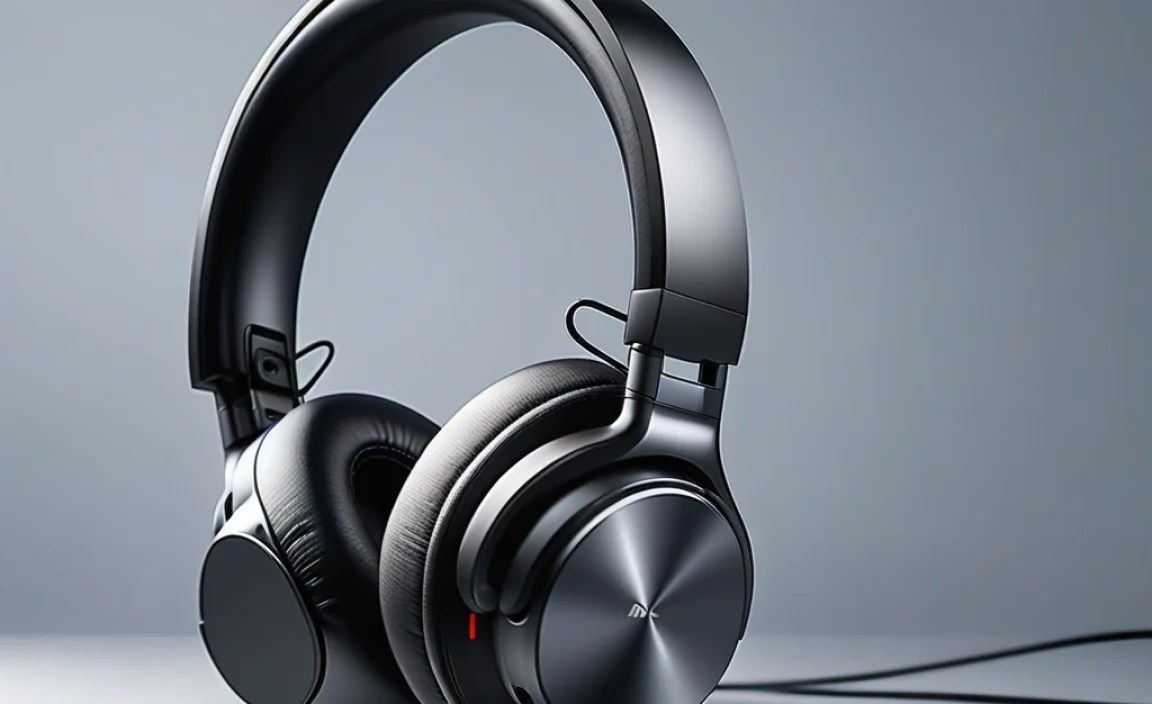
Xiaomi offers a fantastic range of its own accessories that are designed to work seamlessly with its devices, often at competitive prices. However, reputable third-party brands also offer excellent options.
Xiaomi’s Own Range
Xiaomi’s ecosystem is robust. Look for:
- Xiaomi Buds Series: Their TWS earbuds (e.g., Xiaomi Buds 3, Redmi Buds series) offer great value, often with features like ANC, good battery life, and decent sound quality.
- Xiaomi Wireless Headphones: Their over-ear and neckband options provide good performance for their price point and are optimized for Mi devices.
Third-Party Brands Worth Considering
These brands are known for quality audio and broad compatibility:
Popular Choices for Wired (USB-C or 3.5mm)
If your Xiaomi has a 3.5mm jack, brands like Sennheiser, Audio-Technica, and Beyerdynamic offer superb wired options. For USB-C, brands like Anker and Sony sometimes offer specific USB-C wired headphones, or you can rely on an adapter.
| Headphone Type | Connection Type | Recommended Brands/Models (Examples) | Best For |
|---|---|---|---|
| In-Ear Earbuds | 3.5mm Jack / USB-C | Sennheiser CX series, Audio-Technica ATH-CKS series, KZ ZSN Pro (Budget) | Portability, general listening, workouts |
| Over-Ear Headphones | 3.5mm Jack | Sennheiser HD 400S, Audio-Technica ATH-M30x, Beyerdynamic DT 770 PRO | Studio monitoring, immersive home listening |
Popular Choices for Wireless (Bluetooth)
For wireless, options abound:
- Samsung (Galaxy Buds): Excellent compatibility and features, even with non-Samsung Android phones.
- Sony (WF-1000XM Series, WH-1000XM Series): Renowned for class-leading ANC and sound quality, support LDAC for high-res audio.
- Jabra (Elite Series): Known for durability, secure fit, and good app support.
- Anker Soundcore: Offers excellent value with features like ANC and long battery life at competitive prices.
| Headphone Type | Connection Type | Recommended Brands/Models (Examples) | Key Features |
|---|---|---|---|
| True Wireless Earbuds | Bluetooth | Samsung Galaxy Buds Pro/2, Sony WF-1000XM5, Jabra Elite 7/8 Active, Anker Soundcore Liberty series | ANC, portability, app control, voice assistant |
| Over-Ear Headphones | Bluetooth | Sony WH-1000XM5, Bose QuietComfort Series, Sennheiser Momentum 4 | Premium ANC, long battery life, superior comfort and sound |
| Neckband Earbuds | Bluetooth | Jabra Elite Active 45e, Sony WI-C310, Bose SoundSport Wireless | Secure fit for activity, convenience, no-lose design |
Maximizing Your Audio Experience with Xiaomi
Beyond just connecting your headphones, a few tweaks can elevate your audio:
1. Check Audio Settings on Your Xiaomi Device
Most Xiaomi phones (running MIUI/HyperOS) have a sound enhancement or Dolby Atmos feature. Explore these settings under Settings > Sound & vibration > Sound effects (or similar). You can often select profiles for music, movies, games, or even customize an equalizer. These can make a noticeable difference to the sound profile of your headphones.
2. Update Bluetooth and Firmware
Ensure your Xiaomi device’s software is up-to-date. Manufacturers often release updates that improve Bluetooth connectivity and audio performance. If you’re using wireless headphones, check their companion app (if available) for firmware updates for the headphones themselves. These updates can fix bugs and improve features.
3. Understanding Audio File Quality
The quality of the audio file you’re listening to directly impacts the sound quality. Lossless formats like FLAC offer the best audio fidelity, followed by high-bitrate MP3 or AAC files. Streaming services like Spotify, Apple Music, or TIDAL allow you to choose higher streaming quality in their settings. For more on audio file formats and quality, you can refer to resources like the Library of Congress’s National Jukebox, which discusses the preservation and quality of audio recordings.
Frequently Asked Questions (FAQ)
Q1: Do all headphones work with Xiaomi phones?
Generally, yes! Most headphones that use industry-standard connectors (3.5mm, USB-C) or Bluetooth profiles will work. Occasionally, very specific features or niche headphones might have compatibility quirks. However, for most users, standard headphones from any reputable brand will connect and function.
