
Discover how high-quality gaming headphones enhance your gameplay with immersive sound and clear communication. This guide helps beginners choose the perfect pair by explaining key features like audio drivers, comfort, microphone quality, and connectivity options, ensuring you make a confident purchase for a superior gaming experience.
High-Quality Headphones for Gaming: Your Essential Beginner’s Guide

Hey there, gamers and soon-to-be gaming audio gurus! Edward Cavitt here from Headphone Horizon. So, you’re looking to elevate your gaming experience, and you’ve heard whispers about how “high quality headphones for gaming” can make a world of difference. You’re not wrong!
Imagine hearing the faintest footstep creeping up behind you, pinpointing the exact direction of an enemy’s attack, or having your teammates hear your callouts crystal clear. That’s the magic of good gaming audio. But diving into the world of gaming headsets can feel a bit like navigating a minefield of tech specs and jargon, right? Don’t sweat it!
This guide is designed to cut through the noise and help you, a beginner, understand exactly what makes a gaming headset “high quality” and how to pick the one that’s perfect for your setup and your budget. We’ll break down the essential features, what they mean for your gameplay, and how to make a smart choice. Let’s get your game sounding as epic as it looks!
Why Invest in High-Quality Headphones for Gaming?

You might be thinking, “Can’t I just use any old headphones?” While you can, investing in high-quality headphones specifically designed for gaming offers several significant advantages that can dramatically improve your play and your overall enjoyment.
- Immersive Soundscapes: High-quality gaming headsets are engineered to deliver a rich, detailed audio experience. This means you can hear the subtle nuances in game audio – the rustle of leaves, the distant roar of a dragon, or the distinct sound of gunfire. This immersion pulls you deeper into the game world, making it more engaging and exciting.
- Positional Audio Accuracy: This is a game-changer! Many high-end gaming headsets feature advanced audio technologies that provide excellent positional audio. This allows you to pinpoint the direction and distance of in-game sounds with remarkable accuracy. Knowing where an enemy is before you see them can give you a crucial tactical advantage.
- Clear Communication: If you play multiplayer games, clear communication with your team is vital. High-quality gaming headsets come with excellent microphones that pick up your voice clearly, filter out background noise, and ensure your teammates can hear your strategies, warnings, and jokes without any confusion.
- Comfort for Long Sessions: Gaming can sometimes involve long hours in front of the screen. Comfortable headphones are a must. Quality gaming headsets are built with plush earcups, adjustable headbands, and lightweight designs to ensure maximum comfort, even during marathon gaming sessions.
- Durability and Build Quality: When you invest in quality, you often get durability. High-end gaming headsets are typically built with robust materials designed to withstand the rigors of regular use, meaning they’ll be a reliable companion for your gaming adventures for years to come.
Key Features to Look for in High-Quality Gaming Headphones

Now that we understand why good headphones matter, let’s dive into what to look for. Don’t let the technical terms scare you; we’ll break them down simply.
1. Sound Quality: Drivers and Frequency Response
This is arguably the most critical factor for an immersive gaming experience. Sound quality is largely determined by two things: the drivers and the frequency response.
Drivers: These are the small speakers inside your headphones that actually produce the sound. Larger drivers generally (but not always) mean better sound, especially for bass. For gaming, you want drivers that can handle a wide range of sounds, from deep explosions to crisp dialogue and high-pitched weapon fire.
Frequency Response: This refers to the range of sounds (from low bass to high treble) that the headset can reproduce. A wider frequency response range usually indicates a more detailed and natural sound. For gaming, look for a frequency response that balances clear highs (for footsteps and vocal cues) with punchy mids and lows (for explosions and immersive effects). A common range to aim for is 20Hz to 20,000Hz, which covers the full spectrum of human hearing, but many gaming headsets go beyond this to capture even more detail.
2. Comfort and Ergonomics
You’ll be wearing these for hours, so comfort is paramount!
- Earcups: Look for plush, breathable earcups. Materials like memory foam or velour are excellent choices as they mold to your ears and reduce heat buildup. Over-ear designs (circumaural) are generally preferred for gaming as they completely cup your ears, providing better passive noise isolation and comfort.
- Headband: An adjustable, padded headband ensures a secure but comfortable fit. It should distribute weight evenly across your head to prevent pressure points.
- Weight: Lighter headsets are generally more comfortable for extended wear.
3. Microphone Quality
Clear communication is key in team-based games. A good microphone will ensure your teammates hear you loud and clear, and ideally filter out distracting background noise.
- Type: Most gaming headsets use unidirectional (cardioid) microphones, which pick up sound primarily from the front, helping to reject ambient noise. Retractable or detachable microphones are a nice bonus, allowing you to tuck them away when not in use.
- Features: Look for features like noise cancellation, which actively filters out background sounds like keyboard clicks or fan noise. Some higher-end headsets also offer mic monitoring, so you can hear yourself speak through the headset, preventing you from shouting.
4. Connectivity Options
How you connect your headset to your gaming device is important for compatibility and ease of use.
- Wired (3.5mm Jack): Universal compatibility with most PCs, consoles (PlayStation, Xbox, Nintendo Switch), and mobile devices. Simple plug-and-play.
- Wired (USB): Offers a more stable connection and often allows for higher fidelity audio and more advanced features like virtual surround sound processing.
- Wireless (2.4GHz Dongle): Provides wireless freedom without the latency (delay) associated with standard Bluetooth. Ideal for PC and consoles.
- Wireless (Bluetooth): Offers the most universal wireless connectivity but can sometimes introduce noticeable audio latency, which might be a problem for fast-paced games.
5. Surround Sound Technologies
Surround sound can significantly enhance your awareness of in-game events. There are two main types:
- Virtual Surround Sound (VSS): This software-based technology simulates a surround sound experience using stereo headphones. It’s great for pinpointing game audio cues like footsteps or gunfire direction. Many PC headsets offer this, and some consoles have their own implementations (like Windows Sonic or Dolby Atmos for Headphones on Xbox/PC).
- True Surround Sound: Some headsets have multiple drivers in each earcup to create a physical surround sound effect. While this can sound impressive, it’s often less precise for positional audio compared to well-implemented virtual surround sound.
6. Compatibility
Ensure the headset you choose works with your primary gaming platform(s). Most headsets are designed for PC, but check compatibility for Xbox, PlayStation, Nintendo Switch, and even mobile devices if you play on those platforms.
Understanding Technical Specifications (Simplified!)
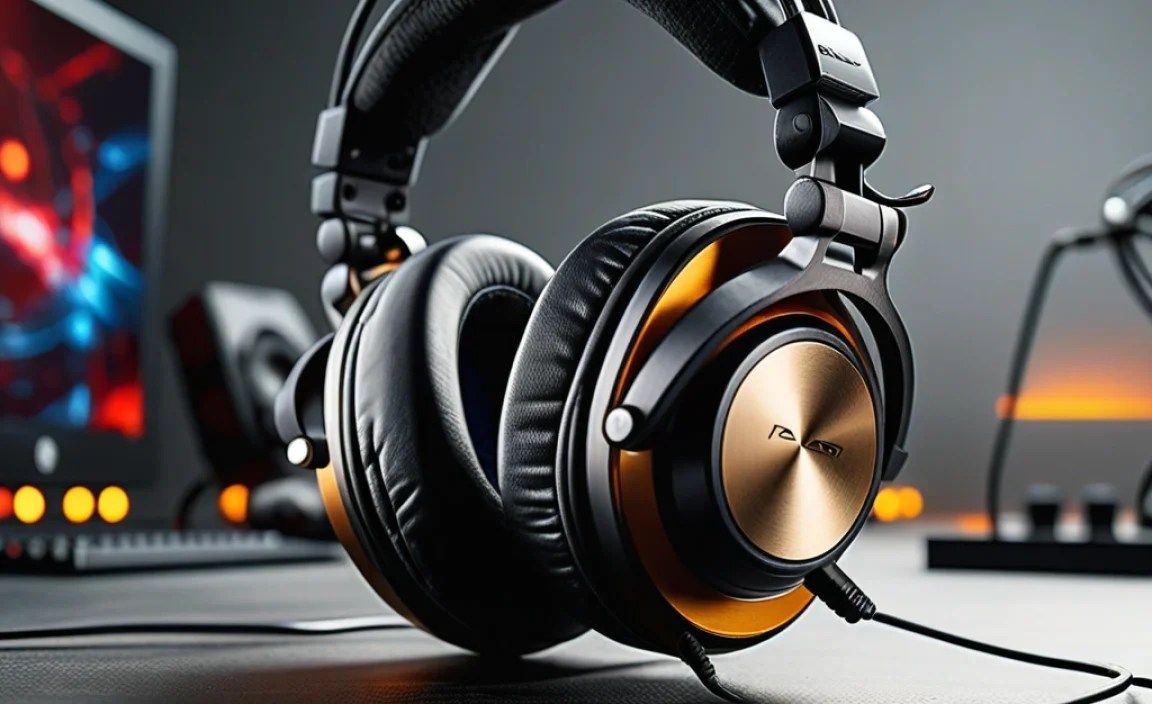
Let’s demystify a few common specs you’ll see when looking at gaming headphones.
| Specification | What It Means for Gaming | What to Look For |
|---|---|---|
| Driver Size | Larger drivers (e.g., 50mm) can produce more powerful bass and a wider soundstage, making explosions feel more impactful and distances sound more realistic. | Generally, 40mm to 50mm drivers are common and perform well. Bigger isn’t always better, but it’s a good indicator. |
| Frequency Response | A wide range (e.g., 20Hz – 20kHz) ensures you can hear both deep rumbling explosions and high-pitched sounds like enemy reloads or ambient chatter. Some gaming headsets emphasize certain frequencies for clearer footsteps. | Look for clarity across the spectrum. Consistency is key. |
| Impedance (Ohms, Ω) | This measures how much power the headset needs to produce sound. Higher impedance often means higher audio quality but might require an amplifier to sound its best. | For most gaming (plugging directly into PC/console), 32Ω or lower is generally fine and easier to drive. If you’re an audiophile looking for extreme quality, higher impedance (e.g., 250Ω) might be an option, but research further. |
| Sensitivity (dB/mW or dB/V) | Measures how loud the headset can get with a given amount of power. Higher sensitivity means it’s easier to drive and will sound louder at the same volume setting. | Higher sensitivity (e.g., 95dB or more) is usually good for gaming, ensuring you can crank it up when needed. |
| Microphone Type | Electret Condenser mics are common and offer good quality. Noise-cancelling is a crucial feature for clear team chat. | Look for noise cancellation and a clear pickup pattern (unidirectional). |
Step-by-Step Guide to Choosing Your High-Quality Gaming Headphones
Ready to find your perfect pair? Follow these steps:
Step 1: Define Your Budget
High-quality gaming headphones can range from around $50 to well over $300. Setting a budget upfront will help narrow down your options significantly. Remember, “high quality” doesn’t always mean “most expensive.” You can find fantastic options at mid-range prices.
Step 2: Identify Your Primary Gaming Platform(s)
Are you a PC gamer? Mostly on PlayStation 5 or Xbox Series X/S? Or do you jump between multiple consoles and maybe even a Nintendo Switch or mobile? This will dictate your connectivity needs.
- PC: USB or 3.5mm jack are common. USB often unlocks more features.
- PlayStation/Xbox: Many headsets use a 3.5mm jack connected to the controller, or a USB dongle for wireless. Check specific console compatibility for wireless USB dongles.
- Nintendo Switch: Primarily uses the 3.5mm jack.
Step 3: Prioritize Essential Features
Think about what matters most to you.
- Crystal-Clear Comms: If team chat is vital, focus on microphone quality and noise cancellation.
- Immersive Storytelling: If single-player games are your jam, prioritize excellent sound fidelity and surround sound capabilities.
- Competitive Edge: For fast-paced, competitive games, positional audio accuracy and low latency (especially for wireless) are key.
- Marathon Sessions: Comfort is king. Look for lightweight designs and plush earcups.
Step 4: Consider Wired vs. Wireless
This is a big decision!
- Wired:
- Pros: Generally cheaper, no battery concerns, typically lower latency, often simpler setup.
- Cons: Cable can be restrictive, potential for tangles.
- Wireless:
- Pros: Freedom of movement, clean setup.
- Cons: More expensive, requires charging, potential for some latency (though modern 2.4GHz is very good), can be heavier due to batteries.
For a beginner, a reliable wired headset with a 3.5mm jack or USB is often the simplest and most cost-effective way to get high quality. If you opt for wireless, a 2.4GHz USB dongle is highly recommended for gaming due to its low latency.
Step 5: Read Reviews and Watch Videos
Once you’ve narrowed down your choices, do some digging! Look for reviews from reputable tech sites and, importantly, user reviews on retail sites. Pay attention to:
- Sound Impressions: Do reviewers mention clear positional audio? How are the bass and treble?
- Comfort Feedback: Are people complaining about ear fatigue or the clamping force?
- Microphone Performance: Search for audio samples of the microphone online.
- Build Quality: Do they feel cheap or durable?
- Connectivity Issues: Are there common complaints about dropping connections or setup problems?
Step 6: Try Them On (If Possible)
If you have the opportunity, try on headsets in a store. Even a few minutes can tell you a lot about comfort and how they feel on your head.
For more information on audio technologies and hearing health, the National Institute on Deafness and Other Communication Disorders (NIDCD) offers excellent resources on noise-induced hearing loss and safe listening practices.
Popular Types of High-Quality Gaming Headphones
While specific brands and models change rapidly, certain types of headsets consistently offer great value and performance for gamers.
- Multi-Platform Wired Stereo Headsets: Often the best bang for your buck. They connect via 3.5mm jack and work on almost everything. Brands like HyperX, SteelSeries, and ROCCAT offer excellent entry-level to mid-range options here.
- PC-Focused USB Headsets: These often boast virtual surround sound and more advanced controls. Brands like Razer, Corsair, and Logitech G are strong contenders.
- Console-Specific Wireless Headsets: Companies often design wireless headsets with proprietary dongles optimized for PlayStation or Xbox to ensure seamless performance and low latency.
- Audiophile-Grade Headphones with a ModMic: For the ultimate in sound quality and microphone flexibility, some gamers opt for high-fidelity headphones (like Sennheiser, Beyerdynamic, or Audio-Technica) and attach a separate, high-quality microphone like a ModMic. This approach is more expensive and complex but offers top-tier audio performance.
Maintaining Your Gaming Headphones
A little care goes a long way to keep your investment sounding and feeling great:
- Cleaning: Regularly wipe down earcups, headbands, and the microphone with a slightly damp cloth. For detachable earpads, some can be gently hand-washed (check manufacturer instructions!).
- Storage: When not in use, store your headset in a safe place, ideally on a stand or in its original box/case, to prevent damage.
- Cable Management: For wired headsets, avoid extreme bending or pulling of the cables. Use ties to keep them neat.
- Battery Care (Wireless): Avoid draining wireless headsets completely every time. For long-term storage, charge them to around 50%.
Frequently Asked Questions (FAQ)
Let’s tackle some common questions beginners have.
- Q1: Do I really need a dedicated gaming headset, or can I use my music headphones?
- You can certainly use music headphones, but dedicated gaming headsets are optimized for gaming. They typically feature better microphones for team chat, directional audio for better in-game awareness, and designs focused on long-term comfort during gaming sessions. Music headphones excel at nuanced audio reproduction for music, but might lack the specific features gamers need.
- Q2: What’s the deal with virtual surround sound? Is it worth it?
- Virtual surround sound (VSS) uses software to create a 3D audio environment from stereo headphones. It’s excellent for games, as it helps you pinpoint the direction of sound such as footsteps or gunfire, giving you a tactical advantage. Many PC headsets offer this, and it’s often better than no surround sound at all. True surround sound with multiple drivers can sometimes be less precise for locating exactly where a sound is coming from.
- Q3: My wireless headset has a slight delay (latency). Is this normal?
- A slight perceptible delay, or latency, can occur with wireless audio. However, modern 2.4GHz wireless technology used in gaming headsets is extremely low-latency, making it ideal for gaming and often indistinguishable from wired audio. Standard Bluetooth, while common, can have more noticeable latency. If you experience significant delay, ensure your dongle is properly connected and check for firmware updates.
