
Quick Summary: iPhone adapters for headphones connect your favorite wired headphones to newer iPhones lacking a headphone jack. This guide helps you choose the right adapter, understand types, and ensure clear, reliable audio for music and calls.
iPhone Adapters For Headphones: Your Essential Buying Guide
Hey there, audio adventurers! Edward Cavitt here from headphonehorizon. If you’ve recently upgraded to a newer iPhone and discovered that familiar headphone jack is missing, don’t worry! You’re not alone, and thankfully, there’s a simple solution: iPhone adapters for headphones. These little gadgets are your ticket to enjoying your beloved wired headphones with your latest Apple device. Whether you’re a dedicated music lover, a podcast enthusiast, or someone who relies on calls throughout the day, understanding these adapters is key. We’ll break down exactly what you need to know to pick the perfect one, ensuring your audio experience remains uninterrupted and crystal clear. Let’s dive in!
Why You Might Need an iPhone Headphone Adapter

Apple made a significant shift when they removed the traditional 3.5mm headphone jack starting with the iPhone 7. Their reasoning, as often cited, was to make iPhones thinner and more water-resistant, and to encourage the adoption of wireless audio. While wireless headphones are convenient, many of us have a cherished pair of wired headphones that deliver incredible sound quality, are reliable, and don’t require charging. Suddenly, these beloved headphones might become incompatible with your new iPhone. That’s where the humble iPhone adapter for headphones steps in. It’s the bridge that connects your old-school audio gear to your modern smartphone, ensuring you don’t have to sacrifice sound for convenience.
The primary reasons for needing an adapter are:
- Lack of Headphone Jack: Newer iPhones (iPhone 7 and later) do not have a built-in 3.5mm headphone jack.
- Using Existing Headphones: You want to continue using your high-quality wired headphones without buying new wireless ones.
- Reliability: Wired connections are often more reliable and don’t suffer from Bluetooth dropouts or battery drain.
- Cost-Effectiveness: An adapter is a far cheaper solution than replacing all your wired headphones with wireless alternatives.
Understanding the Types of iPhone Adapters for Headphones

When you’re looking for an iPhone adapter for headphones, you’ll primarily encounter two main types, each serving a slightly different, yet crucial, purpose. Understanding the difference will help you make the best choice for your needs.
1. The Lightning to 3.5mm Headphone Jack Adapter
This is the most common and straightforward adapter. It plugs into your iPhone’s Lightning port (the same port you use for charging) and provides a standard 3.5mm female jack where you can plug in any pair of wired headphones or earbuds that use a traditional headphone plug.
How it works: This adapter contains a small Digital-to-Analog Converter (DAC) chip. When you send an audio signal from your iPhone, it’s in digital format. This chip converts that digital signal into an analog signal that your headphones can understand and play. This conversion process is vital for sound quality. The quality of this DAC chip can influence the clarity and richness of the audio you hear. Apple’s official adapter also includes circuitry for controlling playback (play/pause, volume) via the headphone cable, provided your headphones support these functions.
Key Features to Look For:
- MFi Certified: This is crucial. “Made for iPhone/iPad/iPod” (MFi) certification means the adapter has been approved by Apple and meets their performance and safety standards. Non-MFi adapters might work initially but could stop functioning after an iOS update or deliver poor audio quality.
- Build Quality: Look for sturdy connectors and a durable cable to withstand daily wear and tear.
- Audio Performance: While most MFi adapters provide good quality, some higher-end options might boast better DACs for audiophiles.
Pros:
- Universally compatible with any headphones that have a 3.5mm jack.
- Simple and easy to use.
- Relatively inexpensive.
Cons:
- Takes up your iPhone’s only charging/data port, meaning you can’t charge your iPhone and listen to music with wired headphones simultaneously (unless you use a splitter, see below).
- Audio quality is dependent on the quality of the DAC within the adapter.
2. Adapters with Built-in DACs (Higher-End Options)
While Apple’s official Lightning to 3.5mm adapter has a DAC, some third-party adapters are specifically designed with higher-quality DACs. These are often marketed towards audiophiles who want the best possible sound from their wired headphones. They might also offer features like support for higher-resolution audio formats.
How it works: These adapters feature more advanced DAC chips and sometimes even amplifiers, which can offer superior audio fidelity compared to standard adapters. They are designed to decode digital audio signals more accurately, resulting in a richer, more detailed sound. For those who are meticulous about their listening experience, these can be a worthwhile investment.
Key Features to Look For:
- High-Resolution Audio Support: Does it support formats like FLAC, DSD, or MQA?
- DAC Chipset: Manufacturers often highlight the specific DAC chip they use (e.g., ESS Sabre, Cirrus Logic).
- Amplification: Some units include a small amplifier to drive higher-impedance headphones that might otherwise sound too quiet or lack dynamic range.
- MFi Certification: Still essential for reliable performance and compatibility.
Pros:
- Potentially superior audio quality.
- Can drive more demanding headphones.
- A good option for critical listening.
Cons:
- Significantly more expensive than standard adapters.
- Might be overkill for casual listeners.
- Still occupies the Lightning port.
3. Lightning Splitters (for Charging and Listening)
For those who absolutely need to charge their iPhone while listening to music through wired headphones, a Lightning splitter is the solution. These adapters feature one Lightning input (to connect to your iPhone) and then split into two outputs: one Lightning port (for charging) and one 3.5mm headphone jack.
How it works: These essentially combine the functionality of an Apple Lightning to 3.5mm adapter with a Lightning charging port. They leverage the iPhone’s ability to handle multiple audio and power signals through the Lightning port. However, it’s important to note that not all splitters support high-resolution audio or certain advanced headphone controls equally well, and some have known compatibility issues.
Key Features to Look For:
- MFi Certification: Absolutely paramount for splitters, as they handle both audio and power.
- Simultaneous Charge & Listen: Ensure it explicitly states it supports both functionalities at the same time.
- Durability: As these are often used in mains-powered scenarios, good build quality is important.
Pros:
- Allows simultaneous charging and listening.
- Convenient for long listening sessions or travel.
Cons:
- Can be bulkier than a single adapter.
- Audio quality can sometimes be compromised compared to a dedicated adapter.
- More prone to compatibility issues if not MFi certified.
How to Choose the Right Adapter: A Step-by-Step Guide

Navigating the world of iPhone adapters for headphones might seem daunting, but it’s actually quite straightforward once you know what to look for. Here’s a simple, step-by-step process to help you make the best choice:
Step 1: Identify Your iPhone Model
This is the most critical first step. As mentioned, iPhones from the 7 onwards lack a headphone jack. So, if you have an iPhone 7, 8, X, XS, XR, 11, 12, 13, 14, 15, or any SE model released after the iPhone SE (2nd generation), you will need an adapter. The port on all these iPhones for charging and data is the Lightning port.
Step 2: Determine Your Primary Need
What do you need the adapter for?
- Just to use your wired headphones? You likely need a standard Lightning to 3.5mm adapter.
- Do you need to charge your iPhone while using wired headphones? You’ll need a Lightning splitter.
- Are you an audiophile seeking the absolute best sound quality? Consider a higher-end adapter with a superior DAC.
Step 3: Prioritize MFi Certification
This cannot be stressed enough. “Made for iPhone/iPad/iPod” (MFi) certification is a licensing program developed by Apple. Products that are MFi certified have undergone rigorous testing by Apple to ensure they are compatible, safe, and won’t damage your device. Purchasing MFi-certified accessories significantly reduces the risk of performance issues, unexpected shutdowns, or even damage to your iPhone. You can often find the MFi logo on the product packaging or in the product description online. For more information on MFi certification, you can visit Apple’s official page on the topic: Apple MFi Program.
Step 4: Consider Your Headphones
What kind of headphones will you be plugging in?
- Standard earbuds/headphones: Most adapters will work perfectly fine.
- High-impedance headphones: If you have studio-grade or high-impedance headphones (generally above 80 ohms), a standard adapter might not provide enough power, resulting in low volume or weak sound. In this case, you might need an adapter with a built-in amplifier or a dedicated DAC/amp combo.
Step 5: Budget and Brand Reputation
iPhone adapters for headphones range from a few dollars to over a hundred. Apple’s official adapter is usually a safe bet for compatibility but can be pricier. Reputable third-party brands that specialize in audio accessories or Apple accessories are also good choices. Always check reviews to see what other users are saying about audio quality, durability, and long-term reliability. Cheaper, uncertified adapters are often not worth the risk.
Step 6: Read Reviews and Compare Features
Once you’ve narrowed down your options, take some time to read user reviews. Pay attention to comments about:
- Audio clarity
- Volume levels
- Durability of the cable and connectors
- Compatibility with different iPhone models and iOS versions
- Reliability of microphone and button controls (if your headphones have them)
Adapter Specifications and What They Mean

When shopping for an iPhone adapter for headphones, you might come across some technical terms. Here’s a quick rundown of what they mean in practical terms for everyday listening:
Digital-to-Analog Converter (DAC)
As mentioned, this is the chip that converts digital audio signals from your iPhone into the analog signals your headphones can play. A better DAC generally means clearer, more detailed, and more accurate sound reproduction. For most users, the DAC in an MFi-certified adapter is sufficient. For audiophiles, a high-performance external DAC within an adapter can make a noticeable difference.
Sampling Rate and Bit Depth
These terms relate to the quality of digital audio. Sampling rate (measured in kHz) refers to how many times per second the audio signal is measured. Bit depth (measured in bits) refers to the accuracy of each measurement. Standard CDs use 44.1 kHz and 16-bit. High-resolution audio can go much higher (e.g., 96 kHz/24-bit or even 192 kHz/24-bit). If your music library contains high-resolution files, ensure your adapter and headphones can support them to get the most out of them. Most MFi adapters support up to 48 kHz/24-bit, which is CD quality and often sufficient for most listeners.
Frequency Response
This describes the range of sound frequencies an adapter (and by extension, your audio setup) can reproduce, from the lowest bass to the highest treble. It’s usually expressed as a range (e.g., 20 Hz to 20 kHz). A wider frequency response generally means a more complete sound. The human ear can typically hear from about 20 Hz to 20 kHz, so most decent adapters will aim to cover this range.
Impedance (Ohms)
This is an electrical resistance measurement that affects how much power your headphones need from the audio source. Lower impedance headphones (e.g., 16-32 ohms) are easier to drive and will work well with most phones and adapters. Higher impedance headphones (e.g., 80 ohms or more) require more power, and a standard iPhone adapter might struggle to provide enough volume or dynamic range. If you have high-impedance headphones, look for an adapter that specifically mentions amplification capabilities.
Comparison Table: Adapter Types at a Glance
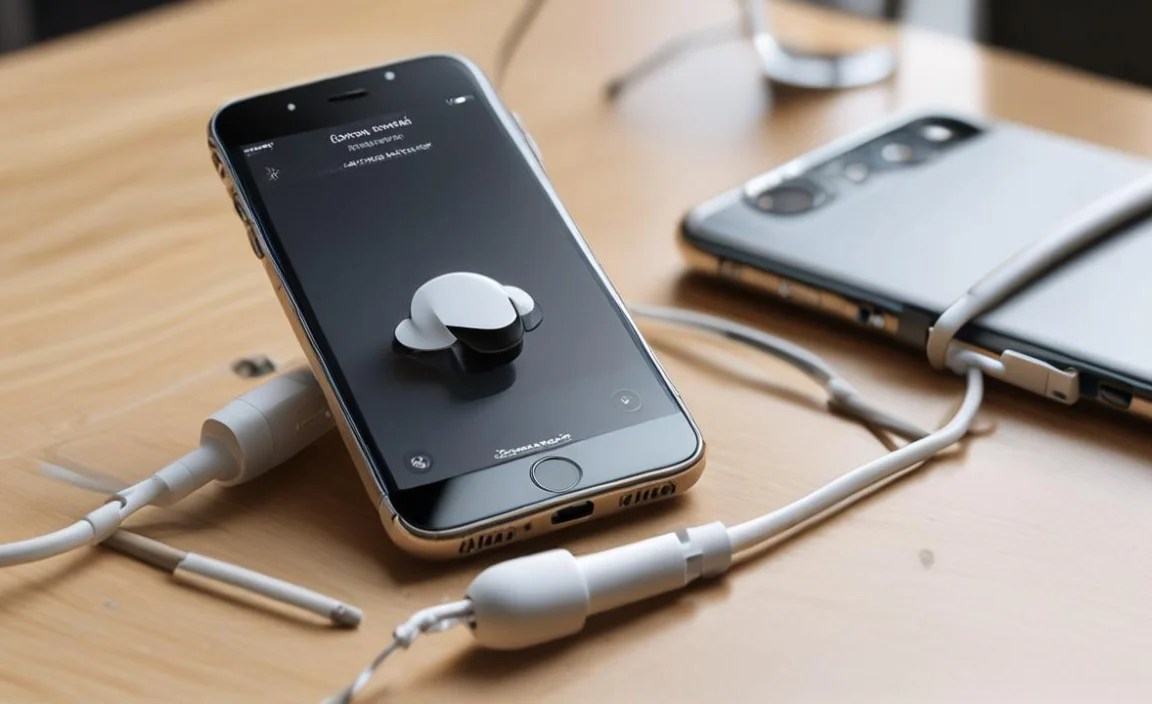
To help you visualize the differences, here’s a quick comparison table:
| Adapter Type | Primary Use | Pros | Cons | Typical Price Range (USD) | MFi Certification Importance |
|---|---|---|---|---|---|
| Lightning to 3.5mm Adapter | Connect basic wired headphones | Simple, inexpensive, wide compatibility | Blocks charging port | $9 – $40 | Crucial |
| Lightning Splitter | Listen and charge simultaneously | Allows dual functionality | Can be bulky, potential for lesser audio quality | $15 – $50 | Absolutely Critical |
| High-End DAC/Amp Adapter | Superior audio quality, driving difficult headphones | Best sound, amplifies power | Expensive, might be overkill for casual users | $50 – $200+ | Crucial |
Tips for Using Your iPhone Adapter for Headphones
Once you’ve got your adapter, a few smart practices can ensure you get the best experience and prolong its life:
- Handle with Care: The connector points are delicate. Avoid bending the adapter sharply or putting excessive strain on the cable.
- Keep it Clean: Dust and debris can build up in both the Lightning port of your iPhone and the adapter’s port. Use a can of compressed air to gently clean them periodically.
- Update Your iOS: Ensure your iPhone’s operating system is up-to-date. Apple frequently releases updates that improve accessory compatibility and performance.
- Test Functionality: After plugging in, check that both audio playback and any headphone controls (volume, play/pause, microphone) are working as expected.
- Store Properly: When not in use, store the adapter in a small pouch or case to protect it from damage, especially if you carry it in a bag or pocket.
Common Issues and Troubleshooting
Even with the best adapters, occasional glitches can happen. Here are some common issues and how to fix them:
- No Sound:
- Ensure the adapter is securely plugged into both your iPhone and your headphones.
- Try unplugging and replugging the adapter.
- Restart your iPhone.
- Check if your iPhone’s volume is turned up.
- Test your headphones with another device or a different adapter to rule out headphone issues.
- Intermittent Sound or Static:
- This often points to a loose connection or a damaged cable. Ensure everything is firmly connected.
- Check the adapter and headphone cables for visible damage.
- Clean the Lightning port on your iPhone and the adapter’s port.
- If the issue persists, the adapter might be faulty or non-MFi certified and experiencing compatibility problems with iOS updates.
- Headphone Controls Not Working:
- This is most common with non-MFi certified adapters or headphones that use non-standard wiring for their controls.
- Ensure your headphones are designed to work with iPhones.
- Try a different MFi-certified adapter to see if the issue is with the adapter or headphones.
- Adapter Stops Working After iOS Update:
- This is a strong indicator that the adapter is not MFi certified. Apple can sometimes block the functionality of third-party accessories that do not meet their standards.
- If you can’t get a refund or replacement, your best bet is to purchase an MFi-certified adapter
