
Quick Summary: This guide explains the Lightning connector for headphones, its benefits for Apple users, how to use it, common issues, and why it’s an important part of your audio experience.
Lightning Connector for Headphones: Your Essential Guide
Hey there, audio adventurer! Edward Cavitt here from headphonehorizon. If you’ve recently picked up a new iPhone or iPad, you might have noticed something a little different: no more traditional headphone jack. Instead, you’ve likely encountered the Lightning connector. Don’t worry if it seems a bit puzzling at first! This small, but mighty connector has become the standard for audio on many Apple devices. In this guide, I’ll break down everything you need to know about the Lightning connector for headphones, making it simple and stress-free to enjoy your music, podcasts, and calls. Let’s dive in!
What Exactly is a Lightning Connector?
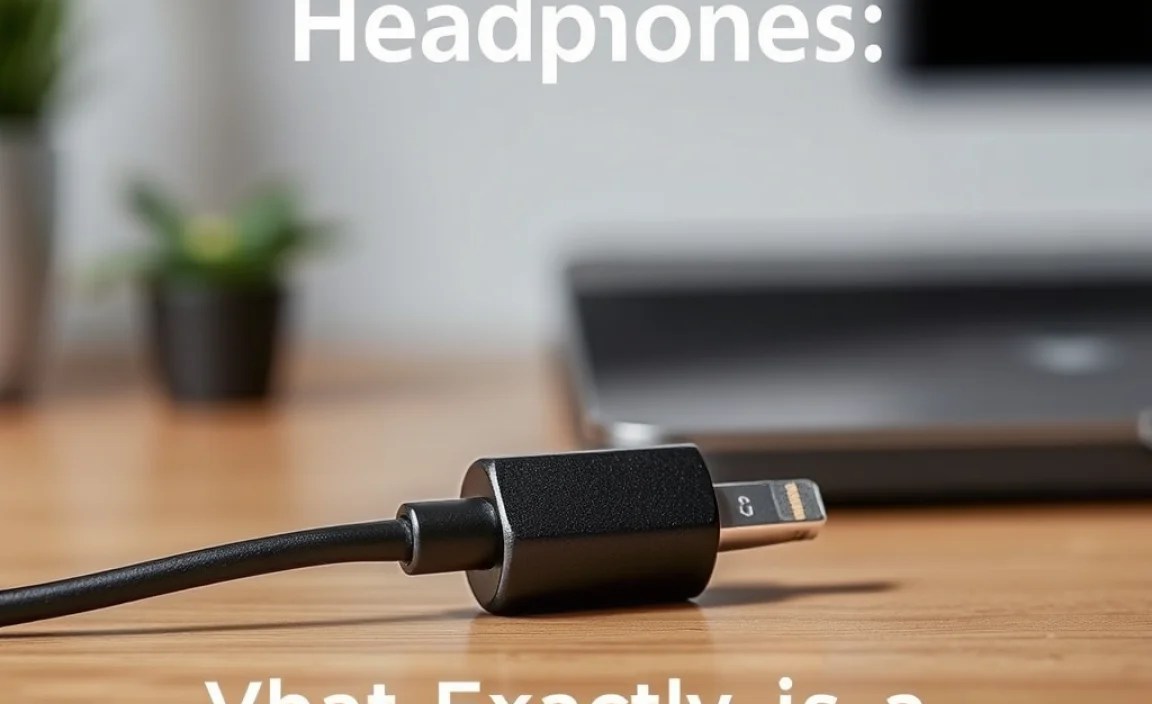
Before we get to headphones, let’s quickly understand the connector itself. The Lightning connector is a proprietary connector developed by Apple. It first appeared with the iPhone 5 back in 2012 and has since become the charging and data port for most of Apple’s mobile devices, including iPhones, iPads, and AirPods charging cases. It’s known for being reversible, meaning you can plug it in either way up – a neat trick that saves a lot of fumbling!
The Shift Away from the Traditional Headphone Jack
You might be wondering why Apple made the switch. It’s a topic that’s sparked a lot of discussion! The primary reasons cited by Apple for removing the 3.5mm headphone jack were to:
- Make Devices Thinner: Removing the headphone port allowed for sleeker, more compact device designs.
- Improve Water Resistance: Sealing off ports makes devices more resistant to water and dust ingress.
- Promote Wireless Audio: Apple has been a strong advocate for wireless audio solutions like AirPods.
- Enable Higher Quality Audio: Digital audio signals transmitted via Lightning can, in theory, offer better sound quality compared to the analog signal from a traditional jack.
While the transition wasn’t universally loved, the Lightning connector offers a unique way to connect your headphones directly to your Apple gear.
How Lightning Connector Headphones Work
This is where the magic happens for your ears! Unlike older headphones that used an analog audio signal, headphones designed for the Lightning connector transmit digital audio. Here’s a simplified breakdown of what goes on:
- Digital Audio: Your iPhone or iPad converts the digital music file (like an MP3 or AAC) into a digital audio signal.
- Lightning Transmission: This digital signal travels through the Lightning port and cable directly to your headphones.
- Onboard DAC: Inside your Lightning headphones is a small chip called a Digital-to-Analog Converter (DAC). Its job is to convert the digital audio signal back into an analog signal that your headphone speakers can understand and reproduce as sound.
- Sound to Your Ears: The analog signal then drives the speaker drivers in your headphones, bringing your music to life.
The benefit of this digital transmission is that it bypasses the device’s potentially lower-quality internal DAC, often resulting in a cleaner, more detailed sound, especially if the headphones have a superior DAC. For more technical details on digital audio conversion, you can explore resources like audiophile websites or articles explaining the nuances of DACs.
Types of Lightning Connector Headphones
When you’re shopping for headphones with a Lightning connector, you’ll primarily encounter a few main types:
- Wired Lightning Headphones: These are headphones that have a permanent Lightning connector attached to their cable. They plug directly into your iPhone or iPad when you want to listen. Apple’s own EarPods with a Lightning connector are a common example.
- Lightning to 3.5mm Adapters: If you already own a favorite pair of headphones with a traditional 3.5mm jack, don’t despair! Apple and many third-party manufacturers offer small adapters. These adapters have a Lightning connector on one end (to plug into your iPhone/iPad) and a 3.5mm female port on the other, allowing you to use your existing headphones.
- True Wireless Earbuds with Lightning Charging Cases: While the earbuds themselves connect wirelessly (usually via Bluetooth once paired), their charging cases often use a Lightning port for charging. This means you’ll still need a Lightning cable to keep your earbuds powered up.
Choosing between these depends on your preference for wired versus wireless sound and whether you want to invest in new headphones or utilize your existing ones.
Connecting Your Lightning Headphones

This is the easy part! Connecting your Lightning headphones is as straightforward as it gets:
- Locate the Lightning Port: Find the Lightning port on the bottom of your iPhone or iPad.
- Orient the Connector: For wired headphones, take the Lightning connector on the headphone cable. Remember, it’s reversible, so there’s no “wrong way” to insert it.
- Plug It In: Gently insert the Lightning connector into the port on your device. You should feel a slight click or resistance when it’s fully seated.
- Enjoy Your Audio: That’s it! Your device should automatically recognize the headphones, and audio will now play through them. If you’re using Lightning headphones for the first time, you might get a brief on-screen notification confirming the connection.
If you’re using a Lightning to 3.5mm adapter:
- Plug the Adapter into Your Device: Connect the Lightning end of the adapter to your iPhone or iPad.
- Plug Your Headphones into the Adapter: Insert the 3.5mm plug of your existing headphones into the 3.5mm port on the adapter.
- Listen Up: Your audio should now be routed through your adapter to your headphones.
Benefits of Using Lightning Connector Headphones
While change can be disruptive, the Lightning connector offers some distinct advantages for users in the Apple ecosystem:
- Potentially Better Sound Quality: As mentioned, the digital audio transmission can lead to a cleaner signal and bypasses the device’s internal DAC. Top-tier Lightning headphones often boast excellent audio fidelity.
- Integrated Controls: Most Lightning headphones, including Apple’s EarPods, come with integrated in-line remotes and microphones. These allow you to control playback (play/pause, skip tracks), adjust volume, and answer or end calls without needing to take out your device.
- Simplicity and Reliability: For wired connections, it’s a direct, stable link. No battery worries for the headphones themselves, and no pairing issues that can sometimes plague Bluetooth.
- No Charging Needed for Headphones: Since they draw power directly from the Lightning port, neither Lightning-connector-equipped wired headphones nor the Lightning-to-3.5mm adapter requires separate charging.
For a detailed look at audio standards and bitrates, resources like those from the Audio Engineering Society (AES) can provide deeper insights into digital audio.
Potential Drawbacks and How to Address Them
It’s not all sunshine and perfect pitch, of course. There are a few things to be aware of:
- Compatibility: Lightning headphones are primarily designed for Apple devices with Lightning ports. They won’t work with Android phones (unless they also have a Lightning port, which is rare) or older iPhones/iPads without a Lightning port.
- Charging and Listening Simultaneously: This is a big one for many users. If your iPhone or iPad only has one Lightning port (which is standard for most iPhones), you can’t charge your device and listen to wired Lightning headphones at the same time using a direct connection.
- Durability of the Connector: Like any plug, the Lightning connector can be susceptible to wear and tear if handled roughly or if debris gets into the port.
Here’s how to tackle these common issues:
Solving the Charging While Listening Conundrum
Don’t worry, you don’t have to choose between a full battery and your music! The solution is usually an adapter:
- Lightning Splitter Adapters: These handy gadgets typically have a Lightning port for charging and a Lightning audio output (either for Lightning headphones or a Lightning-to-3.5mm adapter). You plug the splitter into your device, then plug both your charging cable and your headphones (or adapter) into the splitter.
- Wireless Charging (for newer iPhones): If you have an iPhone that supports wireless charging (typically iPhone 8 and later), you can place your iPhone on a Qi-certified wireless charging pad while listening to wired Lightning headphones connected to the phone.
When looking for adapters, ensure they are “MFi Certified” (Made For iPhone/iPad) to guarantee compatibility and safety. You can often find more information on Apple’s MFi program on their developer site.
Dealing with Cable and Connector Wear
Treating your cables with care is key to longevity:
- Avoid Bending Sharply: Don’t wrap cables too tightly or at sharp angles, especially near the connector.
- Proper Storage: When not in use, gently coil the cable or use a small pouch or case to prevent tangling and stress on the connector.
- Keep Ports Clean: Periodically check your device’s Lightning port and the headphone connector for dust or lint. A gentle puff of air or a soft, dry brush can help keep them clear. Avoid inserting anything sharp into the port.
Troubleshooting Common Lightning Headphone Issues
Even with the best equipment, sometimes things don’t work as expected. Here are a few common problems and simple fixes:
Issue 1: No Sound
- Check the Connection: Ensure the Lightning connector is firmly plugged into your iPhone or iPad. Try unplugging and replugging it.
- Check Volume: Make sure the volume on your device isn’t turned all the way down or muted. Use the in-line controls if your headphones have them.
- Restart Your Device: A simple restart can often fix temporary glitches.
- Test with Another App or Audio Source: See if the issue is specific to one app or file.
- Try Another Pair of Lightning Headphones/Adapter: If possible, test with a different set of headphones or adapter to rule out a faulty cable.
Issue 2: Sound Only in One Earbud
- Check Cable Integrity: This often indicates a damaged wire within the cable. Gently flex the cable near the connector and near the earbuds – if you hear crackling or intermittent sound, the cable might be broken.
- Clean the Connector: Sometimes a dirty connection can cause issues. Carefully clean both the headphone connector and your device’s port.
- Test with Other Headphones: If another pair of headphones works fine, your original pair is likely the culprit.
Issue 3: Microphone Not Working
- Check Permissions: For certain apps (like voice recording or calls), ensure the app has permission to access the microphone. You can usually manage this in your device’s Settings under Privacy > Microphone.
- Verify Connection: Ensure the Lightning connector is fully secure.
- Test with Another App: See if the microphone works with the built-in Voice Memos app or during a phone call.
If you suspect your device’s Lightning port might be the issue, refer to Apple’s official support site for guidance on cleaning and potential hardware problems.
Lightning vs. USB-C for Audio: A Quick Comparison
As Apple transitions more of its products to the USB-C standard (like newer iPads and MacBooks), you might wonder about the difference for audio. USB-C is a more universal standard, used across many different brands of devices. For audio, it works similarly to Lightning, transmitting digital signals. Here’s a quick comparison:
| Feature | Lightning Connector | USB-C (for Audio) |
|---|---|---|
| Primary Device Compatibility | Most iPhones, older iPads, iPod Touch | Newer iPads, MacBooks, most Android phones/tablets, many Windows laptops |
| Connector Type | Proprietary Apple | Universal industry standard |
| Audio Transmission | Digital | Digital |
| Reversible? | Yes | Yes |
| Headphone Types | Direct Lightning, Lightning-to-3.5mm Adapter | Direct USB-C, USB-C-to-3.5mm Adapter |
| Charging Simultaneously? | Often requires splitter for wired headphones on single-port devices | Easier with many devices due to multiple ports or more flexible adapter options |
While USB-C is gaining traction, if you’re primarily an iPhone user, the Lightning connector remains the key to unlocking your wired audio experience for now.
The Future of Audio Connectors on Apple Devices
The tech world is always moving! With Apple’s recent adoption of USB-C on iPhones (starting with the iPhone 15 series) and iPads, the era of the Lightning connector for charging and data is gradually coming to a close for their flagship devices. However, for the many iPhones still on the Lightning standard, and for accessories that continue to use it, understanding the Lightning connector for headphones is still very relevant.
This shift means that while new accessories might increasingly feature USB-C, there will be a long period where Lightning-compatible accessories remain essential for older devices. It’s a good idea to keep an eye on what connectors your devices use to ensure you’re getting the right accessories.
Frequently Asked Questions (FAQ)
Q1: Do all iPhones use the Lightning connector for headphones?
No, only iPhones up to the iPhone 14 series use the Lightning connector for wired audio. The iPhone 15 series and later models have transitioned to USB-C.
Q2: Can I use regular 3.5mm headphones with my iPhone?
If your iPhone has a Lightning port (iPhone 14 and older), you will need a Lightning to 3.5mm headphone jack adapter to use your standard 3.5mm headphones. iPhones with USB-C ports will require a USB-C to 3.5mm adapter.
Q3: Are Lightning headphones better than Bluetooth headphones?
It depends on your priorities. Lightning headphones often offer a reliable wired connection, no need for headphone charging, and potentially cleaner digital audio. Bluetooth headphones offer wireless freedom but require charging and can be subject to pairing issues or audio latency.
Q4: How do I clean a Lightning connector on my headphones?
Gently use a dry, soft-bristled brush (like a clean toothbrush or a makeup brush) to brush away any loose debris. For a deeper clean, you can try a slightly dampened (not wet!) cotton swab with isopropyl alcohol, applying it very carefully to the metal contacts only. Always ensure it’s completely dry before plugging it in.
Q5: Can I use my AirPods with a Lightning cable?
AirPods themselves connect wirelessly via Bluetooth. However, the charging case for most AirPods models uses a Lightning port to charge the earbuds. This means you’ll use a Lightning cable to charge the case.
Q6: Is MFi certification important for Lightning audio accessories?
Yes, MFi certification (Made For iPhone/iPad) is highly recommended. It means the accessory has been tested and approved by Apple to work with their devices. Uncertified accessories might not function correctly, could have poor audio quality, or may even cause damage to your device.
Conclusion
The Lightning connector, while perhaps on its way out for new iPhones in favor of USB-C, has been a significant part of the Apple audio experience for over a decade. It’s enabled a generation of audio devices that deliver clear digital sound, convenient integrated controls, and a straightforward connection to your favorite Apple gadgets. Whether you’re using a direct Lightning headphone, a handy adapter, or simply charging your wireless earbuds via a Lightning cable, understanding this connector ensures you can keep the music playing without a hitch.
Don’t let the changing tech landscape intimidate you. By following this guide, you’re now equipped to connect, troubleshoot, and even troubleshoot common issues related to Lightning connector headphones. Embrace the sound, enjoy your tunes, and keep your audio horizons wide open!
