
Quick Summary: Finding great headphones for your iPhone doesn’t have to break the bank. This guide focuses on essential, affordable options, explaining what to look for, how to connect them, and highlighting top picks that deliver excellent sound quality and value. Get ready to enjoy your music like never before!
Nice Headphones For iPhone: Essential & Affordable Picks for Every Listener
Hey there, audio adventurers! Edward Cavitt here from headphonehorizon, ready to help you navigate the world of headphones for your trusty iPhone. Are you tired of that tinny sound from your old earbuds or confused by the dizzying array of expensive options out there? You’re in the right place! Many people think you need to spend a fortune to get good sound, but that’s simply not true. Your iPhone is a fantastic device for enjoying music, podcasts, and so much more, and pairing it with the right headphones can elevate that experience dramatically. We’re going to dive into what makes a pair of headphones “nice” for your iPhone, keeping both your ears and your wallet happy. Let’s find some affordable gems that will make your audio sing!
Why the Right Headphones Matter for Your iPhone

It’s easy to overlook the importance of good headphones, but they are your direct gateway to the audio world. For an iPhone user, this means everything from the thumping bass of your favorite playlist to the crystal-clear dialogue of a podcast or the immersive soundscape of a movie. Cheap, poorly made headphones can not only sound bad, but they can also be uncomfortable, fall apart quickly, and even lead to listening fatigue. The right pair, on the other hand, can:
- Enhance your listening pleasure with richer, clearer sound.
- Provide better comfort for long listening sessions.
- Offer effective noise isolation or active noise cancellation (ANC) to help you focus in noisy environments.
- Improve call quality, making your conversations clearer.
- Be a durable and reliable companion for your daily activities.
And the best part? You don’t need to have an audiophile’s budget to achieve these benefits. We’re focusing on truly nice headphones for your iPhone that are also friendly to your bank account.
Understanding iPhone Headphone Connections: Lightning vs. Bluetooth
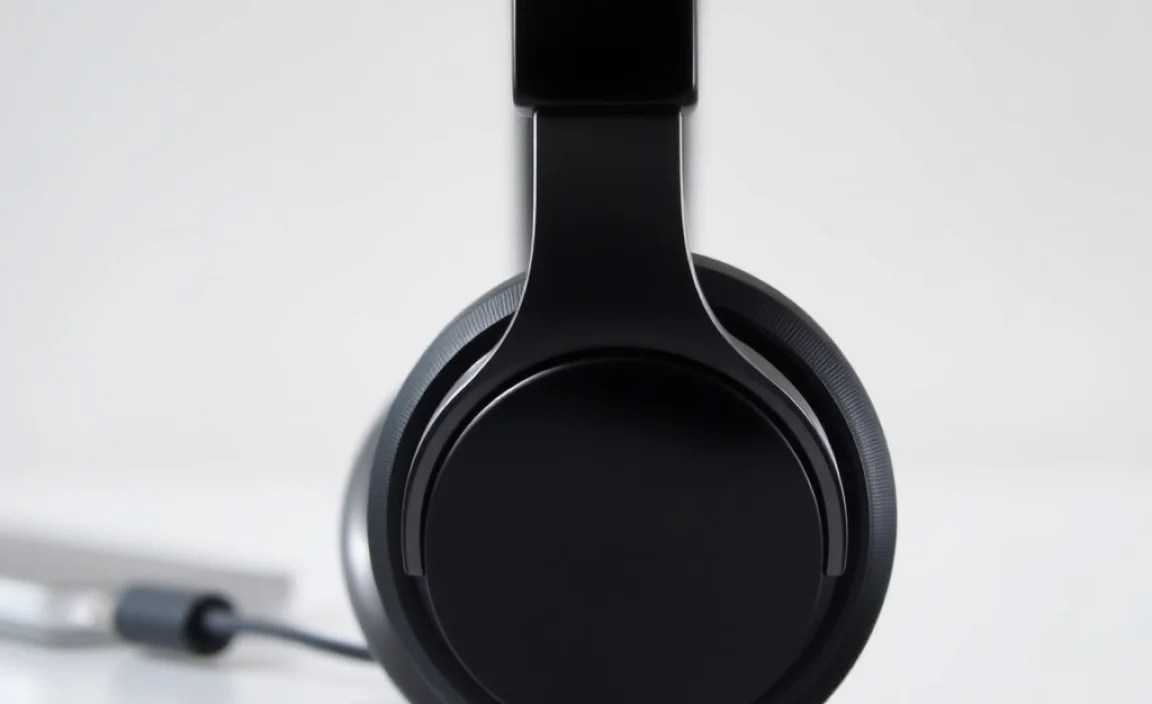
Before we jump into specific recommendations, it’s crucial to understand how headphones connect to your iPhone, especially since Apple’s approach has evolved. For many years, iPhones came with a standard 3.5mm headphone jack. However, newer iPhone models have transitioned away from this port. Here’s what you need to know:
Lightning Connector Headphones
These headphones plug directly into your iPhone’s Lightning port. They were a direct replacement for the old 3.5mm jack and offer a digital audio signal, potentially leading to better sound quality than analog connections. They also don’t rely on your iPhone’s battery for power, as they draw it from the phone itself.
Pros:
- Direct digital connection.
- No charging required for the headphones themselves.
- Simple plug-and-play operation.
Cons:
- Only compatible with iPhones with a Lightning port (or via an adapter).
- Frees up your iPhone’s charging port if you don’t have a Lightning adapter with pass-through charging.
Bluetooth Wireless Headphones
These headphones connect wirelessly to your iPhone via Bluetooth. This is Apple’s primary method for audio on newer iPhones and offers the most flexibility, as they work with a wide range of devices. You’ll need to charge the headphones separately, but the freedom from wires is a huge plus for many.
Pros:
- Ultimate freedom of movement.
- Compatible with a wide range of devices, not just iPhones.
- No port limitations on your iPhone (freeing up the Lightning port for charging).
Cons:
- Requires charging the headphones.
- Potential for connection dropouts (though rare with modern Bluetooth).
- Slightly higher latency than wired options, though usually unnoticeable for music and podcasts.
USB-C (for iPhone 15 and later)
With the iPhone 15 series, Apple has embraced the USB-C standard. This means headphones with a USB-C connector will work directly with these newer iPhones. If you have an iPhone 15 or later, you can use USB-C wired headphones, and Bluetooth connectivity remains a strong option as well.
Adapters: The Bridge Builder
If you have a favorite pair of 3.5mm headphones and a newer iPhone without a headphone jack, you’ll need a Lightning to 3.5mm headphone jack adapter. Apple sells one, and many third-party options are available. These adapters are generally inexpensive and can be a lifesaver for keeping your existing wired gear relevant.
For charging and listening simultaneously with Lightning headphones, look for adapters that include a Lightning port for charging, often called “splitter” adapters. Keep in mind that while these are convenient, they can sometimes introduce noise or slight audio degradation depending on the adapter’s quality.
What to Look for in Affordable iPhone Headphones

When hunting for nice headphones that won’t drain your wallet, a few key features should be on your radar. These aren’t necessarily the most cutting-edge or flashy, but they are the pillars of a great audio experience for everyday use.
Sound Quality
This is paramount. Even on a budget, you should expect clear mids (where vocals and most instruments live), defined highs (without being harsh or tinny), and punchy but not muddy bass. Avoid headphones that sound overly bass-heavy and distorted, or those that sound thin and weak.
Comfort and Fit
If headphones aren’t comfortable, you won’t wear them. For earbuds, look for various ear tip sizes (silicone or foam) so you can get a secure and comfortable seal. For over-ear or on-ear headphones, check for plush earcups and an adjustable headband. Ensure they don’t clamp too tightly or feel too loose.
Durability and Build Quality
Affordable doesn’t have to mean flimsy. Look for headphones with sturdy plastic construction, reinforced cable entry points, and reliable hinges (for foldable models). Reading user reviews can give you a good idea of how well a pair holds up over time.
Microphone Quality
If you plan to take calls or use voice commands, a decent built-in microphone is important. Most decent earbuds and headphones will offer a microphone, but its clarity can vary. Check reviews that specifically mention call quality.
Noise Isolation vs. Noise Cancellation
- Passive Noise Isolation: This is achieved through the physical design of the headphones, like snug-fitting ear tips or well-padded earcups that block out external sound. Most affordable headphones offer good passive isolation.
- Active Noise Cancellation (ANC): This uses microphones to detect ambient sound and generate anti-noise to cancel it out. True ANC is less common in the ultra-budget category, but some affordable options are emerging that offer basic ANC. For starters, good passive isolation is often enough to significantly improve your listening experience.
Battery Life (for Bluetooth)
For wireless headphones, check the advertised battery life. Aim for at least 4-6 hours on a single charge for earbuds, and 15-20+ hours for over-ear headphones, to comfortably get through a day of use. Fast charging is also a great bonus if available.
Essential & Affordable Headphone Categories for your iPhone
Let’s break down some of the best types of headphones you can get for your iPhone without spending a fortune. We’ll explore options that fit various needs and preferences.
1. True Wireless Earbuds (TWS)
These are tiny, completely wireless earbuds that come in a charging case. They’ve exploded in popularity due to their convenience and portability. For your iPhone, they offer a seamless Bluetooth experience.
What to look for:
- Comfortable fit with multiple ear tips.
- Decent sound profile – not too muddy, not too weak.
- At least 4-5 hours of battery life per charge, with the case providing 3-4 additional charges.
- Reliable Bluetooth connection (version 5.0 or higher is good).
- Decent microphone for calls.
Why they’re great for iPhone: Effortless pairing, no wires to get tangled, and the compact charging case fits easily in your pocket. Many even offer some degree of water resistance, making them suitable for workouts.
Rtings.com is a fantastic resource for in-depth headphone reviews that often include measurements and detailed comparisons, helping you make informed choices even for budget models.
2. Bluetooth In-Ear Headphones (Neckband Style)
These feature earbuds connected by a flexible band that rests around your neck. The earbuds themselves are often magnetic and can pair together when not in use. They offer a nice balance between true wireless freedom and security.
What to look for:
- Comfortable neckband material (soft silicone or fabric).
- Secure fit of the earbuds in your ears.
- Good battery life (often 8-12 hours or more).
- Inline controls for playback and calls.
- Slightly better isolation than some TWS due to the way they sit.
Why they’re great for iPhone: The neckband design makes them harder to lose than individual earbuds, and they often boast longer battery life than true wireless options in the same price bracket. They also keep your iPhone’s Lightning port free.
3. Wired Earbuds (Lightning)
If you have a slightly older iPhone or prefer not to deal with batteries and Bluetooth pairing, wired Lightning earbuds are a solid, affordable choice. They plug directly into your iPhone’s Lightning port.
What to look for:
- Comfortable fit with multiple ear tip sizes.
- Clear, balanced sound is key here, as there’s no battery limitation to worry about.
- Inline remote with microphone for controlling playback and calls.
- Durable cable and connector.
Why they’re great for iPhone: No charging needed, always ready to go, and often provide the most straightforward experience. Plus, they’re typically the most budget-friendly option available and won’t interfere with your iPhone’s charging port if you need to charge simultaneously without an adapter.
4. Over-Ear and On-Ear Headphones (Wired & Bluetooth)
For a more immersive experience or for those who find earbuds uncomfortable, over-ear or on-ear headphones can be excellent. Affordable options often focus on comfort and decent sound, with Bluetooth versions offering great convenience.
What to look for:
- Over-Ear: Earcups that completely surround your ears. These offer better passive noise isolation and comfort for long sessions.
- On-Ear: Earcups that rest on your ears. They are often more compact but can sometimes feel less isolating and comfortable for extended wear than over-ear models.
- Soft, breathable earcups and an adequately padded, adjustable headband.
- Clear sound with a balanced profile.
- For Bluetooth: Good battery life (20+ hours is common) and a stable connection.
Why they’re great for iPhone: They can offer a richer, fuller sound experience due to larger drivers and better acoustic design. Over-ear models are particularly good for creating a personal listening bubble without active noise cancellation.
For anyone interested in the technical aspects of audio and how devices like your iPhone handle sound, the Apple iPhone comparison page can sometimes offer insights into audio capabilities, though they focus more on hardware specs.
Top Affordable Headphone Recommendations (Under $50-$75)
Finding truly great headphones at an accessible price point is my passion. While specific models can change in availability and price, here are some types and tried-and-true brands that consistently offer excellent value for iPhone users. Prices are approximate and can fluctuate.
Budget True Wireless Earbuds
Brands like JLab, Anker Soundcore, and Skullcandy often have models that punch well above their weight class in the sub-$60 range.
JLab Go Air Pop: Often found for under $30, these offer surprisingly good sound for the price, decent battery life, and a compact charging case. They are a fantastic entry point into true wireless for iPhone users.
Anker Soundcore R50i or similar models: Anker consistently delivers reliable Bluetooth performance and a balanced sound profile for around $40-$50. Their charging cases usually offer excellent battery life.
Affordable Wired Lightning Earbuds
For reliable audio without batteries, consider these:
Apple EarPods (Lightning Connector): While not the cheapest option at around $19, they are designed by Apple, ensuring good compatibility and a decent, if not spectacular, listening experience. They offer good call quality and are readily available.
Third-Party MFi Certified Earbuds: Look for earbuds that are “Made For iPhone” (MFi) certified. This guarantees they meet Apple’s standards for performance and compatibility. Brands like Belkin or even some lesser-known but reputable manufacturers offer excellent value.
Value Bluetooth Neckband Earbuds
Neckband styles offer great bang for your buck.
Anker Soundcore Life U2i or similar: These often provide 20+ hours of battery life, comfortable wear, and solid sound quality for around $40-$50. They are a workhorse for daily use.
JLab Rewind Wireless Retro Earbuds: Offering a unique retro design and good audio for under $30, these are a stylish and affordable choice for those who prefer neckband convenience.
Budget Over-Ear/On-Ear Headphones
For a more traditional headphone experience:
Audio-Technica ATH-S100 (Wired): These are lightweight, comfortable, and provide a surprisingly balanced and clear sound for their price (often under $30). They are a great choice for home or office listening.
Anker Soundcore Life Q20+ (Bluetooth, often on sale): While sometimes hovering just above the $50 mark, these frequently go on sale and offer active noise cancellation, decent sound, and excellent battery life, making them a remarkable value when discounted.
Comparison Table: Affordable iPhone Headphone Types
| Headphone Type | Average Price Range (USD) | Pros for iPhone Users | Cons for iPhone Users | Best For |
|---|---|---|---|---|
| True Wireless Earbuds | $30 – $75 | Ultimate portability, no wires, easy Bluetooth pairing. | Require charging, can be easier to lose, smaller drivers may lack deep bass nuances. | Commuters, gym-goers, minimalists. |
| Bluetooth Neckband Earbuds | $30 – $60 | Secure fit, longer battery life than many TWS, harder to lose, keeps iPhone port free. | Neckband can be a hindrance for some, not fully wireless. | Active individuals, long listening sessions, those prone to losing earbuds. |
| Wired Lightning Earbuds | $15 – $40 | No charging needed, always ready, simple connection, often most affordable within this category. | Wire can tangle, occupies Lightning port (unless adapter used). | Budget-conscious users, frequent travelers, those prioritizing reliability. |
| Wired On/Over-Ear Headphones | $25 – $70 | More immersive sound, comfortable for longer periods, no battery worries. | Less portable, wire can be cumbersome, can be warmer on ears. | Home listening, office work, audiophiles on a budget. |
| Budget Bluetooth Over/On-Ear Headphones | $40 – $75 | Freedom of movement, good for immersive listening, often have good battery life. | Require charging, bulkier, can be more expensive than wired counterparts. | Commuters, home office users, those seeking a fuller sound experience. |
How to Connect Your New Affordable Headphones to Your iPhone
Connecting your new headphones is usually straightforward, but let’s cover the basics to ensure a smooth experience.
- For Bluetooth Headphones:
- Ensure your Bluetooth headphones are charged.
- Put your headphones into pairing mode. This is typically done by pressing and holding
