
Quick Summary: Discover how active noise-canceling (ANC) headphones can boost your office focus and productivity by smartly filtering out distracting sounds. Our guide explains what ANC is, why it’s a game-changer for open offices, how to choose the right pair, and essential features to look for to create your personal quiet zone.
Noise Canceling Headphones for the Office: Your Essential Guide to Uninterrupted Focus

Hey there! Edward Cavitt here from Headphone Horizon. Let’s talk about something many of us grapple with daily: office noise. Whether you’re in a bustling open-plan space or just have chatty colleagues nearby, finding your focus can feel like an uphill battle. That’s where noise-canceling headphones come in – they’re not just for travelers anymore! These brilliant gadgets can transform your workday by creating a personal sanctuary of calm. In this guide, we’ll break down exactly how they work, why they’re indispensable for modern offices, and how to pick the perfect pair to reclaim your concentration. Get ready to ditch the distractions and dive into your work with renewed clarity!
What Exactly Are Noise Canceling Headphones?

Before we dive into picking the best pair for your office, let’s quickly understand what makes these headphones so special. There are two main types of noise cancellation:
Passive Noise Cancellation (Isolation)
This is the simplest form. Think of it like wearing earplugs. Passive noise cancellation relies on the physical design of the headphones – the materials, the seal around your ears, and how snugly they fit – to block out external sounds. Over-ear headphones often do a great job at this purely through their construction.
Active Noise Cancellation (ANC)
This is where the real magic happens. Active noise cancellation uses tiny microphones on the outside of the headphones to detect ambient sounds. Then, an electronic chip inside generates “anti-noise” – sound waves that are the exact opposite of the incoming noise. When these anti-noise waves meet the ambient noise, they cancel each other out, creating a quieter environment for you. It’s like a scientific hush! This technology is particularly effective against consistent, low-frequency sounds like humming air conditioners, distant traffic, or the general drone of an office.
For offices, ANC is usually the most beneficial feature because it tackles those pervasive background noises that can constantly pull your attention away.
Why Invest in Noise Canceling Headphones for the Office?

The modern office, especially the open-plan layout, can be a paradise for collaboration but a minefield for concentration. Constant chatter, keyboard clicks, phone calls, and ambient office machinery can fragment your thoughts and significantly reduce productivity. Noise-canceling headphones offer a potent solution.
- Enhanced Focus and Productivity: This is the big one. By minimizing distractions, ANC headphones allow you to enter a state of “flow,” where you’re fully immersed in your task. Studies, like those looking into the impact of noise on cognitive performance, highlight that even moderate levels of intermittent noise can significantly impair concentration. For example, research from institutions like the National Center for Biotechnology Information (NCBI) suggests that reducing workplace noise can lead to better performance and fewer errors.
- Reduced Stress and Fatigue: Constant noise can be mentally taxing, leading to heightened stress levels and quicker mental fatigue. Creating a quieter personal space can help you feel more relaxed, less overwhelmed, and maintain your energy throughout the day.
- Improved Well-being: A less distracting environment contributes to a more positive overall work experience. You’re less likely to feel agitated by your surroundings, allowing you to enjoy your work more.
- Clearer Calls and Communication: Many ANC headphones also feature excellent microphones. When you need to hop on a video call, they can help filter out background office noise for your callers, ensuring your voice comes through clearly. Some also offer ambient sound modes, so you can easily hear announcements or colleagues when needed without removing your headphones.
- Privacy in Open Spaces: While not their primary function, headphones can also provide a subtle signal that you’re “in your zone” and prefer not to be disturbed, offering a small degree of personal space in shared environments.
Key Features to Look For in Office Noise Canceling Headphones

When you’re shopping, a few features will make a big difference for office use. It’s not just about the ANC; you need a well-rounded package.
1. Active Noise Cancellation (ANC) Quality
Not all ANC is created equal. Look for headphones known for their effective ANC. Reviews are your best friend here. See how well they perform against different types of noise, particularly office hums and chatter. Some headphones have adjustable ANC levels, which can be handy.
2. Comfort for Long Wear
You’ll likely be wearing these for hours. Prioritize comfort!
- Ear Cup Material: Look for plush, breathable materials like memory foam covered in soft leatherette or fabric.
- Headband Padding: Ensure the headband is well-padded and distributes weight evenly.
- Weight: Lighter headphones are generally more comfortable for extended wear.
- Clamping Force: The headphones should feel secure but not uncomfortably tight.
3. Sound Quality
While ANC is key, you still want to enjoy any music or podcasts you listen to. Look for a balanced sound profile that isn’t overly bass-heavy or tinny. If you plan on using them for calls, microphone quality is also important.
4. Battery Life
A full workday is typically 8 hours, plus commute time. Aim for headphones that offer at least 20-30 hours of playtime with ANC on. Quick charging capabilities are a bonus – a few minutes plugged in could give you hours of use.
5. Connectivity Options
- Bluetooth Version: Newer Bluetooth versions (like 5.0 or higher) offer more stable connections, better range, and improved battery efficiency.
- Multipoint Pairing: This allows you to connect to two devices simultaneously (e.g., your laptop and phone). This is incredibly useful for seamlessly switching between music on your computer and taking a call on your phone.
- Wired Option: Some headphones still offer a 3.5mm audio jack, which can be a lifesaver if your battery runs out or if you’re connecting to an older device.
6. Microphone Quality
If video calls are a regular part of your workday, a good microphone is essential. Look for headphones with clear voice pickup and perhaps some form of voice isolation or noise reduction for the microphone itself.
7. Durability and Build Quality
You want headphones that will last. Check for sturdy materials and a solid construction, especially around the hinges and headband adjustment. A good carrying case also protects them when not in use.
8. Ambient Sound/Transparency Mode
This feature uses the external microphones to let in ambient sound while you’re wearing the headphones. It’s super useful for quickly hearing announcements, a colleague’s question, or safely navigating your office environment without taking them off.
Choosing the Right Type: Over-Ear vs. On-Ear vs. In-Ear

Each type has its pros and cons for office use:
| Type | Description | Pros for Office | Cons for Office |
|---|---|---|---|
| Over-Ear (Circumaural) | Earcups completely surround your ears. |
|
|
| On-Ear (Supra-aural) | Earcups rest directly on your ears. |
|
|
| In-Ear (Earbuds) | Fit directly into the ear canal. |
|
|
For most office environments, over-ear headphones generally offer the best combination of comfort, passive isolation, and effective ANC. However, if portability and discretion are paramount, high-quality ANC earbuds are also a fantastic option.
Setting Up Your Noise Canceling Headphones for the Office

Once you’ve got your pair, here’s how to get the most out of them:
- Charge Them Up: Before your first day, make sure they’re fully charged. Check the manual for recommended charging times.
- Pair with Your Devices:
- Bluetooth: Put your headphones in pairing mode (usually by holding a power or Bluetooth button). Then, go to Bluetooth settings on your laptop and phone and select your headphones from the list of available devices.
- Multipoint Pairing: If your headphones support it, pair them with your primary device (e.g., laptop) first, then repeat the pairing process with your secondary device (e.g., phone). Ensure multipoint is enabled in the headphone’s app or settings if applicable.
- Understand the Controls: Familiarize yourself with the buttons or touch controls. Know how to turn ANC on/off, adjust volume, play/pause music, skip tracks, answer/end calls, and activate transparency mode.
- Adjust for Comfort: Find the right fit. Ensure the earcups sit comfortably without excessive pressure. Adjust the headband for a snug but not tight feel. For in-ear models, experiment with different sizes of ear tips to achieve a good seal.
- Customize Settings (if applicable): Many modern headphones have companion apps. Explore these apps to:
- Adjust ANC levels.
- Customize EQ settings for sound preference.
- Configure touch controls.
- Update firmware.
- Manage multipoint connections.
- Test the ANC: In a noisy environment (like your office!), turn on ANC. You should notice a significant reduction in low-frequency background noise.
- Test Transparency Mode: Activate transparency mode and see how well you can hear your surroundings and colleagues.
- Test the Microphone: If you use them for calls, do a test call in a somewhat noisy area to ensure your voice is clear and background noise is minimized for the listener.
Maintenance Tips for Longevity
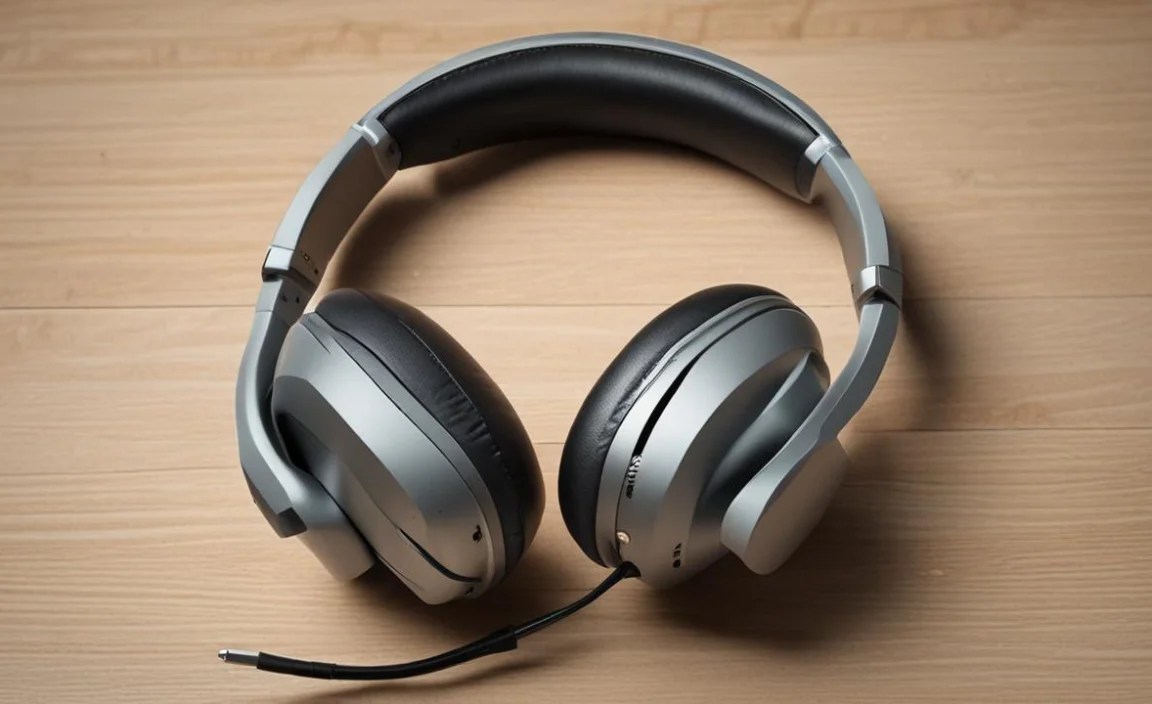
To keep your new office companions in top shape:
- Clean the Earcups and Headband: Use a soft, slightly damp cloth to wipe down the earcups and headband periodically. For leatherette, a mild soap solution can be used sparingly, followed by a clean damp cloth and then a dry one. Avoid harsh chemicals.
- Clean Ear Tips (In-Ear): For earbuds, remove the ear tips and clean them according to the manufacturer’s instructions. Usually, mild soap and water followed by thorough drying is sufficient. Ensure they are completely dry before reattaching.
- Store Properly: When not in use, store your headphones in their protective case. This prevents dust accumulation, scratches, and accidental damage.
- Avoid Extreme Temperatures: Don’t leave your headphones in hot cars or exposed to direct sunlight for extended periods, as heat can damage the battery and materials.
- Handle with Care: While many are built tough, avoid dropping them or yanking on the cables (if wired).
- Firmware Updates: Keep the companion app installed and check for firmware updates occasionally. These can improve performance, fix bugs, and sometimes even enhance ANC.
Top Noise Canceling Headphones for Office Use (Considerations)

While I can’t give specific “best” recommendations that change rapidly with new models, here are common brands and series that are frequently praised for office-friendly ANC, comfort, and features. Always check the latest reviews for current models:
- Sony WH-1000XM Series (e.g., XM4, XM5): Consistently top-rated for their industry-leading ANC, excellent sound quality, comfort, and smart features like speak-to-chat and multipoint. Great for deep focus.
- Bose QuietComfort Series (e.g., QC45, Headphones 700): Known for their exceptional comfort and very effective, natural-sounding ANC that’s less fatiguing for some. Excellent for long wear.
- Sennheiser Momentum Wireless Series: Offers a premium build, great sound quality, and strong ANC. Often praised for a more balanced audio profile that appeals to music lovers.
- Apple AirPods Max: A premium offering with excellent ANC and spatial audio for Apple users. Known for robust build and integration within the Apple ecosystem.
- Various Professional/Business-Focused Brands: Some brands offer models specifically geared towards business users, which may include enhanced microphone clarity and specific connectivity features.
When looking at specific models, always check recent reviews that focus on ANC performance in office-like environments and long-term comfort.
Frequently Asked Questions (FAQ)
Q1: How much noise cancellation do I really need for an office?
You don’t necessarily need the absolute strongest ANC on the market unless your office is extremely loud and chaotic. What’s more important is effective cancellation of the types of noise that distract you most – typically low-frequency drones, general chatter, and keyboard clicks. Adjustable ANC can be a great feature so you can dial it back if it feels too isolating.
Q2: Can noise-canceling headphones make me miss important announcements?
This is where transparency or ambient sound mode is crucial. Most good ANC headphones feature this. It allows you to hear your surroundings without taking off the headphones. For truly critical alerts or announcements, you might still need to be mindful or briefly remove one earcup, but transparency mode significantly bridges this gap.
Q3: Are noise-canceling headphones bad for your hearing?
No, noise-canceling headphones are not inherently bad for your hearing. In fact, by reducing the need to turn up the volume to overcome background noise, they can actually help protect your hearing. The ANC technology itself works by creating opposing sound waves, not by emitting harmful frequencies. As with any headphones, it’s important to listen at safe volume levels.
Q4: Can I use noise-canceling headphones for workouts in the office gym?
While many ANC headphones can be used for light workouts, they aren’t always ideal for intense exercise. They can get warm, and sweat can potentially damage them. It’s best to check the product’s specifications for water and sweat resistance (IP rating). For serious workouts, dedicated sports headphones might be a better choice, but for a quick office gym session, they might suffice if they offer some level
