
Quick Summary: Discover how noise canceling headphones can transform your work-from-home experience. This guide simplifies choosing, using, and maintaining them, helping you create a focused, productive, and peaceful workspace. Learn what to look for, understand the technology, and find the best fit for your needs.
Noise Canceling Headphones for Working from Home: Your Essential Guide
Working from home has become the new normal for many, and while the commute is gone, so is the quiet of the office. Distractions – barking dogs, noisy neighbors, chatty family members, or even the hum of your own appliances – can make focusing feel like an uphill battle. That’s where noise canceling headphones come in. They’re not just for travelers anymore; they’re an absolute game-changer for anyone looking to carve out a serene and productive workspace in their own home. Let’s dive into how these amazing devices can revolutionize your remote work life.
Why Noise Canceling Headphones Are a WFH Must-Have

The modern home is often a symphony of sounds that can shatter concentration. Whether you’re on an important video call, deep into a complex task, or trying to absorb crucial information, unexpected noise can derail your productivity and increase stress. Noise canceling headphones create a personal bubble of quiet, allowing you to:
- Enhance Focus: By blocking out ambient distractions, you can concentrate better on your work, leading to higher quality output and fewer errors.
- Improve Call Quality: For video conferences, good headphones with clear microphone input mean you can hear participants clearly and they can hear you without background chatter.
- Reduce Stress: Constant background noise can be mentally fatiguing and anxiety-inducing. Noise cancellation offers a respite, promoting a calmer work environment.
- Boost Productivity: Less distraction and less mental strain naturally translate to getting more done in less time.
- Create Personal Space: Even in a busy household, headphones can signal that you need uninterrupted time, helping to manage household dynamics.
Understanding Noise Cancellation Technology
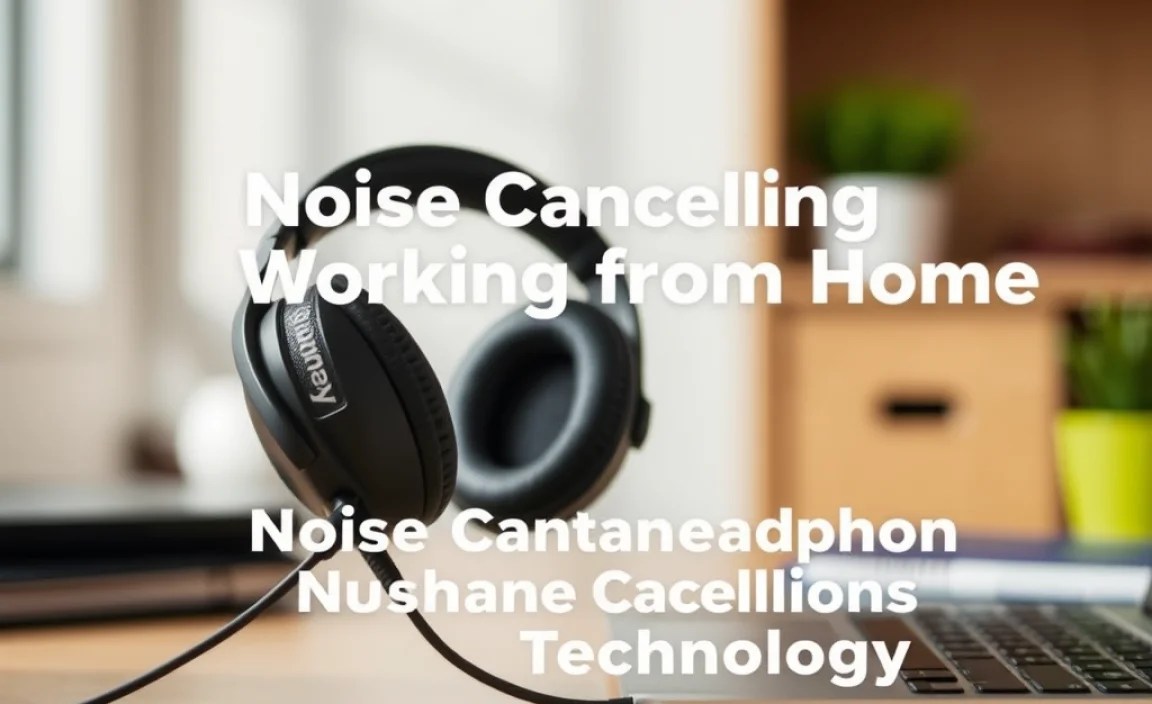
Before we jump into choosing, it’s helpful to understand how these headphones work their magic. There are two main types of noise cancellation:
1. Active Noise Cancellation (ANC)
This is the star of the show for serious noise reduction. ANC works by using tiny microphones on the outside of the headphones to detect ambient sound. Then, the headphones generate an “anti-noise” soundwave that is the opposite of the detected sound. When these two sound waves meet, they cancel each other out, effectively silencing the unwanted noise. It’s like using a precisely calculated echo to erase a sound. ANC is particularly effective against constant, low-frequency sounds like airplane engines, train rumble, or the hum of an air conditioner.
The effectiveness of ANC can vary depending on the headphones and the type of noise. For more information on the science behind sound and noise, you can explore resources from educational institutions like the Acoustical Society of America.
2. Passive Noise Cancellation (Isolation)
This is simpler and relies on the physical design of the headphones. It’s essentially about creating a good seal around your ears. Over-ear (circumaural) headphones are excellent at this because their earcups completely enclose your ears, muffling external sounds. In-ear monitors (earbuds) can also provide good passive isolation if they fit snugly and create a seal within the ear canal. While passive isolation can block out a good amount of mid and high-frequency noise (like voices or keyboard clicks), it’s less effective against persistent, low-frequency drones than ANC.
ANC vs. Passive Noise Isolation: What’s Best for Home?
For true peace and quiet in a potentially chaotic home environment, headphones with effective Active Noise Cancellation are generally the superior choice. However, a combination of good ANC and solid passive isolation from a comfortable, well-fitting design is ideal. Many top-tier headphones offer this winning combination, ensuring you get the best of both worlds.
Choosing the Right Noise Canceling Headphones for Your WFH Setup

With so many options available, picking the right pair can feel overwhelming. Here’s a breakdown of what to consider:
Key Features to Look For:
- ANC Quality: Not all ANC is created equal. Read reviews that specifically mention how well the headphones perform against common home noises.
- Comfort: You’ll be wearing these for extended periods. Look for lightweight designs, plush earcups, and adjustable headbands. Over-ear models are often more comfortable for long sessions than in-ear types.
- Sound Quality: If you also use your headphones for music or podcasts, consider audio fidelity. Do you prefer a balanced sound, or do you like more bass?
- Microphone Quality: Essential for clear work calls. Look for headphones with built-in microphones designed for voice clarity, often featuring noise reduction for your voice too.
- Battery Life: For wireless models, ensure the battery lasts through your workday, or at least long enough for most of it, with the option to use them wired if they run out.
- Connectivity: Bluetooth is standard, but consider multi-point connectivity, which allows you to connect to your computer and phone simultaneously.
- Durability and Build Quality: You want a pair that will last. Check what materials are used and how well they are constructed.
- Portability (Optional): If you ever need to take them to a co-working space or coffee shop, consider if they fold up nicely or come with a travel case.
Types of Headphones for WFH:
Over-Ear Headphones
These are generally the most effective for both ANC and passive isolation. They completely surround your ears, providing a good seal and plenty of space for advanced noise-canceling technology and larger drivers for better sound. They are typically the most comfortable for long-term wear.
On-Ear Headphones
These rest on your ears, not around them. They offer less passive isolation than over-ear models and can sometimes become uncomfortable after a while due to pressure on the ears. ANC can still be effective, but the overall noise reduction might be less profound.
In-Ear Headphones (Earbuds)
True wireless earbuds with ANC are incredibly convenient and portable. They can provide excellent noise isolation if they fit snugly in your ear canal. While ANC technology in earbuds has improved dramatically, they may not always provide the same level of deep noise cancellation as premium over-ear models. They are great for quick calls or when you need something discreet.
Budget Considerations
Noise canceling headphones range from budget-friendly options to premium investments. Generally, you get what you pay for. More expensive models often feature superior ANC, better sound quality, more robust build, and longer battery life.
- Entry-Level ($50 – $100): Basic ANC, decent sound, but may struggle with complex noise or offer less comfort. Good for light distractions.
- Mid-Range ($100 – $250): A sweet spot for many. Offers good ANC, improved sound, better comfort, and features like multi-point Bluetooth.
- Premium ($250+): Top-tier ANC, exceptional sound and microphone quality, luxurious materials, long battery life, and advanced features.
| Headphone Type | Pros for WFH | Cons for WFH |
|---|---|---|
| Over-Ear (ANC) | Excellent noise cancellation, superior comfort for long wear, great sound quality, comfortable enough for 8+ hours daily. | Can be bulky, may get warm on ears after prolonged use, typically higher price point. |
| On-Ear (ANC) | More portable than over-ear, still offer ANC, can be lighter. | Less passive isolation, comfort can be an issue for some over long periods, ANC may be less effective than over-ear. |
| In-Ear / Earbuds (ANC) | Most portable, discreet, great for short calls, good passive isolation with proper fit. | ANC may be less powerful than over-ears, battery life can be a limitation (relying on charging case), comfort varies greatly by ear shape. |
Setting Up Your Noise Canceling Headphones for Work

Once you’ve got your new headphones, setting them up to work best for your home office is simple. Here’s how:
Step 1: Inspect and Charge
Unbox your headphones and check for any physical damage. If they are wireless, give them a full charge before your first use to ensure you have maximum battery life from the start. Refer to your user manual for the specific charging method and any initial setup required.
Step 2: Achieve the Perfect Fit
For Over-Ear/On-Ear: Adjust the headband so the earcups sit comfortably and snugly around or on your ears. The earcup should create a good seal against your head. Too tight will be uncomfortable; too loose will let in noise and reduce ANC effectiveness.
For In-Ear (Earbuds): Most ANC earbuds come with multiple sizes of ear tips (silicone or foam). You need to find the size that creates a complete seal within your ear canal. If you can easily hear ambient noise even before playing audio, the seal isn’t tight enough. Many manufacturers offer guidance on finding the right fit for optimal isolation and ANC.
Step 3: Connect to Your Devices
Wireless (Bluetooth): Power on your headphones and put them into pairing mode (check your manual). On your computer or smartphone, go to Bluetooth settings, scan for devices, and select your headphones from the list. Once paired, they should connect automatically in the future.
Multi-point Connectivity: If your headphones support connecting to two devices at once, pair them with both your computer and phone. This is incredibly useful for seamlessly switching between a work call on your laptop and a personal call on your phone without re-pairing.
Wired Connection: If your headphones have ANC and a battery, you can usually use them in wired mode even if the battery is depleted. This is a great backup. Ensure you use the correct audio cable provided.
Step 4: Activate and Adjust ANC
Most ANC headphones have a dedicated button or a setting in their companion app to turn ANC on and off. Some also offer different ANC modes (e.g., “Max” for maximum noise cancellation, “Ambient Aware” or “Transparency Mode” to intentionally let in some outside sound so you can hear announcements or conversations without removing the headphones).
Experiment with ANC on and off in your typical working environment to hear the difference. For maximum focus, you’ll want ANC set to its highest or most appropriate setting for your surroundings.
Step 5: Optimize for Calls
If your headphones have a boom microphone or advanced voice-pickup technology, ensure the microphone is correctly positioned if applicable (for boom mics). If using a headset with the mic built into the earcup, it generally requires no special adjustment. During calls via your computer’s conferencing software (like Zoom, Teams, or Google Meet), ensure your headphones are selected as both the audio output (speakers) and audio input (microphone) device within the software’s settings. This ensures call audio goes through your headphones and your voice is transmitted clearly.
Maximizing Concentration and Comfort: Practical Tips
Beyond the setup, a few simple habits can further enhance your experience with noise canceling headphones while working from home.
- Create a “Do Not Disturb” Signal: Wearing your noise canceling headphones can serve as a visual cue to family members or housemates that you need focused time.
- Use Ambient/Transparency Mode Wisely: While deep ANC is great for focus, you don’t want to miss important sounds. Use ambient modes for quick interactions or to stay aware of your immediate surroundings. This is also helpful if you have pets or young children you need to monitor.
- Take Breaks: Even the most comfortable headphones can become a bit much after many hours. Schedule short breaks to remove them, stretch, and let your ears rest.
- Keep Them Clean: Earcups and ear tips can accumulate dust and earwax. Clean them regularly according to the manufacturer’s instructions to maintain hygiene and comfort.
- Manage Battery Life: For wireless use, try to charge them overnight or during breaks so they’re ready for your next session. If battery life is consistently an issue, consider keeping the charging cable handy or using them in wired mode.
- Adjust Volume Responsibly: Even with ANC, there’s no need to blast your audio. Keep volume levels at a moderate level to protect your hearing. Research from organizations like the National Institute on Deafness and Other Communication Disorders (NIDCD) highlights the importance of safe listening levels.
Troubleshooting Common Issues
Occasionally, you might run into minor hiccups. Here are solutions to common problems:
- ANC Not Working Effectively:
- Ensure ANC is turned on via the button or app.
- Check for a proper seal around your ears; adjust fit or try different ear tips.
- Clean the microphones on the exterior of the earcups; debris can affect performance.
- Low battery can sometimes impact ANC performance; try charging the headphones.
- Audio Stuttering or Dropping (Wireless):
- Ensure you are within the Bluetooth range of your device (typically around 30 feet or 10 meters).
- Minimize interference from other wireless devices (microwaves, other Bluetooth devices).
- Restart your headphones and your connected device.
- Update your headphones’ firmware via the manufacturer’s app.
- Microphone Not Working on Calls:
- Verify that the headphones are selected as the microphone input in your computer’s or phone’s audio settings and in your conferencing app.
- Ensure the microphone isn’t muted (if there’s a physical mute button on the headphones).
- On some systems, you might need to grant microphone access permissions to your browser or applications.
- Test the microphone with a different app or device if possible.
- Uncomfortable Fit:
- Adjust the headband and earcup position.
- For earbuds, experiment with different sizes and types of ear tips.
- If discomfort persists after trying various adjustments, your specific ear shape may
