
Welcome to Headphone Horizon! If you’re diving into the wonderful world of audio, you’ve probably noticed there’s a lot to consider. But don’t worry, we’re here to make it simple. Overhead headphones, often called over-ear headphones, wrap comfortably around your ears, creating a seal that’s fantastic for staying immersed in your music, podcasts, or games. They’re not just about great sound; they can be an essential tool for focus, relaxation, and a superior listening experience. This guide will help you understand what makes the best overhead headphones truly essential and how to pick the perfect pair for your needs.

Why Overhead Headphones Are a Proven Essential

In today’s noisy world, the right pair of overhead headphones isn’t just a luxury; it’s a necessity for anyone who values their audio experience. They offer a unique blend of comfort, sound quality, and isolation that smaller earbuds often can’t match. Think of them as your personal oasis of sound, allowing you to escape distractions and truly connect with what you’re listening to, whether it’s a captivating audiobook on a busy commute or your favorite album for an uninterrupted listening session at home.
Superior Sound Quality
One of the biggest reasons overhead headphones are considered essential is their ability to deliver rich, detailed sound. Larger drivers, the components that actually produce the sound, can move more air and reproduce a wider range of frequencies. This means you get deeper bass, clearer mids, and sparkling highs. For music lovers, this translates to hearing nuances in songs you might have missed before, making every listen a more profound experience.
Comfort for Extended Use
When you’re settling in for a long listening session, whether for work, study, or leisure, comfort is paramount. The best overhead headphones are designed with plush earcups and adjustable headbands that distribute weight evenly. This means less pressure on your ears and head, allowing you to wear them for hours without discomfort. This extended comfort is a key reason they’re favored for critical listening, gaming marathons, or long flights.
Noise Isolation and Immersion
The design of overhead headphones provides natural passive noise isolation. By creating a seal around your ears, they block out a significant amount of ambient noise. This is crucial for maintaining focus in noisy environments like offices or coffee shops, or for simply enjoying your audio without external interruptions. For an even deeper sense of immersion, many modern overhead headphones also feature Active Noise Cancellation (ANC) technology, which actively counteracts surrounding sounds.
Choosing the Best Overhead Headphones: Key Features to Consider

Navigating the world of overhead headphones can seem daunting with all the technical terms and options available. But fear not! By understanding a few key features, you can confidently choose a pair that perfectly suits your listening habits and budget. It’s all about finding the right balance of sound, comfort, and functionality for your everyday life.
Sound Signature
Every headphone has a unique “sound signature,” which describes how it reproduces different frequencies. Some common types include:
- Balanced/Neutral: Aims to reproduce sound as accurately as possible, with no single frequency range boosted. Great for critical listening and mixing.
- V-Shaped: Bass and treble are emphasized, with mids slightly recessed. Popular for general listening and genres like pop and electronic music.
- Warm: Bass is prominent and smooth, with mids slightly forward. Offers a relaxed and enveloping listening experience.
- Bright: Treble is emphasized, offering clarity and detail, but can sometimes sound harsh.
Consider what kinds of music you listen to most and what kind of sound you prefer. If you’re unsure, a balanced or slightly warm signature is often a safe bet for general use.
Open-Back vs. Closed-Back
This is a fundamental choice impacting your listening experience:
- Closed-Back Headphones: Feature a solid, sealed earcup.
- Pros: Excellent noise isolation (both blocking outside noise and preventing sound from leaking out), making them ideal for use in public, offices, or shared spaces. They tend to have a more focused and punchy bass response.
- Cons: Can sometimes feel less airy or natural in soundstage, and may cause ears to heat up during long sessions.
- Open-Back Headphones: Feature perforated or vented earcups.
- Pros: Offer a wider, more natural soundstage, creating a sense of spaciousness as if you’re listening to speakers in a room. They often provide a more comfortable and breathable fit.
- Cons: Little to no noise isolation. Sound leaks out, which can disturb others, and outside noise isn’t significantly blocked. Best suited for quiet, private listening environments.
Comfort and Fit
This is where personal preference really comes into play. Look for:
- Earpad Material: Options like velour, pleather, and leather offer different levels of breathability and comfort. Velour is generally softer and cooler, while pleather/leather can offer better passive isolation.
- Clamping Force: How tightly the headphones grip your head. Too much can be uncomfortable, too little and they might slip.
- Weight: Lighter headphones are generally more comfortable for long periods.
- Adjustability: A good headband that extends sufficiently and allows for fine-tuning.
Connectivity: Wired vs. Wireless
Both options have their advantages:
- Wired Headphones:
- Pros: Generally offer superior sound quality for the price, no battery to worry about, and no input lag (latency).
- Cons: Tangles, limited by cable length, and may require adapters for newer devices (like phones without headphone jacks).
- Wireless Headphones (Bluetooth):
- Pros: Freedom of movement, no tangles, convenient for on-the-go use. Many now offer excellent sound quality and features like multipoint pairing (connecting to multiple devices simultaneously).
- Cons: Require charging, potential for audio latency (though greatly reduced in modern standards like aptX Adaptive and LDAC), and sound quality can be dependent on the Bluetooth codec used.
For daily use and portability, wireless is often preferred. For audiophile-grade listening or gaming where latency is critical, wired remains king.
Driver Size and Type
While driver size isn’t the only factor in sound quality, larger drivers (typically 40mm or more in overhead headphones) can often produce a fuller sound with better bass response. Materials like beryllium, graphene, or dynamic drivers vs. planar magnetic drivers also influence sound characteristics. Don’t get too bogged down here; focus on reputable brands known for their audio engineering.
Special Features
- Active Noise Cancellation (ANC): Uses microphones to detect ambient noise and generate opposing sound waves to cancel it out. Essential for noisy commutes or flights.
- Microphone Quality: If you plan to take calls or game, a good built-in microphone is important.
- Companion App: Many wireless headphones offer apps for EQ adjustments, ANC control, and firmware updates.
- Durability: Look for robust build materials like metal components in the headband and hinges.
Navigating the Market: Top Brands & What They’re Known For

When you start looking at overhead headphones, you’ll see a few names pop up repeatedly. These brands have earned their reputation for a reason, consistently delivering quality audio experiences. Here’s a quick rundown to help you orient yourself:
Premium Audio Brands
These brands are often the first choice for audiophiles and professionals:
- Sennheiser: Known for balanced, detailed sound, often with a natural tone. Excellent for critical listening.
- Beyerdynamic: Offers robust build quality and a focus on clarity and detail, especially in professional models.
- Audio-Technica: A wide range of headphones, many praised for their value and engaging sound signatures.
- Sony: Particularly famous for their industry-leading Active Noise Cancellation, excellent wireless features, and robust bass.
- Bose: A household name synonymous with exceptional comfort and effective noise cancellation for everyday use.
Consumer-Focused Brands
These brands offer great performance with a focus on features and value for everyday users:
- Anker (Soundcore): Offers highly competitive wireless headphones with strong ANC and battery life at accessible price points.
- Skullcandy: Known for bold designs and a focus on bass-heavy sound profiles, popular with younger demographics.
- JBL: Offers a vibrant sound signature suitable for a wide range of music genres, often with a good balance of features and price.
Remember, the “best” brand is subjective. It’s about finding the brand whose sound philosophy and features align with your personal preferences and budget.
Getting the Best Sound from Your Overhead Headphones

Once you’ve found your perfect pair of overhead headphones, there are a few simple steps you can take to ensure you’re getting the most out of them. It’s not just about the headphones themselves, but how you use them and the source of your audio.
1. Proper Fit is Key
Ensure the earcups create a good seal around your ears. This is crucial for both comfort and accurate sound reproduction, especially for bass. Adjust the headband so the weight is distributed evenly on your head, avoiding excessive pressure on any one point.
2. Optimize Your Audio Source
The quality of your audio file matters. Streaming music at low bitrates or using heavily compressed MP3s will limit the potential of even the best headphones. Consider:
- High-Resolution Audio: For the ultimate listening experience, explore lossless audio formats like FLAC or ALAC, or use streaming services that offer higher quality tiers (e.g., Tidal HiFi, Qobuz, Amazon Music HD). A great resource for understanding audio quality is the NPR guide to audio quality.
- Balanced Output: If your device supports it, a balanced audio output can provide a cleaner signal with less noise.
3. Understand EQ Settings
Your smartphone, computer, or dedicated music player likely has an equalizer (EQ) setting. This allows you to adjust the levels of different frequencies (bass, mids, treble) to fine-tune the sound to your liking or compensate for room acoustics or less-than-ideal recordings. Experiment with presets or manually adjust bands to see what sounds best to you.
4. Consider a Headphone Amplifier (for Wired)
For high-impedance or high-end wired headphones, a dedicated headphone amplifier can provide more power, resulting in better dynamics, detail, and control over the sound. This is more of an enthusiast step, but it can unlock the full potential of certain headphone models.
5. ANC and Ambient Sound Modes
If your headphones have Active Noise Cancellation (ANC) or Ambient Sound modes, learn how to use them effectively. ANC is great for blocking out distractions, while Ambient Sound modes (also called Transparency modes) allow you to hear your surroundings without taking your headphones off – perfect for quick conversations or staying aware of traffic.
Essential Maintenance for Longevity
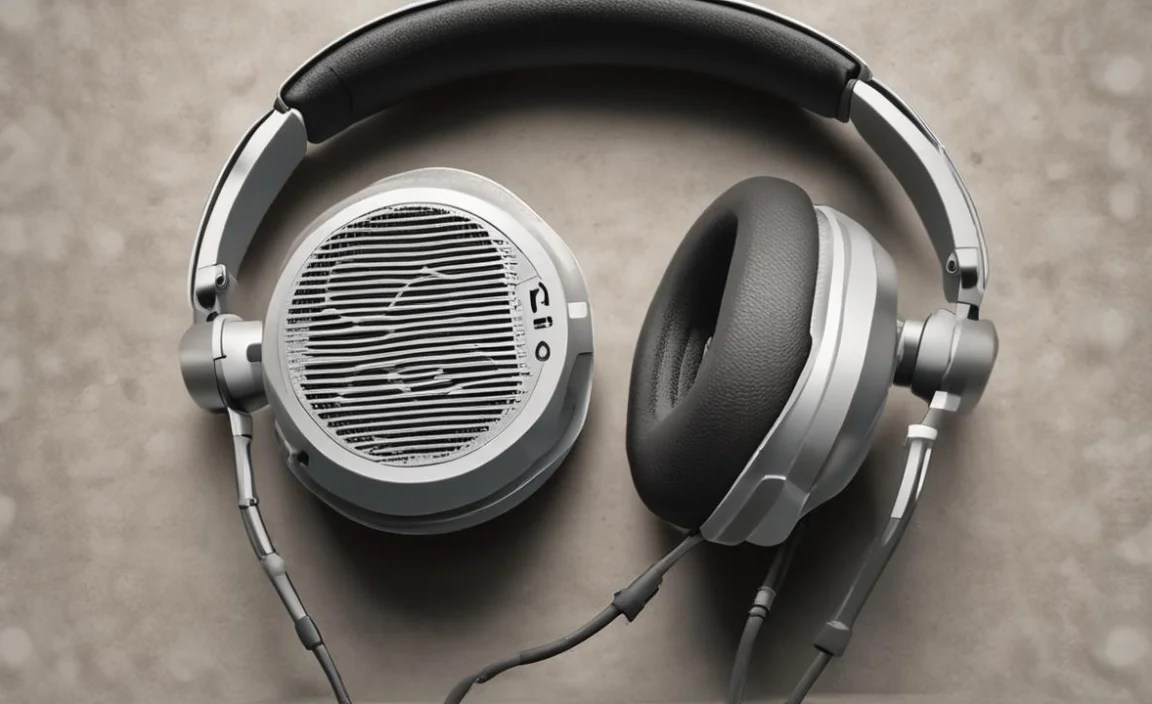
To ensure your best overhead headphones keep sounding and feeling great for years to come, a little regular maintenance goes a long way. Treat them well, and they’ll reward you with consistent performance.
Regular Cleaning
Dust and earwax can accumulate and affect sound quality and hygiene. Here’s how to clean:
- Earcups: For fabric or velour pads, use a soft brush or a slightly damp cloth. For leather or pleather, a damp cloth with a tiny bit of mild soap (like dish soap) is usually safe. Always ensure they are fully dry before using.
- Headband: Wipe with a dry or slightly damp cloth.
- Mesh Grilles/Drivers: Be very gentle. Use a dry, soft brush (like a clean makeup brush or paintbrush) to lightly sweep away dust. Never use liquids directly on the driver area.
Deep Cleaning Earcups
Some earcups are removable, which makes cleaning much easier. Check your headphone manual, but generally:
- Gently detach the earcups.
- For fabric: Hand wash with mild soap and water, rinse thoroughly, and let air dry completely (this can take 24-48 hours).
- For leather/pleather: Wipe with a damp cloth and mild soap, then wipe with a clean damp cloth, and condition if necessary. Ensure they are fully dry before reattaching.
Important: Never submerge headphones or earpads in water. Always ensure earpads are completely dry before reconnecting them to the headphones.
Cable Care (Wired Headphones)
Avoid pulling on the cable itself when disconnecting. Instead, grip the connector. Don’t wrap the cable too tightly around the headphones. Store them in a case or bag to protect the cable from kinks and damage. If a cable becomes frayed, it’s often replaceable, which is a significant advantage of wired headphones.
Storage
When not in use, store your headphones in a cool, dry place. If they came with a protective case, use it! This shields them from dust, accidental drops, and extreme temperatures. Avoid leaving them in direct sunlight or hot cars, as heat can damage the materials.
Battery Care (Wireless Headphones)
Follow the manufacturer’s recommendations for charging. Most modern lithium-ion batteries don’t need to be fully drained before recharging. Avoid leaving them plugged in for days on end after they’re fully charged, as this can sometimes degrade battery health over time. Also, try to keep them away from extreme temperatures when charging.
Troubleshooting Common Issues
Even the best overhead headphones can sometimes present minor issues. Here are solutions to common problems:
1. No Sound from One Earcup
- Check Plug: Ensure the headphone plug is fully inserted into the audio source.
- Test on Another Device: Plug your headphones into a different phone, computer, or player. If sound returns, the issue is with your original device.
- Check Volume Balancer: On computers, check the audio settings to ensure the balance isn’t skewed to one side. For example, on Windows, search for “Change system sounds” and then click the “Configure Speakers” button to check the L/R balance.
- Inspect the Cable: Look for any nicks, cuts, or kinks in the cable, especially near the plug or where it connects to the earcup. A damaged internal wire is a common culprit.
- Detachable Cable: If your headphones have a detachable cable, try using a spare cable if you have one. If not, the cable is likely the issue.
2. Crackling or Static Sound
- Loose Connection: Ensure the plug isn’t loose in the port. Try wiggling it gently.
- Dirty Port: The audio jack on your device might be dirty. Try cleaning it gently with a dry cotton swab.
- Bluetooth Interference: For wireless headphones, interference from other devices (microwaves, other Bluetooth devices, Wi-Fi routers) can cause crackling. Move away from potential sources of interference or try re-pairing your headphones.
- Low Battery: Sometimes, a very low battery on wireless headphones can cause audio degradation.
3. Wireless Headphones Won’t Connect/Pair
- Ensure Bluetooth is On: Double-check that Bluetooth is enabled on your device.
- Battery Level: Make sure your headphones have sufficient battery charge.
- Reboot Both Devices: Turn off Bluetooth on your device, turn off your headphones, then turn them back on and try to pair again.
- Forget and Re-pair: On your device, go to Bluetooth settings, find your headphones in the list of paired devices, and select “Forget” or “Unpair.” Then, put your headphones back into pairing mode and try connecting again.
- Check for Updates: Ensure your device’s operating system and your headphones’ firmware (if applicable via an app) are up to date.
4. Active Noise Cancellation (ANC) Not Working Effectively
- Check Fit: ANC relies on a good seal. If the earcups aren’t seated correctly, ANC will be significantly less effective.
- Clean Mics: The small microphones on the outside of ANC headphones can get clogged with dirt. Gently clean them with a dry, soft brush.
- ANC Setting: Ensure ANC is actually turned on and set to the appropriate mode (e.g., “Max,” “Transport”).
- Wind Noise: ANC can sometimes struggle with strong wind noise.
For persistent issues, consult your headphone manufacturer’s support website or manual. Many offer detailed troubleshooting guides specific to their models.
Frequently Asked Questions (FAQ)
Here are answers to some common questions beginners have about overhead
