
Quick Summary: Facing issues with your Bose headphones? This guide helps you identify and find essential replacement parts like ear pads, headbands, and cables for common fixes. Learn where to source them and how to tackle simple repairs yourself, extending the life of your beloved audio gear.
Parts for Bose Headphones: Essential Fixes for Your Beloved Audio Gear

Hello fellow audio adventurers! Edward Cavitt here from Headphone Horizon. We all love our Bose headphones. They deliver incredible sound, comfort, and that immersive listening experience we crave. But like any well-loved piece of technology, sometimes parts wear out. Whether it’s the plush ear pads that have seen better days or a frayed audio cable, don’t despair! Finding the right parts for Bose headphones doesn’t have to be a daunting task. I’m here to demystify the process, guiding you through identifying what you need, where to find it, and how to give your Bose cans a new lease on life. Let’s dive in and get those headphones sounding and feeling like new again!
Why Replacing Parts Matters for Your Bose Headphones

Your Bose headphones are an investment in sound quality and personal enjoyment. Over time, regular use can lead to wear and tear on certain components. This isn’t just about aesthetics; compromised parts can directly impact sound performance and comfort. Think about it:
- Sound Quality: Damaged ear pads, for instance, can create air leaks, significantly affecting the bass response and noise cancellation effectiveness. A worn-out cable might introduce static or intermittent audio cuts.
- Comfort: Bose is renowned for its comfort. Worn-out or hardened ear pads can become uncomfortable, leading to listener fatigue. A bent or damaged headband can apply uneven pressure.
- Longevity: Replacing a single worn part is far more economical and environmentally friendly than buying a whole new pair of headphones.
- Noise Cancellation: For Bose’s industry-leading noise-cancelling models, a perfect seal from the ear pads is crucial for optimal performance. Any compromise here diminishes that magical quiet.
Taking care of these elements ensures you continue to enjoy the pristine audio experience Bose is known for, without breaking the bank or contributing to unnecessary electronic waste. It’s a win-win for your ears and the planet!
Commonly Replaced Parts for Bose Headphones

When wear and tear happens, certain parts are more prone to needing replacement than others. Understanding these common culprits can help you quickly diagnose issues and know what to look for when searching for replacement parts for Bose headphones.
1. Ear Pads (Cushions)
These are arguably the most frequently replaced part. They are in constant contact with your skin and are subjected to pressure and sweat. Over time, the protein leather or fabric can degrade, crack, or lose their cushioning. This affects both comfort and the acoustic seal.
2. Headband Padding
Similar to ear pads, the padding on the headband can flatten, split, or become uncomfortable with prolonged use. This can lead to pressure points on your head, making extended listening sessions less enjoyable.
3. Audio Cables
For wired models, the audio cable is a common point of failure. It can be accidentally yanked, kinked, or the internal wires can fray, leading to crackling audio, channel dropouts, or complete silence in one or both ears. Many Bose headphones use detachable cables, making replacement straightforward.
4. Carrying Case/Pouch
While not directly affecting audio performance, a damaged carrying case can leave your headphones vulnerable to scratches and damage during transport. Replacement cases are readily available.
5. Battery (for Wireless Models)
For wireless Bose headphones, the rechargeable battery has a finite lifespan. If you notice significantly reduced battery life even after a full charge, the battery itself may be losing its capacity. Replacing the battery is often a more involved repair.
6. Replacement Earcup Covers/Grilles
For some models, the outer covers or grilles of the earcups can be scratched or broken. These are usually cosmetic but can be replaced to restore the look of your headphones.
Identifying Your Bose Headphone Model
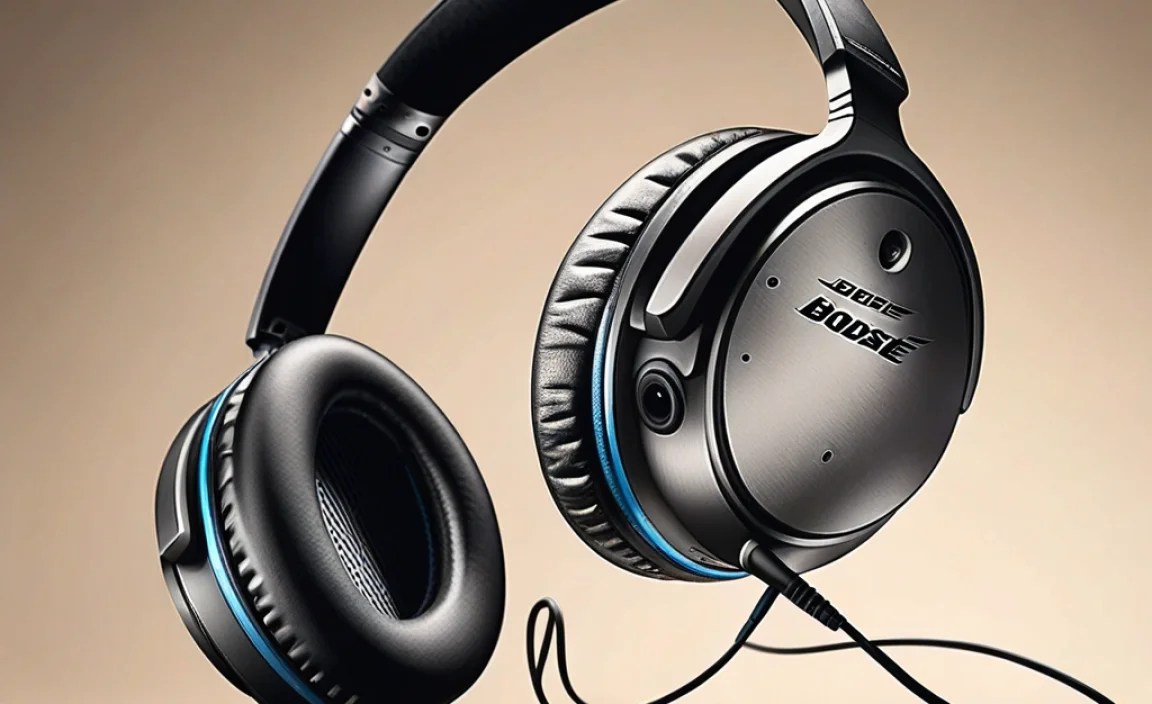
Before you can order any parts, you need to know precisely which Bose headphone model you have. Bose has a wide range of products, and parts are rarely interchangeable between different series. Here’s how to find that crucial information:
- On the Headphones Themselves:
- Look on the inside of the headbands.
- Check the underside of the earcups.
- Examine the area where the earcup meets the headband.
You’ll usually find a model number, series name (e.g., QuietComfort, SoundLink, OE), and sometimes a specific product code.
- On the Original Packaging or Manuals: If you still have the box or the user manual, the model name and number will be clearly printed on them.
- Using the Bose Connect App (for specific models): If your Bose headphones are Bluetooth-enabled and compatible with the Bose Connect app, the app will typically display your headphone model name once connected.
- Check Your Purchase History: If you bought them online, check your order history on the retailer’s website.
Having the exact model name (e.g., QuietComfort 35 II, SoundLink AE2, QC25) is paramount for ensuring you purchase compatible parts.
Where to Find Parts for Bose Headphones
Once you’ve identified your model and the part you need, the next step is sourcing them. Here are the most reliable places:
1. Bose Official Website
This is always the safest bet for genuine parts. Bose sells replacement parts directly for many of their popular headphone models. This guarantees compatibility and quality. You can usually navigate to the support section of their website, find your product, and look for available accessories or replacement parts.
- Pros: Genuine parts, guaranteed fit, quality assured.
- Cons: Can sometimes be more expensive, limited selection for older models.
2. Authorized Bose Retailers
Some electronics retailers that are authorized Bose dealers might also offer replacement parts. This includes online stores or brick-and-mortar locations.
3. Reputable Aftermarket Part Suppliers
Several third-party companies specialize in manufacturing replacement parts for popular electronics, including headphones. Popular choices include:
- Brand-specific sites: Companies like Dekoni Audio or Wicked Cushions focus on premium headphone earpads.
- General electronics part sites: Websites like eBay, Amazon, or specialized electronics component retailers often list replacement parts.
When buying aftermarket, it’s crucial to:
- Read reviews carefully.
- Ensure the listing explicitly states compatibility with your exact Bose model.
- Check return policies.
While often more affordable, the quality can vary. For critical components like drivers (which generate sound), sticking to official Bose parts is generally recommended. For items like ear pads or headbands, reputable aftermarket brands can offer excellent value and even improved comfort or durability.
4. Used and Refurbished Parts
For older or discontinued models, you might find parts on platforms like eBay from sellers who are parting out old headphones. This can be a cost-effective option but carries more risk. Inspect photos closely and communicate with the seller if you have questions.
Essential Tools for Headphone Repairs
Fortunately, most common repairs for Bose headphones don’t require a professional toolkit. Often, a few common household items or basic tools will suffice.
- Small Phillips Head Screwdriver: Many headphone screws are tiny and require a precision screwdriver.
- Plastic Pry Tools (Spudgers): These are invaluable for gently opening plastic casings without scratching or damaging them. A guitar pick can sometimes be a good substitute.
- Tweezers: For handling tiny screws or delicate connectors.
- Magnifying Glass: The tiny components and screws can be hard to see, especially in dimmer light.
- Soft Cloth: For cleaning components, especially ear pads and headbands, before installation.
- Your Hands!: Many parts, like ear pads and detachable cables, simply snap or plug into place and require no tools at all.
It’s worth noting that for more complex repairs like battery replacement, you might need specialized tools such as a heat gun or specialized electronics repair kits. Always assess the complexity of the repair before you start and gather the necessary tools.
DIY Fixes: Step-by-Step Guides
Let’s get hands-on! Here are step-by-step guides for some of the most common DIY repairs using replacement parts for Bose headphones.
How to Replace Bose Headphone Ear Pads
This is one of the easiest and most impactful repairs you can do. The process varies slightly by model, but the principle is usually the same.
Tools Needed:
- Replacement ear pads for your specific Bose model
- Small flathead screwdriver or plastic pry tool (sometimes needed, but often not)
- Soft cloth
Steps:
- Remove Old Ear Pads:
- Many Bose ear pads are attached to a plastic mounting ring.
- Look for a small notch or seam around the edge of the earcup.
- Gently insert a plastic pry tool or your fingernail into the seam and carefully work your way around the edge. The pad should unclip or lift off.
- For some QC models, the earpads might simply pull off.
- Clean the Earcup: Before attaching new pads, use a soft cloth to wipe away any debris, sweat, or dust from the earcup and the mounting surface.
- Install New Ear Pads:
- Align the new ear pad with the earcup.
- If there’s a specific orientation, ensure it matches the original.
- Gently press the new ear pad around the edges until it clips or snaps securely into place. You should hear or feel them seat properly.
- Test: Put on your headphones and check for a comfortable seal and good sound quality. The bass should feel full, and noise cancellation (if applicable) should be effective.
How to Replace Bose Headphone Headband Padding
This repair can vary significantly. Some headbands have easily replaceable padded covers, while others require more disassembly.
Tools Needed:
- Replacement headband padding/cover for your specific Bose model
- Small Phillips head screwdriver (potentially)
- Plastic pry tool (potentially)
Steps (General Guide – Model Specifics May Apply):
- Inspect Your Headband: Determine how the padding is attached. Is it a slip-on cover? Does it have screws? Does it clip in?
- Remove Old Padding:
- If it’s a slip-on cover, gently slide the old one off.
- If there are visible screws at the ends or under the padding, carefully unscrew them. Keep track of where each screw goes.
- If it’s clipped, you might need to gently pry open sections of the headband using a plastic pry tool or spudger. Work slowly and deliberately to avoid breaking plastic clips.
- Clean the Headband Frame: Wipe down the headband structure where the new padding will attach.
- Install New Padding:
- Slide on the new cover.
- If applicable, reattach the padding using the screws removed earlier.
- Ensure any clips snap back into place.
- Test: Wear the headphones to ensure the new padding is comfortable and fits well.
How to Replace a Bose Headphone Audio Cable
For models with detachable cables, this is usually the simplest fix.
Tools Needed:
- Replacement audio cable compatible with your Bose model
Steps:
- Locate the Cable Port: Find where the audio cable plugs into one of the earcups.
- Unplug the Old Cable: Gently pull the existing cable straight out of the port. Some connectors may have a small locking mechanism to press or slide.
- Plug in the New Cable: Insert the new cable firmly into the port. Ensure it is fully seated. If there was a locking mechanism, re-engage it.
- Test: Connect the other end to your audio device and play some music. Check for clear audio in both channels and ensure there’s no static or interference.
Troubleshooting Common Issues
Sometimes, even with new parts, you might face lingering issues. Here are a few common troubleshooting tips:
- No Sound/Intermittent Sound:
- Ensure the audio cable is fully plugged in on both ends (headphones and device).
- Try a different audio cable if possible.
- Test with a different audio source or device to rule out an issue with your phone/computer.
- Reset your headphones (check your model’s manual for instructions, often involves holding a button).
- Poor Noise Cancellation:
- Ensure new ear pads are correctly installed and create a tight seal around your ears.
- Clean any sensors or microphones on the earcups.
- Check if the noise cancellation feature is actually turned on.
- Crackling or Buzzing:
- Check the audio cable connection.
- Try a different cable.
- Test in a different location to rule out wireless interference (for Bluetooth models or if using ANC).
- Ensure your device’s volume isn’t set to maximum, which can sometimes cause distortion.
- Comfort Issues:
- Ensure new ear pads or headband covers are the correct ones for your model.
- Try repositioning the headphones on your head.
Maintaining Your Bose Headphones for Longevity
Preventative care goes a long way in extending the life of your Bose headphones and delaying the need for replacement parts. Here are some simple maintenance tips:
- Clean Regularly:
- Wipe ear pads and headband with a damp (not wet) soft cloth periodically. Avoid harsh chemicals.
- Use a dry, soft brush or a can of compressed air to gently remove dust from grilles and crevices.
- Store Properly: Always use the provided carrying case or a protective pouch when not in use, especially when traveling. This shields them from dust, scratches, and impact.
- Handle with Care: Avoid dropping your headphones or yanking on the cables. When unplugging, hold the connector, not the wire.
- Manage Battery Life (Wireless Models): Avoid consistently draining the battery completely. For long-term storage, charge it to about 50-60%. Refer to Bose’s recommendations for optimal battery health.
For more in-depth cleaning advice on specific materials, resources like the U.S. Environmental Protection Agency (EPA) offer general guidelines on electronics care and responsible disposal, reinforcing the importance of making products last.
Bose Headphone Part Compatibility Chart (Example)
It’s essential to know which parts fit which models. While this isn’t exhaustive, it gives you an idea of how parts can be model-specific. Always double-check compatibility when purchasing.
| Part Type | Likely Compatible Models | Notes |
|---|---|---|
| Ear Pads | QuietComfort 35 (QC35), QC35 II | Often interchangeable between QC35 and QC35 II. |
| QuietComfort 25 (QC25), QC25 (Samsung/Apple versions) | Specific to QC25, not compatible with QC35. | |
| SoundLink Around-Ear II | Unique fit; ensure it’s for this specific model. | |
| Headband Padding | QuietComfort 35 (QC35), QC35 II | Often a slip-on or clip-in cover. |
| QuietComfort 25 (QC25) | Usually a different shape/attachment from QC35. | |
| Audio Cable | QuietComfort 25 (QC25) | 3.5mm connector, specific pin configuration. |
| Audio Cable | QuietComfort 35 (QC35), QC35 II | Often features a proprietary 2. |
