
Quick Summary: This guide demystifies headphone jack plugs, explaining their function, types, and how to maintain or replace them. Learn how an “essential & affordable” plug ensures great sound and a hassle-free listening experience for your devices.
Hey there, fellow music lovers and everyday listeners! I’m Edward Cavitt, and welcome to Headphone Horizon. If you’ve ever plugged in your headphones only to be met with silence, crackling, or just plain disappointing sound, you’ve likely encountered a headphone jack issue. It’s frustrating, right? But don’t worry! Many of these problems boil down to something as simple, essential, and surprisingly affordable as the plug itself. This guide is designed to be your friendly roadmap, taking the mystery out of headphone jack plugs – what they are, why they matter, and how you can keep them in tip-top shape for that crystal-clear audio you deserve. Let’s dive in and get your sound back on track!
Understanding Your Headphone Jack Plug: The Tiny Tech That Matters
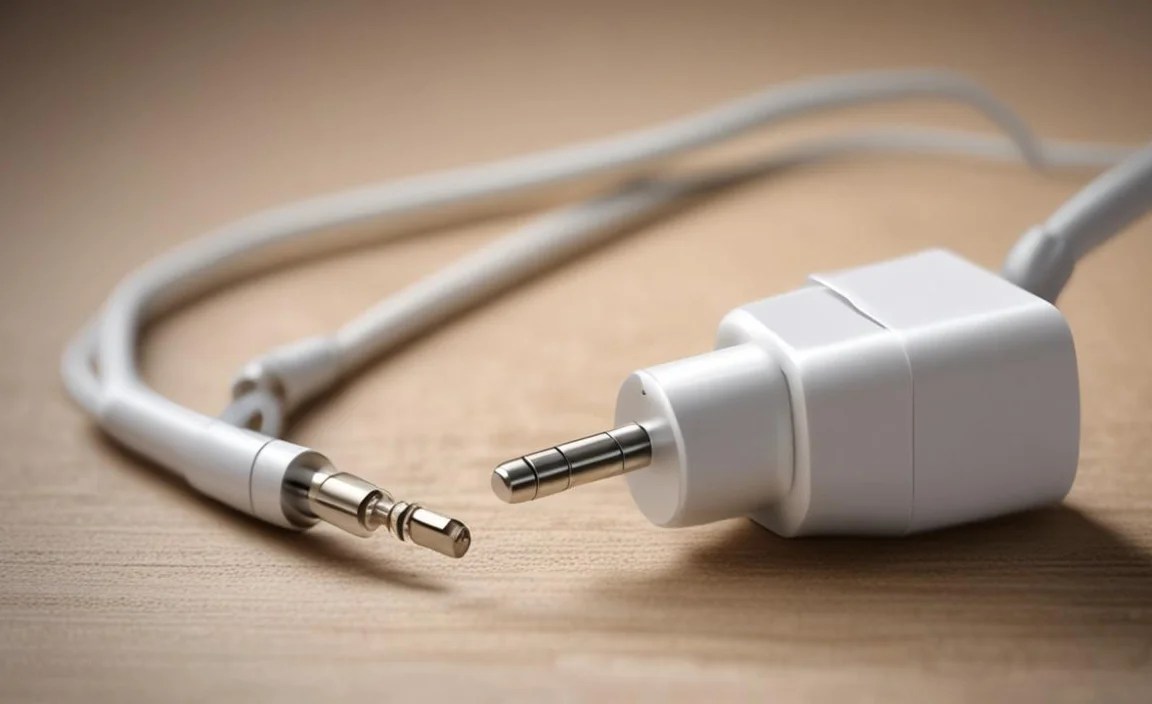
That little metal tip on the end of your headphone cable? It’s more than just a piece of metal; it’s the crucial connector that translates audio signals from your device to your ears. This “plug,” also known as a connector or jack, is a vital component of your audio experience. When it’s working correctly, you get immersive sound. When it’s not, well, you get silence or static. For most of us, this involves a 3.5mm jack, a standard size that fits a vast array of devices from smartphones and laptops to audio players and gaming consoles.
The term “plug for headphone jack” might sound a bit redundant, but it’s a common way people search for solutions to audio problems. Essentially, we’re talking about either the plug on the headphones needing attention, or the jack (the port on the device) needing care, or sometimes, needing a specific adapter or “plug-in” to make headphones compatible. This guide primarily focuses on the plug part of your headphones and how its condition affects your audio, as well as how to maintain the jack on your devices. We’ll explore how keeping this small but mighty piece of tech in good condition is both essential for sound quality and remarkably affordable.
The Anatomy of an Audio Plug
Before we get too deep, let’s break down what you’re actually looking at on the end of your headphone cable. Most modern headphones use a 3.5mm plug, which is a cylindrical metal connector. These plugs come in different configurations, depending on the type of audio they transmit:
- TS (Tip-Sleeve): Primarily used for mono audio, often found in older or specific professional audio gear. It has two conductors.
- TRS (Tip-Ring-Sleeve): The most common for stereo headphones without a microphone. It has three conductors and can carry left and right stereo channels.
- TRRS (Tip-Ring-Ring-Sleeve): This is what you’ll find on most smartphone and laptop headphones today. It has four conductors and can carry stereo audio plus a microphone signal, and sometimes control signals (like play/pause/volume).
The “plug” is the part that inserts into the “jack” or “port” on your device. The quality of the materials and the precision of its manufacturing directly impact how well it makes contact and conducts the audio signal.
Why Your Headphone Plug Matters: The Sound Quality Connection

It might seem like a small detail, but the condition and type of your headphone plug play a significant role in your listening experience. Here’s why:
- Signal Integrity: A clean, well-made plug ensures a solid connection, allowing the audio signal to flow unimpeded. Any dirt, corrosion, or damage can create resistance, break the signal path, or introduce interference, leading to crackling, popping, or complete silence.
- Stereo Separation: For true stereo sound, the left and right channels need to be perfectly delivered separately. A faulty plug can cause one channel to drop out or bleed into the other, diminishing the immersive stereo effect.
- Microphone Functionality: If your headphones have a mic for calls or gaming, the TRRS plug is critical. Each section of the plug is assigned a specific function. Damage to the outer rings or sleeve can disrupt microphone input or even your audio output.
- Durability and Fit: A high-quality plug is designed to be durable and fit snugly into the jack without being too loose or too tight. A plug that’s too loose can easily get wiggled out, interrupting your listening.
Think of it like a water hose. If the connector is cracked or blocked, the water doesn’t flow clearly. The same principle applies to your audio signal. Ensuring you have a “plug for headphone jack” that is in good working order is a foundational step to achieving the best possible sound from your existing gear.
Common Headphone Plug Problems & How to Fix Them (On a Budget!)

The good news is that many issues related to headphone plugs are not only common but also relatively easy and affordable to tackle. You don’t always need to buy new headphones!
Problem 1: Crackling or Intermittent Sound
This is often the most common symptom of a headphone plug issue. It means the connection isn’t stable.
Potential Causes:
- Dirt and Grime: Dust, pocket lint, and earwax can accumulate on the plug, preventing it from making a clean contact with the device’s jack.
- Corrosion: Over time, especially if exposed to moisture, the metal conductors on the plug can corrode, impairing conductivity.
- Physical Damage: A bent or frayed plug tip can also cause intermittent contact.
DIY Fixes (Affordable & Essential):
- Clean the Plug:
- What you’ll need: Isopropyl alcohol (90% or higher), a cotton swab (Q-tip), and a dry microfiber cloth.
- Steps:
- Power off your device.
- Gently twist and pull the headphone plug out of the jack.
- Dip a cotton swab in isopropyl alcohol – make sure it’s damp, not dripping.
- Carefully rub the metal parts of the plug, focusing on the tip and any rings (conductors). Rotate the swab to clean all sides.
- Allow the plug to air dry completely for a few minutes, or gently wipe it with a dry microfiber cloth.
- Plug it back into your device and test.
- Inspect for Damage: Look closely at the plug. Is it bent? Is the plastic casing cracked near the cable entry? If it’s severely bent, it might be difficult to repair and could damage the jack port on your device. Gentle straightening can sometimes help, but proceed with caution.
- Clean the Device Jack (Carefully!): Sometimes, the problem isn’t the plug but the port it goes into. You can use a can of compressed air to blow out dust. For deeper cleaning, a small wooden or plastic toothpick (never metal!) can be used to gently scrape out debris, followed by a blast of compressed air. Never spray liquid directly into the jack. For more detailed guidance on cleaning ports, you might find resources from electronics manufacturers helpful, as they often provide best practices for device maintenance.
Problem 2: Only One Earbud/Speaker Working (Stereo Issues)
This is particularly common with TRS and TRRS plugs.
Potential Causes:
- Internal Wire Damage: The wires inside the headphone cable, especially near the plug where they flex the most, can break internally. This is a common failure point.
- Faulty Plug Wiring: The solder points connecting the internal wires to the plug’s conductors might have failed.
- Jack Port Issue: The device’s jack might be damaged internally in a way that only one channel is making contact.
DIY Fixes (May Require a Bit More Effort/Cost):
- Thorough Plug Cleaning and Inspection: Repeat the cleaning steps from Problem 1. Sometimes, a stubborn bit of gunk can affect one specific conductor. Also, meticulously inspect the plug for small cracks or signs of stress that might indicate internal wire damage right at the connection point.
- Cable Strain Relief Check: Look at the area where the cable enters the plug body. Is the rubber or plastic casing frayed or broken? This “strain relief” is designed to prevent wires from breaking. If it’s compromised, it’s a strong indicator of internal damage.
- Consider a Replacement Plug: If you’re comfortable with a bit of soldering, you can buy an affordable replacement 3.5mm plug (often called a “3.5mm audio repair plug” or “replacement headphone jack plug”). These are widely available online for a very low cost.
- What you’ll need: A new replacement plug, wire strippers, soldering iron, solder, and a small screwdriver or pliers.
- Basic Steps (Vary by plug type):
- Carefully cut off the old plug.
- Strip a small amount of the outer insulation from the headphone cable.
- Identify the individual wires (usually color-coded: e.g., red for right, green/white for left, copper/bare for ground, and sometimes a separate wire for mic).
- Strip a tiny bit of insulation off the ends of these individual wires.
- Follow the instructions that come with your replacement plug to solder each wire to its corresponding terminal on the new plug. Many repair plugs are designed for screw-on connections, which can be easier for beginners.
- Reassemble the plug housing.
This method is incredibly affordable if you have basic tools, as new plugs often cost less than a cup of coffee.
- Device Jack Inspection: If cleaning doesn’t help and you’ve tested the headphones on another device with the same result, the issue might indeed be with your device’s headphone jack. For smartphones, this is often a complex component to replace, and professional repair might be needed. However, for laptops or audio equipment, a faulty jack can sometimes be repaired by a technician.
Problem 3: Microphone Not Working (TRRS Issues)
This is specific to headphones with microphones.
Potential Causes:
- TRRS Pin Misalignment: The fourth contact on the TRRS plug is for the microphone. If it’s not making proper contact, or if the plug is inserted at a slight angle, the mic won’t work.
- Software/Device Settings: Sometimes, the device itself might have a setting that disables the microphone or defaults to another input.
- Internal Mic Wire Failure: Similar to audio wires, the wire dedicated to the microphone signal can break.
DIY Fixes:
- Full Plug & Jack Clean: Ensure the TRRS plug and your device’s jack are spotless.
- Proper Insertion: Make sure the plug is fully inserted. For TRRS, sometimes pushing it in a tiny bit further or pulling it out slightly can make the difference, indicating an alignment issue with the mic contact.
- Check Device Settings: On your smartphone or computer, go into your sound or microphone settings. Is the correct input device selected? Is the microphone muted in software?
- Test on Another Device: This is crucial. If the mic doesn’t work on another device that supports TRRS headphones, you can be more confident the issue lies with the headphone plug or cable.
- Consider Repair/Replacement: If internal wiring is suspected, a replacement plug (as described in Problem 2) is the most affordable DIY route. Ensure you get a TRRS replacement plug if your headphones have a mic.
When to Consider a New “Plug For Headphone Jack” (Or Headphones)

While DIY fixes are great for extending the life of your gear, there comes a time when replacement is the sensible, and often still affordable, option.
Signs It’s Time for a New Plug or Headphones:
- Visible Physical Damage: The plug is bent, broken, or significantly corroded.
- Cable Damage at the Plug: The cable is frayed or severely kinked right where it enters the plug body (the strain relief is gone).
- Persistent Issues: You’ve tried all cleaning and basic troubleshooting steps, and the problem remains.
- Poor Connection Quality: Even after cleaning, the connection feels loose and unreliable.
- Sound Quality Deterioration: Beyond crackling, if your audio consistently sounds muffled, distorted, or lacks clarity even after confirming your source and device are fine, the plug might be degrading the signal.
Buying an Affordable Replacement Plug: What to Look For
If you decide to replace just the plug, here’s what to consider:
- Connector Type: Make sure you buy the correct type (3.5mm TRS or TRRS) for your headphones.
- Build Quality: Look for plugs with sturdy metal housings and good strain relief. Some have very robust, easy-to-grip designs.
- Ease of Installation: Screw-on plugs are generally easier for beginners than solder-type plugs.
- Price: Replacement plugs are incredibly affordable, often available in multi-packs for a minimal cost online.
Buying Affordable NEW Headphones (with a Good Plug):
If you need new headphones, don’t despair! There are many excellent, affordable options:
When purchasing new headphones, especially budget-friendly ones, it’s still worth paying attention to the plug. Look for reviews that mention the build quality of the cable and plug. A slightly better-built budget headphone will often have a more reliable plug that lasts longer.
Consider these factors:
- Brand Reputation: Established brands often have better quality control, even on their entry-level models.
- Material Quality: While budget headphones will use plastic housings, look for models where the cable seems appropriately thick and the plug housing feels secure.
- Reviews: Search for reviews that specifically mention the headphone jack or cable durability.
Essential Accessories: Adapters & Dongles
Sometimes, the issue isn’t the plug itself but compatibility. This is especially true with newer smartphones that have removed the traditional headphone jack.
Types of Adapters/Dongles:
These are essentially “plugs” that convert one type of connection to another, allowing you to use your existing headphones.
- USB-C to 3.5mm Adapters: If your phone or laptop uses USB-C for charging, it likely lacks a headphone jack. These affordable dongles plug into your USB-C port and provide a 3.5mm female jack for your headphones.
- Lightning to 3.5mm Adapters: For iPhones and iPads that don’t have a headphone jack, these adapters plug into the Lightning port.
- Bluetooth Adapters: While not a direct plug replacement, these convert wired headphones into wireless ones by pairing with your device via Bluetooth. Some can plug into your device’s USB port or even a car’s auxiliary input.
Choosing the Right Adapter:
Key considerations:
- Compatibility: Ensure the adapter matches your device’s port (USB-C, Lightning).
- DAC Chip: Some USB-C adapters have built-in Digital-to-Analog Converters (DACs). For critical listening, an adapter with a good DAC can offer better sound quality than an adapter that relies solely on your device’s internal DAC (or lack thereof). For everyday listening, basic adapters are usually sufficient.
- Durability: Look for adapters with reinforced cable entry points, similar to good headphone plugs.
These adapters are generally very affordable, making it easy to keep using your favorite wired headphones even with the latest devices.
Maintenance Tips for a Lasting Connection
Preventing problems is always better (and cheaper!) than fixing them. Here’s how to keep your headphone plugs and jacks in great shape:
| Maintenance Tip | Why It’s Important | Ease of Implementation |
|---|---|---|
| Handle with Care: Avoid yanking on the cable when unplugging. Always pull the plug itself. | Prevents stress on internal wires and the jack port. | Very Easy |
| Store Properly: Don’t stuff headphones in a pocket or bag loosely. Use a small pouch or wrap the cable neatly. | Reduces tangling, kinking, and potential damage to the plug and cable. | Easy |
| Keep it Clean: Periodically wipe down the plug with a dry microfiber cloth. For deeper cleaning, use isopropyl alcohol as described earlier. | Prevents buildup of dirt, oils, and potential corrosion. | Easy |
