
Quick Summary: Experiencing worn-out Sony headphone ear pads? Replacing them is an essential, budget-friendly upgrade that can restore comfort, improve sound quality, and extend your headphones’ lifespan. This guide makes finding and installing the perfect replacement pads for your Sony headphones simple, even for beginners.
Hey everyone, and welcome back to Headphone Horizon! Edward Cavitt here, your guide to all things audio. We all love our Sony headphones, right? That amazing sound, the comfort for long listening sessions – they’re fantastic companions. But over time, even the best ear pads can show their age. They might get a bit flatter, less plush, or even start to crumble.
Don’t worry, this is completely normal! The good news is, you don’t need to buy a whole new pair of headphones. Replacing the ear pads on your Sony headphones is a surprisingly simple and incredibly rewarding DIY project. It’s an essential upgrade that can breathe new life into your favorite cans, bringing back that original comfort and even potentially enhancing your listening experience. Let’s dive in and explore how to make your Sony headphones feel and sound like new again!
Why Replacing Your Sony Headphone Ear Pads is an Essential Upgrade

Think of your headphone ear pads as the unsung heroes of your listening experience. They’re the direct interface between your ears and the drivers, playing a crucial role in both comfort and sound quality. When they start to degrade, it’s not just an aesthetic issue; it affects how you enjoy your music, podcasts, or calls.
Comfort is King (and Queen!)
The most obvious reason to replace worn-out ear pads is comfort. Over months and years of use, the foam inside the ear pads can compress. This means less cushioning between your ears and the plastic housing of the headphone. The result? Pressure points, discomfort, and general ear fatigue, especially during longer listening sessions. Fresh, plush ear pads can make your headphones feel brand new and incredibly comfortable again, just like the day you first got them.
Sound Quality Matters
Did you know your ear pads also influence how your headphones sound? The ear pad material and its seal around your ear create a small acoustic chamber. A good seal is vital for maintaining the intended sound profile, especially for bass response. When pads become compressed or develop leaks due to wear, that tight seal is broken. This can lead to:
- Reduced Bass: Sound can escape, making bass frequencies sound weaker and less impactful.
- Altered Midrange and Treble: The overall balance of sound can shift, making it sound thinner or harsher.
- Decreased Noise Isolation: If your headphones are designed for noise isolation (passive or active), worn pads will let more external sound in, defeating their purpose.
A fresh set of replacement pads, especially those designed with similar acoustic properties to the originals, can restore that lost seal and bring back the intended sound quality.
Hygiene and Longevity
Ear pads can accumulate sweat, oils, and dead skin over time, regardless of how often you clean your headphones. While a good wipe-down helps, the porous material can harbor more than you’d think. Replacing them periodically ensures a more hygienic listening experience. Furthermore, replacing worn pads prevents irritation to your skin and stops old, crumbling material from damaging other parts of your headphones. It’s a cost-effective way to extend the life of your beloved Sony headphones.
Choosing the Right Replacement Pads for Your Sony Headphones
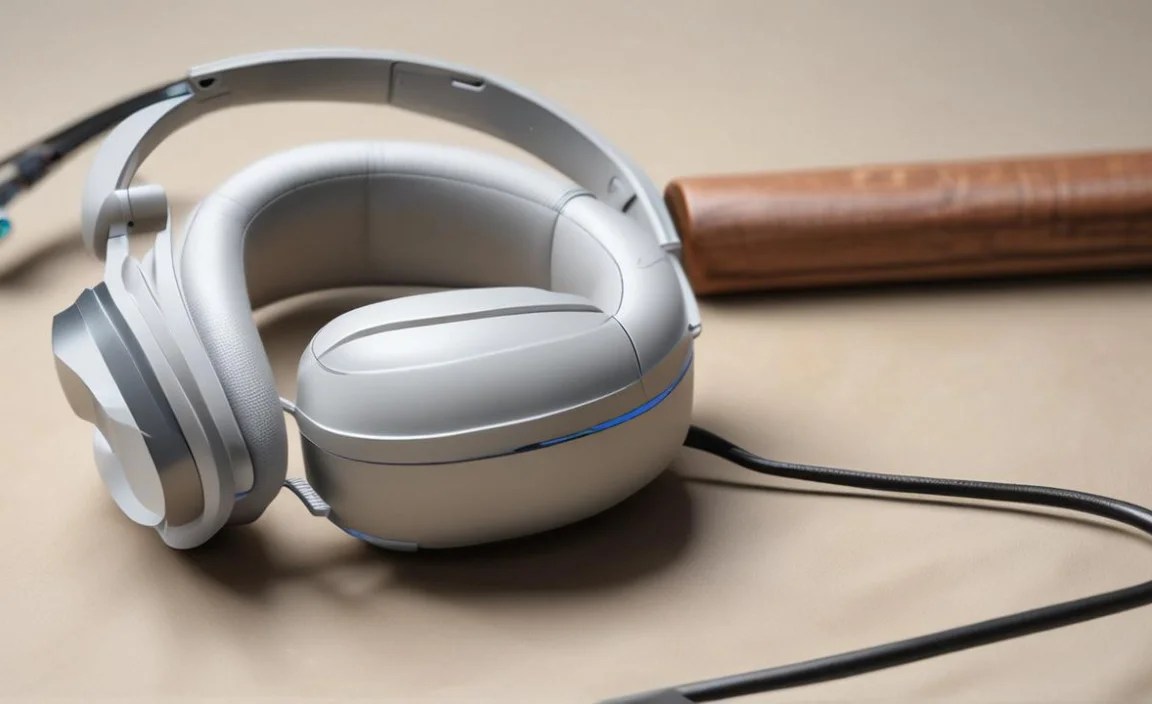
Navigating the world of replacement ear pads can seem daunting with so many options. However, by understanding what to look for, you can find the perfect fit for your specific Sony model and personal preferences. The key is finding pads that are compatible and meet your needs.
Identify Your Sony Headphone Model
This is the absolute first step and the most critical. Look for the model number on your headphones. It’s typically found:
- On the headband
- On the side of the earcups
- Inside the earcup, under the original pad
- On the original box or manual
Common Sony models include the WH-1000XM series (XM3, XM4, XM5), MDR series (e.g., MDR-7506, MDR-XB950BT), and others. Knowing your exact model ensures you purchase pads that will fit correctly.
Types of Replacement Pad Materials
The material of the ear pad significantly impacts comfort, durability, and sound. Here are the most common options:
- Protein Leather (PU Leather): This is the most common material, mimicking the look and feel of real leather but at a lower cost.
- Pros: Affordable, easy to clean, good durability, provides decent sound isolation.
- Cons: Can get warm/sweaty in hot weather, may eventually peel or crack with heavy use.
- Genuine Leather: Offers a premium feel and excellent durability.
- Pros: Very durable, breathable, luxurious feel, can develop a nice patina over time.
- Cons: Most expensive option, requires more care, can be less breathable than velour if not high quality.
- Velour: A soft, fabric-like material.
- Pros: Highly breathable (great for long sessions or hot climates), very soft and comfortable, can sometimes subtly improve treble clarity due to increased breathability.
- Cons: Offers less sound isolation, can absorb sweat and odors more easily, may wear out faster than leather.
- Cooling Gel/Memory Foam: Often incorporated into protein leather pads.
- Pros: Offers enhanced comfort by reducing heat buildup, memory foam contours to your head for a personalized fit.
- Cons: Can be more expensive, might slightly alter acoustics.
Consider Sound and Comfort Profiles
Some aftermarket pads are designed to subtly alter the sound. For instance, thicker pads might push the drivers further from your ear, potentially affecting the soundstage and bass response. If you’re aiming to replicate the original sound as closely as possible, look for pads explicitly advertised as “OEM-style” or designed for your specific Sony model. If you’re looking for a change, research pads that mention enhanced bass, clearer mids, or an expanded soundstage.
Where to Buy Replacement Pads
Several reliable sources offer replacement pads for Sony headphones:
- Directly from Sony: This is the safest bet for ensuring perfect compatibility and original sound/feel, though often the most expensive. Check the official Sony support website for parts.
- Reputable Aftermarket Brands: Companies like Dekoni Audio, Brainwavz, and Misodiko specialize in high-quality headphone accessories. They often offer a wider variety of materials and styles and are well-regarded in the audio community.
- Online Marketplaces: Websites like Amazon and eBay have numerous sellers. Be sure to check seller reviews, product descriptions carefully, and customer feedback regarding fit and quality for your specific Sony model.
Always read product descriptions meticulously to confirm compatibility with your Sony headphone model. Search terms like “replacement ear pads Sony [Your Model Number]” are your best friend.
Tools You Might Need

The beauty of replacing most Sony ear pads is that you often don’t need many special tools! For many models, it’s a tool-free job. However, having a couple of simple items on hand can make the process smoother.
Essential Items:
- Your New Replacement Pads: Obviously! Ensure they are for your specific Sony model.
- A Clean, Flat Surface: To work on without losing small parts.
Potentially Helpful Items:
- Plastic Pry Tool (Spudger) or Old Credit Card: For gently prying off old pads if they are attached with clips or adhesive. Avoid metal tools, as they can scratch your headphones.
- Small Flathead Screwdriver: In rare cases, a tiny screwdriver might be needed for stubborn clips, but always exercise extreme caution.
- Tweezers: Useful for removing any old adhesive residue or small detached pieces.
- Rubbing Alcohol and Cotton Swabs: For cleaning the earcup edges after removing old pads and before installing new ones.
For most modern Sony headphones, particularly those in the popular WH-1000XM series, the pads often just clip or press into place, making the process incredibly straightforward.
Step-by-Step Guide: Replacing Your Sony Headphone Ear Pads
Let’s get those new pads on! This guide is generalized, as designs vary slightly between Sony models. Always refer to any specific instructions that came with your replacement pads.
Step 1: Prepare Your Workspace
Find a well-lit area with a clean, flat surface. Lay out your new ear pads and any helpful tools you’ve gathered. If you have the original packaging from your headphones, it might be useful for keeping track of any small screws if your model requires them.
Step 2: Remove the Old Ear Pads
This is where designs differ most. Here are the common methods:
- Velcro/Adhesive Attachment: Some pads might be held on with strong Velcro or adhesive. Gently try to peel them off. If it’s difficult, use a plastic pry tool or credit card to help lift the edge. Work slowly and carefully to avoid damaging the headphone housing.
- Clip System: Many Sony headphones have ear pads that fit into a channel or are secured by small plastic clips around the edge of the earcup.
- Start by finding a seam or edge.
- Carefully insert a plastic pry tool or credit card into the gap between the pad and the earcup.
- Gently leverage upwards or sideways to release the clips. Work your way around the entire circumference of the pad. Avoid forcing it; if it feels stuck, check for hidden clips or adhesive.
- Detachable Rings: Some models have a plastic ring that holds the pad in place. You might need to gently twist this ring or pry it off.
Important Tip: Once the old pads are off, take a moment to examine the earcups. You might find small pieces of foam or adhesive residue. Use tweezers or a damp cotton swab (with a tiny bit of rubbing alcohol if needed for stubborn adhesive) to clean the edges. A clean surface helps the new pads seat properly.
Step 3: Install the New Ear Pads
Installation is usually the reverse of removal, and often much easier!
- Orientation: Pay attention to any markings (like an “L” or “R” inside) or the shape of the new pads. They are typically specific to the left and right ears.
- For Clip Systems: Align the new ear pad with the earcup. You’ll see a rim on the pad that should line up with the groove on the earcup. Press down firmly around the entire edge. You should hear or feel soft clicks as the clips engage. Start by pressing the main points and then work your way around to ensure a snug fit.
- For Adhesive/Velcro: Carefully align the new pad and press firmly to secure it to the adhesive or Velcro backing.
- For Removable Rings: Place the pad into the earcup and then reattach the plastic ring, securing it as per the original design (twisting, clipping, etc.).
Step 4: Test and Enjoy!
Once the new pads are securely in place, put on your headphones. How do they feel? Are they comfortable? Do they seem to block out external noise better? Play some of your favorite music and listen for any changes in sound quality. If they feel a bit loose, double-check that all the clips are engaged or the adhesive/Velcro is properly attached.
A Comparison of Popular Sony Headphone Models and Pad Replacements
Different Sony headphone series have distinct designs, which can influence the type of replacement pads available and the installation process. Here’s a quick look at some popular lines:
| Sony Headphone Series/Model | Typical Pad Attachment | Common Replacement Pad Materials Available | Notes |
|---|---|---|---|
| WH-1000XM Series (XM3, XM4, XM5) | Velcro/Press-fit with internal clips | Protein Leather, Velour, Cooling Gel variants | Very popular, wide availability of aftermarket options. Ensure correct size for your specific XM model (e.g., XM4 pads might not fit XM3 perfectly). |
| MDR-7506 | Clip-on with a plastic retaining ring | Velour (very common), Protein Leather | A studio standard. Velour pads are often preferred for comfort and breathability during long mixing sessions. |
| MDR-XB Series (e.g., XB950BT, XB950N1) | Press-fit or clipped into a groove | Protein Leather, sometimes with thicker foam | These often have larger earcups. Aftermarket pads can sometimes enhance the already emphasized bass response. |
| WH-CH Series (e.g., CH700N, CH710N) | Press-fit into a channel | Protein Leather | More budget-friendly, but pads can still wear out. Replacements are generally straightforward. |
This table offers a general overview. Always verify compatibility for your exact model. Resources like the Sony Headphones Support pages can sometimes provide model-specific details.
Troubleshooting Common Issues
Even with simple DIY projects, minor hiccups can occur. Here are some common issues and how to resolve them:
- Pads won’t fit: Double-check that you ordered the correct replacement pads for your specific Sony model number. Even slight variations can prevent a proper fit. Ensure no old adhesive or debris is hindering the seating of the new pad.
- Sound is muffled or distorted: This usually means the pads aren’t sealed correctly. Remove them and re-install, ensuring they are pressed firmly and evenly all around the earcup. Check if any internal foam inserts (if applicable) are positioned correctly.
- Pads feel too tight/loose: If pads feel too tight, they might be the wrong size or have thicker memory foam that requires a break-in period. If they feel loose, ensure all clips are fully engaged or the adhesive is making good contact.
- Cracking or tearing during installation: This usually happens if too much force is applied. Be gentle, especially when prying off old pads or flexing new ones into place. Plastic tools are your friend here. If a pad tears, contact the seller for a replacement if it appears to be a defect.
Most issues can be solved with patience and careful re-installation. Remember, the goal is a snug, comfortable fit that restores acoustic integrity.
Frequently Asked Questions (FAQ)
Q1: How often should I replace my Sony headphone ear pads?
A1: This depends heavily on usage, environment, and the materials of the pads. For daily, heavy users, you might need to replace them every 6-18 months due to wear. For lighter users, they could last 2-3 years or more. Look for signs of flattening, cracking, peeling, or reduced comfort and sound isolation.
Q2: Can I use replacement pads from a different brand than Sony?
A2: Yes, absolutely! Many reputable third-party manufacturers (like Dekoni Audio and Brainwavz) produce excellent replacement pads specifically designed to fit popular Sony models. These often offer different materials, comfort levels, and sound profiles compared to original pads.
Q3: Will replacing my ear pads affect my headphone’s warranty?
A3: In most cases, replacing ear pads is considered user maintenance and will not void your headphone’s manufacturer warranty. However, it’s always a good idea to check Sony’s
