
Quick Summary: Choosing the right headphone sponge, also known as earpad foam, is crucial for comfort, sound quality, and a secure fit. This guide will walk you through understanding different sponge types, how to measure and select replacements, and simple steps to ensure a perfect, enjoyable listening experience.
Hey audiophiles and everyday listeners! Edward Cavitt from Headphone Horizon here. Picking the right headphones can feel like a big decision, and once you’ve got that perfect pair, you want to make sure they stay that way. A key, often overlooked, element is the “sponge for headphones—” more accurately called earpad foam or earpads.
These soft cushions don’t just rest on your ears; they significantly impact how your headphones feel, how well they seal, and ultimately, how the music sounds. Whether yours are worn out, uncomfortable, or you’re just curious about upgrading, understanding the world of headphone earpad foam is essential. Let’s dive in and ensure your listening sessions are as comfortable and immersive as they can be!
Why Your Headphone Earpad “Sponge” Matters More Than You Think

When we talk about the “sponge for headphones,” we’re usually referring to the earpads that sit around or on your ears. These aren’t just for show; they play a critical role in your audio experience. The material, thickness, and seal of these earpads directly influence:
- Comfort: Nobody enjoys wearing headphones that pinch, dig in, or make their ears sweaty after a short while. The right earpad foam is soft, breathable, and distributes pressure evenly.
- Sound Isolation: A good seal around your ears blocks out distracting external noise (passive noise isolation) and prevents your music from leaking out, bothering others.
- Sound Quality: The earpad material and how it seals can subtly alter bass response, clarity, and the overall soundstage of your headphones. A worn-out or ill-fitting earpad can negatively impact how you hear your music.
- Fit: Ensuring the earpads fit snugly against your head without being too tight is key to both comfort and effective sound isolation.
Over time, the foam and outer material of earpads can degrade due to sweat, oil, and general wear and tear. This degradation can lead to reduced comfort, a poor seal, and consequently, a less enjoyable listening experience. Replacing them is often a simple and cost-effective way to refresh your beloved headphones.
Understanding Different Types of Earpad “Sponge” Materials
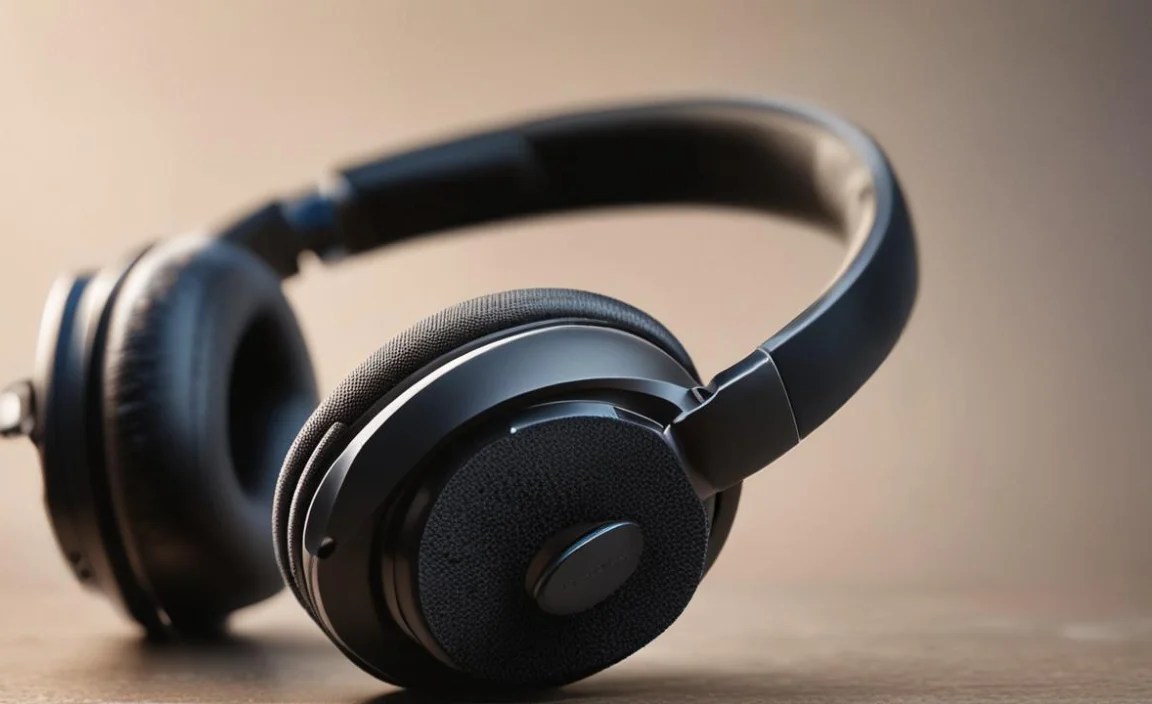
The “sponge” in your headphone earpads can be made from a variety of materials, each offering different benefits. Knowing these can help you choose replacements that suit your needs best.
Memory Foam
As the name suggests, memory foam conforms to the shape of your head and ears over time. It’s highly regarded for its comfort and ability to create a good passive seal. When you take the headphones off, it slowly returns to its original shape. This material is excellent for long listening sessions and can significantly improve noise isolation by filling gaps that other materials might miss. Many premium replacement earpads utilize high-density memory foam.
PU Leather (Polyurethane Leather)
Often found on many commercially available headphones, PU leather is a synthetic material that looks and feels like real leather but is typically more affordable and easier to clean. It’s durable and provides a decent seal for passive noise isolation. The downside can be breathability; it might cause your ears to feel warmer during extended use compared to fabric options.
Genuine Leather
For a premium feel and excellent durability, genuine leather is a top choice. It’s soft, breathable, and molds to your ear over time, offering exceptional comfort and a good seal. However, it’s the most expensive option and requires proper care to maintain its quality.
Velour
Velour earpads have a soft, fabric-like texture that is very breathable and comfortable, especially in warmer environments. They don’t seal as tightly as leather or PU leather, which can result in slightly less passive noise isolation. However, some audiophiles prefer velour for its comfort during long sessions and its potential to create a slightly more open or airy sound profile, as it doesn’t absorb sound as readily.
Hybrid Materials
Some earpads combine materials, such as a leatherette outer edge with a velour or fabric contact surface, aiming to offer the best of both worlds—comfort, breathability, and a good seal. These can be an excellent compromise for those seeking balanced performance.
When to Replace Your Headphone Earpads

Your headphone earpads are the direct interface between you and your audio gear. Like any part of a product that experiences regular contact and stress, they wear out. Here are some tell-tale signs that it’s time to consider replacing the “sponge for headphones”:
- Reduced Comfort: If your headphones start feeling less comfortable, causing pressure points, or irritating your skin, your earpads are likely degraded.
- Loss of Seal/Sound Leakage: You might notice more ambient noise creeping in, or a friend might be able to hear your music more clearly than before. This indicates the earpads are no longer creating a proper seal.
- Cracking or Peeling Material: The most obvious sign is when the outer material (like PU leather or genuine leather) starts to crack, peel, or flake off. This is unsightly and compromises the earpad’s integrity.
- Deformation: If the foam has become permanently compressed and no longer springs back, it won’t provide an adequate seal or comfortable fit.
- Unpleasant Odors: Over time, earpads can absorb sweat and oils, leading to odors that are difficult to remove.
- Hearing a Change in Sound: While less common, a severely degraded earpad can sometimes affect the acoustics. If your bass response seems weaker or the sound feels “off,” the earpad could be a factor.
Think of it like replacing the tires on your car. When they’re worn, the ride is rougher, less safe, and less efficient. Earpads are the same for your headphones – their deterioration directly impacts performance and enjoyment.
| Symptom | Likely Cause | Action |
|---|---|---|
| Discomfort / Pressure Points | Degraded, flattened foam; stiff material | Replace earpads with softer, conforming material (e.g., memory foam) |
| Increased Ambient Noise / Sound Leakage | Loss of seal from worn/cracked material or flattened foam | Replace earpads to restore seal; consider thicker options if possible |
| Cracking, Peeling, or Flaking Outer Layer | Material degradation (UV, oils, age) | Immediate replacement needed to prevent material transfer to skin/hair |
| Deformed Shape (Doesn’t spring back) | Foam compression over time | Replace with new foam that maintains its shape and support |
| Lingering Odors | Moisture and body oils trapped in foam/material | Replace earpads; consider more breathable materials next time |
How to Measure and Select Replacement “Sponges” for Your Headphones

Not all earpads are universal. Finding the right replacement “sponge for headphones” requires a bit of careful measurement and understanding of your headphone model.
Step 1: Identify Your Headphone Model
This is the most crucial first step. Look for the brand and model name printed on the headphones themselves, on the original box, or in your purchase history. Knowing the exact model is half the battle.
Step 2: Measure Your Existing Earpads (If Model is Unknown or for Custom Fits)
If you can’t find a specific replacement for your model, or if you want to explore aftermarket options, you’ll need to measure. You’ll typically need:
- A flexible measuring tape (like a tailor’s tape) or a piece of string and a ruler.
- A sturdy ruler or caliper for precise measurements.
- A pen and paper to jot down the dimensions.
Measurements to take:
- Outer Diameter: Measure the widest point of the earpad from edge to edge. If the earpad is oval, measure both the length and the width.
- Inner Diameter: Measure the width of the opening where your ear fits through.
- Thickness: Measure the depth of the earpad from the flat surface that touches your head to the outer edge.
- Mounting Mechanism: Observe how the earpads attach to the headphone. Do they snap on? Are they held by a lip or a mounting ring? Some replacements come with their own rings, while others need to use your original ones. This is often the trickiest part for universal replacements.
Step 3: Search for Replacements
Once you have your measurements and headphone model, you can start searching. Here’s where to look:
- Manufacturer’s Website: The first place to check is the official website of your headphone brand. They may sell official replacement parts.
- Specialty Headphone Earpad Retailers: Websites like New Audio-Technica replacement parts or dedicated earpad stores often carry a wide variety of replacement pads for many brands and models.
- Online Marketplaces: Amazon, eBay, and similar sites are great for finding aftermarket options, but always check seller reviews and product compatibility carefully.
Step 4: Consider Fit and Comfort Preferences
When browsing, think about what you want:
- Thicker pads: Can improve comfort and noise isolation, but might make the headphones feel tighter or change the sound profile.
- Thinner pads: Might offer a more direct sound and less clamping force, but could sacrifice comfort and isolation.
- Material: As discussed earlier, PU leather for durability, velour for breathability, memory foam for ultimate comfort.
Step 5: Read Reviews and Compatibility Information
Before purchasing, read customer reviews for the specific replacement earpads you’re considering. Look for comments about:
- Ease of installation
- Comfort and material quality
- Impact on sound quality
- How well they fit specific headphone models (even if not the exact one you have, it can be a good indicator)
Many sellers will provide a list of compatible headphone models. Double-check this list carefully.
Step-by-Step Guide: Replacing Your Headphone Earpad “Sponges”
Replacing your earpad foam is usually a straightforward DIY process. Here’s a general guide. The exact steps can vary by headphone model.
Tools You Might Need
- Your new replacement earpads
- A small, flat tool (like a plastic spudger, guitar pick, credit card, or a blunt butter knife)
- A soft cloth
- Possibly a small Phillips head screwdriver (rarely needed but good to have on hand)
The Process
Step 1: Remove the Old Earpads
- Inspect the Attachment: Gently examine how the old earpads are attached. Most earpads are either clipped onto a plastic mounting ring or held in place by a lip that tucks under the headphone’s outer casing/driver housing.
- Pry Gently: If they clip on, you’ll usually need your prying tool. Start at one point (often the seam or a less visible area) and gently wiggle the tool between the earpad and the headphone body. Apply light, steady pressure to release the clips. Work your way around the earpad. Be patient; some can be stubborn. Avoid using excessive force, which could break the headphone casing.
- Tuck and Pull: If the earpad has a lip, you might be able to insert your tool to lift the edge and then carefully tuck it under. Once an edge is lifted, you can often grasp the earpad and peel it away from the mounting ring.
- Handle with Care: Some earpads might have hidden screws or a more complex mounting system. If you’re unsure, search online for a guide specific to your headphone model.
Step 2: Clean the Headphone Mounting Area
Once the old earpads are off, you’ll likely find some gunk, dust, or earwax buildup. Use your soft cloth, perhaps slightly dampened with water or a mild cleaning solution (like diluted isopropyl alcohol, but be very sparing), to gently wipe down the mounting ring and the area where the earpad sits. Ensure it’s dry before installing the new pads.
Step 3: Install the New Earpads
- Align the New Pads: Take your new earpad and identify its orientation. Some have slight curves or specific notches to match the headphone.
- Secure the Rim (Clip-on type): If your new pads clip on, align the rim of the earpad with the mounting ring on the headphone. Starting in one spot, gently press down until you hear or feel a clip engage. Work your way around, pressing firmly at each point until the earpad is securely attached and flush with the headphone.
- Tuck the Lip (Lip-over type): If your new pads have a lip, position the earpad over the driver and begin tucking the lip under the edge of the headphone casing or mounting ring. Work your way around, ensuring the material is evenly tucked. You may need to use your prying tool very gently to help tuck the last bits in, being careful not to snag or tear the new earpad.
- Check the Fit: Once installed, give the earpads a gentle tug to ensure they are firmly attached. Make sure there are no gaps or loose edges that could compromise the seal.
Step 4: Test Your Headphones
Put on your headphones and see how they feel! Listen to some music. Does the comfort feel improved? Is the sound isolation better? You should notice a difference. If the fit feels off or there’s a noticeable air leak, gently try to reseat the earpads.
Tips for Maintaining Your New Earpad “Sponges”
To get the most life and enjoyment out of your new replacement earpads, a little care goes a long way:
- Regular Gentle Cleaning: Wipe down your earpads periodically (e.g., weekly) with a dry, soft cloth to remove dust and surface oils.
- Occasional Deeper Cleaning: For PU leather or genuine leather, use a damp cloth with a tiny amount of mild soap (like dish soap) or specialized leather cleaner. Wring the cloth out thoroughly so it’s barely damp, and wipe gently. Follow up with a clean, damp cloth to remove soap residue, and then wipe dry. For velour, a soft brush can help lift dirt. Avoid soaking any material.
- Avoid Harsh Chemicals: Don’t use alcohol-based cleaners, solvents, or abrasive materials, as they can damage the earpad material. Consult manufacturer guidelines if unsure.
- Manage Sweat: If you tend to sweat a lot while wearing headphones, consider using a sweatband or taking more frequent breaks to allow the earpads to air out.
- Storage: When not in use, store your headphones in a cool, dry place away from direct sunlight, which can degrade materials over time. A headphone stand or case is ideal.
- Hair Products and Oils: Be mindful of hairsprays, oils, and lotions, as these can break down synthetic leather and other materials over time.
Taking these small steps can significantly extend the lifespan of your earpad “sponge for headphones,” keeping them comfortable and performing well for years.
Troubleshooting Common Earpad Replacement Issues
Even with the best intentions, sometimes things don’t go perfectly. Here are a few common issues and how to solve them:
Issue: New Earpads Don’t Fit Correctly
- Possible Cause: Ordered the wrong size or type for your headphone model.
- Solution: Double-check the compatibility list against your exact headphone model. If you measured, re-verify your original measurements and compare them with the product specifications. If purchased from a reputable retailer, there might be a return/exchange policy.
Issue: Earpads Pop Off Continuously
Possible Cause:
- The clips are not fully engaged.
- The mounting points on the headphones are damaged or worn.
- Dirt or debris is preventing a secure fit.
Solution:
- Apply more firm, even pressure around the rim of the earpad when installing until all clips are heard or felt to engage.
- Inspect the headphone’s plastic mounting ring for cracks or bent tabs. If damaged, the headphones themselves might need repair, or you might need to use a small amount of strong adhesive (like super glue or an epoxy
