
Quick Summary: A headphone stand offers a safe, organized, and accessible spot for your headphones, preventing damage and enhancing your listening setup. This guide explores why they’re essential, the different types available, and affordable options to suit any budget and space, making it a practical addition for every listener.
Hey there, audio adventurers! Edward Cavitt here from Headphone Horizon. If you’ve invested in a great pair of headphones, you know how much joy they can bring. But keeping them safe and ready to go shouldn’t be a hassle. That’s where a trusty headphone stand comes in. More than just a place to put your cans, a stand is a simple yet effective way to protect your gear, keep your space tidy, and ensure your headphones are always within reach for that next immersive music session or important call. Let’s dive into why a stand is more essential (and affordable!) than you might think.
Why You Need a Stand for Headphones: More Than Just a Holder

It’s easy to think of a headphone stand as just another accessory, but for dedicated listeners, it’s a game-changer. Think about it: where do your headphones live when they aren’t on your ears? Often, they end up on a desk, a chair, or worse, tangled up with other cables. This isn’t ideal for their longevity or for keeping your space decluttered.
A good stand provides a dedicated, safe resting place. This prevents:
- Cable Strain: Constantly bending or yanking the headphone cable can lead to internal breaks and connection issues. A stand keeps the cable hanging naturally, reducing stress.
- Driver Damage: Dropping headphones or having something fall on them can damage the delicate drivers (the parts that make sound), rendering them useless or causing distortion.
- Ear Pad Wear: Leaving headphones in awkward positions can lead to uneven pressure on the ear pads, causing them to sag or wear out faster.
- Desk Clutter: A stand neatly organizes your headphones, freeing up valuable desk space and making your setup look much cleaner and more professional.
- Accessibility: No more hunting for your headphones! A stand keeps them visible and easy to grab whenever you need them.
In the grand scheme of audio gear, a headphone stand is a low-cost investment with a high return in terms of protecting your more expensive headphones and keeping your listening environment organized. It’s a small step that makes a big difference for any headphone user, from casual listeners to audiophiles.
Exploring Different Types of Headphone Stands
The world of headphone stands is surprisingly diverse. You’re not limited to a simple hook! Understanding the different styles will help you pick the perfect one for your needs, space, and aesthetic preferences. Here’s a breakdown of the most common types:
1. The Classic Hook/Arm Stand
This is perhaps the most straightforward design. It typically features a simple arm or hook that your headphone band rests on, with a base to keep it stable. Some are designed to clip onto the edge of a desk, while others are freestanding.
- Pros: Extremely simple, usually very affordable, takes up minimal desk space (especially clip-on versions).
- Cons: Can sometimes put slight pressure on the headband if not designed well, might not accommodate very large headphones easily.
2. The Full Stand/Sculpture Style
These are more elaborate designs, often resembling a minimalist bust or sculpture, onto which your headphones are placed. They are designed to cradle the entire headphone, distributing weight evenly across the headband.
- Pros: Excellent for protecting the headband, often aesthetically pleasing, great for displaying headphones.
- Cons: Can take up more desk space, might be more expensive than basic hooks.
3. Under-Desk Mounts
If desk space is at an absolute premium, or you just prefer a minimalist look, an under-desk mount is fantastic. These attach to the underside of your desk, providing a hidden place to hang your headphones.
- Pros: Frees up all desk surface, keeps headphones out of sight but easily accessible, great for clean setups.
- Cons: Requires mounting (usually with screws or strong adhesive), might not be suitable for all desk types, cable management might still be needed but is less of an issue.
4. Integrated Stands (Desk Organizers)
Some desk organizers come with a built-in headphone stand. These are multi-functional solutions that can include drawers, pen holders, phone stands, and of course, a headphone hook or arm.
- Pros: Combines organization for multiple items, saves space by consolidating accessories, good for keeping everything in one place.
- Cons: Can be larger and more expensive, the headphone stand might not be as robust or well-designed as a dedicated unit.
5. Wall-Mounted Holders
Similar to under-desk mounts, these attach directly to your wall. They are a great option if you don’t have a lot of desk space or prefer to keep your audio gear separate from your primary workspace.
- Pros: Excellent space-saver, keeps headphones off your desk entirely, can create a dedicated “listening station.”
- Cons: Requires drilling or strong adhesive, might not be suitable for rental properties, best if you have a dedicated room for listening.
6. Portable/Collapsible Stands
For those who travel with their headphones or move between different workspaces, portable stands are a lifesaver. They fold down compactly, making them easy to slip into a backpack or laptop bag.
- Pros: Ideal for travel, lightweight, takes up minimal space when stored.
- Cons: May be less stable than permanent stands, can be fiddly to set up and take down.
Choosing the Right Stand: Key Features to Consider
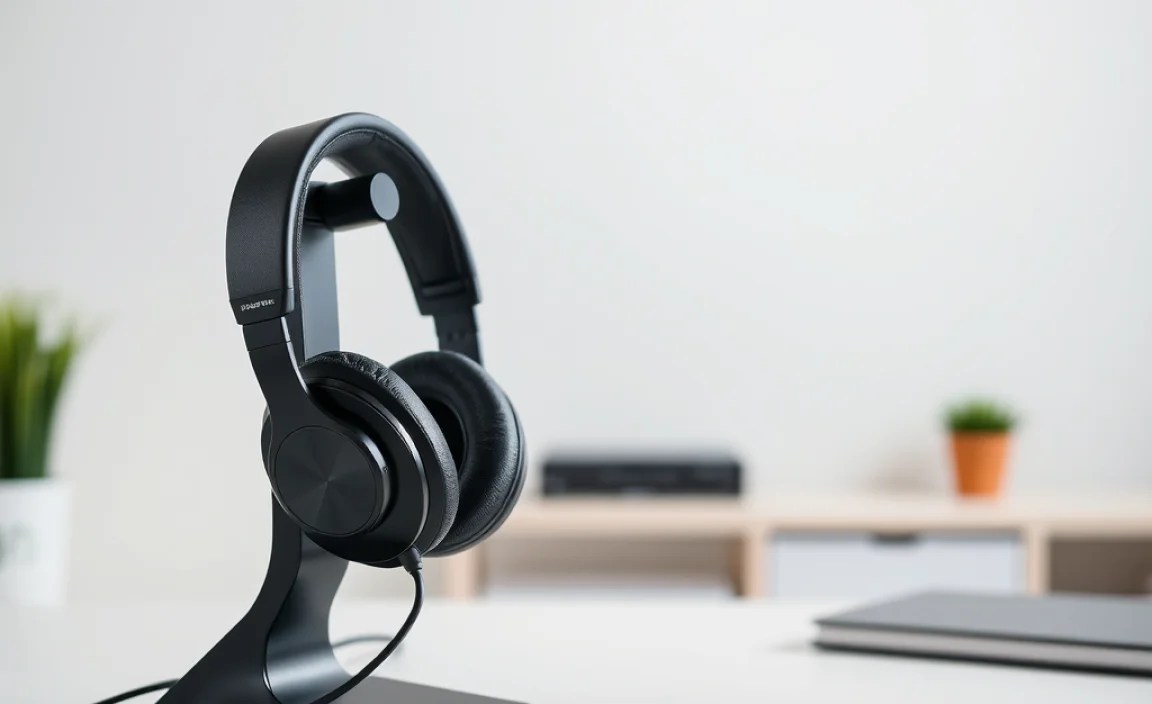
When you’re looking for the perfect headphone stand, don’t just grab the first one you see. A little thought about your specific needs will ensure you get a stand that’s not only functional but also a great fit for your setup.
Material Matters
Headphone stands come in various materials, each with its own pros and cons:
- Plastic: Lightweight, inexpensive, and comes in many colors. Can sometimes feel less premium and might be less durable over time.
- Wood: Offers a classic, elegant look. Can be very sturdy but is generally more expensive and heavier.
- Metal (Aluminum, Steel): Very durable, stable, and often has a modern or industrial aesthetic. Can be heavier and more costly.
- Acrylic: Sleek and modern, often transparent or colored. Can be prone to scratches if not handled carefully.
Stability and Base Design
A wobbly stand is worse than no stand at all. Look for a stand with a wide, heavy, or weighted base. For clip-on or under-desk models, ensure the mounting mechanism is secure and robust.
Headband Support
Consider how the stand will support your headphone’s headband. Wide, contoured supports are best as they distribute pressure evenly, preventing deformation over time. Avoid stands with very narrow or sharp edges that could dig into the headband.
Size and Compatibility
While most stands can accommodate standard-sized headphones, very large or uniquely shaped headphones (like some DJ or gaming headsets with bulky mic attachments) might require a wider or deeper support. Always check the dimensions if possible.
Added Features
Some stands come with bonus features:
- Cable Management Clips: Help keep your headphone cable tidy.
- Built-in USB Hubs: Convenient for charging devices or connecting peripherals.
- Wireless Charging Pads: For compatible headphones or phones placed on the stand.
- LED Lighting: For aesthetic appeal, especially in gaming setups.
These extras can add to the cost but offer significant convenience if they align with your needs.
Affordable & Essential Headphone Stands: Our Top Picks
You don’t need to break the bank to get a fantastic stand for your headphones. Many excellent, affordable options provide the essential protection and organization you need. Here are a few popular and well-regarded types:
1. The Budget-Friendly Clip-On Hook
Found on most popular online marketplaces, these simple metal or plastic hooks attach securely to the edge of your desk. They’re incredibly effective at keeping your headphones off the surface and out of the way without costing much at all.
Estimated Price: $5 – $15
Best for: Minimalists, tight budgets, small desks.
2. The Versatile Under-Desk Mount
These often come in a simple L-shape or curved arm design and use strong adhesive pads or screws for mounting. They are a brilliant way to maximize desk space and offer a clean look. Quality adhesive options can often be found for under $20.
Estimated Price: $10 – $25
Best for: Gamers, clean desk enthusiasts, WFH setups.
3. The Stable Freestanding Stand (Basic Model)
Many brands offer basic, solid freestanding stands made from plastic or lighter metal. They usually have a wide base and a simple, padded arm. These are a step up in sturdiness and aesthetic compared to basic hooks and are widely available.
Estimated Price: $15 – $30
Best for: General home/office use, those wanting a bit more style than a hook.
4. The Sturdy Metal Arm Stand
Slightly more durable and often featuring a sleek aluminum or steel construction, these stands offer excellent stability and a premium feel without the premium price tag. Many are large enough to accommodate even bulky gaming headsets.
Estimated Price: $25 – $40
Best for: Heavier headphones, those seeking durability and a modern look.
5. DIY Options: The Creative Approach
Don’t underestimate the power of a little creativity! Sometimes, a repurposed item can work perfectly. Suggestions include:
- A sturdy coat hook mounted to a piece of wood.
- A specially designed shelf bracket.
- A wooden dowel rod attached to a weighted base.
Always ensure your DIY solution is stable and won’t damage your headphones.
Comparison: Affordable Stand Types
To help you visualize the differences and find the best fit, here’s a quick comparison of some popular affordable stand types:
| Stand Type | Typical Price Range | Pros | Cons | Best For |
|---|---|---|---|---|
| Clip-On Hook | $5 – $15 | Extremely affordable, space-saving, easy to install/move. | May not fit all desk thicknesses, less stable for very heavy headphones. | Budget-conscious, small spaces, quick setup. |
| Under-Desk Mount | $10 – $25 | Maximizes desk space, keeps headphones hidden, good for clean setups. | Requires mounting (screws or adhesive), potential for damage if adhesive fails. | Minimalist setups, gamers, renters. |
| Basic Freestanding | $15 – $30 | Stable, dedicated spot, decent aesthetics, readily available. | Takes up some desk space, basic design. | General use, everyday listeners, moderate budgets. |
| Metal Arm Stand | $25 – $40 | Durable, stable, modern look, accommodates larger headphones. | More expensive than basic options, can be heavier. | Audiophiles, gamers, those wanting style and substance. |
Step-by-Step: Setting Up Your New Headphone Stand
Getting your headphone stand set up is usually a breeze. The exact steps will vary slightly depending on the type of stand you choose, but here’s a general guide:
1. Unpack and Inspect
Carefully remove all components from the packaging. Check for any visible signs of damage or missing parts. Ensure you have all the necessary screws, adhesive strips, or other mounting hardware if applicable.
2. Choose Your Location
Decide where you want to place your stand. Consider:
- Accessibility: You should be able to easily grab your headphones.
- Safety: Keep it away from spill-prone areas or high-traffic paths where it could be knocked over.
- Aesthetics: How does it fit with the rest of your setup?
- Desk Type (for mounts/clips): Ensure your desk surface is suitable for the chosen mounting method.
3. Assembly (If Required)
Some stands come fully assembled, while others may require a few simple steps. This might involve screwing the arm onto the base or attaching rubber feet. Refer to the manufacturer’s instructions, but typically, it’s quite intuitive.
4. Mounting (For Under-Desk, Clip-on, or Wall-Mounts)
- Clip-on: Slide the clip onto the edge of your desk. Ensure it’s snug and won’t easily dislodge.
- Under-Desk: Clean the underside of your desk thoroughly. If using adhesive, firmly press the mount in place and allow it to cure for the time recommended by the manufacturer (often 24 hours) before hanging headphones. If using screws, carefully drill pilot holes and then screw the mount securely.
- Wall-Mount: Similar to under-desk mounts, ensure the wall surface is clean and suitable for mounting. Use appropriate wall anchors if drilling into drywall.
5. Place Your Headphones
Gently place your headphones on the stand. If it’s a hook, rest the headband. If it’s a sculpted stand, ensure the weight is distributed evenly across the surface. If you have a cable management clip, loop your cable through it to keep it from dangling excessively.
6. Test Stability
Give the stand a gentle nudge to ensure it’s stable and won’t tip over. If it feels wobbly, adjust the placement, tighten any screws, or consider adding weight to the base of a freestanding stand.
Maintaining Your Headphone Stand and Headphones
A headphone stand is pretty low-maintenance, but a little care goes a long way for both the stand and your headphones.
Headphone Stand Care:
- Dusting: Regularly dust your stand with a soft, dry cloth. For wood or metal stands, you might use a slightly damp cloth, but be sure to dry it thoroughly afterward.
- Check Mounts: Periodically check that any screws or adhesive on mounted stands are still secure. Re-tighten or replace as needed.
- Avoid Overloading: While stands are designed to hold headphones, avoid placing excessively heavy objects on them, especially clip-on or less robust models.
Headphone Care (Enhanced by the Stand):
- Clean Ear Pads: Regularly clean your headphone ear pads according to the manufacturer’s instructions. A stand helps keep them exposed to air, potentially reducing moisture buildup.
- Cable Management: While the stand helps, avoid tightly wrapping the cable around the stand itself. Gently loop it to prevent kinks.
- Storage Environment: Keep your headphones and stand away from direct sunlight, extreme temperatures, and high humidity. A stable environment contributes to both their longevity.
By keeping your stand clean and ensuring it’s securely mounted, you’ll create a reliable home for your headphones, extending their lifespan and keeping your audio gear in top condition. Good care practices are key to enjoying your headphones for years to come.
Frequently Asked Questions (FAQ)
Q1: Do I really need a headphone stand? My headphones just sit on my desk.
While your headphones might be fine sitting on your desk for a while, a stand significantly reduces the risk of damage to the cables and drivers from accidental knocks or being sat on. It also prevents premature wear on the headband padding by providing a consistent, even resting place. Plus, it keeps your workspace much tidier!
Q2: Will a headphone stand damage my headphones?
A good quality headphone stand is designed to support your headphones safely. Look for one with a smooth, wide surface for the headband to rest on. Stands that apply uneven pressure or have sharp edges are best avoided. Most standard headphone stands are perfectly safe.
Q3: What’s the difference between a headphone stand and a headphone hanger?
The terms are often used interchangeably. A “stand” typically refers to a freestanding unit with a base. A “hanger” or “hook” is usually a smaller piece designed to attach to a desk, wall, or shelf. Both serve the primary purpose of providing a dedicated place to store your headphones.
