
Quick Summary: Translation headphones for schools break down language barriers, fostering inclusivity and boosting student comprehension. This guide explores their benefits, how they work, selection criteria, and practical implementation strategies to make your school a more connected and supportive learning environment for all students.
Translation Headphones For Schools: Your Essential Guide
Hello everyone, Edward Cavitt here from headphonehorizon! In today’s interconnected world, schools are vibrant hubs of diverse languages and cultures. While this rich diversity is a strength, it can also present challenges when students don’t share a common language. This is where a fantastic piece of technology comes in: translation headphones.
These aren’t just futuristic gadgets; they’re becoming essential tools for creating more inclusive and effective learning environments. Imagine a classroom where a new student, nervous about not understanding, can instantly access lessons in their native tongue. That’s the power of translation headphones! Let’s dive into how these devices can transform your school community.
Why Translation Headphones Are a Game-Changer for Schools

The impact of effective communication in education cannot be overstated. When students can understand their teachers and peers, their engagement, learning, and overall school experience flourish. Translation headphones directly address communication gaps, opening up a world of possibilities for both students and educators.
Boosting Student Comprehension and Academic Performance
For students learning English as a new language (ENL), or those who speak a different language at home, understanding complex academic concepts can be a significant hurdle. When lessons are delivered in a language they are still mastering, crucial information can be lost, impacting their grades and confidence. Translation headphones provide real-time audio support, allowing them to follow along in their primary language. This immediate comprehension support can be transformative:
- Reduces cognitive load: Students don’t have to spend extra mental energy trying to decipher unfamiliar words, freeing them up to focus on the actual learning material.
- Improves retention: Understanding information in a familiar language makes it easier to absorb and remember.
- Enhances participation: When students understand, they are more likely to ask questions and contribute to class discussions, leading to deeper engagement.
- Builds confidence: Success breeds confidence. Being able to understand and participate empowers students and encourages them to take more academic risks.
Fostering Inclusivity and a Welcoming Environment
A school should be a place where every student feels valued, understood, and supported. Language barriers can inadvertently create feelings of isolation. Translation headphones are a powerful tool for inclusivity:
- Bridging the gap: They directly connect students who speak different languages, making them feel more integrated into the classroom and school community.
- Supporting new arrivals: For students who have recently immigrated, these headphones can be a lifeline, easing their transition and reducing the anxiety associated with a new environment.
- Encouraging peer interaction: While primarily for teacher-to-student communication, some systems can facilitate peer-to-peer understanding, fostering friendships across language divides.
- Demonstrating commitment: Implementing such technology shows a clear commitment from the school to support its diverse student population.
Supporting Educators in Diverse Classrooms
Teachers are often tasked with managing classrooms with a wide range of linguistic backgrounds. Without support, this can be incredibly demanding. While translation headphones are worn by students, they also indirectly benefit teachers:
- Reduced need for constant individual re-explanation: Teachers can focus on delivering their curriculum knowing that students have an accessible way to understand.
- Greater classroom management: When students are engaged and understanding, disruptive behaviors related to frustration or confusion can decrease.
- Access to professional development: Many professional development resources are now available with multilingual subtitles or audio, and translation technology can help educators access these as well, improving teaching strategies.
How Do Translation Headphones Work?
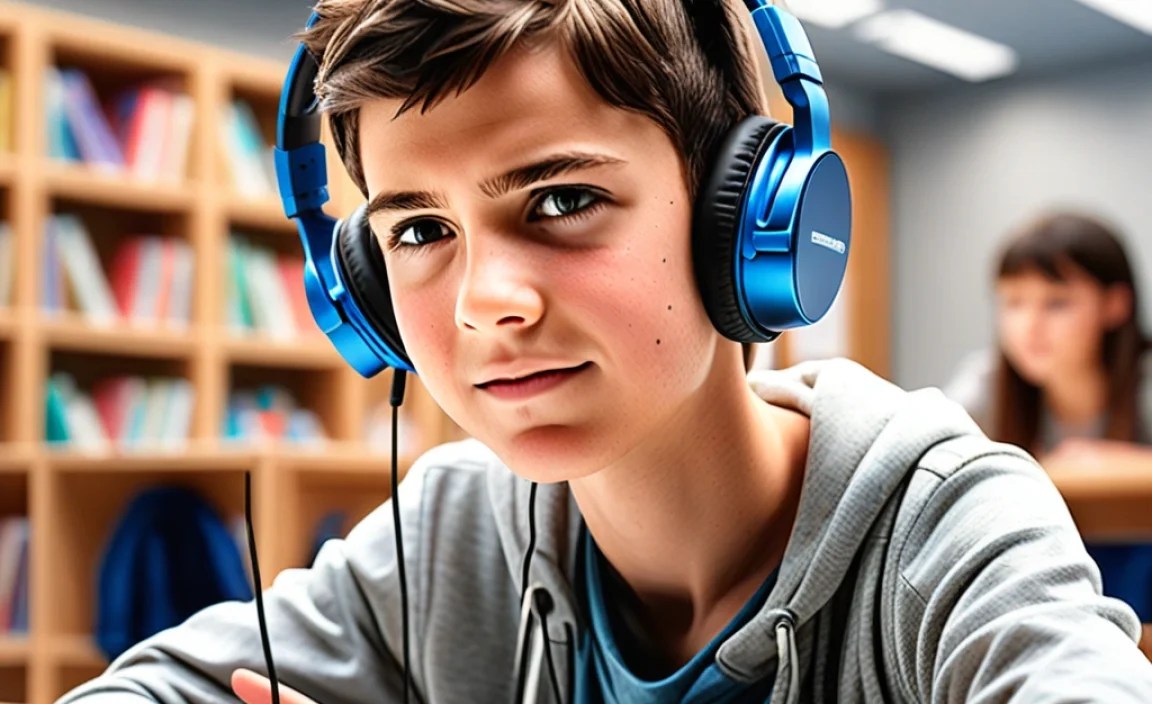
The magic behind translation headphones isn’t really magic; it’s advanced technology that works through speech recognition, translation engines, and audio output. Here’s a simplified breakdown of the process:
- Input: Spoken language (e.g., the teacher’s voice) is captured. This can be done through a microphone connected to the teacher, a microphone in the classroom, or directly from a digital source like a video lesson.
- Speech-to-Text: Sophisticated software converts the spoken words into written text.
- Translation Engine: This text is then fed into a powerful Artificial Intelligence (AI) translation engine. These engines have been trained on vast amounts of linguistic data to provide accurate translations across many languages.
- Text-to-Speech: The translated text is then converted back into spoken audio, in the desired target language.
- Audio Output: This translated audio is delivered wirelessly to the student’s headphones.
The speed and accuracy of this process have improved dramatically in recent years. For the best experience in a school setting, look for systems that offer minimal latency (delay) and high accuracy rates. Many modern systems are designed to handle various accents and background noises to a certain degree.
It’s important to note that the quality of translation can vary. While technologies have advanced significantly, nuances, idiomatic expressions, and highly technical jargon can still pose challenges. However, for the majority of classroom instruction, these devices provide an invaluable level of comprehension.
Types of Translation Headphones for Educational Use

When considering translation headphones for your school, you’ll find a few different approaches and product types. Understanding these will help you choose the best fit for your specific needs and budget.
1. Real-Time Translation Earpices/Buds
These are often the most consumer-familiar type. They look like typical wireless earbuds but have built-in translation capabilities. They can:
- Translate conversations directly between wearers, or translate spoken audio from the environment into the wearer’s ear.
- Connect to a smartphone app which handles the translation process.
Pros: Very portable, discreet, can be used for various communication needs beyond the classroom.
Cons: Often require a stable internet connection and a smartphone, translation accuracy can vary, battery life might be a concern for long school days, and managing multiple devices for every student can be complex.
2. Dedicated Translation Headsets
These are devices specifically designed for translation, often featuring a microphone for the translator (or teacher speaking into them) and headphones for the listener. Some systems come as a complete package with a central hub or app.
- Teacher Input: The teacher might wear a microphone, or speak into a dedicated transmitter.
- Student Output: Students wear comfortable headphones that receive the translated audio.
Pros: Often optimized for clear audio transmission and translation, can be more robust for school environments, some systems offer features like group translation or language learning aids.
Cons: Can be more expensive, may be less versatile for non-translation uses, might require installation or setup.
3. Translation Apps with Standard Headphones
This approach leverages existing technology. Students or teachers use translation apps on smartphones, tablets, or computers, and then connect standard wired or wireless headphones to these devices.
- App-based translation: Apps like Google Translate, Microsoft Translator, or specialized educational apps can perform real-time voice translation.
- Audio out: The translated audio is then played through connected headphones.
Pros: Highly cost-effective if devices are already available, flexible as apps are updated frequently, can be used for many languages.
Cons: Relies heavily on the performance of the app and the device, can be cumbersome to manage app switching and audio routing during a lesson, internet dependency remains a factor.
4. Simultaneous Interpretation Systems (More Advanced)
These are typically employed for larger events or formal settings but some schools might consider them for specific programs or high-needs students. They involve professional interpreters listening to a speaker and relaying the message in another language through audio channels.
- Professional setup: Usually involves dedicated booths, microphones, and a complex distribution system.
- Human interpreters: The accuracy is highest as it’s handled by human experts, not AI.
Pros: Highest translation accuracy and nuance, ideal for complex subjects or sensitive discussions.
Cons: Extremely expensive, requires skilled personnel, not practical for everyday classroom use for individual students.
Key Features to Look for in Translation Headphones for Schools

Selecting the right translation headphones involves more than just picking the flashiest device. For a school environment, reliability, ease of use, and effectiveness are paramount. Here are the key features to prioritize:
1. Language Support
Crucial for: Ensuring the device can translate to and from the specific languages spoken by your student population.
- Check the number of languages supported.
- Verify that the primary languages of your students are included.
- Consider if the system allows for custom language packs if needed.
2. Translation Accuracy and Speed (Latency)
Crucial for: Making the translation feel natural and useful in a fast-paced classroom setting.
- Accuracy: How well does it understand and translate the intended meaning? Look for systems that boast high accuracy rates, especially for academic vocabulary.
- Latency: This is the delay between when something is spoken and when the translation is heard. Minimal latency is essential to avoid disrupting the flow of a lesson. Aim for systems with less than a second of delay.
3. Audio Quality and Noise Cancellation
Crucial for: Ensuring the translated audio is clear and easy to understand, even in a noisy classroom.
- Clear Output: Headphones with good audio drivers will make the translated speech more intelligible.
- Microphone Quality (if applicable): If the system involves a teacher’s microphone, ensure it’s designed to pick up speech clearly and minimize background noise.
- Active Noise Cancellation (ANC): While often found in premium earbuds, ANC can help students focus on the translated audio by blocking out classroom distractions.
4. Ease of Use and Management
Crucial for: Practical implementation and adoption by students and staff.
- Intuitive Interface: Both for students wearing the devices and for teachers or IT staff managing them.
- Simple Connectivity: Bluetooth pairing, Wi-Fi, or simple plug-and-play options are preferable.
- Centralized Management: For larger deployments, systems that allow for remote configuration, updates, and monitoring are invaluable.
- Durability: Children can be tough on electronics. Look for robust designs.
5. Battery Life
Crucial for: Ensuring students can use the headphones throughout the entire school day without interruption.
- Aim for devices that offer at least 8-10 hours of continuous use, or come with a charging case that can provide multiple charges.
- Consider the charging time.
6. Connectivity Options
Crucial for: Seamless integration with existing school technology.
- Wi-Fi and Bluetooth: These are the most common wireless connection methods.
- Wired Options: Some systems might offer a wired connection for greater stability or if Wi-Fi is unreliable.
- App Integration: Compatibility with smartphones and tablets is often a deciding factor.
7. Cost and Value
Crucial for: Budgetary considerations and long-term investment.
- Compare pricing models: one-time purchase, subscription services, or per-device costs.
- Consider the total cost of ownership, including potential software updates or maintenance.
- Look for educational discounts.
A Comparative Look at Translation Headphone Options
To help you get a clearer picture, let’s consider how different types might measure up against these essential features. Table 1 provides a simplified comparison.
| Feature | Real-Time Translation Earbuds | Dedicated Translation Headsets | Translation Apps + Standard Headphones |
|---|---|---|---|
| Language Support | Good to Excellent (App dependent) | Varies (Check model specifics) | Excellent (App dependent) |
| Accuracy & Speed | Fair to Good (Subjective, app dependent) | Good to Very Good (Often optimized) | Fair to Good (App dependent, can be slower) |
| Audio Quality | Varies (Consumer grade) | Often Superior (Designed for clarity) | Varies (Dependent on standard headphones) |
| Ease of Use | Moderate (Pairing, app setup) | Good (Often plug-and-play or simple setup) | Moderate to Difficult (App wrangling) |
| Battery Life | Moderate (Requires frequent charging or case) | Good to Excellent (Often designed for longer use) | Varies (Dependent on device and app usage) |
| Management | Individual device management | Varies (Some offer school-wide dashboards) | Individual device/app management |
| Cost | Mid to High | Mid to Very High | Low to Mid (If devices exist) |
Implementing Translation Headphones in the Classroom: A Step-by-Step Approach
Introducing new technology requires careful planning and execution. Here’s a practical guide to implementing translation headphones effectively in your school.
Step 1: Needs Assessment and Goal Setting
Before purchasing anything, understand your school’s specific needs.
- Identify Language Demographics: What languages are most commonly spoken by your students? (See resources from North Carolina Department of Public Instruction or similar state education departments for data collection examples).
- Determine Target Users: Will these be for all students, specific grade levels, ENL students only, or for parent-teacher meetings?
- Define Objectives: What do you hope to achieve? (e.g., improved test scores, increased classroom participation, better integration for newcomers).
- Consult with Stakeholders: Talk to teachers, IT staff, and administrators about their needs and concerns.
Step 2: Research and Selection
Based on your needs assessment, research potential solutions.
- Gather Information: Explore manufacturers, read reviews, and compare specifications based on the “Key Features” section above.
- Request Demos: Ask vendors for trial units to test in your actual classroom environment.
- Consider Total Cost of Ownership: Factor in not just the purchase price but also any ongoing subscription fees, software updates, maintenance, and training.
- Check Compatibility: Ensure the chosen technology works with your school’s existing Wi-Fi infrastructure and devices (if app-based).
Step 3: Pilot Program Implementation
Start small to gather feedback and refine your approach.
- Select a Pilot Group: Choose a few classrooms or a specific grade level.
- Provide Training: Train the participating teachers and students on how to use the headphones, troubleshoot common issues, and integrate them into lessons.
- Set Clear Guidelines: Establish when and how the headphones should be used.
- Gather Feedback: Regularly collect input from students and teachers on their experience. What’s working well? What’s not?
Step 4: Training and Professional Development
Effective use requires proper training for everyone involved.
- Teacher Training: Focus on how to incorporate translated audio into lesson plans, manage the devices, and address technical glitches.
- Student Training: Teach students how to wear, connect, and adjust the headphones, and how to use them appropriately.
- IT Support Training: Ensure your IT department is equipped to handle technical support and maintenance.
Step 5: Full Rollout and Ongoing Support
Once the pilot is successful, plan a wider implementation.
- Phased Rollout: Gradually introduce the headphones to more classrooms or schools.
- Develop a Support System: Establish a clear process for students and teachers to get technical help.
- Monitor Usage and Impact: Continue to track usage, collect feedback, and measure progress against your initial goals.
- Update and Maintain: Ensure devices are regularly updated and maintained for optimal performance.
Cost Considerations and Funding
The financial investment in translation headphones can vary significantly. It’s wise to explore all available funding avenues.
