
Quick Summary: Unlock superior audio with wired headphones for your iPhone. This guide simplifies choosing the right pair, understanding connectors, and enhancing your listening experience without complex tech talk. Get ready for richer sound and reliable performance.
Wired Headphone for iPhone: Your Essential Guide to Unlocking the Best Sound
Hey everyone, Edward Cavitt here from headphonehorizon! If you’re still rocking a wired headphone for your iPhone, you’re already on the path to some truly fantastic audio. In a world increasingly dominated by wireless convenience, there’s a special kind of magic with wired connections – pure, uncompressed sound that bypasses Bluetooth compression. But knowing how to get the absolute best out of your wired setup can feel a bit daunting with all the different connectors and fancy terms out there. Don’t worry! This guide is designed to demystify everything, from picking the perfect pair to ensuring every note rings true. Let’s dive in and make your iPhone sing!
Why Go Wired for Your iPhone? The Undeniable Advantages

Before we jump into the how-to, let’s quickly chat about why sticking with wired headphones for your iPhone is a brilliant choice. While wireless offers freedom, wired headphones provide a direct line to your music, often translating to:
- Superior Sound Quality: This is the big one! Wired connections don’t rely on Bluetooth compression, which can sometimes subtly degrade the audio signal. This means more detail, a wider dynamic range, and a more authentic listening experience.
- Reliability and No Lag: Ever experienced a dropout or a slight delay with wireless headphones, especially during videos or games? Wired connections are rock-solid. What you hear is exactly when it happens.
- No Battery Worries: Your wired headphones won’t die on you mid-song because they don’t need their own power source. They draw power directly from your iPhone.
- Cost-Effectiveness: Generally, you can get higher-quality audio components for your money with wired headphones compared to their wireless counterparts.
Navigating iPhone Connectors: The Gateway to Your Audio

This is where things get a little technical, but I promise to keep it super simple. For a long time, iPhones had a standard 3.5mm headphone jack – a universal connector for most headphones. However, Apple transitioned to the Lightning connector for audio on newer models (iPhone 7 and later, excluding those with USB-C). More recently, the latest iPhones have adopted USB-C, aligning with a wider industry standard.
The Lightning Connector: Apple’s Proprietary Path
For iPhones without a 3.5mm jack, Apple introduced headphones that plug directly into the Lightning port. These are specifically designed for the iPhone and often include features like built-in microphones and remote controls.
What You Need to Know:
- Direct Connection: These headphones plug straight into your iPhone’s charging port.
- MFi Certified: Look for “Made for iPhone” (MFi) certification. This ensures the accessory is approved by Apple and will work reliably with your device.
- Pros: Can offer excellent digital audio quality directly from the iPhone, no adapter needed.
- Cons: Can only be used while charging your iPhone if you have a separate adapter, and are limited to Apple devices.
The USB-C Connector: The New Universal Standard
Newer iPhone models (starting with the iPhone 15 series) are equipped with a USB-C port. This means that headphones designed for USB-C will plug in directly. This is a big step towards universal compatibility across many devices, not just iPhones.
What You Need to Know:
- Universal Fit: USB-C is becoming standard on many Android phones, tablets, laptops, and other gadgets.
- Digital Audio: This connection also transmits digital audio, aiming for strong sound fidelity.
- Pros: Broad compatibility with other devices, potential for higher audio standards (like USB Audio Class 2.0), and you can often charge your iPhone while listening.
- Cons: If you have older Lightning headphones, you’ll need an adapter.
The 3.5mm Headphone Jack: The Classic Chord
If you have an older iPhone model (like the iPhone 6s or earlier), you’re lucky enough to have the traditional 3.5mm headphone jack. This is the most versatile connector, allowing you to use a vast array of headphones without any extra dongles.
What You Need to Know:
- Universal Compatibility: Works with the widest range of headphones.
- Analog Signal: Receives an analog audio signal from your iPhone.
- Pros: Incredible flexibility, no need for adapters, and a massive selection of headphones to choose from.
- Cons: Can require an adapter for newer iPhones.
Adapters: Bridging the Gap
Don’t have headphones with the right connector for your iPhone? No worries! Adapters are your best friends.
- Lightning to 3.5mm Headphone Jack Adapter: This small dongle lets you plug your favorite 3.5mm headphones into a Lightning-equipped iPhone. Apple makes one, and many third-party brands offer them.
- USB-C to 3.5mm Headphone Jack Adapter: Similarly, these adapters allow you to use your classic headphones with USB-C iPhones.
- Important Note: Not all adapters are created equal. Some cheap ones might not pass high-quality audio or may have compatibility issues. Always check reviews and look for reputable brands. For the best sound, an adapter that supports digital audio conversion (DAC) might be preferable if available.
Choosing the Right Wired Headphones for Your iPhone

Now that we’ve got the connectors sorted, let’s talk about the headphones themselves! The “best” pair really depends on your listening habits and preferences.
Types of Wired Headphones
Here are the main types and what they’re good for:
| Type of Headphone | Description | Best For | Connector Considerations |
|---|---|---|---|
| In-Ear Monitors (IEMs) / Earbuds | Small, lightweight buds that sit inside your ear canal, often with silicone tips. | Portability, noise isolation, casual listening, travel, exercise. | Available in 3.5mm, Lightning, and USB-C. Many come with Lightning/USB-C options. |
| On-Ear Headphones | Cushioned earcups that rest on your ears. | A balance of portability and comfort, suitable for moderate listening. They allow some ambient sound in. | Primarily 3.5mm. Adapters are usually needed for newer iPhones. |
| Over-Ear Headphones | Large earcups that fully enclose your ears. | Immersive listening, critical music enjoyment, excellent comfort for long sessions, best noise isolation (especially with closed-back designs). | Predominantly 3.5mm or sometimes a detachable cable with a 3.5mm termination. Adapters are often needed. |
Key Features to Look For
When browsing for wired headphones, keep these features in mind:
- Driver Size: Larger drivers (e.g., 40mm or more for over-ear, 9mm or more for in-ear) generally mean a fuller, more powerful sound with better bass. While not the only factor, it’s a good indicator.
-
Impedance: Measured in Ohms (Ω), this indicates how much electrical resistance the headphones have.
- Low Impedance (e.g., 16-32 Ω): These headphones are easier to drive and will likely sound good directly from your iPhone without any extra amplification. Most common consumer headphones fall here.
- High Impedance (e.g., 100 Ω+): These headphones can offer superior sound quality but often require a headphone amplifier to reach their full potential and proper volume levels. While your iPhone can power them to some extent, you might not get the best performance. For most iPhone users sticking to direct connection, stick to low-impedance options.
- Frequency Response: This is the range of sound frequencies a headphone can produce, typically measured in Hertz (Hz). A wider range (e.g., 20Hz – 20kHz is standard, but some go higher) indicates the potential for richer bass and clearer treble. Don’t get too hung up on massive numbers; tuning and driver quality are more important than raw specs. A good, balanced response is key for enjoyable listening.
- Build Quality & Comfort: You’ll be wearing these! Look for materials that feel durable and comfortable padding for long listening sessions. Detachable cables are a big plus for durability – if the cable gets damaged, you can replace just that part.
- Inline Microphone & Controls: Most wired headphones designed for smartphones come with a built-in microphone and volume/playback controls. This is super convenient for taking calls and managing your music without reaching for your phone.
Getting the Best Sound: Tips and Tricks

You’ve got your headphones, you’ve got your iPhone. Now, let’s fine-tune your listening experience!
1. Ensure a Secure Connection
This sounds obvious, but a loose connection is the enemy of good audio. Make sure the plug is fully seated in your iPhone’s port (Lightning, USB-C, or via an adapter). If you’re using the 3.5mm jack on older iPhones or with an adapter, try wiggling the plug slightly; sometimes a bit of dirt or wear can cause intermittent issues.
2. Check Your iPhone’s Settings
Your iPhone has some built-in audio settings that can make a difference:
- Settings > Music > EQ: Here you can select preset equalization settings (like “Bass Booster,” “Treble Booster,” or genre-specific EQs) or create a custom one. Experiment to see what suits your music and headphones. Sometimes, a very subtle EQ adjustment can really liven things up.
- Settings > Accessibility > Audio/Visual: For specific needs, you might find options like “Mono Audio” or “Headphone Accommodations.” “Headphone Accommodations” can be revolutionary, allowing you to tune the audio to your specific hearing profile, boosting softer sounds and adjusting frequencies. You can even import audiogram data if you have it from a hearing test! This is an underutilized feature for everyone, not just those with hearing loss. Learn more about these features on the official Apple Support page on Headphone Accommodations.
- Spatial Audio (if supported by your headphones and content): Some content and headphones can take advantage of Spatial Audio with dynamic head tracking for a more immersive, theater-like experience. Check your iPhone’s Control Center (swipe down from the top right) while playing compatible audio; you might see a Spatial Audio toggle or icon. This is primarily a feature for supported audio formats from Apple Music, Apple TV+, and other supported apps.
3. The Role of a DAC (Digital-to-Analog Converter)
Your iPhone has a built-in DAC that converts the digital audio signal into an analog one your headphones can understand. For Lightning and USB-C audio, this DAC is inside the iPhone or within the headphone’s connector/cable itself. While Apple’s built-in DACs are generally quite good, audiophiles sometimes opt for external DACs or headphones with superior built-in DACs to achieve cleaner, more accurate sound reproduction. If you’re using a trusty 3.5mm jack, the DAC is inside your phone. If you’re using a Lightning or USB-C to 3.5mm adapter, ensure it has a quality DAC.
For those with USB-C iPhones, you’ll find USB-C headphones that have their own high-quality DAC built into the headphone itself or its cable. This bypasses the iPhone’s internal DAC and can offer a noticeable upgrade in sound clarity and detail.
4. Consider an Amplifier (Usually Not Necessary for Most)
As mentioned with impedance, if you choose very high-impedance headphones (often professional or audiophile-grade), your iPhone might struggle to power them sufficiently, leading to low volume or a weak sound. In such cases, a portable headphone amplifier is used. However, for the vast majority of wired headphones designed for smartphones (typically in the 16-50 Ohm range), a separate amplifier is entirely unnecessary and won’t provide a significant benefit.
5. Cable Quality Matters (But Don’t Obsess)
While the cable does carry the audio signal, the impact of “audiophile” cables on sound quality is often debated and, for most listeners, negligible, especially with short headphone cables. The materials, shielding, and connectors can affect durability and signal integrity, but don’t expect a night-and-day sound difference by simply swapping a standard cable for an expensive one, unless the original cable is faulty.
However, one crucial aspect is a detachable cable. If your headphones have a removable cable, and it becomes damaged, you can easily replace it without buying a whole new pair of headphones. This is a significant long-term benefit!
Maintenance for Longevity
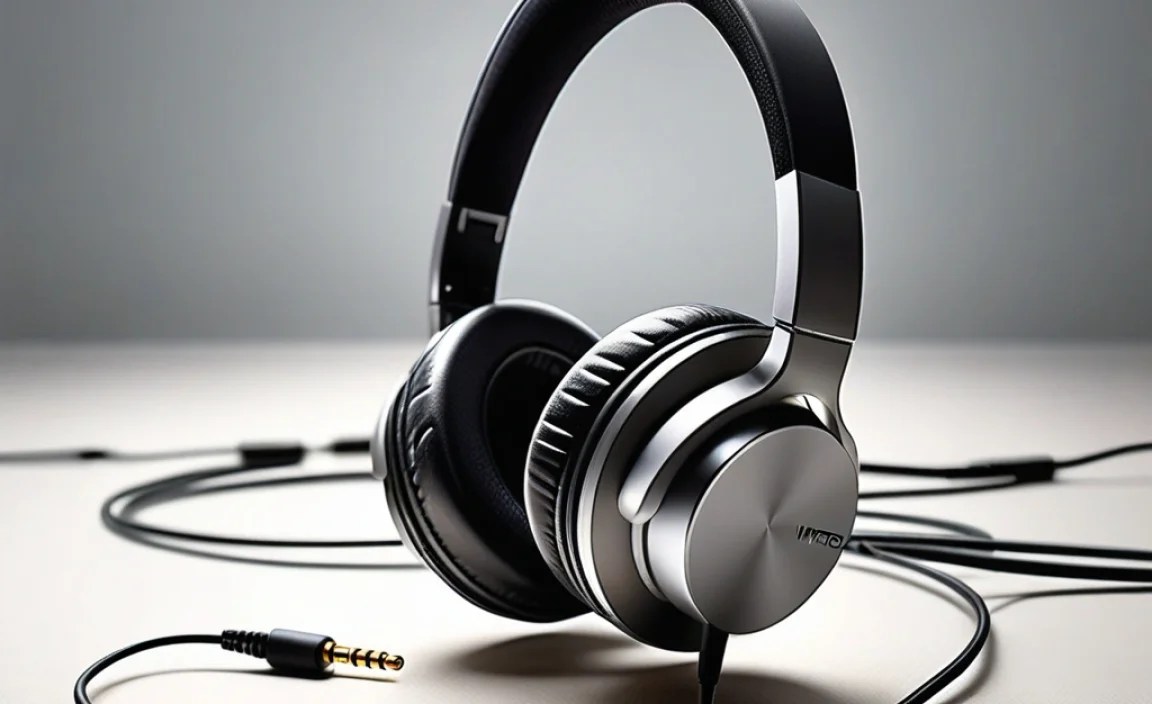
Wired headphones are relatively simple, but a little care goes a long way:
- Keep Them Clean: Gently wipe down earcups and eartips with a dry or slightly damp cloth. For earbuds, regularly clean the mesh grille (carefully!) to remove earwax buildup, which can muffle sound. You can use a dry cotton swab or a soft brush.
- Store Them Properly: Avoid leaving them tangled or crammed into pockets. Use a carrying pouch or case to protect the drivers and cables from damage.
- Handle Cables with Care: Don’t yank the cable from the plug; grip the plug itself. Avoid tightly wrapping the cable in sharp bends; a gentle loop is best to prevent internal wire damage.
- Protect from the Elements: Keep your headphones away from moisture and extreme temperatures.
Troubleshooting Common Issues
Even with wired headphones, you might hit a snag. Here are a few common problems and how to fix them:
| Problem | Potential Cause | Solution |
|---|---|---|
| No Sound or Intermittent Sound | Loose connection, dirt in port, damaged cable, volume too low, app issue. | Ensure plug is fully inserted. Clean iPhone’s Lightning/USB-C/3.5mm port gently with compressed air or a non-metallic tool. Try wiggling the plug. Test with different headphones or a different device. Restart your iPhone. Check volume levels in the app and in iPhone settings. |
| One Earbud/Side Not Working | Cable issue, connection issue, or driver failure. | Check the connection at both the headphone end (if detachable) and the iPhone. Gently flex the cable near the plug and the earcup; if sound briefly returns, the cable is likely damaged near that point. Test with a different device if possible. |
| Poor Sound Quality (Muffled, Distorted) | Earwax buildup on eartips/grilles, EQ settings, low-quality audio source, damaged drivers. | Clean eartips and grilles thoroughly. Reset your iPhone’s EQ settings to “Off” or “Flat” to see if that helps. Try a different music file or streaming service. Test with different headphones to isolate the issue. |
| Microphone Not Working | Microphone blocked, app permissions, or hardware issue. | Ensure the microphone hole (usually on the cable) isn’t covered. Check iPhone’s Privacy settings (Settings > Privacy & Security > Microphone) to ensure the app has permission. Test the microphone in a different app. |
Frequently Asked Questions (FAQs)
Q1: Do I need special headphones for my iPhone 15 (which has USB-C)?
A1: Not necessarily! While you can use any headphones with a USB-C connector, you can also use headphones with a 3.5mm jack by employing a USB-C to 3.5mm adapter. The key is ensuring your headphones are compatible with the iPhone’s audio output method, whether direct USB-C or via an adapter.
Q2: Can I charge my iPhone while using wired headphones with a Lightning port?
A2: Yes, but you’ll need a special adapter that has both a Lightning port for charging and a 3.5mm headphone jack (or another Lightning output) for audio. A simple Lightning to 3
