
Quick Summary:
Wired headphones offer superior sound quality and reliability for music lovers. This guide explains why they’re essential, how to choose the right pair, and simple tips for getting the most out of your listening experience. Discover the core benefits and find headphones that deliver pure, immersive audio.
Hey everyone, Edward Cavitt here from headphonehorizon! If you’re anything like me, music isn’t just background noise; it’s a vital part of your day, a way to de-stress, focus, or simply feel alive. And while wireless headphones have certainly made waves, there’s a timeless charm and undeniable quality that comes with a good pair of wired headphones for music. They offer a direct line to your audio, often with less fuss and a richer sound. Many beginners get a bit intimidated by the options out there, but don’t worry! My goal here is to break it all down, making it super easy to understand why wired is still essential for amazing sound, and how to pick the perfect pair for your ears and your wallet.
Why Wired Headphones Rule for Music Lovers

In today’s fast-paced world, the convenience of wireless audio is undeniable. However, when it comes to pure, unadulterated music enjoyment, wired headphones often hold a special place. They bypass the potential signal degradation that can occur with wireless transmission, meaning you get to hear your music as the artist intended, with remarkable clarity and depth. This direct connection also means no battery concerns, no pairing issues, and generally, a more robust and affordable option for excellent sound quality. For anyone serious about their audio experience, wired headphones are an essential, often overlooked, component.
The Unseen Advantages of a Physical Connection
A wired connection is like a direct highway for your audio signals. Unlike wireless headphones that rely on Bluetooth or other radio frequencies, which can be subject to interference, compression, and latency, a wire provides a stable, high-fidelity pathway. This is particularly important for audiophiles and casual listeners alike who want to capture every nuance of a musical performance. The absence of a battery also means your headphones are always ready to go, eliminating the frustration of a dead battery right when your favorite track is about to play.
Sound Quality: The Wired Difference
One of the biggest selling points for wired headphones is their potential for superior sound quality. Without the need for digital compression to transmit audio wirelessly, analog signals can travel more directly and with greater fidelity. This often translates to:
- Richer Bass: Feel the thump without distortion.
- Clearer Mids: Vocals and instruments sound natural and present.
- Crisp Highs: Enjoy detailed treble without harshness.
- Wider Soundstage: Experience a sense of space and depth, as if you’re in the room with the musicians.
This level of detail is crucial for fully appreciating the subtleties in music, from the pluck of a guitar string to the breath of a singer. Discovering these layers can truly elevate your listening experience and make your favorite songs feel new again.
Reliability and Simplicity
Let’s face it, tech glitches can be annoying. Wired headphones eliminate a whole category of them. No more worrying about:
- Bluetooth pairing headaches.
- Intermittent dropouts during playback.
- Firmware updates that might mess things up.
- The need to constantly charge another device.
They just work. Plug them in, and you’re ready to enjoy your music. This simplicity is a huge perk for busy students, professionals, or anyone who wants their audio gear to be dependable and hassle-free.
Choosing Your Perfect Wired Headphones: A Beginner’s Guide

Navigating the world of headphones can seem daunting, but finding a great pair of wired headphones for music is more about understanding a few key elements than getting lost in jargon. We’ll cover the basics to help you make an informed decision that suits your needs and budget.
Types of Wired Headphones
Wired headphones come in various shapes and sizes, each designed for different listening experiences and situations. Here’s a quick rundown:
| Type | Description | Best For |
|---|---|---|
| Over-Ear (Circumaural) | Earcups fully enclose your ears, creating a seal. | Immersive home listening, studio use, and noise isolation. |
| On-Ear (Supra-aural) | Earcups rest directly on your ears. | Portability, moderate isolation, and comfort for many users. |
| In-Ear Monitors (IEMs) / Earbuds | Fit inside your ear canal, creating a seal. | Portability, excellent isolation, and discreet listening, common for workouts and commuting. |
Key Features to Consider
When you’re browsing, keep an eye out for these important features that directly impact your listening experience:
- Driver Size: Larger drivers (typically 40mm or more for over-ear) can often produce a more powerful sound with better bass response.
- Frequency Response: This indicates the range of sound frequencies a headphone can reproduce. A wider range (like 20Hz-20kHz, the generally accepted human hearing range) is good, but the quality within that range matters more.
- Impedance: Measured in ohms (Ω), it indicates how much power is needed to drive the headphones. Lower impedance (under 50Ω) is generally easier for most devices (phones, laptops) to power. Higher impedance headphones might require a dedicated headphone amplifier for optimal volume and sound quality, which is usually more for experienced audiophiles.
- Sensitivity: Measured in decibels (dB), it indicates how loud the headphones can get for a given power input. Higher sensitivity means they’ll play louder with less power.
- Connector Type: Most wired headphones use a standard 3.5mm (1/8-inch) jack. Some audiophile-grade headphones might use larger 1/4-inch jacks or even balanced XLR connectors, but for general use, 3.5mm is universally compatible.
- Cable Detachable vs. Fixed: Detachable cables are a huge plus! If the cable gets damaged, you can easily replace it, extending the life of your headphones significantly.
Understanding Sound Signatures (The EQ Profile)
Every headphone has its own “sound signature,” which is essentially its an EQ profile. Think of it as its personality.
- Balanced: All frequencies are represented equally. Great for all genres, allowing you to hear music naturally.
- Bass-Heavy: Emphasizes low frequencies. Good for genres like hip-hop, EDM, or pop if you like a powerful low end.
- V-Shaped: Boosts both bass and treble, with slightly recessed mids. Can make music exciting and lively, but may not be ideal for critical listening for genres with prominent vocals.
- Neutral-Bright: Emphasizes higher frequencies. Can sound very detailed and exciting but might be fatiguing for some.
For beginners, a balanced or slightly warm sound signature is usually a safe and enjoyable bet for experiencing a wide variety of music genres without any particular frequency feeling too overpowering or too weak.
Brands to Trust for Quality Wired Audio
There are many fantastic brands known for producing reliable and great-sounding wired headphones. While personal preference is key, these companies consistently deliver quality:
- Audio-Technica: Known for their studio-quality headphones that often strike a great balance between price and performance.
- Sennheiser: A legendary brand offering a wide range, from budget-friendly to audiophile-grade, often praised for their clarity.
- Sony: A powerhouse in audio, offering versatile headphones with excellent sound across their range.
- Beyerdynamic: Popular in professional audio, their headphones are built like tanks and offer incredibly detailed sound.
- Grado: A smaller, Brooklyn-based company, famous for their open-back headphones that offer an incredibly open and natural soundstage, perfect for home listening.
When choosing, read reviews, but also try to find descriptions of the sound signature that appeal to you. Many reputable audio sites, like Rtings.com, offer in-depth, objective reviews and measurements which can be incredibly helpful.
Getting the Best from Your Wired Headphones: Setup & Maintenance

Once you’ve got your shiny new wired headphones, a few simple steps can ensure you’re getting the best possible sound and keeping them in top condition for years to come.
Proper Connection is Key
It sounds basic, but ensuring your headphones are properly plugged in is the first step. Make sure the jack is pushed in all the way. If you’re using an adapter (e.g., for a device with only a USB-C or Lightning port), ensure the adapter is of good quality. Poor quality adapters can sometimes introduce noise or degrade sound quality. For devices with optical audio outputs, you might need an adapter from optical digital to analog if your headphones feature an analog input, though this is rare for most consumer headphones.
Understanding Your Source Device
The device you’re playing music from – your smartphone, laptop, or audio player – plays a significant role. Most modern smartphones and laptops have capable built-in audio circuitry. However, if you’re chasing the absolute best sound, consider:
- Using High-Quality Audio Files: Streaming services often offer higher quality options (e.g., FLAC files instead of MP3s).
- Digital-to-Analog Converters (DACs): While your device has a DAC, an external DAC (often paired with a headphone amplifier) can provide a cleaner, more detailed audio signal before it even reaches your headphones. For many beginners, this is an optional upgrade, as built-in DACs are usually very good.
- Headphone Amplifiers: Some headphones, particularly those with higher impedance (e.g., 100Ω or more), benefit from a little extra power from an amplifier to reach their full potential in terms of volume and dynamics.
For most everyday users, simply plugging good wired headphones into a modern smartphone or computer will yield excellent results. You can learn more about audio signal chains at university resources like Stanford’s Center for Computer Research in Music and Acoustics, which delves into signal processing fundamentals, though it’s more technical.
Comfort and Fit
This is crucial for long listening sessions. For over-ear and on-ear headphones, adjust the headband so they sit comfortably without undue pressure. For in-ear headphones, experiment with the different sizes of ear tips provided. A good seal is vital for both comfort and sound quality, especially for bass response and noise isolation.
Basic Maintenance for Longevity
Keeping your headphones in great shape is simple!
- Keep them clean: Gently wipe the earcups and headbands with a soft, dry cloth. For the ear tips of in-ear headphones, you can often remove them and wash them gently with mild soap and water, ensuring they are completely dry before reattaching.
- Proper storage: When not in use, store them somewhere safe where they won’t be crushed. A carrying case or pouch is ideal. Avoid storing them in a way that can kink or stress the cables.
- Cable care: Don’t wrap the cable too tightly around your device or player, as this can stress the internal wires. Avoid yanking the cable when unplugging; always pull from the plug itself.
- Protect from moisture: Keep your headphones away from rain, excessive sweat, or other moisture.
Troubleshooting Common Wired Headphone Issues
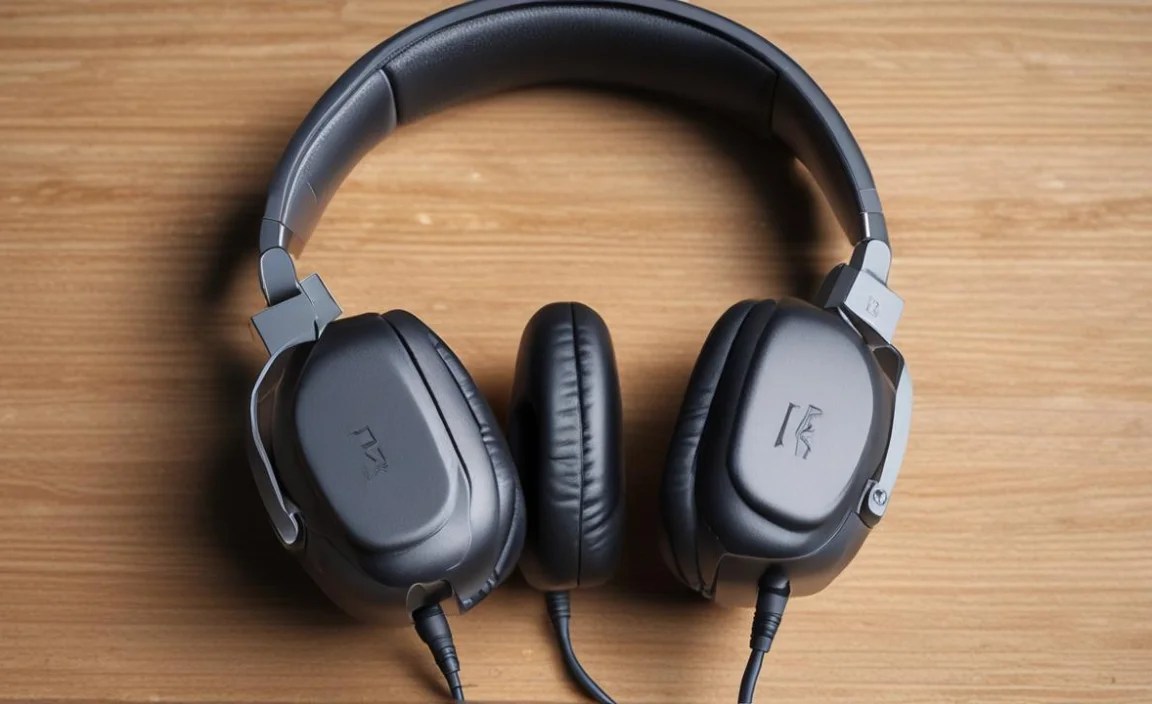
Even the best gear can sometimes act up. Here are a few common issues and how to fix them:
No Sound or Intermittent Audio
This is a common one! Here’s a troubleshooting checklist:
- Check the Plug: Is it fully inserted into the device’s audio jack? Try gently wiggling it.
- Test on Another Device: Plug your headphones into a different phone, computer, or audio player. If they work fine elsewhere, the issue is with your original device.
- Check Device Volume: Ensure your device isn’t muted or the volume is turned way down.
- Inspect the Cable: Look for any visible damage, kinks, or fraying along the cable, especially near the plug and the earcup connection. If the cable is detachable, try reseating it or using a spare if you have one.
- Clean the Jack: Sometimes, dust or debris can accumulate in the audio jack of your device or the headphone plug itself. Use a can of compressed air or a dry cotton swab (gently!) to clean them.
- Test Different Headphones: If possible, try a different known-working pair of headphones on your audio source. This helps determine if the problem is with the headphones or the device.
Sound Only in One Ear
This almost always points to a cable issue or a problem with the jack connection.
- Check the Plug Connection: As above, ensure it’s fully seated. Sometimes, a slight angle can make it work temporarily, indicating a loose connection.
- Inspect the Cable: Carefully examine the cable for any damage. The wires inside can break, especially near the plug or where the cable splits to each earcup.
- Try a Different Position for the Plug: Sometimes, the internal wiring at the plug is damaged, and you might get sound in both ears by holding the plug at a very specific angle. If this is the case, the cable needs replacement (if detachable) or the headphones likely need repair/replacement.
Distorted or Scratchy Sound
This can be due to a few things:
- Audio Source Quality: Is the music file itself low-quality or corrupted? Try a different song or audio source.
- Device Issue: The audio output circuitry in your device might be struggling. Try turning down the volume on your device – sometimes overdriving the signal causes distortion.
- Headphone Driver Damage: If the distortion persists across multiple devices and audio sources, the headphone drivers themselves might be damaged.
- Debris in the Jack: As mentioned before, a dirty jack can sometimes cause static.
Headphones Too Quiet
If your headphones aren’t loud enough, even at max volume on your device:
- Check Device Volume and Mute: Double-check that your device is not muted and the volume is indeed at 100%.
- Impedance and Sensitivity: As discussed earlier, headphones with high impedance require more power. If you’re using high-impedance headphones with a low-power source (like a basic smartphone), they might simply not get loud enough. In this case, a headphone amplifier or a DAC/amp combo is usually the solution.
- Check for Software Volume Limits: Some operating systems or audio apps have their own volume limits that can be set lower than the system default.
Frequently Asked Questions (FAQ)
Q1: Are wired headphones still relevant with so many wireless options available?
A1: Absolutely! For music enthusiasts who prioritize sound quality, reliability, and cost-effectiveness, wired headphones are often superior. They offer a direct, uncompressed audio signal and eliminate battery concerns, making them essential for many.
Q2: What does “impedance” mean for headphones, and do I need a high or low number?
A2: Impedance (measured in ohms, Ω) indicates how much electrical resistance a headphone has. For typical devices like smartphones and laptops, headphones with lower impedance (e.g., under 50Ω) are recommended, as they are easier to drive and will get loud enough. Higher impedance headphones (often 100Ω+) can sound better but may require a headphone amplifier to reach adequate volume.
Q3: My wired headphones sound muffled or unclear. What could be the problem?
A3: This could be due to a few things: ensuring the headphone plug is fully inserted, checking the audio quality of your music file, making sure your device’s audio settings aren’t adjusted poorly, or that the headphone’s ear tips (for in-ear models) are creating a proper seal. If it persists on multiple devices, the headphones themselves might have an issue.
Q4: Can I use my wired headphones with a smartphone that doesn’t have a headphone jack?
A4: Yes, you can! Most smartphones without a 3.5mm jack use USB-C or Lightning ports. You’ll need a compatible adapter (USB-C to 3.5mm or Lightning to 3.5
