
Quick Summary: Discover why wired headphones remain a smart, budget-friendly choice for your Samsung device. Learn how to choose the best wired earbuds for your needs, understand their benefits like instant connectivity and superior sound, and explore simple maintenance tips for lasting audio enjoyment.
Wired Headphones for Samsung: Unlocking Essential Value in Every Beat
Hey audio adventurers! Edward Cavitt here from headphonehorizon, ready to dive into a topic that often gets overlooked in our wireless-obsessed world: wired headphones for your Samsung devices. You might be tempted to think wired is old-fashioned, but trust me, there’s a whole universe of reliable, high-quality audio waiting to be discovered without breaking the bank. For anyone with a Samsung smartphone or tablet, from the latest Galaxy models to trusty older friends, understanding the enduring appeal of wired headphones is key to making smart choices and enjoying your music, podcasts, and calls to the fullest. Let’s explore why these trusty companions still hold essential value.
Why Wired Headphones Still Rock for Your Samsung

In an era dominated by Bluetooth advancements, it’s easy to overlook the classic wired headphone. Yet, for Samsung users, they offer a compelling blend of simplicity, reliability, and superior audio quality that’s hard to beat. Unlike their wireless counterparts, wired headphones don’t rely on battery life or Bluetooth pairing, meaning they’re always ready to go. This “plug and play” nature is incredibly convenient, especially when you’re in a hurry or just want to relax without worrying about charging levels. Plus, the direct connection often translates to better sound fidelity, as there are fewer points of signal degradation.
The variety of wired headphones available is also staggering. Whether you’re a bass lover, an audiophile seeking crisp trebles, or just need a comfortable pair for long listening sessions, there’s a wired option designed for you. Many even come with advanced features like built-in microphones for calls and convenient in-line controls, seamlessly integrating with your Samsung device’s functions. This guide is all about helping you navigate the world of wired headphones specifically for Samsung users, ensuring you get the most bang for your buck and enjoy every sound with crystal clarity.
Decoding the Connection: 3.5mm vs. USB-C for Samsung
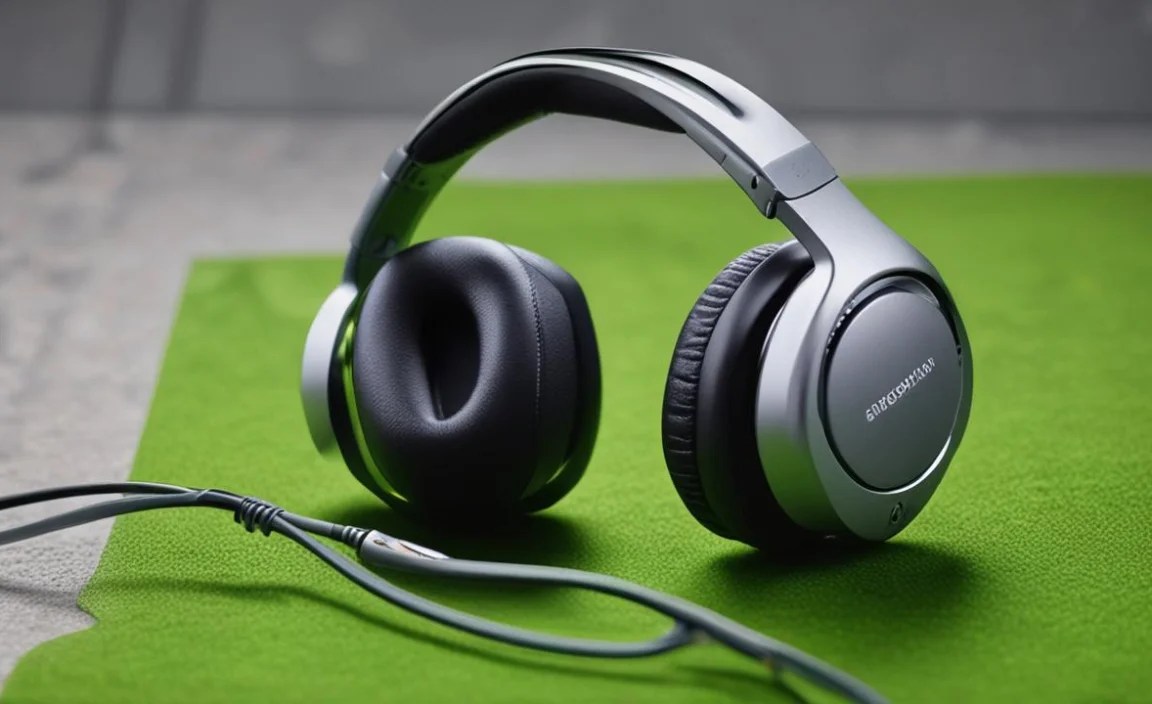
When it comes to wired headphones for your Samsung device, the connection type is your first major decision point. Most modern Samsung phones and tablets have transitioned to USB-C ports, phasing out the traditional 3.5mm analog headphone jack. Understanding this difference is crucial for selecting the right pair of headphones.
The Classic 3.5mm Headphone Jack
For a long time, the 3.5mm jack was the universal standard for audio. Many older Samsung models still feature this port, and it’s also commonly found on laptops, tablets, and audio players. If your Samsung device has a 3.5mm jack, you can use a vast array of headphones that have been around for decades.
- Pros:
- Widest compatibility with older devices.
- No need for adapters if your device has the port.
- Generally reliable and straightforward.
- Cons:
- Being phased out on newer Samsung devices.
- Audio quality can sometimes be affected by interference or the device’s internal Digital-to-Analog Converter (DAC).
The Modern USB-C Connection
As mentioned, most new Samsung devices utilize the USB-C port for charging, data transfer, and audio output. Headphones designed for USB-C connect directly to this port, often bypassing the need for a separate DAC chip within the device itself. This can potentially lead to cleaner audio signals, as the DAC is integrated into the headphone or its adapter.
- Pros:
- Standard on most new Samsung phones and tablets.
- Can offer higher fidelity audio as the DAC is often more advanced.
- Reversible connector is convenient.
- Cons:
- Compatibility is limited to devices with a USB-C audio output.
- Some older devices might not fully support USB-C audio without specific drivers or settings.
- May require an adapter if you want to use 3.5mm headphones.
Do You Need an Adapter?
If your Samsung device has a USB-C port but you already own a favorite pair of 3.5mm headphones, you’ll need a USB-C to 3.5mm adapter. These are widely available and relatively inexpensive. Look for adapters that explicitly state they support audio output and, ideally, mention a built-in DAC for the best sound quality. Some adapters also include pass-through charging ports, so you can listen to music while your phone charges – a great convenience feature often overlooked!
Choosing the Right Wired Headphones for Your Samsung: Key Features to Consider

Selecting the perfect pair of wired headphones for your Samsung device involves looking beyond just the connector. Several factors can significantly impact your listening experience. Here’s what to keep an eye out for:
1. Sound Quality and Driver Size
This is arguably the most crucial aspect. Driver size (measured in millimeters, mm) is a general indicator of how well headphones can reproduce sound across different frequencies. Larger drivers (10mm and up) often produce deeper bass and a fuller sound profile, while smaller drivers might excel in clarity and detail.
- Bass-heavy: Look for headphones with larger drivers, often advertised with specific bass enhancement technologies.
- Balanced: Aim for models that mention a balanced frequency response across lows, mids, and highs.
- Clear highs: Smaller, well-tuned drivers can sometimes deliver more intricate treble details.
Read reviews that specifically discuss the sound signature. What sounds good to one person might not to another, so understanding your preferences is key.
2. Comfort and Fit
Headphones are personal. What’s comfortable for one person might be irritating for another. Consider these fit types:
- In-ear (Earbuds): These sit inside your ear canal, offering good noise isolation and a secure fit, especially with different ear tip sizes. They are compact and great for on-the-go.
- On-ear: These rest on your ears. They are often lighter than over-ear headphones but can cause discomfort during extended wear and leak more sound.
- Over-ear: These completely enclose your ears. They generally offer the best comfort for long sessions, superior sound isolation, and often the richest sound, but they are the least portable.
For Samsung users, especially those on the move with their phones, in-ear or smaller on-ear styles are often preferred for portability and comfort.
3. Durability and Cable Quality
A common pain point with wired headphones is cable durability. Look for headphones with:
- Tangle-resistant cables: Braided or flat cables tend to get tangled less than standard round rubber cables.
- Reinforced connectors: The points where the cable meets the earbud and the plug are common failure points. Look for strain relief.
- Robust materials: A thicker, more substantial cable generally indicates better durability.
4. Microphone and In-line Controls
Most wired headphones for Samsung come with a microphone for calls and in-line controls. These controls usually allow you to:
- Play/pause music
- Skip tracks
- Adjust volume
- Answer/end calls
- Activate voice assistants (like Google Assistant or Bixby)
Ensure the controls are intuitive and compatible with your Samsung device. Most standard controls work universally, but check product descriptions if you’re unsure.
5. Noise Isolation vs. Noise Cancellation
Noise Isolation: This is achieved passively by the physical seal of the earbud or headphone. Good noise isolation blocks out ambient sounds, allowing you to focus on your audio. In-ear headphones with well-fitting ear tips offer excellent noise isolation.
Active Noise Cancellation (ANC): Some higher-end wired headphones feature ANC technology, which uses microphones to detect ambient noise and generate opposing sound waves to cancel it out. This is far more effective for blocking consistent noises like airplane engines or office hum, but comes at a higher cost and requires power (often from the device).
For most budget-conscious Samsung users, strong passive noise isolation from a good pair of in-ear headphones is more than sufficient.
Top Wired Headphone Picks for Samsung Users (General Categories)

While specific models change rapidly, you can expect excellent performance from reputable brands. Here are some general categories and brands to consider when looking for wired headphones for your Samsung device:
Budget-Friendly All-Rounders
If you’re looking for great value without overspending, these brands consistently deliver. They often focus on a balanced sound profile and decent build quality.
- JBL: Known for punchy bass and durable designs.
- Anker (Soundcore): Offers great features and sound quality at aggressive price points.
- Samsung (EHS Series): While Samsung pushes wireless, they still offer affordable wired options specifically tuned for their devices.
Mid-Range & Enhanced Audio
Stepping up here brings better materials, more refined sound, and enhanced features.
- Audio-Technica: Renowned for clarity and detail, often a favorite for music lovers.
- Sennheiser: Offers a wide range, from balanced everyday listening to more audiophile-grade sound.
- Sony: A powerhouse in audio, delivering robust sound and build quality across many price points.
USB-C Specific Champion
For those fully embracing the USB-C ecosystem, dedicated USB-C headphones can offer a slight audio edge.
- Apple (USB-C EarPods): Surprisingly, these often work very well with Android devices, including Samsung, offering a clean, neutral sound and good microphone.
- Specific USB-C models from brands like Anker, UGREEN, or others that advertise DAC support and compatibility.
Important Note: Always check product descriptions for USB-C audio compatibility, especially if you’re not buying directly from Samsung. Not all USB-C ports on all devices necessarily output audio.
Setting Up and Using Your Wired Headphones with Samsung

The beauty of wired headphones lies in their simplicity. For most Samsung users, setup is as easy as:
For 3.5mm Headphones:
- Locate the 3.5mm headphone jack on your Samsung device.
- Gently plug the headphone’s jack into the port.
- You should see a headphone icon appear in your status bar, indicating the audio output has switched.
- Play your music or make a call!
For USB-C Headphones or Adapters:
- Locate the USB-C port on your Samsung device.
- Plug the USB-C connector of your headphones or adapter into the port.
- If using an adapter, plug your 3.5mm headphones into the adapter’s jack.
- Your Samsung device should automatically detect the audio output. Look for the headphone icon in the status bar.
- If audio doesn’t switch, check your device’s sound settings. Sometimes, you might need to select USB audio as the output source, though this is rare with modern devices.
Troubleshooting Tip: If you encounter issues, try unplugging and replugging the headphones. Ensure your device’s software is up to date, as updates can sometimes resolve compatibility problems. For USB-C connections, try a different USB-C cable or adapter if possible to rule out faulty hardware.
Essential Maintenance for Longevity
Even the most robust wired headphones can benefit from a little care. Following these simple tips will help your headphones last longer and sound better:
Gentle Handling
- Avoid yanking the cable when unplugging from your device. Grip the plug itself.
- Don’t wrap the cable too tightly around your device or fingers. Loose loops are better.
- Store headphones properly in a case or pouch when not in use to prevent tangles and damage.
- Avoid exposing headphones to extreme temperatures, moisture, or direct sunlight.
Cleaning Your Headphones
Keeping your headphones clean not only improves hygiene but also prevents debris from affecting sound quality.
- Earbuds:
- Remove the ear tips.
- Use a dry, soft brush or a cotton swab lightly dampened with water (or a mild cleaning solution like a diluted isopropyl alcohol mixture, ensuring it’s not dripping wet) to gently clean the earbud grilles.
- Wipe down the earbud bodies with a slightly damp cloth.
- Clean ear tips separately with mild soap and water, and ensure they are completely dry before reattaching.
- Headphone Pads (On-ear/Over-ear):
- For leather or faux leather pads, wipe them down with a slightly damp cloth.
- For fabric pads, a soft brush can remove surface dust. For deeper cleaning, consult the manufacturer’s instructions, as some may be removable and washable (but verify first!).
- Cable and Plug:
- Wipe down the cable with a dry or slightly damp cloth.
- Gently clean the plug connectors with a dry cotton swab to ensure a good connection.
Never immerse headphones in water or cleaning solutions. Always ensure everything is thoroughly dry before use.
Wired vs. Wireless for Samsung: A Comparison Chart
To help illustrate the key differences, here’s a handy comparison:
| Feature | Wired Headphones | Wireless (Bluetooth) Headphones |
|---|---|---|
| Setup | Plug and play. Instant access. | Requires Bluetooth pairing. Occasional troubleshooting. |
| Battery Life | None required. Always ready. | Requires charging. Can run out of power. |
| Sound Quality | Generally more consistent and potentially higher fidelity due to direct connection. | Can be excellent, but dependent on Bluetooth codec and signal strength. |
| Reliability | Less prone to connection dropouts or interference. | Can experience interference or dropouts. |
| Latency | Virtually none. Ideal for gaming and video. | Slight delay (latency) can occur, impacting gaming sync. |
| Cost | Typically more affordable for comparable sound quality. | Often more expensive, especially for features like ANC. |
| Portability/Convenience | Cables can tangle; may require adapters for newer phones. | No cables to manage; generally convenient. |
| Samsung Integration | Universal plug-and-play. May lack specific advanced Samsung features. | May offer deeper integration with Samsung’s ecosystem (e.g., Bixby, seamless switching). |
External Resources for Further Learning
Understanding audio technology can be complex, but helpful resources are available. For instance, the Federal Communications Commission (FCC) provides information on radio frequency standards that govern wireless devices, which indirectly influences the performance of Bluetooth headphones.
For deeper dives into audio engineering and the science behind sound, resources like The Audio Engineering Society (AES) offer a wealth of technical information, though much of it is geared towards professionals. For everyday users, focusing on reputable tech review sites and manufacturer specifications is often the most practical approach to understanding headphone capabilities.
Frequently Asked Questions (FAQ)
Q1: Will my old 3.5mm headphones work with a new Samsung phone that only has a USB-C port?
A: Yes, but you will need a USB-C to 3.5mm adapter. These adapters are readily available and often quite affordable. Some adapters also include a charging port so you can listen while your phone charges.
Q2: Can I use wired headphones for calls on my Samsung device?
A: Most wired headphones designed for smartphones come with an in-line microphone. As long as the headphones are compatible with your Samsung device (which most standard ones are), you should be able to use them for calls. Look for headphones that mention microphone support.
Q3: Do wired headphones sound better than Bluetooth for Samsung devices?
A: Often, yes. Wired connections bypass potential signal degradation and compression issues inherent in Bluetooth transmission
