
Quick Summary: Discover why wireless over-ear headphones are your ultimate workout companion. Learn how to choose the right pair for comfort, durability, and superior sound to power your fitness journey.
Getting your sweat on at the gym or pounding the pavement doesn’t have to mean dealing with tangled wires or earbuds that constantly fall out. For many of us, music or podcasts are the secret sauce that makes a tough workout fly by. But if you’ve ever wrestled with a cord while trying to do burpees or found yourself constantly re-inserting a loose earbud, you know the frustration! That’s where wireless over-ear headphones step in, transforming your exercise experience from a hassle into a true joy. With their comfortable fit, secure seal, and immersive sound, they’re more than just an accessory; they’re essential workout gear.
Why Wireless Over-Ear Headphones are Your New Workout Best Friend

Let’s be honest, the freedom that wireless technology offers is a game-changer, especially when you’re in motion. No more snagging your cord on equipment, no more yanking your phone, and no more fiddling with wires when your hands are full. But over-ear headphones bring something extra to the table that truly elevates them for fitness enthusiasts. Their design naturally creates a snug, secure fit that’s harder to dislodge than in-ear buds. Plus, the larger earcups can offer superior noise isolation, letting you focus on your rhythm without the distracting gym chatter or traffic noise.
Beyond just staying put, over-ear headphones often deliver a richer, more impactful sound experience. This can be incredibly motivating during a workout. Imagine feeling the beat of your favorite pump-up track resonating through powerful drivers, pushing you to go that extra rep or mile. When combined with features like sweat resistance and long battery life, these headphones become indispensable tools for anyone serious about their fitness routine.
Choosing the Right Wireless Over-Ear Headphones for Your Fitness Grind

Not all wireless over-ear headphones are created equal, especially when it comes to workout needs. We need to look for specific features that make them suitable for rigorous activity. Here’s what to keep an eye out for:
Key Features to Prioritize:
- Comfort and Fit: This is paramount. Look for lightweight designs with plush, breathable earcups that won’t irritate your skin during long sessions. Adjustable headbands are a must to ensure a secure, customized fit.
- Durability and Sweat Resistance: Your headphones will inevitably encounter sweat. An IPX (Ingress Protection) rating of 4 or higher is a good indicator of sweat and splash resistance. Materials that can withstand regular use are also important.
- Sound Quality: While comfort is key, don’t sacrifice sound. Good bass response can be incredibly motivating, and clear mids and highs ensure your music or podcasts sound great.
- Battery Life: Nothing kills a workout vibe faster than headphones dying mid-session. Aim for a model with at least 8-10 hours of playback time on a single charge.
- Connectivity: Bluetooth version 5.0 or higher generally offers a more stable and efficient connection with less lag.
- Secure Seal and Noise Isolation: Over-ear designs naturally provide a good seal. This not only enhances bass but also blocks out external noise, helping you stay focused.
- Portability and Storage: Some models come with foldable designs and carrying cases, making them easier to pack in your gym bag.
Understanding Important Specifications:
When you’re looking at product descriptions, you might see some technical terms. Don’t let them intimidate you! Here’s a quick rundown of what matters most for workout headphones:
| Specification | What it Means for Your Workout | What to Look For |
|---|---|---|
| IPX Rating (e.g., IPX4, IPX5) | This tells you how resistant the headphones are to water and moisture. Higher numbers mean better protection. | IPX4 protects against splashes from any direction. IPX5 protects against low-pressure water jets. Aim for at least IPX4. |
| Bluetooth Version (e.g., 5.0, 5.2) | Dictates the quality, range, and efficiency of the wireless connection to your device. Newer versions are generally better. | Bluetooth 5.0 or higher for a more stable, energy-efficient connection. |
| Frequency Response (e.g., 20Hz – 20kHz) | Represents the range of sound frequencies the headphones can reproduce. Human hearing typically ranges from 20Hz to 20kHz. | Look for a range that covers the full spectrum, but prioritize the overall sound profile that appeals to you. |
| Driver Size (e.g., 40mm, 50mm) | Larger drivers can often produce a fuller, more dynamic sound, especially in the bass frequencies. | Generally, larger drivers can offer more impactful sound, especially for bass-heavy workouts. |
Getting Started: Your Step-by-Step Guide to Workout Headphone Bliss

Ready to upgrade your workout experience? Follow these simple steps to get your wireless over-ear headphones ready for action.
Step 1: Unboxing and Initial Charge
Once you’ve chosen your perfect pair, the first thing to do is carefully unbox them. Inside, you’ll typically find the headphones, a charging cable (usually USB-C), and an instruction manual. Before you even think about pairing, give them a full charge. Most headphones arrive with some charge, but a full charge ensures you get the most out of your initial experience and helps calibrate the battery.
- Locate the charging port on your headphones (often on one of the earcups).
- Connect the provided USB cable to the headphones and plug the other end into a USB power source (like a wall adapter, computer, or power bank).
- Allow them to charge until the indicator light shows a full charge (this can take 1-3 hours depending on the model).
Step 2: Mastering the Fit
This is where over-ear headphones shine, but a proper fit is crucial for both comfort and effectiveness during exercise.
- Adjust the Headband: Extend or retract the headband so it rests comfortably on your head. The top of your head should feel supported, not pressured.
- Position the Earcups: Ensure the earcups fully encompass your ears, creating a seal. They shouldn’t pinch your ears from the sides or feel like they’re pressing down uncomfortably.
- Gentle Pressure Check: While they should feel secure, they shouldn’t be so tight that they cause discomfort or headaches. You should be able to move your head naturally without them slipping.
- The Seal Test: With the headphones on (even without music), try to wiggle them loose slightly. If they feel like they’ll stay put through a jump or a vigorous head nod, you’re likely good to go.
Step 3: Pairing Your Headphones with Your Device
This is the magic that makes them wireless! Pairing is usually a straightforward process.
- Turn On Headphones: Press and hold the power button until you hear a power-on sound or see an indicator light.
- Enter Pairing Mode: Most headphones automatically enter pairing mode on the first use or when they’re not connected to any device. If not, you might need to press and hold a specific button (often the power button again, or a dedicated Bluetooth button) until the indicator light flashes in a specific color (e.g., blue/red alternating) or you hear an audio cue like “pairing.”
- Enable Bluetooth on Your Device: On your smartphone, tablet, or smartwatch, go to your Bluetooth settings.
- Scan for Devices: Your device will search for available Bluetooth devices.
- Select Your Headphones: Look for the name of your headphones in the list of available devices and tap on it to connect (e.g., “WorkoutBuds Pro”).
- Confirm Pairing: You might get a prompt to confirm the pairing. Once connected, you’ll usually hear a sound from the headphones and see a confirmation in your device’s Bluetooth menu.
Step 4: Testing While Moving
Now for the moment of truth! Take your newly paired headphones for a spin.
- Start with Light Activity: Begin with a brisk walk or some light jogging. Pay attention to how the headphones feel.
- Increase Intensity: Gradually move to more dynamic exercises like jumping jacks, burpees, or weightlifting. Do they stay securely in place?
- Listen to Your Comfort: Is there any discomfort? Are the earcups getting too warm? Note any issues that arise for potential adjustments.
- Check for Sound Interruption: Is the Bluetooth connection stable? Does the audio cut out at any point?
Step 5: Maintaining Your Workout Gear
Keeping your headphones clean and well-maintained will ensure they last and perform at their best through countless workouts.
- After Each Use:
- Gently wipe down the earcups and headband with a dry or slightly damp microfiber cloth. Make sure the cloth is not soaking wet.
- If the earcups have removable pads, consider lightly cleaning them according to the manufacturer’s instructions.
- Deep Cleaning (As Needed):
- For stubborn grime, use a cloth lightly dampened with water or a mild, non-alcoholic cleaning solution designed for electronics. Never spray liquid directly onto the headphones. Refer to your user manual for specific recommendations.
- Ensure headphones are completely dry before storing or using them again.
- Storage:
- Store your headphones in a cool, dry place, away from direct sunlight.
- If your headphones came with a carrying case, use it. This protects them from dust, scratches, and potential damage in your gym bag.
- Avoid storing them in very hot environments, like a car on a sunny day, as this can damage the battery and other components.
- Battery Care:
- Avoid fully draining the battery regularly. It’s generally better for lithium-ion batteries to keep them topped up.
- Don’t leave them plugged in indefinitely after they’re fully charged for extended periods (days or weeks), though modern chargers have safeguards.
Pros and Cons of Wireless Over-Ear Headphones for Workouts

Every type of gear has its advantages and disadvantages. Here’s a balanced look at what wireless over-ear headphones bring to your fitness routine:
Advantages:
- Secure Fit: Tend to stay in place better than earbuds during dynamic movements due to the headband and earcup pressure.
- Superior Sound Quality: Larger drivers and better acoustics often result in richer, more immersive audio with stronger bass.
- Excellent Noise Isolation: The passive noise isolation from the earcups can help you focus on your workout by blocking out gym noise or traffic.
- Comfort for Extended Wear: Plush earcups can be more comfortable for long workout sessions than earbuds.
- No Ear Canal Pressure: For those sensitive to in-ear pressure, over-ear headphones offer a welcome alternative.
- Less Prone to Getting Lost: They are larger and more visible, making them harder to misplace compared to small earbuds.
Disadvantages:
- Bulkier Design: They can be larger and heavier than earbuds, which some might find less convenient for portability or intense activities like running.
- Can Cause Heat: The earcups can get warm and sweaty, especially during high-intensity workouts in hot conditions.
- Potential for Slipping with Extreme Sweat: If the earcups or headband become very wet with sweat, they might start to slip, although good materials and fit can mitigate this.
- Less Awareness of Surroundings: The strong noise isolation, while beneficial for focus, can also be a safety concern if you need to hear ambient sounds (e.g., traffic when running outdoors). Transparency mode features on some models can help with this.
- Sizing and Fit Issues: While adjustable, head sizes and shapes vary, and not all over-ear designs will fit everyone perfectly.
Safety Considerations for Outdoor Workouts
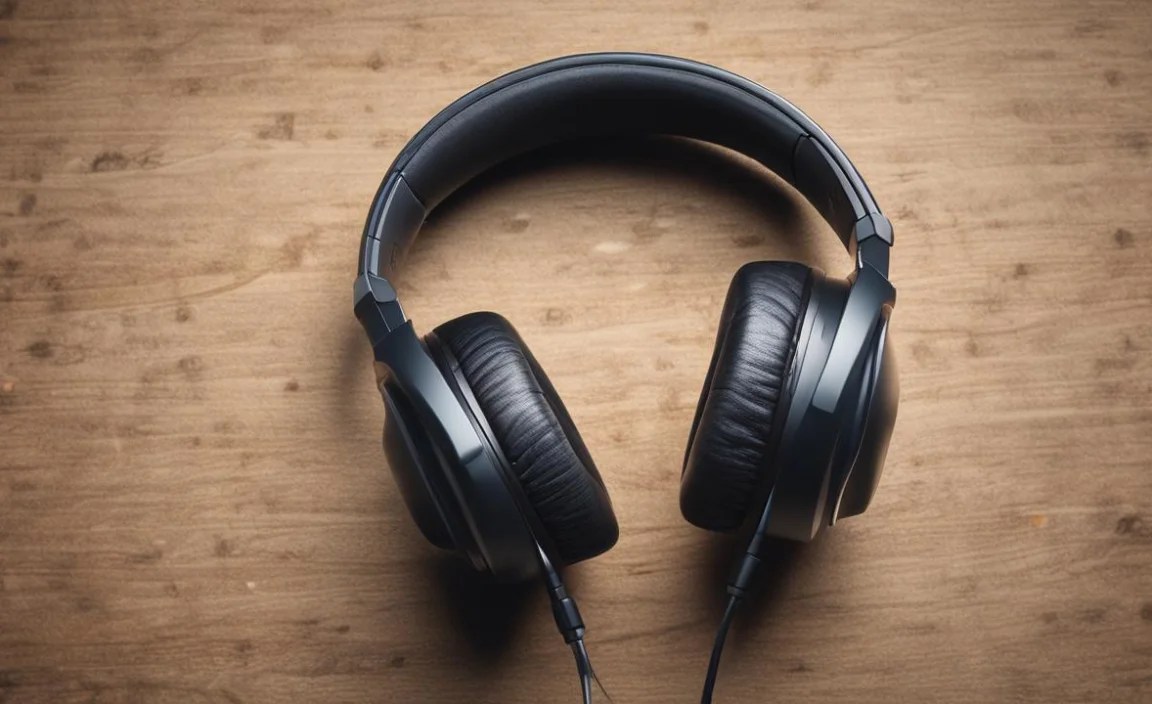
When you’re enjoying music on the go, especially outdoors, safety should always be a top priority. Wireless over-ear headphones, with their immersive sound and noise isolation, can make you less aware of your surroundings. This is crucial for activities like running, cycling, or walking near traffic.
According to the Centers for Disease Control and Prevention (CDC), using audible alerts like honking horns can be significantly reduced when wearing noise-cancelling headphones. To stay safe:
- Opt for Transparency Mode: If your headphones offer a “transparency” or “ambient sound” mode, use it when outdoors. This allows external sounds to pass through, so you can hear cars or other potential hazards.
- Keep the Volume Down: Even without transparency mode, keeping your volume at a moderate level ensures you can still detect important environmental sounds. A good rule of thumb is to keep it low enough that you can still hear someone speaking to you clearly. You can learn more about hearing loss prevention from the National Institute on Deafness and Other Communication Disorders (NIDCD).
- Be Aware of Your Route: Stick to well-lit, familiar paths. Be extra vigilant at intersections.
- Consider Alternatives for High-Risk Situations: For activities where situational awareness is critical and cannot be compromised, you might consider bone-conduction headphones, which leave your ears open, or simply going without headphones.
Frequently Asked Questions (FAQ)
Q1: Do wireless over-ear headphones really stay on during intense workouts?
For most people, yes! The headband and earcup design create a more secure perimeter around your head and ears compared to earbuds. While extreme sweat can sometimes cause slipping, a good fit and durable materials significantly minimize this risk. Always test them with your specific movements to ensure confidence.
Q2: Can I use my regular wireless over-ear headphones for the gym, or do I need specific “sport” models?
While dedicated sports models often have enhanced sweat resistance (higher IPX ratings) and lighter materials, many regular wireless over-ear headphones can work perfectly for gym use, especially if your workouts aren’t excessively sweaty. The main considerations are: how well they fit, how much they sweat, and how durable they are. If you notice your current headphones getting too warm or are concerned about sweat damage, looking for models with higher sweat resistance is a good idea.
Q3: How do I clean my sweaty over-ear headphones?
After each workout, gently wipe the earcups and headband with a dry or slightly damp microfiber cloth. For tougher grime, use a cloth lightly dampened with water or a very mild, non-alcoholic cleaning solution. Make sure the headphones are completely dry before storing them. Never submerge them in water or spray liquid directly onto them. Always check your manufacturer’s instructions for specific cleaning recommendations.
Q4: What does “IPX4” mean for workout headphones?
“IPX4” is a standard rating for water resistance. It means the headphones are protected against splashes of water from any direction. This is generally sufficient for protection against sweat and light rain. Higher ratings, like IPX5, offer protection against low-pressure water jets, providing even more peace of mind.
Q5: Will my over-ear headphones make my ears too hot during a summer workout?
This is a common concern. The earcups can indeed trap heat, especially during intense activities in warm weather. Some over-ear headphones use more breathable materials for their earcups, or have a lighter clamping force, which can help. If heat is a major issue for you, you might consider earbuds or bone-conduction headphones, which leave your ears more open.
Q6: Can I swim with wireless over-ear headphones?
Generally, no. Most wireless over-ear headphones, even those with an IPX5 rating, are designed to resist sweat and splashes, not submersion in water. Swimming requires specialized waterproof headphones. Always check the IPX rating and the product’s specifications – if it doesn’t explicitly state “waterproof” and recommend swimming, do not take them swimming.
Q7: How do I ensure my Bluetooth connection doesn’t drop during my workout?
A stable Bluetooth connection is key. Ensure your headphones have a relatively recent Bluetooth version (5.0 or higher is recommended). Keep your device (smartphone, etc.) relatively close to your headphones – ideally no more than 30-35 feet away. Sometimes, interference from other devices or thick walls can cause dropouts, but this is less common in open gym spaces or during outdoor activities. Resetting both your headphones and your device
