
Quick Summary: Powering your wireless gaming headset is crucial for uninterrupted play. This guide covers everything from understanding battery types and charging best practices to extending battery life and troubleshooting common power issues. Get ready for longer, more immersive gaming sessions without the worry of a dying headset.
Hey gamers! Edward Cavitt here from Headphone Horizon. Ever been in the middle of an epic raid or a nail-biting clutch moment, only for your wireless gaming headset to suddenly go silent? It’s incredibly frustrating, right? The lifeline of any great wireless gaming experience is… well, power! Without it, those immersive soundscapes and clear comms with your team vanish in an instant. But don’t worry, keeping your headset juiced up and ready for action is simpler than you might think. We’re going to break down exactly how to manage, maintain, and maximize the power of your wireless gaming headphones, so you can focus on what truly matters: winning.
Understanding Your Wireless Gaming Headset’s Power Source

At the heart of every wireless gaming headset is its power source, almost always a rechargeable battery. For beginners, the key is to understand the common battery types you’ll encounter and how they function. This knowledge will empower you to care for your headset properly, ensuring it lasts through countless gaming sessions.
Lithium-Ion (Li-ion) Batteries: The Gaming Standard
Most modern wireless headphones, including gaming headsets, utilize Lithium-ion (Li-ion) batteries. These are popular because they offer a great balance of energy density (meaning they can store a good amount of power for their size), relatively long lifespan, and don’t suffer from the “memory effect” that plagued older battery technologies like NiCad. The memory effect meant you had to fully discharge an old battery before recharging to maintain its full capacity. Thankfully, with Li-ion, this isn’t a concern.
- Pros of Li-ion:
- High energy density (longer playtime per charge).
- No memory effect (charge whenever convenient).
- Low self-discharge rate (holds charge well when not in use).
- Cons of Li-ion:
- Can degrade over time, slowly losing capacity.
- Sensitive to extreme temperatures (both hot and cold).
- Require specific charging circuitry for safety.
Battery Capacity: What’s Watts and mAh?
You’ll often see battery capacity measured in milliampere-hours (mAh) or sometimes watt-hours (Wh). Think of mAh as the “volume” of energy the battery can hold. A headset with a higher mAh rating generally means longer playtime on a single charge. For example, a 1000mAh battery would theoretically last twice as long as a 500mAh battery under the same usage conditions. While mAh is more common for smaller electronics like headphones, Watt-hours (Wh) provide a more direct measure of energy (Watt x Hour) and are often used for larger batteries.
For wireless gaming headsets, manufacturers often advertise the total playtime in hours (e.g., “up to 30 hours of battery life”). This is the most practical metric for gamers, as it directly translates to how long you can play before needing a recharge!
Charging Your Wireless Gaming Headset Like a Pro

Proper charging is the cornerstone of battery health and longevity. It’s not just about plugging it in; it’s about doing it right.
Using the Right Charger Every Time
This is critical! Always use the charger that came with your headset, or a certified replacement from the manufacturer. These chargers provide the correct voltage and amperage (current) to safely charge your Li-ion battery. Using an incompatible charger, especially one with a higher amperage output, can potentially overheat the battery, reduce its lifespan, or even cause damage. While most USB-C ports are standardized, dedicated charging cables often have specific communication protocols that ensure optimal charging. For more on USB-C and charging standards, you can check out resources from organizations like the USB Implementers Forum.
Understanding Charging Times and Indicators
Most wireless gaming headsets come with an LED indicator light that signals charging status. Typically:
- Red/Orange light: Charging
- Green/Blue light or light turns off: Fully Charged
Charging times can vary significantly depending on the headset’s battery size and the power output of the charging port. A typical headset might take 2-4 hours to charge fully from empty. Refer to your headset’s manual for specific charging times. Don’t overcharge your headset unnecessarily if it has an indicator that shows it’s full.
The Myth of “Trickle Charging”
There’s a common misconception that leaving a Li-ion battery plugged in after it’s full will damage it. Modern charging circuits are very sophisticated. Once a Li-ion battery reaches 100%, the charger will stop delivering a significant charge or will enter a very low-power trickle that simply maintains the full charge. So, while it’s generally best to unplug when fully charged, leaving it plugged in overnight (especially if it indicates full) is unlikely to cause harm to a quality headset.
Maximizing Battery Life During Gaming Sessions

Want to squeeze every last minute of playtime out of your headset? Here are some practical tips to extend your battery life:
Adjusting Volume Levels
This is one of the simplest yet most effective ways to conserve power. Higher volumes require more power. While you want to hear those crucial in-game cues, constantly blasting your headset at maximum can drain the battery significantly faster. Find a comfortable listening volume that still allows you to be immersed and responsive.
Disabling Unnecessary Features
Many gaming headsets come with advanced features like:
- LED Lighting Effects: Those fancy RGB lights? They consume power. If you’re in a situation where battery life is critical and you don’t need the visual flair, turn them off.
- Active Noise Cancellation (ANC): While great for immersion and blocking out distractions, ANC requires dedicated power to its microphones and processing. If your headset has it, consider disabling it when not needed.
- Surround Sound Modes: Some advanced virtual surround sound or spatial audio processing can be more power-intensive than standard stereo.
Check your headset’s software or manual to see which features can be toggled for power saving.
Managing Connectivity Settings
Most wireless gaming headsets use Bluetooth or a proprietary 2.4GHz wireless dongle. While these are efficient, ensuring a stable connection can help save power:
- Minimize Interference: Move away from other wireless devices that might cause interference (microwaves, other strong Wi-Fi signals). A strong, stable connection requires less power to maintain.
- Keep Dongle Close (if applicable): For 2.4GHz dongles, ensure your headset isn’t excessively far from the transmitter.
When to Shut Down
Be mindful of turning your headset off when you’re not actively using it for gaming or communication. Even in standby mode, many headsets consume a small amount of power to remain ready for a quick reconnect.
Storing Your Headset and Battery Care for Longevity

Proper storage and general battery care can significantly impact the lifespan of your wireless gaming headset’s battery.
Ideal Storage Conditions
As mentioned, temperature extremes are bad for Li-ion batteries. Avoid storing your headset:
- In direct sunlight.
- Inside a hot car.
- In very cold environments.
A cool, dry place at room temperature is ideal. This also helps protect the headset’s other components from damage.
The “Sweet Spot” for Long-Term Storage
If you plan to store your wireless gaming headset for an extended period (weeks or months), it’s best to not store it with a fully charged or completely dead battery. For Li-ion batteries, a charge level of around 40-60% is often considered optimal for long-term storage. This minimizes stress on the battery chemistry. Consult your headset’s manual for manufacturer recommendations on long-term storage.
When to Consider Replacement
Batteries are consumables; they don’t last forever. Over time, you’ll notice a decrease in maximum playtime. If your headset consistently lasts only a fraction of its original advertised battery life, and you’ve tried all other troubleshooting, it might be a sign the battery is degrading. For most modern headsets, batteries are integrated and not user-replaceable. In such cases, you might need to consider a repair service or a new headset. However, for very expensive or high-end headsets, it can be worth investigating professional battery replacement options.
Troubleshooting Common Power Issues
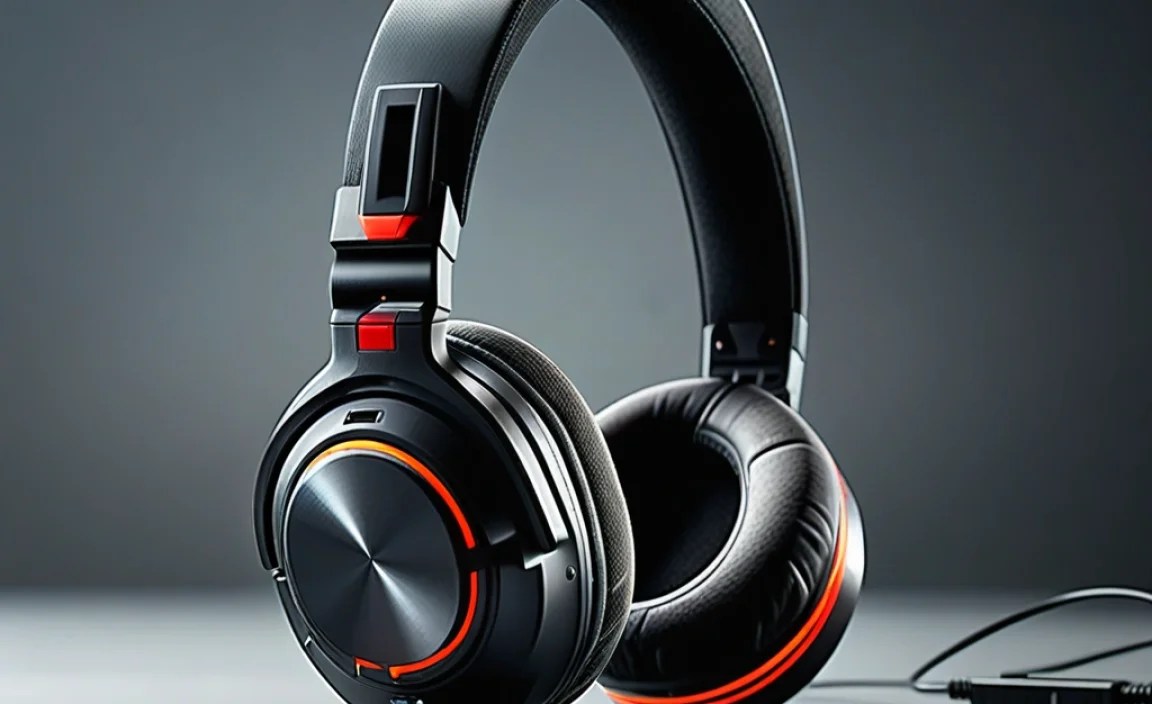
Even with the best care, you might encounter a power-related hiccup. Here’s how to deal with common problems:
Headset Won’t Turn On
This is the most common and disheartening issue. Before panicking, try these steps:
- Check if it’s Charged: Plug it in using the correct charger and let it charge for at least 30 minutes. The charging indicator light should come on.
- Try a Different USB Port/Charger: Rule out a faulty cable or port. Try charging from a different USB source (e.g., a wall adapter instead of a PC, or a direct wall adapter instead of a USB hub).
- Perform a Hard Reset: Many headsets have a small reset button (often recessed, requiring a paperclip to press) or a specific button combination (e.g., power button held for 15-30 seconds) to force a reset. Check your headset’s manual for instructions.
- Inspect Charging Port: Look for any visible damage or debris in the charging port. You can gently clean it with compressed air.
If none of these work, there might be a more significant internal issue, and you may need to contact the manufacturer’s support.
Headset Not Charging or Charging Slowly
This can be due to:
- Faulty Cable or Charger: As mentioned above, try a known good, compatible cable and charger.
- Dirty Charging Port: Lint or debris can prevent a good connection. Clean carefully with compressed air.
- Overheating: If the headset or charger feels excessively hot, disconnect it immediately and let it cool down. Try charging again in a cooler environment.
- Software Glitch: Sometimes, a firmware issue can affect charging. Ensure your headset’s firmware is up to date (connect to a PC if required).
Battery Drains Too Quickly
If your battery life has suddenly plummeted:
- Review Power-Saving Tips: Go back through the section on maximizing battery life. Have you accidentally enabled power-hungry features?
- Check for Firmware Updates: Manufacturers sometimes release firmware updates that can improve power management.
- “Battery Reset”: Some suggest a manual “battery reset” by fully discharging the headset, then charging it fully without interruption. While Li-ion doesn’t have a memory effect, this can sometimes help the battery management system recalibrate.
- Environmental Factors: Extreme temperatures can temporarily affect battery performance.
Understanding Wireless Technologies and Their Power Impact
Your wireless gaming headset connects to your PC or console using various technologies, each with its own power consumption profile.
2.4GHz Wireless Dongles
Many dedicated gaming headsets use a USB dongle that communicates wirelessly on the 2.4GHz band. This frequency is common for Wi-Fi and other devices, but proprietary implementations in gaming headsets are optimized for low latency and a stable connection, which is crucial for gaming.
- Pros: Generally very low latency (essential for gaming), high bandwidth for good audio quality.
- Cons: Can be susceptible to interference in crowded wireless environments, requires a USB port on your device.
- Power Impact: Typically quite power-efficient for the performance they offer, often less draining than Bluetooth for continuous high-quality audio streaming.
Bluetooth Connectivity
Bluetooth is a ubiquitous wireless standard. Gaming headsets might offer Bluetooth in addition to or instead of a 2.4GHz dongle.
- Pros: Versatile (connects to many devices like phones, tablets, PCs), no dongle needed for many devices.
- Cons: Can have higher latency (though modern versions like Bluetooth 5.0+ with aptX Low Latency have improved this), audio quality can be more compressed depending on the codec used.
- Power Impact: Can be more power-efficient for casual use or when not streaming high-bandwidth audio constantly. However, for gaming where consistent, high-quality audio is paramount, it might draw more power in some scenarios compared to optimized 2.4GHz if battery saving features aren’t aggressively used. For a deeper dive into Bluetooth audio, resources from organizations like the Bluetooth SIG are excellent.
Hybrid Systems
Some high-end headsets offer both 2.4GHz and Bluetooth. This allows you to connect to your PC via the low-latency dongle while also streaming audio from your phone simultaneously via Bluetooth, or to use Bluetooth independently when the dongle isn’t feasible.
- Power Consideration: Using both simultaneously will undoubtedly draw more power than using either one alone.
Choosing the right wireless technology for your needs can sometimes impact battery life. For most pure PC/console gaming, the bundled 2.4GHz dongle is usually the most power-efficient and performance-oriented option.
Headset Power Management: A Quick Comparison
Different headsets approach battery management and power features in various ways. Here’s a simplified look at how some common features might impact your battery:
| Feature/Technology | Typical Power Draw (Relative) | Impact on Battery Life | Notes |
|---|---|---|---|
| 2.4GHz Wireless (Low Latency) | Medium | Good (moderate drain) | Optimized for gaming performance, efficient for its purpose. |
| Bluetooth (Standard) | Low to Medium | Variable (can be good, but depends on usage) | More versatile, but latency and audio quality can vary. |
| Active Noise Cancellation (ANC) | High | Significant Reduction | Essential for immersion in noisy environments, but a major power consumer. |
| RGB Lighting Effects | Low to High | Noticeable Reduction (especially if bright/animated) | Primarily for aesthetics; turn off for maximum battery. |
| High Volume Output | High | Significant Reduction | The louder you play, the faster it drains. |
| Onboard Audio Processing (e.g., Surround Sound) | Medium | Moderate Reduction | Dedicated processing for enhanced soundscapes. |
Understanding these components and how they consume power allows you to make informed decisions about which features to prioritize based on your current battery status.
Maintaining Your Wireless Gaming Headset’s Battery Health
Beyond just charging, a few healthy habits can extend the life of your headset’s battery:
Avoid Deep Discharges Regularly
While Li-ion batteries don’t suffer from the memory effect, consistently running the battery completely flat (0%) can put more stress on it than it needs. It’s generally better to recharge when you see the low battery warning, rather than waiting for it to die completely.
Charge in Moderate Temperatures
As mentioned, extreme heat and cold are detrimental. Try to charge your headset at room temperature. If you’ve been gaming intensely in a warm room, let the headset cool down a bit before plugging it in to charge.
Keep Firmware Updated
Manufacturers often release firmware updates for their headsets. These aren’t just for new features; they can also include improvements to power management algorithms, battery optimization, and charging efficiency. Check regularly via the manufacturer’s companion software (if applicable) or their support website.
Regular Cleaning of Contacts
If your headset uses a charging dock or has exposed charging pins, ensure these are kept clean and free from dust or corrosion. A simple wipe with a dry, lint-free cloth or a cotton swab can make a big difference in ensuring a consistent and efficient charge. For stubborn grime, a cotton swab lightly moistened with isopropyl alcohol (ensure it’s completely dry before connecting) can be effective.
Frequently Asked Questions (FAQ)
Q1: How long should my wireless gaming headset battery last on a full charge?
This varies hugely by model. Budget headsets might offer 10-15 hours, while premium models can boast
