
Quick Summary: Discover why wireless headphones for kids are a smart investment. This guide covers essential features, benefits for learning and entertainment, safety considerations, and how to choose the perfect pair for your child. Ensure enjoyable, distraction-free audio experiences for your little ones.
Wireless Headphones For Kids: A Genius Essential Buy

As parents, we’re always on the lookout for gadgets that can make our lives easier and our children’s experiences richer. Wireless headphones for kids have quietly become one of those “genius” buys that tick both boxes. They’re not just about letting kids enjoy their music or shows without disturbing everyone else; they’re surprisingly beneficial for everything from focused learning to protecting young ears. In this guide, we’ll dive into why these headphones are a must-have, what features to look for, and how to make sure you’re picking the very best for your child.
Why Wireless is a Game-Changer for Kids

Gone are the days of tangled cords becoming a universal toddler toy and a tripping hazard. Wireless technology offers a freedom and safety that wired headphones simply can’t match for younger users. Think about it: no more fumbling with cables when they’re trying to listen to an audiobook on a car ride, or the immediate relief of knowing they won’t be yanked by accident. Wireless headphones streamline the listening experience, making it more enjoyable and less frustrating for everyone involved.
The Multifaceted Benefits of Kids’ Wireless Headphones
Beyond the obvious convenience, there are several compelling reasons why investing in a good pair of wireless headphones for your child is a smart move:
- Enhanced Focus and Learning: Whether it’s online classes, educational apps, or simply listening to stories, noise-canceling or noise-isolating headphones can create a personal bubble, helping children concentrate better and absorb information without ambient distractions.
- Screen Time Mediation: For many families, tablets and phones are a part of life. Headphones allow kids to engage with their content at an appropriate volume, reducing the temptation for them to blast audio, which is better for their hearing and for household harmony.
- Travel Companions: Long car rides, flights, or even visits to noisy public places can be significantly calmer with headphones. They can occupy children with audiobooks, music, or movies, providing a welcome sense of peace for both them and fellow travelers.
- Protecting Developing Ears: This is perhaps the most crucial benefit. Many headphones designed for children come with built-in volume limiters, preventing sounds from exceeding safe decibel levels. This is vital for safeguarding their hearing for years to come. According to the National Institute on Deafness and Other Communication Disorders (NIDCD), prolonged exposure to loud noise can cause permanent hearing damage.
- Independence and Responsibility: Giving a child their own headphones can foster a sense of ownership and encourage them to take responsibility for their belongings.
Key Features to Look for in Kids’ Wireless Headphones
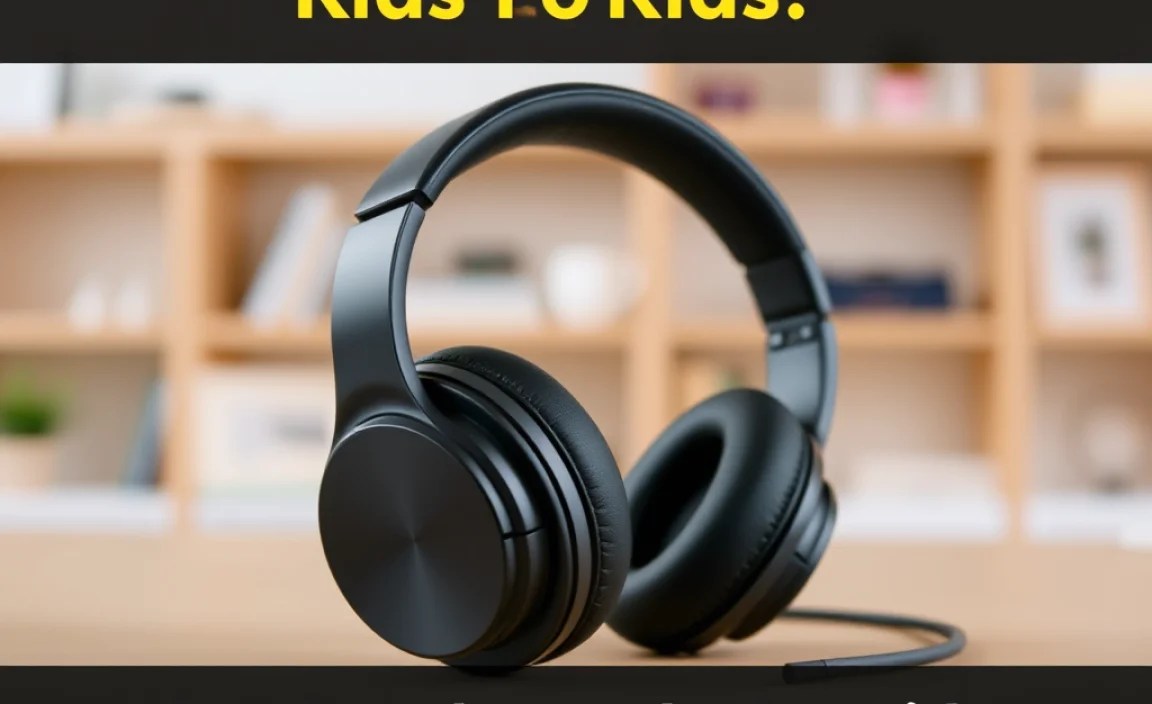
When selecting wireless headphones, it’s not just about picking the cutest color. Several technical and child-centric features make a significant difference:
1. Sound Quality and Volume Limiting
While audiophile quality might not be the top priority for youngsters, clear sound is important for enjoyment and comprehension. More importantly, look for headphones with:
- Built-in Volume Limiters: This is non-negotiable. Most dedicated kids’ headphones have a maximum volume set around 85 decibels (dB) or lower. This is considered safe for prolonged listening. Some models allow parents to adjust this limit or use an app.
- Clear Audio: Ensure the sound is crisp enough for voices in audiobooks and dialogue in shows to be easily understood.
2. Comfort and Durability
Kids aren’t always gentle with their belongings. Headphones need to withstand a bit of wear and tear and be comfortable enough for extended use.
- Padded Earcups and Headband: Soft, breathable materials like faux leather or fabric prevent discomfort and irritation.
- Adjustable Fit: The band should extend to fit different head sizes, growing with your child.
- Robust Construction: Look for sturdy plastic, flexible headbands, and well-secured earcups. Some models are folding for easier storage and added durability.
- Lightweight Design: Heavy headphones can be uncomfortable and cause neck strain, especially for younger children.
3. Wireless Connectivity and Battery Life
The “wireless” aspect is key, and how it performs matters.
- Bluetooth Version: Newer Bluetooth versions (like 5.0 and above) offer more stable connections, better range, and improved power efficiency.
- Easy Pairing: The headphones should connect easily and quickly to devices like tablets, smartphones, and laptops without complex setup.
- Battery Life: Aim for headphones that offer at least 15-20 hours of playtime on a single charge. This is usually enough for a full day of use or several shorter listening sessions.
- Fast Charging: A quick charge feature can be a lifesaver when you’re in a hurry.
4. Age Appropriateness and Safety
Consider the age range the headphones are designed for.
- Secure Fit for Little Heads: Smaller children may need headphones specifically designed to stay put without being too tight.
- Material Safety: Ensure all materials used are non-toxic and child-safe.
- No Small Parts: Avoid headphones with detachable parts that could be a choking hazard.
5. Additional Features
Some headphones offer extra perks:
- Built-in Microphone: Useful for online classes or calls with family.
- Wired Option: Some models include a detachable audio cable, offering a backup or alternative connection method.
- Companion Apps: For older kids, some apps allow parents to manage settings, monitor usage, or even track the headphones if lost.
- Share/Buddy Jack: This feature allows two pairs of headphones to be connected to the same audio source, so two children can listen together.
Top Brands and Models to Consider
The market for kids’ wireless headphones is growing, with several reputable brands offering excellent options. Here’s a look at some popular choices, categorized by common features:
Brands Known for Volume Limiting
These brands prioritize hearing safety with integrated volume controls:
| Brand | Key Features | Best For |
|---|---|---|
| JLab (JBuddies Studio, JBuddies Pro) | Volume capped at 85dB, durable build, often affordable. | Younger children, everyday use, budget-conscious parents. |
| Kidz Gear (HT310-BL, LM310-GR) | Volume limiter switch (selectable 75dB or 90dB), lightweight, often come with opt-in sharing cable. | Parents who want precise volume control, travel. |
| Lil Gadgets (Connect+, Untangled Pro) | Volume limited to 93dB, comfortable earcups, integrated share port, often wirelessly rechargeable. | Slightly older kids, families with multiple children, comfort. |
| PuroSound Labs (BT2200, PuroQuiet) | Volume limited to 85dB, excellent sound quality for the price, good noise isolation. | Kids who appreciate better audio, educational use, travel. |
Brands with Advanced Features (for Older Kids)
These models might offer more flexibility for older children or parents seeking more control:
| Brand | Key Features | Best For |
|---|---|---|
| iClever (Boostcare Kids Headphones) | Adjustable volume limits (74dB/85dB) via app, microphone, long battery life. | Online learning, older kids, tech-savvy parents. |
| Bose (QuietComfort 35 II, QC45 – with Parental guidance) | Active Noise Cancellation (ANC), excellent comfort and sound quality. Requires strict parental supervision to ensure volume is kept safely low. | Older teens for focused study or travel, where ANC is a priority and parental control is assured. |
| Sony (WH-CH510, WH-1000XM4 – with Parental guidance) | Good battery life, decent sound. Similar to Bose, ANC models like XM4 require strict parental volume management to be safe. | Older kids and teens, particularly for travel and focused activities if volume is managed. |
Note: For brands like Bose and Sony, while they offer superior sound and ANC, their volume limiting is not as inherent as dedicated kids’ brands. Parents must actively manage volume levels through device settings or by closely monitoring usage to ensure they remain within safe listening limits, adhering to guidelines like those recommended by the World Health Organization (WHO).
A Step-by-Step Guide to Choosing the Right Headphones
Navigating the options can seem daunting, but by following these steps, you can confidently pick the perfect pair:
Step 1: Determine Your Child’s Age and Needs
This is the most important starting point. Very young children (under 3) might benefit from simpler, more robust designs, while older kids might appreciate features like microphones or better sound quality.
- Toddlers (0-3): Prioritize extreme comfort, durability, and the lowest volume limits (around 75dB). Simple connectivity is key.
- Preschoolers (4-6): They can handle slightly more sophisticated designs, but volume limiting (85dB) and durability remain paramount.
- School-Aged Children (7-12): Can appreciate better sound quality, longer battery life, and features like microphones for school. Volume limiting should still be a high priority.
- Teens (13+): May desire more “adult” features like noise cancellation and better audio fidelity, but strict parental oversight on volume levels is still critical.
Step 2: Prioritize Safety Features
As discussed, hearing protection is key. Always ensure the headphones:
- Have a built-in volume limiter set to 85dB or less.
- Are comfortable, so your child won’t be tempted to turn the volume up to overcome discomfort.
Step 3: Check for Comfort and Durability
Have your child try them on if possible. Look for:
- Soft, non-irritating earcups.
- A headband that adjusts easily and fits snugly but not too tightly.
- Materials that feel resilient to bending, stretching, and being put in bags.
Step 4: Evaluate Wireless Performance and Battery Life
Consider how and where the headphones will be used.
- Range: Do they need a long Bluetooth range for playing in another room, or will they be used close to the device?
- Battery: A quick look at the advertised battery life (in hours) will tell you how often you’ll likely need to charge them. For travel, a longer battery life is a huge plus.
Step 5: Read Reviews and Compare Prices
Once you have a shortlist, dive into user reviews. Look for comments on:
- Real-world durability
- Ease of use for children
- Sound quality (for their intended purpose)
- Battery life performance
Compare prices across different retailers, but remember that the cheapest option might not offer the best durability or safety features. A balanced approach is usually best.
Maintaining Your Child’s Wireless Headphones
Like any electronic device, proper care will extend the life of your child’s headphones and keep them working optimally.
Daily Care and Cleaning
- Wipe Down Earcups: Use a soft, dry cloth to gently wipe down the earcups after each use, especially if they’ve been worn during activity. For a more thorough clean, lightly dampen the cloth with water or mild soap solution. Avoid harsh chemicals.
- Clean the Headband: Wipe the headband with a damp cloth. If it’s fabric, check for specific cleaning instructions from the manufacturer.
- Dry Thoroughly: Ensure the headphones are completely dry before storing them.
Storage Solutions
- Use a Protective Case: If your headphones didn’t come with one, consider purchasing a small carrying case or pouch. This protects them from dust, scratches, and being crushed in a backpack.
- Avoid Extreme Temperatures: Don’t leave headphones in direct sunlight or in a very hot car, as this can damage the internal components and battery.
Charging and Battery Health
- Charge as Needed: While modern batteries are quite advanced, avoid fully depleting the battery too often. Charging when it gets low is generally fine.
- Use the Right Charger: Always use the charger that came with the headphones or a certified equivalent.
- Don’t Overcharge Continuously: Most devices stop charging once full, but leaving them plugged in for days after reaching 100% isn’t ideal for long-term battery health.
Troubleshooting Common Issues
Even the best headphones can encounter minor problems. Here are a few common ones:
Issue: Headphones Won’t Connect (Bluetooth Pairing Problems)
- Restart Both Devices: Turn off Bluetooth on the device (tablet/phone) and turn the headphones off and then on again.
- Forget and Re-pair: On your device, go to Bluetooth settings, find the headphones in the list of paired devices, and select “Forget” or “Unpair.” Then, try pairing them again from scratch.
- Check Battery Level: Ensure the headphones are adequately charged. Low battery can sometimes cause connection issues.
- Proximity: Make sure the headphones and the device are close to each other during the pairing process.
Issue: Sound is Muffled or Distorted
- Check Volume Levels: Ensure the volume on both the device and the headphones (if applicable) is not maxed out, which can cause distortion.
- Clean Earcups: Sometimes, earwax or debris can accumulate on the speaker grilles. Gently clean them with a soft brush.
- Test with Another Device: If the problem persists, try connecting the headphones to a different device to see if the issue is with the headphones or the original source device.
Issue: One Earcup Has No Sound
- Check Balance Settings: On your device’s audio settings, ensure the audio balance is centered and not shifted entirely to one side.
- Restart Headphones: Turn the headphones off and on.
- Test Wired Connection (if available): If your headphones have a wire option, try connecting them that way to see if sound comes from both sides. This helps determine if it’s a Bluetooth issue or a hardware problem.
- Inspect for Damage: Look for any obvious physical damage to the earcup or cable connection point.
If these tips don’t resolve an issue, consult the American Academy of Audiology resources for general hearing health guidance and consider contacting the manufacturer’s customer support for warranty or repair information.
Frequently Asked Questions (FAQ)
Q1: Are wireless headphones safe for young children’s ears?
Yes, when you choose headphones specifically designed for children. The most crucial safety feature is a built-in volume limiter that caps sound output at a safe level (typically 85dB or lower).
Q2: How long does the battery typically last on kids’ wireless headphones?
Most kids’ wireless headphones offer between 10 to 30 hours of playtime on a single charge. For frequent travelers or heavy users, aiming for 20+ hours is a good benchmark.
