
Quick Summary: Choosing wireless headphones for your Samsung phone is easy with this guide. We’ll cover pairing, choosing the right type, essential features, and simple tips for the best sound and battery life, ensuring a seamless audio experience for everyday listening.
Wireless Headphones for Samsung Mobile: Your Essential Guide
Hey there, audio adventurer! It’s Edward Cavitt from Headphone Horizon. So, you’ve got a shiny Samsung phone and you’re ready to cut the cords? Awesome! Diving into the world of wireless headphones can feel a little overwhelming with all the tech talk. But don’t you worry. My goal here is to make it as simple and as enjoyable as picking your favorite song. We’ll walk through everything you need to know, from understanding what makes a headphone “wireless” to getting them connected to your Samsung device, and even how to pick the perfect pair that fits your life and your ears. Get ready to experience your music, podcasts, and calls in a whole new, untethered way!
Why Go Wireless with Your Samsung Phone?

Let’s start with the “why.” Wireless headphones offer a level of freedom that wired ones simply can’t match. Imagine working out without a cable snagging, commuting without that annoying tangled mess in your pocket, or simply moving around your house while still enjoying crystal-clear audio. For Samsung users, this freedom is amplified by the seamless integration and advanced features many wireless headphones offer. You get convenience, a cleaner look, and often, access to smarter audio technologies that can adapt to your surroundings and listening habits.
Understanding Wireless Headphone Technologies
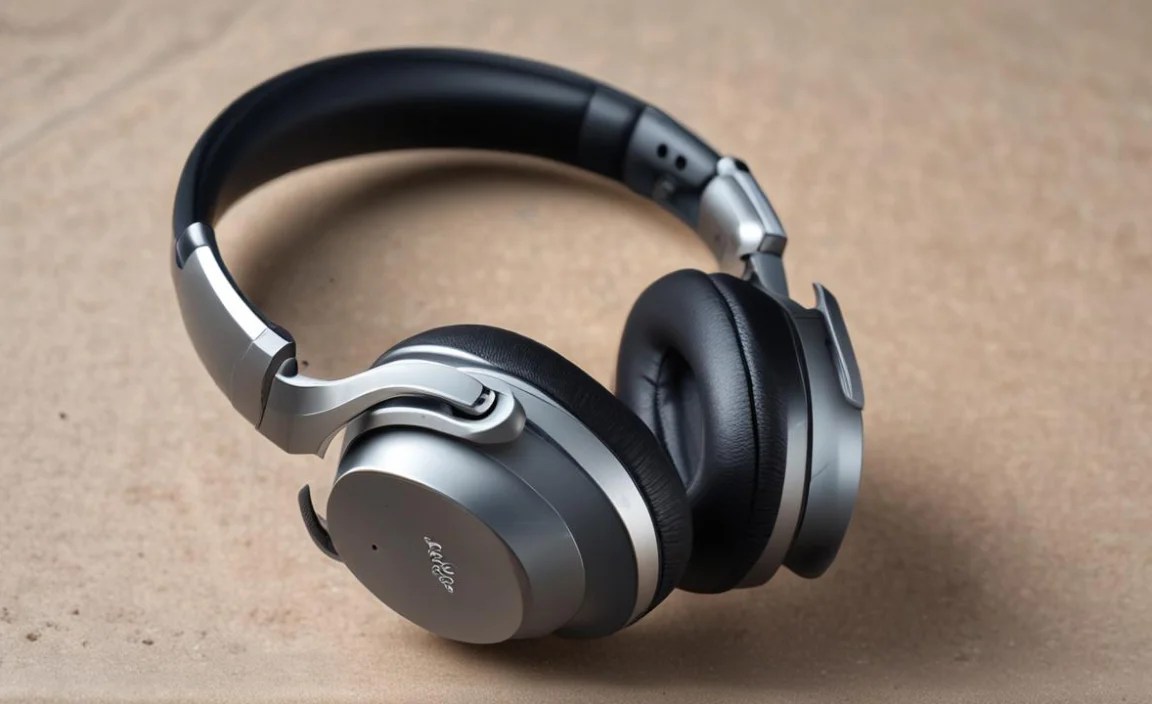
When we talk about wireless headphones, two main technologies come into play: Bluetooth and Wi-Fi. For most of us using these with our Samsung phones, Bluetooth is the star of the show.
Bluetooth: The Wireless Freedom You Know
Bluetooth is a short-range wireless technology that allows devices to connect and exchange data. Think of it as a personal, invisible cable between your Samsung phone and your headphones. It’s energy-efficient, widely compatible, and gets better with each new version. Newer Bluetooth versions, like Bluetooth 5.x, offer:
- Improved Range: You can move further away from your phone without losing connection.
- Faster Speeds: Quicker pairing and data transfer, which means less delay (latency) when watching videos or playing games.
- Better Battery Efficiency: Your headphones can last longer on a single charge.
- Multi-device Connectivity: Some headphones can connect to two devices simultaneously, like your phone and your tablet.
What About Wi-Fi? (And Why It’s Less Common for Headphones)
While your Samsung phone uses Wi-Fi for internet access, Wi-Fi audio for headphones is much less common for personal use. Wi-Fi generally offers a longer range and higher bandwidth than Bluetooth, but it requires a dedicated Wi-Fi network, is less power-efficient, and is primarily used in more niche home-audio systems or professional settings. Stick with Bluetooth for your mobile needs; it’s designed for exactly this sort of connection.
Types of Wireless Headphones for Your Samsung Mobile

The world of wireless headphones isn’t one-size-fits-all. Here’s a breakdown of the most popular types, so you can pick what suits your lifestyle:
1. True Wireless Stereo (TWS) Earbuds
These are the small, compact earbuds that have no wires at all – not even between the left and right buds. They come with a charging case that tops them up when not in use. They’re super popular for their portability and minimalist look.
- Pros: Extremely portable, discreet, great for workouts and everyday commuting, often come with a charging case for multiple recharges.
- Cons: Can be easy to lose due to their size, battery life per charge might be shorter than other types, sound quality can vary greatly.
2. Wireless Neckband Headphones
These earbuds are connected by a flexible band that rests around your neck. They often have the battery and controls integrated into the band, which can offer longer battery life and prevent you from losing an earbud.
- Pros: Harder to lose than TWS buds, often have better battery life, controls are usually more accessible, can be more comfortable for long listening sessions.
- Cons: The neckband might not be for everyone, less discreet than TWS earbuds.
3. Wireless On-Ear Headphones
These headphones sit directly on your ears. They’re a good middle ground, offering a bit more comfort and potentially better sound than earbuds, without fully enclosing your ears.
- Pros: Lighter and more compact than over-ear headphones, generally comfortable for medium listening durations, allow some ambient sound in (which can be good for awareness).
- Cons: Can press on ears during long wear, sound isolation is often less effective than over-ear models.
4. Wireless Over-Ear Headphones
These are the headphones that fully cup your ears, offering the most immersive sound and best noise isolation. They are often the best choice for audiophiles or those seeking to block out distractions.
- Pros: Supreme comfort for long listening sessions, excellent sound quality and immersion, superior noise isolation, often boast the longest battery life.
- Cons: Bulky and less portable than other types, can get warm on the ears, might be overkill for quick calls or short commutes.
Essential Features to Look For in Wireless Headphones for Your Samsung

Beyond the type, certain features can significantly enhance your experience. Here’s what to keep an eye on:
1. Bluetooth Version and Codecs
We touched on Bluetooth versions, but codecs are crucial for sound quality. These are the “languages” your phone and headphones use to compress and transmit audio. For Samsung phones, look for support for:
- SBC (Subband Coding): The basic, universal codec. It works everywhere but might not offer the best quality.
- AAC (Advanced Audio Coding): Better quality than SBC, and is what Apple devices commonly use. Many Android phones, including Samsung, support it.
- aptX™ Family: A Qualcomm technology that offers progressively better audio quality and lower latency. Different versions include aptX™, aptX™ HD, and aptX™ Adaptive. Samsung phones often support various aptX™ codecs, which can provide near CD-quality sound wirelessly.
- LDAC: Developed by Sony, this is a high-quality codec that can transmit much more data, offering near Hi-Res audio. Samsung phones with the latest Android versions often support LDAC, providing excellent wireless audio.
Pro Tip: To check which codecs your Samsung phone supports, you can often find this information in your phone’s Bluetooth settings or by searching your phone model’s specifications online. For example, Samsung’s official website provides detailed specs for their devices.
2. Active Noise Cancellation (ANC)
ANC uses microphones to detect ambient noise and then generates opposing sound waves to cancel it out. It’s fantastic for noisy environments like planes, trains, or busy offices.
- Pros: Dramatically reduces background noise for a more immersive listening experience.
- Cons: Can be more expensive, might have a slight impact on battery life, and some people are sensitive to the pressure effect.
3. Battery Life and Charging
This is a big one! Check the stated battery life for both the headphones and the charging case (if applicable). USB-C charging is standard on most modern Samsung devices and headphones, offering faster charging. Look for quick charge features – a few minutes in the case can often provide hours of playback.
4. Water and Sweat Resistance (IP Rating)
If you plan to use your headphones for workouts or in humid conditions, an IP rating is essential. This rating tells you how resistant the device is to dust and water. For example, an “IPX4” rating means the headphones are protected against splashes of water, making them suitable for workouts. Higher ratings offer more protection.
5. Comfort and Fit
This is subjective but crucial. For earbuds, look for different ear tip sizes. For over-ear and on-ear headphones, consider the padding, clamping force, and weight. A good seal is vital for sound quality and ANC effectiveness.
6. Microphone Quality
If you’ll be taking a lot of calls, check reviews specifically mentioning microphone performance. Some headphones have multiple microphones and noise-reduction technology to ensure your voice comes through clearly, even in noisy surroundings.
Pairing Your Wireless Headphones with Your Samsung Mobile: A Step-by-Step Guide

Connecting your new wireless headphones to your Samsung phone is usually straightforward. Here’s how:
Step 1: Prepare Your Headphones
First, make sure your wireless headphones are charged. Then, you need to put them into pairing mode. This process varies by brand and model, but generally:
- True Wireless Earbuds: Often, you just need to take them out of their charging case. Some might have a button on the case you need to press and hold.
- Neckband, On-Ear, and Over-Ear Headphones: Look for a power button or a dedicated Bluetooth/pairing button. Press and hold it until an indicator light flashes, or you hear an audio cue like “pairing” or “ready to connect.”
Consult your headphone’s user manual if you’re unsure how to initiate pairing mode. It’s the best source for model-specific instructions.
Step 2: Enable Bluetooth on Your Samsung Phone
On your Samsung phone, navigate to the settings menu.
- Tap on “Connections” or “Connected devices.”
- Tap on “Bluetooth.”
- Make sure the Bluetooth toggle is switched ON.
Step 3: Scan for Devices
Once Bluetooth is enabled, your phone will automatically start scanning for available devices. You should see a list under “Available devices” or “Other devices.”
Step 4: Select Your Headphones
Look for the name of your wireless headphones in the list and tap on it. It might be the brand name or a specific model number.
Step 5: Confirm Pairing
Your phone and headphones will attempt to connect. You might be prompted to confirm a pairing request or enter a PIN (usually “0000” or “1234” if required, though this is rare with modern devices). Once successfully paired, you’ll see your headphones listed under “Paired devices” or “My devices,” and you’ll likely hear a confirmation sound from your headphones.
Step 6: (Optional) Explore Extended Features
Many wireless headphone brands, especially those with companion apps (like Samsung’s own Galaxy Wearable app for their earbuds), offer additional features. These can include:
- Customizing touch controls
- Adjusting ANC levels
- Enabling or disabling voice assistants
- Updating headphone firmware
- Finding lost earbuds
It’s often worth downloading the manufacturer’s app from the Google Play Store to unlock the full potential of your headphones.
Troubleshooting Common Connection Issues
Sometimes, things don’t connect perfectly the first time. Don’t fret! Here are common solutions:
- Ensure Devices are Close: Keep your headphones and phone within a few feet of each other during pairing.
- Restart Both Devices: Turn off Bluetooth on your phone, then turn it back on. Power cycle your headphones (turn them off and then on again, or reset them if possible).
- Forget and Re-pair: If you’ve paired before and it’s not working, go to your phone’s Bluetooth settings, tap the gear icon next to your headphones, and select “Unpair” or “Forget device.” Then, re-initiate the pairing process from scratch.
- Check Battery Levels: Low battery can sometimes interfere with pairing.
- Update Your Phone’s Software: Ensure your Samsung phone is running the latest Android version and security patches, as these can improve Bluetooth compatibility. You can check for updates in Settings > Software update.
- Check for Interference: Too many Bluetooth devices nearby or certain Wi-Fi signals can sometimes cause interference. Try pairing in a less crowded area.
For more in-depth troubleshooting, consult the official support pages for your specific headphone model. Many manufacturers provide detailed FAQs and support articles.
Samsung’s Own Wireless Audio Ecosystem
Samsung has a fantastic range of wireless audio products designed to work seamlessly with their mobile devices. Their Galaxy Buds series — like the Galaxy Buds2 Pro, Galaxy Buds FE, and others — offer:
- Easy Pairing: Often, just opening the case near your Samsung phone will trigger a pop-up for instant pairing.
- Integrated Samsung Features: Access to a smoother experience with features like Ambient Sound, Bixby voice activation, and seamless switching between Samsung devices logged into the same Samsung account.
- Good Codec Support: Typically supporting SBC, AAC, and Samsung’s proprietary Scalable Codec for optimized audio. Higher-end models may also support lossless audio.
- The Galaxy Wearable App: This app is your command center for customization and updates.
If you’re deeply invested in the Samsung ecosystem, their own branded earbuds are often an excellent, reliable choice, providing a particularly user-friendly experience.
A Quick Comparison: Popular Wireless Headphone Choices
To give you a better idea, here’s a simplified look at some popular options. Keep in mind that models and features evolve rapidly!
| Headphone Type | Example Models (Often Samsung Compatible) | Key Strengths | Consider If… |
|---|---|---|---|
| True Wireless Earbuds | Samsung Galaxy Buds Series, Sony WF-1000XM5, Bose QuietComfort Ultra Earbuds | Portability, ANC (on premium models), convenience. | You prioritize compactness, use for gym/commute, want advanced features. |
| Wireless Neckband | Sony WI-C310, JBL Tune 125BT | Battery life, hard to lose, often more affordable. | You worry about losing earbuds, need long listening times, prefer physical controls. |
| Wireless On-Ear | JBL Tune 510BT, Beats Solo3 Wireless | Comfort for moderate use, good sound for the size, portability. | You want more than earbuds but less bulk than over-ear. |
| Wireless Over-Ear | Sony WH-1000XM5, Bose QuietComfort 45, Sennheiser Momentum 4 Wireless | Superior sound quality, comfort, ANC, battery life. | You are an audiophile, need best noise cancellation, wear for long periods. |
Tips for Getting the Best Sound and Battery Life
Once you’ve got your headphones paired, here are a couple of tips to keep them sounding great and lasting longer:
- Keep Them Charged: Don’t let batteries drain completely too often. For TWS earbuds, keep them in their case when not in use.
- Manage Volume Levels: Listening at moderate volumes not only protects your hearing but also significantly extends battery life. The World Health Organization (WHO) recommends limiting exposure to loud sounds to prevent hearing loss. You can find more about safe listening levels on their hearing loss FAQs.
- Use Supported Codecs: If your headphones and Samsung phone both support high-quality codecs like aptX™ HD or LDAC, enable them in the Bluetooth settings for better audio fidelity (if available).
- Clean Them Regularly: For earbuds, clean the ear tips and the charging contacts gently with a dry, soft cloth. For over-ear headphones, wipe down the earcups and headbands.
- Store Properly: When not in use, store headphones in a protective case or a safe place to avoid damage or tangles.
Frequently Asked Questions (FAQ)
Q1: Can any Bluetooth headphones work with my Samsung phone?
Yes, generally any Bluetooth-enabled headphones will connect with a Samsung phone because Bluetooth is a universal standard. However, to get the most out of them, especially for advanced features or optimal sound quality, look for headphones that support codecs your Samsung phone also supports, such as aptX™ or LDAC.
Q2: How do I know if my Samsung phone supports high-quality audio codecs like aptX™ or LDAC?
Most newer Samsung phones (from around 2018 onwards with Android 8.0 or later) support multiple codecs. You can often check this in your phone’s Bluetooth settings. When your headphones are connected, tap the
