
Quick Summary: Dive into your swim routine with the best wireless headphones for swimming! This guide helps you choose waterproof, comfortable, and reliable options to enjoy music or podcasts in the pool. Learn what to look for, how to use them, and keep them in top shape for every lap.
Wireless Headphones for Swimming: Essential Comfort for Your Aquatic Adventures
Hey there, fellow audio adventurers! Edward Cavitt here, your guide to all things headphones. Ever wished you could soundtrack your laps in the pool? The good news is, you absolutely can! For years, the idea of using headphones while swimming seemed like a sci-fi dream. But technology has caught up, and specially designed wireless headphones for swimming are now readily available, transforming your workout from a silent slog to an energizing aquatic concert. Whether you’re a seasoned swimmer looking to boost performance with tunes or a beginner seeking a more enjoyable experience, the right pair of waterproof headphones can make all the difference. Let’s dive into how to find that perfect blend of sound, comfort, and waterproof reliability.
Why Wireless Headphones for Swimming? The Underwater Sound Advantage

Let’s face it, swimming can sometimes feel a bit monotonous. Adding music or podcasts can be a game-changer, boosting motivation and making those longer sessions fly by. Traditional headphones just won’t cut it in the water, and for good reason. Water and electronics are rarely a good mix! Wireless headphones designed for swimming are built with specific features to overcome these challenges, offering a safe and enjoyable way to take your audio with you. They allow for freedom of movement without the annoying tangle of wires, and their waterproof capabilities mean you don’t have to worry about splashes or submersion.
The Science of Sound Underwater
It’s interesting to think about how sound travels underwater. Unlike in air, sound waves move much faster and with less degradation in water. This means that waterproof headphones, when properly sealed, can deliver surprisingly clear audio. The key is that the headphones must be designed to create a seal that prevents water from reaching the delicate electronic components, while still allowing the sound to reach your ears. This is usually achieved through specialized earbud designs and robust sealing techniques. For a deeper dive into the physics of sound, you might find resources from educational sites like the Institute of Acoustics quite fascinating, explaining how different mediums affect sound propagation.
Key Features to Look For in Wireless Headphones for Swimming

Not all wireless headphones are created equal, especially when it comes to aquatic use. To ensure you’re getting a product that’s safe, reliable, and provides a great listening experience, keep these essential features in mind:
1. Waterproof Rating (IPX Rating)
This is the most critical factor. The Ingress Protection (IP) rating tells you how well a device is protected against solid objects (like dust) and liquids. For swimming, you’ll want headphones with a high IPX rating. Here’s a breakdown of what to look for:
- IPX7: This rating means the headphones can be submerged in water up to 1 meter (about 3.3 feet) for at least 30 minutes. This is generally sufficient for most swimming pool use cases.
- IPX8: This is the highest standard, indicating the headphones are designed for continuous submersion deeper than 1 meter. If you’re a serious open-water swimmer or just want maximum peace of mind, look for IPX8.
Avoid anything with an IPX rating lower than 7, as it won’t offer adequate protection against submersion. Always check the manufacturer’s specific claims about depth and duration for their IPX rating.
2. Fit and Comfort
When you’re in the water, the last thing you want is headphones that keep falling out or feel uncomfortable. Look for:
- Secure Ear Gels: Most swimming headphones come with various sizes of silicone ear tips. Experiment with these to find the best seal for your ears. A good seal not only keeps them in place but also improves sound quality by blocking out water noise.
- Ergonomic Design: Consider the overall shape and weight. Bone conduction headphones, which rest on your cheekbones instead of in your ear canal, are a popular option for swimmers as they leave the ear canal open for better situational awareness and comfort.
- Lightweight Construction: Heavy headphones can be a nuisance when you’re trying to move freely through the water.
3. Sound Quality
While being waterproof is paramount, you still want enjoyable audio. Considering that sound behaves differently underwater, some headphones are tuned to compensate for this. Look for reviews that mention clarity, bass response, and how well the sound holds up when submerged.
4. Battery Life
A long swim session deserves a long battery life. Most good swimming headphones offer at least 6-8 hours of playback on a single charge, which should be more than enough for even the most dedicated swimmers. Check the specs and factor in how often you plan to charge them.
5. Storage and Connectivity
Some swimming headphones come with built-in storage (like MP3 players) for your music, meaning you don’t even need to bring your phone or music player to the pool. Others use Bluetooth, but ensure they are rated for reliable connection in wet environments or that they are designed to be used with a device stored securely on your person. Many dedicated swimming headphones offer robust Bluetooth connectivity that works well for short distances, like from your wrist to your ears.
6. Ease of Use
Controls should be intuitive and easy to operate, even with wet fingers or while wearing swimming goggles. Buttons should be tactile and well-placed.
Types of Wireless Headphones for Swimming

There are a few main types of headphones that cater to swimmers. Each has its own advantages:
A. In-Ear Waterproof Headphones (with Built-in Storage or Bluetooth)
These look similar to standard in-ear earbuds but are fully waterproof. They often feature:
- Pros: Excellent seal, good sound isolation, often very compact.
- Cons: Can feel intrusive for some, risk of losing the seal.
Many models include built-in MP3 players, so you can load music directly onto them. This is fantastic because it means no phone needed near the water! Others use Bluetooth, and it’s crucial to ensure they have a strong, reliable connection that won’t drop when you’re submerged. Brands like Sony, Jabra, and even some budget-friendly options like Sanag offer models in this category.
B. Bone Conduction Headphones
These headphones don’t go into your ear canal. Instead, they rest just in front of your ears on your cheekbones and transmit sound via vibrations. This leaves your ear canals open.
- Pros: Incredible situational awareness (you can hear your surroundings), comfortable for long periods, no ear fatigue, generally very secure fit.
- Cons: Sound fidelity might be slightly less immersive than in-ear for some, vibrations can be noticeable, typically not as good for deep bass.
Shokz (formerly AfterShokz) is the leading brand here. They are exceptionally popular for endurance sports and swimming due to their safety and comfort. They are waterproof and designed to stay put during vigorous activity. You can learn more about the technology behind bone conduction on educational sites like Science ABC to understand how they transmit sound through your bones!
C. Swimming-Specific MP3 Players with Earbuds
These are often all-in-one devices where the MP3 player is a small clip-on unit that connects via short, waterproof wires to waterproof earbuds. The earbuds themselves are designed for a secure fit in the water.
- Pros: Simple to use, excellent for loading music directly, often very affordable.
- Cons: Wires can sometimes be a minor annoyance, less versatile than standalone wireless models.
Companies like H2O Audio specialize in these. They’re a fantastic option if you want a dedicated, no-fuss solution for swimming music.
Choosing the Right Fit: A Comparison Table
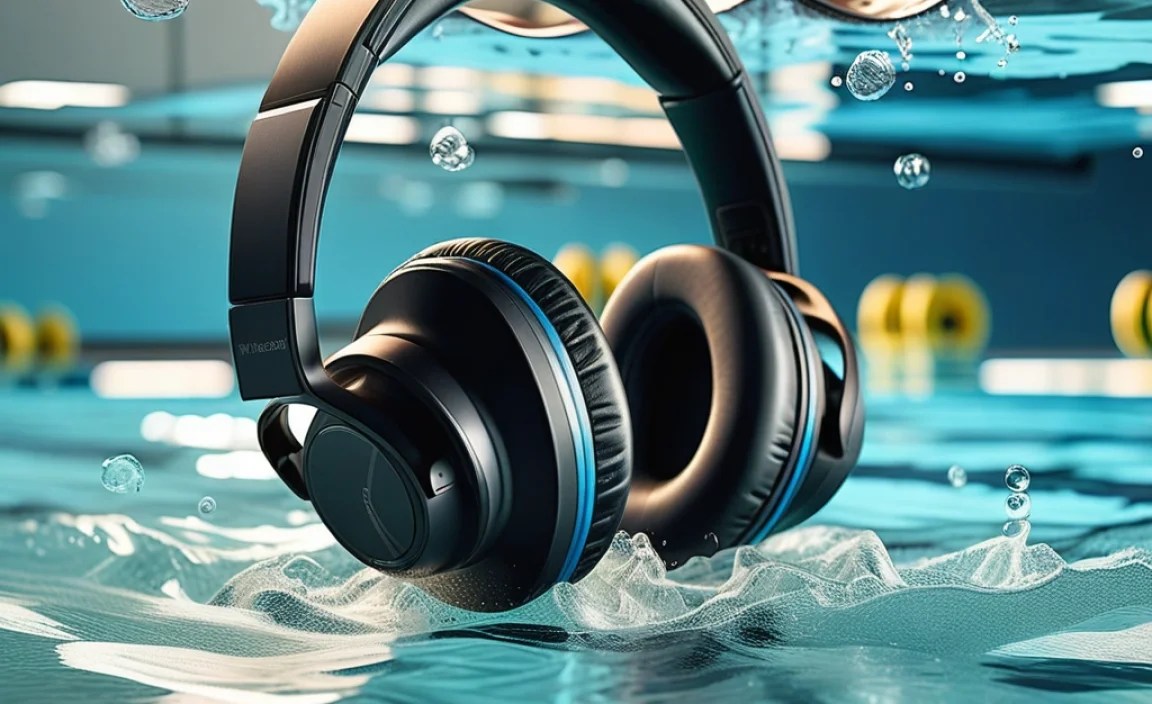
To help you decide which type might be best for you, here’s a quick comparison:
| Feature | In-Ear Waterproof Headphones | Bone Conduction Headphones | Swimming MP3 Player + Earbuds |
|---|---|---|---|
| Waterproof Rating | Typically IPX7 or IPX8 | Typically IPX5 to IP68 (varies by model, check specifics) | Earbuds IPX7/IPX8, Player often water-resistant (splashproof) |
| Sound Isolation | High | Low (allows ambient sound) | Medium to High |
| Comfort | Varies by user; can feel secure or inserted | Very High; no ear canal insertion | Comfortable ear tips; wire may need managing |
| Situational Awareness | Low | High | Low to Medium |
| Best For | Immersive sound, dedicated swimmers | Safety, long swims, varied activities | Simple music loading, budget-conscious swimmers |
How to Use Your Wireless Headphones for Swimming Safely and Effectively

Once you’ve got your hands on a great pair of swimming headphones, using them correctly is key to longevity and enjoyment. Here’s a simple, step-by-step approach:
Step 1: Charge Them Up!
Before your first swim, make sure your headphones are fully charged. Most come with a USB charging cable or a proprietary charging dock. Check the manual for charging times and indicators.
Step 2: Load Your Music (If Applicable)
If your headphones have built-in storage, you’ll need to connect them to your computer. Use the supplied USB cable and follow the instructions to transfer your favorite playlists. It’s usually as simple as dragging and dropping audio files (MP3, AAC, etc.) into the device’s storage folder. Ensure you eject the device safely from your computer before disconnecting to prevent data corruption.
Step 3: Get the Perfect Fit
This is crucial for both comfort and sound quality. For in-ear models, try on each size of ear tip included. You want a snug fit that creates a seal without being painful. The headphones shouldn’t wiggle or fall out when you move your head or swim.
- Gently insert the earbud into your ear canal.
- Twist slightly to ensure a secure, comfortable fit.
- Test by gently tugging on the earbud; it should feel secure.
For bone conduction headphones, ensure the band rests comfortably on your cheekbones, just in front of your ears. They should feel secure and not slip down your face when wet.
Step 4: Power On and Connect (If Bluetooth)
Turn on your headphones. If they are Bluetooth, put them into pairing mode as per the manual. Then, go to your smartphone or music device’s Bluetooth settings and select your headphones to pair them. For headphones with built-in storage, you typically just turn them on and your music can be selected via controls on the headphones themselves.
Step 5: Enter the Water
Once you’re ready and your headphones are securely in place, it’s time to dive in! Move at your own pace and enjoy the sound. Don’t be alarmed if the sound seems a little different; water affects acoustics. Bone conduction headphones will offer more external awareness, which can be beneficial for safety in busy pools.
Step 6: Using Controls During Your Swim
Familiarize yourself with the controls before you get in. Most swimming headphones have basic controls for play/pause, skip track, and volume. Practice using them with your eyes closed so you can find them easily when needed.
Maintaining Your Wireless Headphones for Swimming
Just like any electronic device that encounters water, proper care of your swimming headphones will significantly extend their lifespan and ensure consistent performance. Here’s how to keep them in top shape:
1. Rinse Thoroughly After Each Use
This is non-negotiable. Chlorine, salt, and other pool chemicals can be harsh on the materials and seals of your headphones. After every swim:
- Rinse them under fresh, cool tap water.
- Pay special attention to any ports or crevices where water might have entered, gently flushing them out.
- Do NOT use soap or harsh detergents, as these can damage the materials and coatings.
2. Dry Them Properly
Water left in crevices or on charging contacts can lead to corrosion or electrical issues.
- Gently shake off any excess water.
- Wipe the exterior with a soft, dry cloth (like a microfiber cloth).
- For earbuds, allow them to air dry completely in a well-ventilated area before storing.
- If your headphones have charging contacts, ensure they are completely dry before placing them on the charger. You can also gently dab them with a dry cloth or cotton swab.
Never use a hairdryer or other heat sources, as excessive heat can damage the electronics and seals.
3. Store Them Safely
When not in use, store your headphones in a cool, dry place. Many come with a protective carrying case, which is ideal for preventing them from getting scratched or damaged by other items in your gym bag.
4. Check for Damage
Periodically inspect your headphones for any signs of wear and tear. Look for:
- Cracks in the housing.
- Torn or damaged ear tips.
- Corrosion on charging ports.
- Frayed cables (if applicable).
If you notice any damage, especially to the waterproof seals, it might be time to consider a replacement, as the waterproof integrity could be compromised.
5. Avoid Extreme Temperatures
Don’t leave your headphones in direct sunlight for extended periods, in a hot car, or expose them to freezing temperatures. Extreme heat or cold can damage the battery and internal components.
Troubleshooting Common Issues
Even with the best care, you might encounter minor hiccups. Here are a few common issues and their simple solutions:
- No Sound: Ensure the headphones are charged, turned on, and paired (if Bluetooth). Check that the volume is turned up. For in-ear models, ensure the ear tips are creating a good seal and not blocking the sound outlet.
- Poor Connection (Bluetooth): Move your music device closer to your headphones. Ensure there isn’t a thick wall or other significant obstruction between them. Sometimes, turning Bluetooth off and on again on both devices can resolve intermittent connection issues.
- One Earbud Not Working: This can sometimes happen with in-ear models. Try cleaning the charging contacts on both the earbud and the charging case. Ensure the earbud is properly seated in the charging case. If it persists, try resetting the headphones (check your manual for reset instructions).
- Water Heard Inside Headphones: This is more common with bone conduction headphones if worn incorrectly or if there’s a significant water ingress. For in-ear models, a strong seal should prevent this. If you hear water inside the housing of either type after rinsing, ensure you dry them thoroughly as described above. If the issue persists after drying, the waterproof seal may be compromised.
For detailed troubleshooting steps specific to your model, always refer to the user manual or the manufacturer’s support website.
Frequently Asked Questions (FAQ) About Wireless Headphones for Swimming
Q1: Can I use my regular wireless headphones for swimming?
No, it’s highly recommended that you do not. Regular wireless headphones are not designed to be submerged in water and will likely be permanently damaged. Always use headphones specifically rated as waterproof for swimming.
Q2: How do waterproof headphones actually work in water?
They are engineered with special materials and sealing
